
⚠️ This is a redistribution of
quadpyv0.16.10 created by Nico Schlömer under its original license of GNU General Public License (GPL) version 3. The originalquadpysource code has been removed from GitHub and subsequent versions released as a closed-source Python Wheel with a paid license. This redistribution complies with the original GPLv3 license. The latest version ofquadpycan be found here and installed from PyPI withpip install quadpy.Additionally, as
quadpydepends onndimandorthopywhich are also no longer available as open-source repositories, the source code for these packages has been included in this repository under the same GPLv3 license. The source code can be found in thesrc/ndimandsrc/orthopydirectories, respectively. You can find stand-alone forks of these packages here and here.
Your one-stop shop for numerical integration in Python.








More than 1500 numerical integration schemes for line segments, circles, disks, triangles, quadrilaterals, spheres, balls, tetrahedra, hexahedra, wedges, pyramids, n-spheres, n-balls, n-cubes, n-simplices, the 1D half-space with weight functions exp(-r), the 2D space with weight functions exp(-r), the 3D space with weight functions exp(-r), the nD space with weight functions exp(-r), the 1D space with weight functions exp(-r2), the 2D space with weight functions exp(-r2), the 3D space with weight functions exp(-r2), and the nD space with weight functions exp(-r2), for fast integration of real-, complex-, and vector-valued functions.
For example, to numerically integrate any function over any given interval, install quadpy from the Python Package Index with
pip install legacy-quadpy
and do
import numpy as np
import quadpy


def f(x):
    return np.sin(x) - x


val, err = quadpy.quad(f, 0.0, 6.0)
This is like scipy with the addition that quadpy handles complex-, vector-, matrix-valued integrands, and "intervals" in spaces of arbitrary dimension.
To integrate over a triangle, do
import numpy as np
import quadpy


def f(x):
    return np.sin(x[0]) * np.sin(x[1])


triangle = np.array([[0.0, 0.0], [1.0, 0.0], [0.7, 0.5]])

# get a "good" scheme of degree 10
scheme = quadpy.t2.get_good_scheme(10)
val = scheme.integrate(f, triangle)
Most domains have get_good_scheme(degree). If you would like to use a particular
scheme, you can pick one from the dictionary quadpy.t2.schemes.
All schemes have
scheme.points
scheme.weights
scheme.degree
scheme.source
scheme.test_tolerance

scheme.show()
scheme.integrate(
    # ...
)
and many have
scheme.points_symbolic
scheme.weights_symbolic
quadpy is fully vectorized, so if you like to compute the integral of a function on many
domains at once, you can provide them all in one integrate() call, e.g.,
# shape (3, 5, 2), i.e., (corners, num_triangles, xy_coords)
triangles = np.stack(
    [
        [[0.0, 0.0], [1.0, 0.0], [0.0, 1.0]],
        [[1.2, 0.6], [1.3, 0.7], [1.4, 0.8]],
        [[26.0, 31.0], [24.0, 27.0], [33.0, 28]],
        [[0.1, 0.3], [0.4, 0.4], [0.7, 0.1]],
        [[8.6, 6.0], [9.4, 5.6], [7.5, 7.4]],
    ],
    axis=-2,
)
The same goes for functions with vectorized output, e.g.,
def f(x):
    return [np.sin(x[0]), np.sin(x[1])]
More examples under test/examples_test.py.
Read more about the dimensionality of the input/output arrays in the wiki.
Advanced topics:
Schemes
Line segment (C1)

- Chebyshev-Gauss (type 1 and 2, arbitrary degree)
- Clenshaw-Curtis (arbitrary degree)
- Fejér (type 1 and 2, arbitrary degree)
- Gauss-Jacobi (arbitrary degree)
- Gauss-Legendre (arbitrary degree)
- Gauss-Lobatto (arbitrary degree)
- Gauss-Kronrod (arbitrary degree)
- Gauss-Patterson (9 nested schemes up to degree 767)
- Gauss-Radau (arbitrary degree)
- Newton-Cotes (open and closed, arbitrary degree)
See here for how to generate Gauss formulas for your own weight functions.
Example:
import numpy as np
import quadpy

scheme = quadpy.c1.gauss_patterson(5)
scheme.show()
val = scheme.integrate(lambda x: np.exp(x), [0.0, 1.0])
1D half-space with weight function exp(-r) (E1r)

Example:
import quadpy

scheme = quadpy.e1r.gauss_laguerre(5, alpha=0)
scheme.show()
val = scheme.integrate(lambda x: x ** 2)
1D space with weight function exp(-r2) (E1r2)

- Gauss-Hermite (arbitrary degree)
- Genz-Keister (1996, 8 nested schemes up to degree 67)
Example:
import quadpy

scheme = quadpy.e1r2.gauss_hermite(5)
scheme.show()
val = scheme.integrate(lambda x: x ** 2)
Circle (U2)
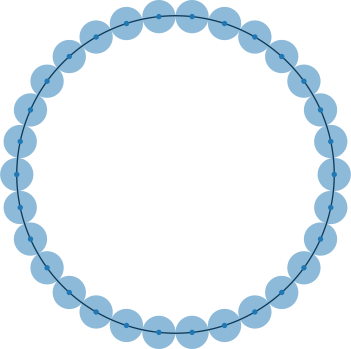
- Krylov (1959, arbitrary degree)
Example:
import numpy as np
import quadpy

scheme = quadpy.u2.get_good_scheme(7)
scheme.show()
val = scheme.integrate(lambda x: np.exp(x[0]), [0.0, 0.0], 1.0)
Triangle (T2)
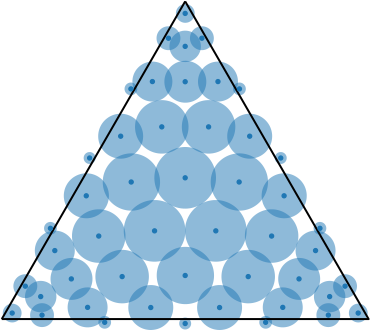
Apart from the classical centroid, vertex, and seven-point schemes we have
- Hammer-Marlowe-Stroud (1956, 5 schemes up to degree 5)
- Albrecht-Collatz (1958, degree 3)
- Stroud (1971, conical product scheme of degree 7)
- Franke (1971, 2 schemes of degree 7)
- Strang-Fix/Cowper (1973, 10 schemes up to degree 7),
- Lyness-Jespersen (1975, 21 schemes up to degree 11, two of which are used in TRIEX),
- Lether (1976, degree 2n-2, arbitrary n, not symmetric),
- Hillion (1977, 10 schemes up to degree 3),
- Laursen-Gellert (1978, 17 schemes up to degree 10),
- CUBTRI (Laurie, 1982, degree 8),
- Dunavant (1985, 20 schemes up to degree 20),
- Cools-Haegemans (1987, degrees 8 and 11),
- Gatermann (1988, degree 7)
- Berntsen-Espelid (1990, 4 schemes of degree 13, the first one being DCUTRI),
- Liu-Vinokur (1998, 13 schemes up to degree 5),
- Griener-Schmid, (1999, 2 schemes of degree 6),
- Walkington (2000, 5 schemes up to degree 5),
- Wandzura-Xiao (2003, 6 schemes up to degree 30),
- Taylor-Wingate-Bos (2005, 5 schemes up to degree 14),
- Zhang-Cui-Liu (2009, 3 schemes up to degree 20),
- Xiao-Gimbutas (2010, 50 schemes up to degree 50),
- Vioreanu-Rokhlin (2014, 20 schemes up to degree 62),
- Williams-Shunn-Jameson (2014, 8 schemes up to degree 12),
- Witherden-Vincent (2015, 19 schemes up to degree 20),
- Papanicolopulos (2016, 27 schemes up to degree 25),
- all schemes for the n-simplex.
Example:
import numpy as np
import quadpy

scheme = quadpy.t2.get_good_scheme(12)
scheme.show()
val = scheme.integrate(lambda x: np.exp(x[0]), [[0.0, 0.0], [1.0, 0.0], [0.5, 0.7]])
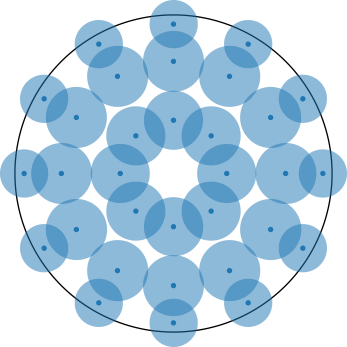
Disk (S2)
- Radon (1948, degree 5)
- Peirce (1956, 3 schemes up to degree 11)
- Peirce (1957, arbitrary degree)
- Albrecht-Collatz (1958, degree 3)
- Hammer-Stroud (1958, 8 schemes up to degree 15)
- Albrecht (1960, 8 schemes up to degree 17)
- Mysovskih (1964, 3 schemes up to degree 15)
- Rabinowitz-Richter (1969, 6 schemes up to degree 15)
- Lether (1971, arbitrary degree)
- Piessens-Haegemans (1975, 1 scheme of degree 9)
- Haegemans-Piessens (1977, degree 9)
- Cools-Haegemans (1985, 4 schemes up to degree 13)
- Wissmann-Becker (1986, 3 schemes up to degree 8)
- Kim-Song (1997, 15 schemes up to degree 17)
- Cools-Kim (2000, 3 schemes up to degree 21)
- Luo-Meng (2007, 6 schemes up to degree 17)
- all schemes from the n-ball
Example:
import numpy as np
import quadpy

scheme = quadpy.s2.get_good_scheme(6)
scheme.show()
val = scheme.integrate(lambda x: np.exp(x[0]), [0.0, 0.0], 1.0)
Quadrilateral (C2)
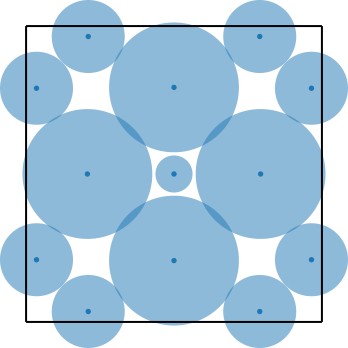
- Maxwell (1890, degree 7)
- Burnside (1908, degree 5)
- Irwin (1923, 3 schemes up to degree 5)
- Tyler (1953, 3 schemes up to degree 7)
- Hammer-Stroud (1958, 3 schemes up to degree 7)
- Albrecht-Collatz (1958, 4 schemes up to degree 5)
- Miller (1960, degree 1, degree 11 for harmonic integrands)
- Meister (1966, degree 7)
- Phillips (1967, degree 7)
- Rabinowitz-Richter (1969, 6 schemes up to degree 15)
- Franke (1971, 10 schemes up to degree 9)
- Piessens-Haegemans (1975, 2 schemes of degree 9)
- Haegemans-Piessens (1977, degree 7)
- Schmid (1978, 3 schemes up to degree 6)
- Cools-Haegemans (1985, 6 schemes up to degree 17)
- Dunavant (1985, 11 schemes up to degree 19)
- Morrow-Patterson (1985, 2 schemes up to degree 20, single precision)
- Cohen-Gismalla, (1986, 2 schemes up to degree 3)
- Wissmann-Becker (1986, 6 schemes up to degree 8)
- Cools-Haegemans (1988, 2 schemes up to degree 13)
- Waldron (1994, infinitely many schemes of degree 3)
- Sommariva (2012, 55 schemes up to degree 55)
- Witherden-Vincent (2015, 11 schemes up to degree 21)
- products of line segment schemes
- all schemes from the n-cube
Example:
import numpy as np
import quadpy

scheme = quadpy.c2.get_good_scheme(7)
val = scheme.integrate(
    lambda x: np.exp(x[0]),
    [[[0.0, 0.0], [1.0, 0.0]], [[0.0, 1.0], [1.0, 1.0]]],
)
The points are specified in an array of shape (2, 2, ...) such that arr[0][0]
is the lower left corner, arr[1][1] the upper right. If your c2
has its sides aligned with the coordinate axes, you can use the convenience
function
quadpy.c2.rectangle_points([x0, x1], [y0, y1])
to generate the array.
2D space with weight function exp(-r) (E2r)
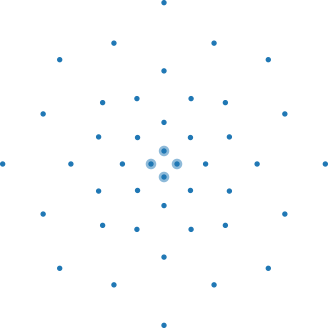
- Stroud-Secrest (1963, 2 schemes up to degree 7)
- Rabinowitz-Richter (1969, 4 schemes up to degree 15)
- Stroud (1971, degree 4)
- Haegemans-Piessens (1977, 2 schemes up to degree 9)
- Cools-Haegemans (1985, 3 schemes up to degree 13)
- all schemes from the nD space with weight function exp(-r)
Example:
import quadpy

scheme = quadpy.e2r.get_good_scheme(5)
scheme.show()
val = scheme.integrate(lambda x: x[0] ** 2)
2D space with weight function exp(-r2) (E2r2)
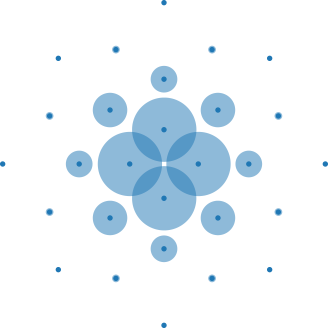
- Stroud-Secrest (1963, 2 schemes up to degree 7)
- Rabinowitz-Richter (1969, 5 schemes up to degree 15)
- Stroud (1971, 3 schemes up to degree 7)
- Haegemans-Piessens (1977, 2 schemes of degree 9)
- Cools-Haegemans (1985, 3 schemes up to degree 13)
- all schemes from the nD space with weight function exp(-r2)
Example:
import quadpy

scheme = quadpy.e2r2.get_good_scheme(3)
scheme.show()
val = scheme.integrate(lambda x: x[0] ** 2)
Sphere (U3)
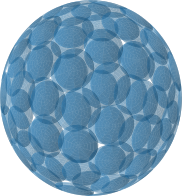
- Albrecht-Collatz (1958, 5 schemes up to degree 7)
- McLaren (1963, 10 schemes up to degree 14)
- Lebedev (1976, 34 schemes up to degree 131)
- Bažant-Oh (1986, 3 schemes up to degree 13)
- Heo-Xu (2001, 27 schemes up to degree 39)
- Fliege-Maier (2007, 4 schemes up to degree 4, single-precision)
- all schemes from the n-sphere
Example:
import numpy as np
import quadpy

scheme = quadpy.u3.get_good_scheme(19)
# scheme.show()
val = scheme.integrate(lambda x: np.exp(x[0]), [0.0, 0.0, 0.0], 1.0)
Integration on the sphere can also be done for functions defined in spherical coordinates:
import numpy as np
import quadpy


def f(theta_phi):
    theta, phi = theta_phi
    return np.sin(phi) ** 2 * np.sin(theta)


scheme = quadpy.u3.get_good_scheme(19)
val = scheme.integrate_spherical(f)
Ball (S3)
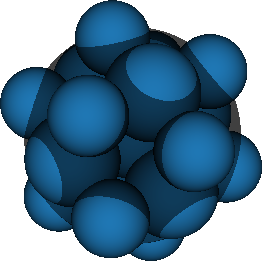
- Ditkin (1948, 3 schemes up to degree 7)
- Hammer-Stroud (1958, 6 schemes up to degree 7)
- Mysovskih (1964, degree 7)
- Stroud (1971, 2 schemes up to degree 14)
- all schemes from the n-ball
Example:
import numpy as np
import quadpy

scheme = quadpy.s3.get_good_scheme(4)
# scheme.show()
val = scheme.integrate(lambda x: np.exp(x[0]), [0.0, 0.0, 0.0], 1.0)
Tetrahedron (T3)
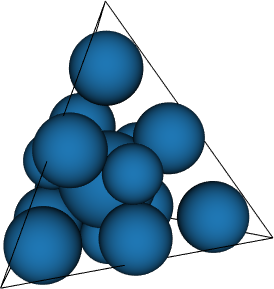
- Hammer-Marlowe-Stroud (1956, 3 schemes up to degree 3, also appearing in Hammer-Stroud)
- Stroud (1971, degree 7)
- Yu (1984, 5 schemes up to degree 6)
- Keast (1986, 10 schemes up to degree 8)
- Beckers-Haegemans (1990, degrees 8 and 9)
- Gatermann (1992, degree 5)
- Liu-Vinokur (1998, 14 schemes up to degree 5)
- Walkington (2000, 6 schemes up to degree 7)
- Zhang-Cui-Liu (2009, 2 schemes up to degree 14)
- Xiao-Gimbutas (2010, 15 schemes up to degree 15)
- Shunn-Ham (2012, 6 schemes up to degree 7)
- Vioreanu-Rokhlin (2014, 10 schemes up to degree 13)
- Williams-Shunn-Jameson (2014, 1 scheme with degree 9)
- Witherden-Vincent (2015, 9 schemes up to degree 10)
- Jaśkowiec-Sukumar (2020, 21 schemes up to degree 20)
- all schemes for the n-simplex.
Example:
import numpy as np
import quadpy

scheme = quadpy.t3.get_good_scheme(5)
# scheme.show()
val = scheme.integrate(
    lambda x: np.exp(x[0]),
    [[0.0, 0.0, 0.0], [1.0, 0.0, 0.0], [0.5, 0.7, 0.0], [0.3, 0.9, 1.0]],
)
Hexahedron (C3)
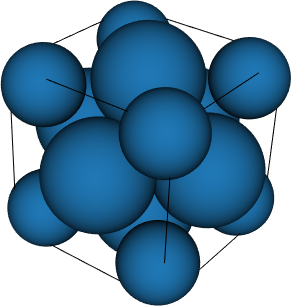
- Sadowsky (1940, degree 5)
- Tyler (1953, 2 schemes up to degree 5)
- Hammer-Wymore (1957, degree 7)
- Albrecht-Collatz (1958, degree 3)
- Hammer-Stroud (1958, 6 schemes up to degree 7)
- Mustard-Lyness-Blatt (1963, 6 schemes up to degree 5)
- Stroud (1967, degree 5)
- Sarma-Stroud (1969, degree 7)
- Witherden-Vincent (2015, 7 schemes up to degree degree 11)
- all schemes from the n-cube
- Product schemes derived from line segment schemes
Example:
import numpy as np
import quadpy

scheme = quadpy.c3.product(quadpy.c1.newton_cotes_closed(3))
# scheme.show()
val = scheme.integrate(
    lambda x: np.exp(x[0]),
    quadpy.c3.cube_points([0.0, 1.0], [-0.3, 0.4], [1.0, 2.1]),
)
Pyramid (P3)
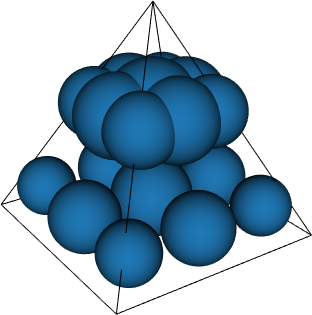
- Felippa (2004, 9 schemes up to degree 5)
Example:
import numpy as np
import quadpy

scheme = quadpy.p3.felippa_5()

val = scheme.integrate(
    lambda x: np.exp(x[0]),
    [
        [0.0, 0.0, 0.0],
        [1.0, 0.0, 0.0],
        [0.5, 0.7, 0.0],
        [0.3, 0.9, 0.0],
        [0.0, 0.1, 1.0],
    ],
)
Wedge (W3)
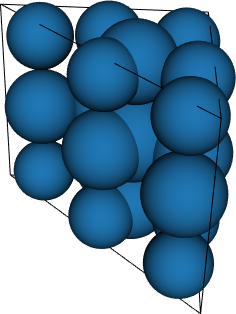
- Felippa (2004, 6 schemes up to degree 6)
- Kubatko-Yeager-Maggi (2013, 21 schemes up to degree 9)
Example:
import numpy as np
import quadpy

scheme = quadpy.w3.felippa_3()
val = scheme.integrate(
    lambda x: np.exp(x[0]),
    [
        [[0.0, 0.0, 0.0], [1.0, 0.0, 0.0], [0.5, 0.7, 0.0]],
        [[0.0, 0.0, 1.0], [1.0, 0.0, 1.0], [0.5, 0.7, 1.0]],
    ],
)
3D space with weight function exp(-r) (E3r)
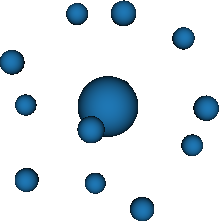
- Stroud-Secrest (1963, 5 schemes up to degree 7)
- all schemes from the nD space with weight function exp(-r)
Example:
import quadpy

scheme = quadpy.e3r.get_good_scheme(5)
# scheme.show()
val = scheme.integrate(lambda x: x[0] ** 2)
3D space with weight function exp(-r2) (E3r2)
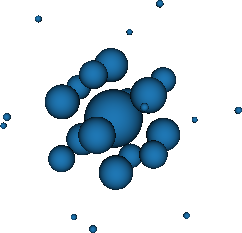
- Stroud-Secrest (1963, 7 schemes up to degree 7)
- Stroud (1971, scheme of degree 14)
- all schemes from the nD space with weight function exp(-r2)
Example:
import quadpy

scheme = quadpy.e3r2.get_good_scheme(6)
# scheme.show()
val = scheme.integrate(lambda x: x[0] ** 2)
n-Simplex (Tn)
- Lauffer (1955, 5 schemes up to degree 5)
- Hammer-Stroud (1956, 3 schemes up to degree 3)
- Stroud (1964, degree 3)
- Stroud (1966, 7 schemes of degree 3)
- Stroud (1969, degree 5)
- Silvester (1970, arbitrary degree),
- Grundmann-Möller (1978, arbitrary degree)
- Walkington (2000, 5 schemes up to degree 7)
Example:
import numpy as np
import quadpy

dim = 4
scheme = quadpy.tn.grundmann_moeller(dim, 3)
val = scheme.integrate(
    lambda x: np.exp(x[0]),
    np.array(
        [
            [0.0, 0.0, 0.0, 0.0],
            [1.0, 2.0, 0.0, 0.0],
            [0.0, 1.0, 0.0, 0.0],
            [0.0, 3.0, 1.0, 0.0],
            [0.0, 0.0, 4.0, 1.0],
        ]
    ),
)
n-Sphere (Un)
- Stroud (1967, degree 7)
- Stroud (1969, 3 <= n <= 16, degree 11)
- Stroud (1971, 6 schemes up to degree 5)
- Dobrodeev (1978, n >= 2, degree 5)
- Mysovskikh (1980, 2 schemes up to degree 5)
Example:
import numpy as np
import quadpy

dim = 4
scheme = quadpy.un.dobrodeev_1978(dim)
val = scheme.integrate(lambda x: np.exp(x[0]), np.zeros(dim), 1.0)
n-Ball (Sn)
- Stroud (1957, degree 2)
- Hammer-Stroud (1958, 2 schemes up to degree 5)
- Stroud (1966, 4 schemes of degree 5)
- Stroud (1967, 4 <= n <= 7, 2 schemes of degree 5)
- Stroud (1967, n >= 3, 3 schemes of degree 7)
- Stenger (1967, 6 schemes up to degree 11)
- McNamee-Stenger (1967, 6 schemes up to degree 9)
- Dobrodeev (1970, n >= 3, degree 7)
- Dobrodeev (1978, 2 <= n <= 20, degree 5)
- Stoyanova (1997, n >= 5, degree 7)
Example:
import numpy as np
import quadpy

dim = 4
scheme = quadpy.sn.dobrodeev_1970(dim)
val = scheme.integrate(lambda x: np.exp(x[0]), np.zeros(dim), 1.0)
n-Cube (Cn)
- Ewing (1941, degree 3)
- Tyler (1953, degree 3)
- Stroud (1957, 2 schemes up to degree 3)
- Hammer-Stroud (1958, degree 5)
- Mustard-Lyness-Blatt (1963, degree 5)
- Thacher (1964, degree 2)
- Stroud (1966, 4 schemes of degree 5)
- Phillips (1967, degree 7)
- McNamee-Stenger (1967, 6 schemes up to degree 9)
- Stroud (1968, degree 5)
- Dobrodeev (1970, n >= 5, degree 7)
- Dobrodeev (1978, n >= 2, degree 5)
- Cools-Haegemans (1994, 2 schemes up to degree 5)
Example:
import numpy as np
import quadpy

dim = 4
scheme = quadpy.cn.stroud_cn_3_3(dim)
val = scheme.integrate(
    lambda x: np.exp(x[0]),
    quadpy.cn.ncube_points([0.0, 1.0], [0.1, 0.9], [-1.0, 1.0], [-1.0, -0.5]),
)
nD space with weight function exp(-r) (Enr)
- Stroud-Secrest (1963, 4 schemes up to degree 5)
- McNamee-Stenger (1967, 6 schemes up to degree 9)
- Stroud (1971, 2 schemes up to degree 5)
Example:
import quadpy

dim = 4
scheme = quadpy.enr.stroud_enr_5_4(dim)
val = scheme.integrate(lambda x: x[0] ** 2)
nD space with weight function exp(-r2) (Enr2)
- Stroud-Secrest (1963, 4 schemes up to degree 5)
- McNamee-Stenger (1967, 6 schemes up to degree 9)
- Stroud (1967, 2 schemes of degree 5)
- Stroud (1967, 3 schemes of degree 7)
- Stenger (1971, 6 schemes up to degree 11, varying dimensionality restrictions)
- Stroud (1971, 5 schemes up to degree 5)
- Phillips (1980, degree 5)
- Cools-Haegemans (1994, 3 schemes up to degree 7)
- Lu-Darmofal (2004, degree 5)
- Xiu (2008, degree 2)
Example:
import quadpy

dim = 4
scheme = quadpy.enr2.stroud_enr2_5_2(dim)
val = scheme.integrate(lambda x: x[0] ** 2)
Installation
quadpy is available from the Python Package Index, so with
pip install quadpy
you can install.
Testing
To run the tests, check out this repository and type
MPLBACKEND=Agg pytest
License
This software is published under the GPLv3 license.
1 maintainer

Metadata
1 maintainer
Release files for legacy-quadpy 0.16.10
For a detailed explanation of source distributions (sdists) and built distributions (wheels), please see the package formats documentation.
Source distribution (sdist)
| File | Size | Uploaded | Provenance | |
|---|---|---|---|---|
| legacy-quadpy-0.16.10.tar.gz | 1.1 MB | Without provenance | Details |
Release files / legacy-quadpy-0.16.10.tar.gz
| Download URL | legacy-quadpy-0.16.10.tar.gz |
|---|---|
| Size | 1.1 MB |
| Tags | Source |
|
SHA-256 checksum How to use checksums |
505d153aaa71cc6405c36ef50152c0df7e7227c617d8e501bcee27bdef5dc3a6
|
|
BLAKE2b-256 checksum How to use checksums |
be57ad2f9240d32adec95c639b66ce77ed5ed0ebb4e16bdfc27846a39d735045
|
| Upload date | |
|
Uploaded using Trusted Publishing? What is trusted publishing? |
No |
| Uploaded via |
twine/4.0.2 CPython/3.11.6
|
Security for legacy-quadpy 0.16.10
Provenance
Provenance describes where a file came from. On PyPI, provenance is shared via attestations, which provide a verifiable record of the build or publishing details. View details, limitations and caveats.
No provenance found
None of the files in this release were uploaded with provenance metadata.
A note on package security
PyPI is a repository for distributing packages, not a service for auditing them. While third-party security researchers and our staff do their best to detect and remove malicious packages, PyPI cannot guarantee the quality, security or suitability of any given package.
To learn more about protecting yourself from malicious actors, visit our package security documentation.













