
LFCS Practice Tool
========================================================================

   ██╗     ███████╗ ██████╗███████╗
   ██║     ██╔════╝██╔════╝██╔════╝
   ██║     █████╗  ██║     ███████╗
   ██║     ██╔══╝  ██║     ╚════██║
   ███████╗██║     ╚██████╗███████║
   ╚══════╝╚═╝      ╚═════╝╚══════╝

        Linux System Administration Practice Tool

========================================================================
Interactive Linux System Administration Practice Environment with Docker Containers
A comprehensive CLI-based training tool designed to help you prepare for the Linux Foundation Certified System Administrator (LFCS) exam. Practice real-world Linux administration tasks in isolated Docker containers with automatic validation, progress tracking, and interactive learning modules.
Demo
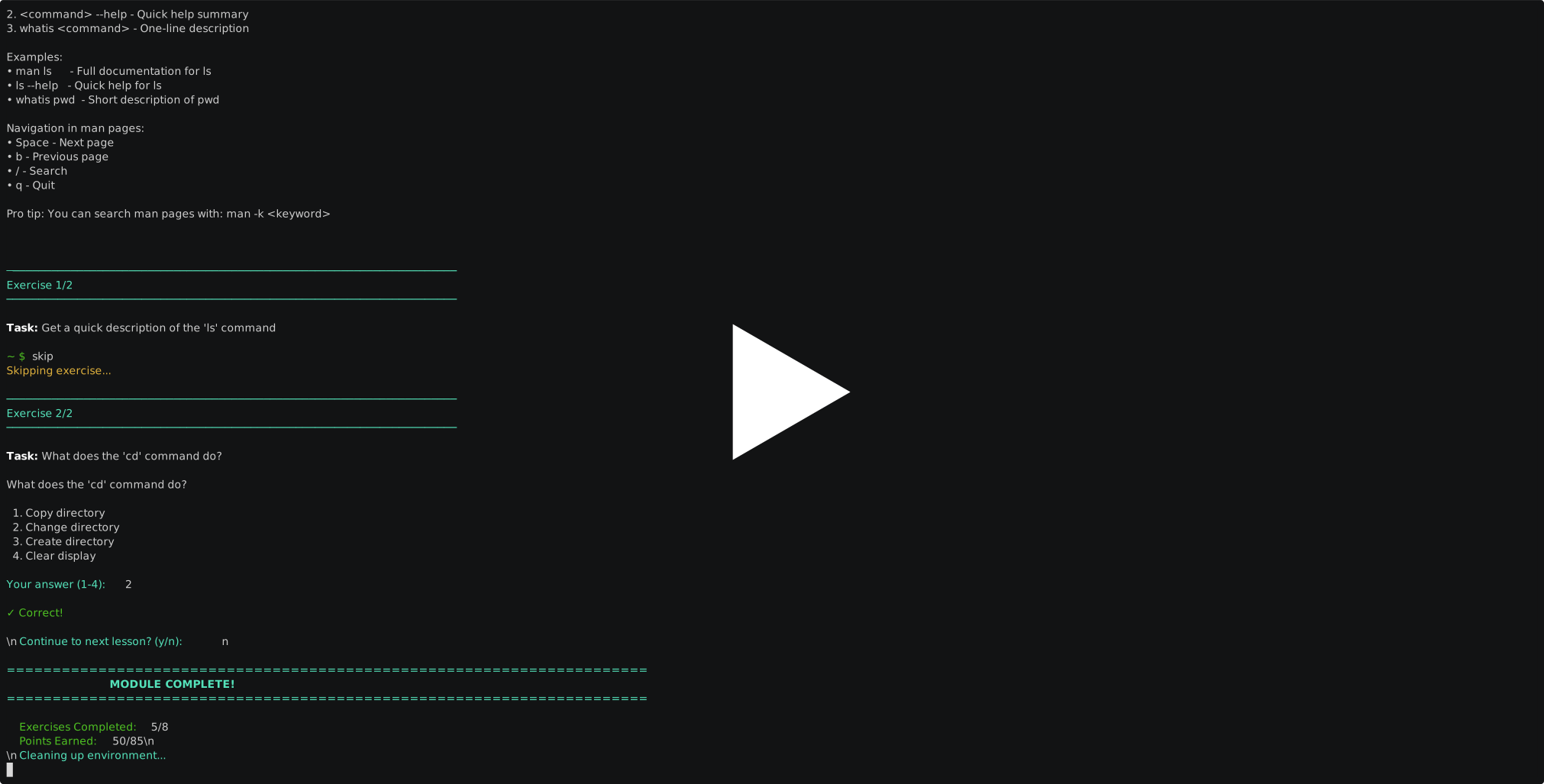
Watch the tool in action - see how to start a practice session, complete tasks, and get instant validation feedback.
Table of Contents
- Features
- Quick Start
- Installation
- Usage
- Learning Modes
- Documentation
- Requirements
- Contributing
- License
Features
Core Features
- 83+ Practice Scenarios across 5 LFCS exam categories
- Isolated Docker Environments for safe, repeatable practice
- Automatic Validation with detailed feedback on task completion
- Progress Tracking with statistics, streaks, and mastery percentages
- Multi-Distribution Support (Ubuntu, CentOS, Rocky Linux)
- Interactive Learning Mode with 14 structured learning modules
- Live Validation - check your work without exiting the container
- Difficulty Progression from easy to hard scenarios
- Smart Recommendations based on your performance
Advanced Features
- Context Generation - scenarios with randomized values for variety
- Property-Based Testing - comprehensive test coverage
- Error Recovery - intelligent error handling with recovery suggestions
- Comprehensive Logging - detailed logs for debugging
- Configuration Management - flexible YAML and environment variable configuration
- Achievement System - track milestones and accomplishments
Quick Start
Choose your installation method based on your needs:
Method 1: Simple Installation (Recommended for Users)
# 1. Install from PyPI
pip install lfcs

# 2. Start practicing (Docker images build automatically on first use)
lfcs start
Note: Docker images are built automatically when you first use the tool. The first run will take 5-20 minutes to build images, but subsequent runs will be instant.
Method 2: Full Repository Installation (For Contributors)
# 1. Clone repository
git clone https://github.com/loyality7/lfcs-practice-tool.git
cd lfcs-practice-tool

# 2. Install in editable mode
pip install -e ".[dev,ai]"

# 3. Build Docker images (optional - will auto-build if skipped)
cd docker/base_images
./build_all.sh
cd ../..

# 4. Start practicing
lfcs start
Installation
Prerequisites
Before installing, ensure you have:
- Python 3.9+ - Check with
python3 --version - Docker 20.10+ - Check with
docker --version - 4GB RAM minimum (8GB recommended)
- 10GB disk space for Docker images
- Internet connection for downloading packages and images
Installation Method 1: Simple Pip Install (Recommended)
Best for: Users who just want to practice LFCS scenarios
What you get: Full LFCS practice tool with all 83+ scenarios, 14 learning modules, and automatic Docker image building
Steps:
-
Install the package:
pip install lfcs
-
Start practicing:
lfcs start
That's it! Docker images will be built automatically on first use.
Important Notes:
- ✅ Automatic setup - Docker images build automatically when first needed
- ⏱️ First run takes 5-20 minutes - Building images (one-time setup)
- 🚀 Subsequent runs are instant - Images are reused
- 📦 Everything included - Scenarios, learning modules, and Dockerfiles in pip package
Installation Method 2: Repository Install (For Contributors)
Best for: Developers who want to contribute or modify the code
What you get: Full source code with editable installation
Steps:
-
Clone repository:
git clone https://github.com/loyality7/lfcs-practice-tool.git
cd lfcs-practice-tool
-
Install in editable mode:
# Install with development dependencies
pip install -e ".[dev,ai]"
-
Build Docker images:
cd docker/base_images
./build_all.sh
cd ../..
-
Verify installation:
lfcs --version
lfcs start
Optional: Enable AI Features
To use AI-powered hints and validation:
# Set your API key (choose one)
export ANTHROPIC_API_KEY="your-api-key-here"
# OR
export OPENAI_API_KEY="your-api-key-here"

# Start with AI mode
lfcs start --ai
Usage
Basic Commands
# Start interactive practice session
lfcs start

# Start with filters
lfcs start --category networking --difficulty easy

# List available scenarios
lfcs list

# View your statistics
lfcs stats

# Interactive learning mode
lfcs learn

# Reset progress
lfcs reset --confirm
Practice Workflow
- Select Scenario: Choose category, difficulty, and specific scenario
- Read Task: Review the task description and hints
- Work in Container: Complete the task in the Docker shell
- Validate: Type
exitto validate your work - Review Results: See detailed feedback and score
- Track Progress: View statistics and recommendations
Interactive Learning Mode
# Start learning mode
lfcs learn

# List all modules
lfcs learn --list

# Start specific module
lfcs learn --module 01_beginner/01_linux_basics

# Continue from last lesson
lfcs learn --continue
Learning Modes
1. Practice Mode (Scenario-Based)
Practice specific LFCS exam tasks with automatic validation:
- Essential Commands: Text processing, pipes, archives
- Operations & Deployment: Services, packages, systemd
- Networking: Interface configuration, routing, firewall
- Storage: Filesystems, LVM, mounting, permissions
- Users & Groups: User management, permissions, sudo
2. Interactive Learning Mode
Structured learning path from basics to LFCS level:
- Beginner: Linux basics, file navigation, basic commands
- Intermediate: Text processing, process management, packages
- Advanced: Networking, storage management, user administration
- Expert: Security hardening, automation, troubleshooting
3. Local Practice Mode
Practice on your local system without Docker (use with caution):
lfcs start --local
WARNING: Local mode modifies your actual system. Use only if you understand the risks.
Documentation
- User Guide - Comprehensive usage guide
- Developer Guide - Adding scenarios and contributing
- Architecture - System design and components
- Troubleshooting - Common issues and solutions
- Contributing - Contribution guidelines
Requirements
System Requirements
- OS: Linux, macOS, or Windows with WSL2
- CPU: 2+ cores recommended
- RAM: 4GB minimum, 8GB recommended
- Disk: 10GB free space for Docker images
- Network: Internet connection for Docker image downloads
Software Requirements
- Python 3.9 or higher
- Docker 20.10 or higher
- Git (for cloning repository)
Optional Requirements
- Anthropic or OpenAI API key (for AI features)
- 16GB RAM (for running multiple containers)
Project Structure
lfcs-practice-tool/
├── src/                    # Source code
│   ├── cli/               # Command-line interface
│   ├── core/              # Core engine and scenario loader
│   ├── docker_manager/    # Docker container management
│   ├── validation/        # Validation strategies
│   ├── learn/             # Interactive learning system
│   ├── utils/             # Utilities and helpers
│   └── main.py            # Main entry point
├── scenarios/             # Practice scenarios (83+ YAML files)
│   ├── essential_commands/
│   ├── networking/
│   ├── operations_deployment/
│   ├── storage/
│   └── users_groups/
├── learn_modules/         # Learning modules (14 YAML files)
│   ├── 01_beginner/
│   ├── 02_intermediate/
│   ├── 03_advanced/
│   └── 04_expert/
├── docker/                # Docker configuration
│   ├── base_images/       # Dockerfiles for Ubuntu, CentOS, Rocky
│   └── validation_scripts/ # Custom validation scripts
├── database/              # SQLite database for progress
├── config/                # Configuration files
├── tests/                 # Test suite
└── docs/                  # Documentation
Configuration
Configuration Files
config/config.yaml- Main configurationconfig/ai_config.yaml- AI provider settings.env- Environment variables (create from.env.example)
Environment Variables
# Docker configuration
export DEFAULT_IMAGE="ubuntu"
export CONTAINER_NETWORK="bridge"
export DOCKER_PRIVILEGED="true"

# Database and logs
export DB_PATH="database/progress.db"
export LOGS_PATH="logs"
export LOG_LEVEL="INFO"

# AI configuration (optional)
export AI_ENABLED="true"
export ANTHROPIC_API_KEY="your-key"

# Local mode (practice without Docker)
export LOCAL_MODE="false"
Statistics and Progress
The tool tracks comprehensive statistics:
- Overall Performance: Total attempts, pass rate, average score
- Category Breakdown: Performance by category and difficulty
- Mastery Levels: Percentage mastery for each difficulty level
- Streaks: Current and best passing streaks
- Achievements: Unlocked milestones
- Recommendations: Personalized suggestions for improvement
View your stats anytime:
lfcs stats                    # Overall statistics
lfcs stats --category storage # Category-specific stats
Troubleshooting
Docker Issues
# Docker not running
sudo systemctl start docker

# Permission denied
sudo usermod -aG docker $USER
newgrp docker

# Image not found
cd docker/base_images && ./build_all.sh
Common Issues
- Container fails to start: Check Docker daemon status and available resources
- Validation fails unexpectedly: Check container logs with
docker logs <container-id> - Database locked: Close other instances of the tool
- Permission errors: Ensure write permissions for database and logs directories
See TROUBLESHOOTING.md for detailed solutions.
Contributing
We welcome contributions! See CONTRIBUTING.md for guidelines.
Quick Contribution Guide
- Fork the repository
- Create a feature branch
- Add scenarios or fix bugs
- Write tests
- Submit a pull request
Adding Scenarios
# Create a new scenario YAML file
cp scenarios/storage/easy/create_directory_01.yaml \
   scenarios/storage/easy/my_scenario_01.yaml

# Edit the scenario
# Test it
lfcs start --category storage --difficulty easy

# Submit PR
Testing
# Run all tests
pytest

# Run with coverage
pytest --cov=src --cov-report=html

# Run specific test
pytest tests/unit/test_scenario_loader.py

# Run property-based tests
pytest tests/unit/ -k "property"
License
MIT License - see LICENSE file for details.
Acknowledgments
- Linux Foundation for the LFCS certification program
- Docker for containerization technology
- All contributors and scenario authors
Support
- Issues: GitHub Issues
- Discussions: GitHub Discussions
- Email: sarathbabuc@duck.com
Roadmap
- Web-based UI
- Multi-user support
- Cloud deployment scenarios
- Kubernetes practice scenarios
- Video tutorials integration
- Mobile app for progress tracking
Made with ❤️ for the Linux community
Version: 1.0.6 | Author: C Sarath Babu | License: MIT
1 maintainer

Metadata
1 maintainer
Release files for lfcs 1.1.0
For a detailed explanation of source distributions (sdists) and built distributions (wheels), please see the package formats documentation.
Source distribution (sdist)
| File | Size | Uploaded | |
|---|---|---|---|
| lfcs-1.1.0.tar.gz | 153.7 kB | Details |
Built distribution (wheel)
| File | Interpreter | ABI | Platform | Reset |
|---|---|---|---|---|
| lfcs-1.1.0-py3-none-any.whl | Python 3 | none | any | Details |
Total release size: 329.6 kB
Release files / lfcs-1.1.0.tar.gz
| Download URL | lfcs-1.1.0.tar.gz |
|---|---|
| Size | 153.7 kB |
| Tags | Source |
|
SHA-256 checksum How to use checksums |
0a578cfb486df36b9132522b646ac40b040a9a7c19d11a6f5671b6c1efcf8c4c
|
|
BLAKE2b-256 checksum How to use checksums |
d44c05e3b11574a31b1a62efaf00eb54cf54bc36d3ae1387c066e85dbd0bf405
|
| Upload date | |
|
Uploaded using Trusted Publishing? What is trusted publishing? |
No |
| Uploaded via |
twine/6.2.0 CPython/3.12.3
|
Release files / lfcs-1.1.0-py3-none-any.whl
| Download URL | lfcs-1.1.0-py3-none-any.whl |
|---|---|
| Size | 175.9 kB |
| Tags | Python 3 |
|
SHA-256 checksum How to use checksums |
dfefab5abd466a40a089d78bfe1f8ecb6fd5b7b09fb85311de12291f551e2274
|
|
BLAKE2b-256 checksum How to use checksums |
53f178cb8ff9b2d8f717ecb1e5ce204efd2d6c7cb8e821b73520bae792376b4a
|
| Upload date | |
|
Uploaded using Trusted Publishing? What is trusted publishing? |
No |
| Uploaded via |
twine/6.2.0 CPython/3.12.3
|














