
libretro_finder





Simple tool that finds and prepares your BIOS files for usage with Libretro (or its RetroArch frontend).
No more need to manually select, rename and move your BIOS files to some RetroArch installation somewhere, just dump them in LibretroFinder and let it sort it out for you. It does this by generating checksums for your local files (i.e. unique identifiers) and comparing them against their known counterparts as documented by Libretro here. It then refactors copies of all matching files to the format expected by Libretro (name and folder structure).
This repository does NOT include the BIOS files themselves.
Features
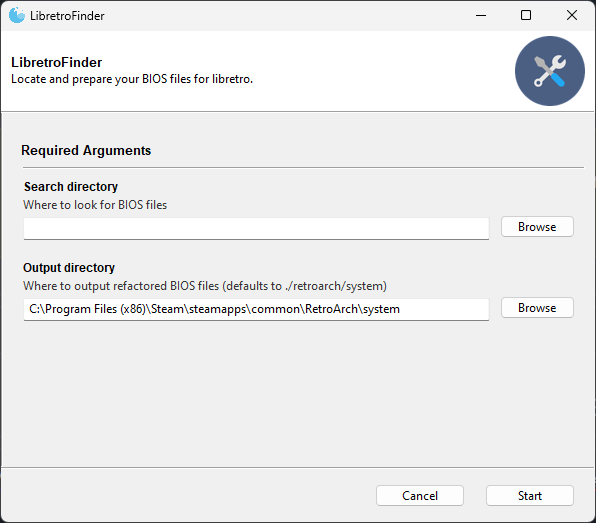
- Simple graphical user interface (GUI)
- Scriptable command line interface (CLI)
- Works on Windows, Linux and MacOS
- Available through the Python Package Index (Python >=3.9)
- Available as portable executable (no installation required)
Installation
Installing from the Python Package Index (PyPI):
# Install from PYPI with Python's package installer (pip)
pip install libretro-finder

# [Optional] Install as isolated application through pipx (https://pypa.github.io/pipx/)
pipx install libretro-finder
You can also download the standalone executables for Windows, Ubuntu and MacOS. This already contains all of the program's dependencies, no installation required. See releases.
Example of usage
Command line interface
If installed with pip, LibretroFinder can be called directly from your preferred terminal by running libretro_finder. You can use the tool entirely from your terminal by providing values for the search directory (e.g. ~/Downloads/bios_files/) and the output directory (~/.config/retroarch/system/):
some_user@some_machine:~ libretro_finder ~/Downloads/bios_files/ ~/.config/retroarch/system/
Hashing files: 100%|█████████████████████████████████████████████████████████████████████████████████| 983/983 [00:00<00:00, 3333.95it/s]
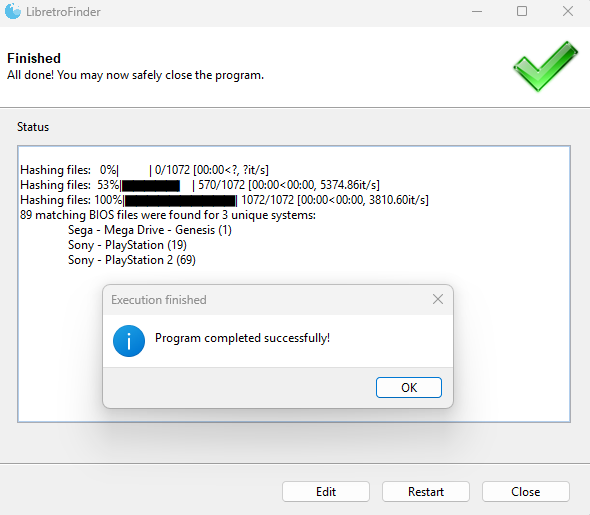
89 matching BIOS files were found for 3 unique systems:
        Sega - Mega Drive - Genesis (1)
        Sony - PlayStation (19)
        Sony - PlayStation 2 (69)
Although the output directory defaults to retroarch's system folder (if retroarch was found), you can manually specify whatever output folder you want and libretro_finder will create it for you. If your path contains spaces, wrap it in double quotes like so:
some_user@some_machine:~ libretro_finder "D:\Games\My Roms" "C:\Program Files (x86)\Steam\steamapps\common\RetroArch\system"
Hashing files: 100%|█████████████████████████████████████████████████████████████████████████████████| 983/983 [00:00<00:00, 3333.95it/s]
89 matching BIOS files were found for 3 unique systems:
        Sega - Mega Drive - Genesis (1)
        Sony - PlayStation (19)
        Sony - PlayStation 2 (69)
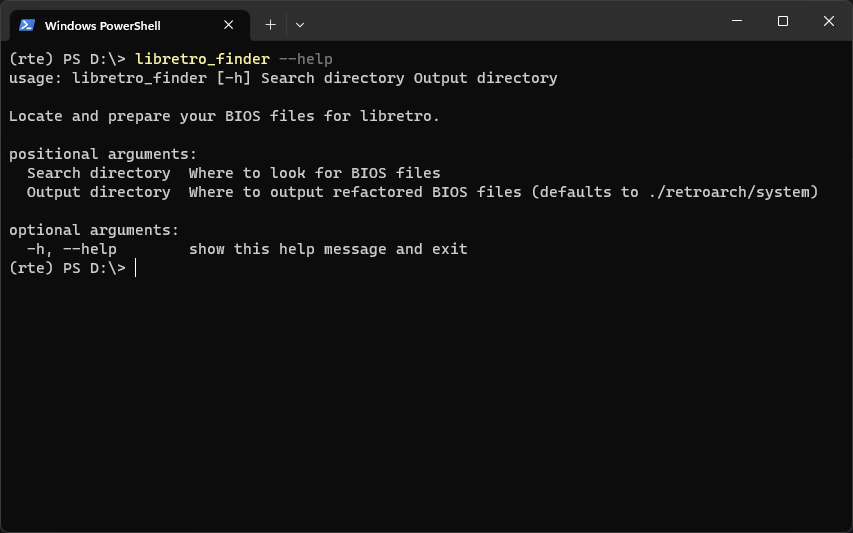
No matter what you select as search- or output directory, rest assured that no existing files on your file system will be modified. You can also call libretro_finder with --help to get some more information on the expected input:
some_user@some_machine:~ libretro_finder --help

Locate and prepare your BIOS files for libretro.

positional arguments:
  Search directory  Where to look for BIOS files
  Output directory  Where to output refactored BIOS files (defaults to ./retroarch/system)

optional arguments:
  -h, --help            show this help message and exit
Graphical user interface
If libretro_finder is called without any additional arguments, LibretroFinder will start with a graphical interface. This is functionally identical to the CLI version with the only real difference that it automatically tries to set the output directory to retroarch's system folder.
Missing features? Have some feedback? Let me know!
1 maintainer

Release files for libretro-finder 0.3.1
For a detailed explanation of source distributions (sdists) and built distributions (wheels), please see the package formats documentation.
Source distribution (sdist)
| File | Size | Uploaded | |
|---|---|---|---|
| libretro_finder-0.3.1.tar.gz | 19.0 kB | Details |
Built distribution (wheel)
| File | Interpreter | ABI | Platform | Reset |
|---|---|---|---|---|
| libretro_finder-0.3.1-py3-none-any.whl | Python 3 | none | any | Details |
Total release size:39.7 kB
Release files / libretro_finder-0.3.1.tar.gz
| Download URL | libretro_finder-0.3.1.tar.gz |
|---|---|
| Size | 19.0 kB |
| Tags | Source |
|
SHA-256 checksum How to use checksums |
258c12ff16060f6b710229a44a0a5efcdf6cfc06753178f3adb36c5f8b203932
|
|
BLAKE2b-256 checksum How to use checksums |
b244e966c78b3ad67abeee2ea1a57c1dc681546106513e5b74efbf831d106000
|
| Upload date | |
|
Uploaded using Trusted Publishing? What is trusted publishing? |
No |
| Uploaded via |
poetry/1.7.1 CPython/3.10.12 Linux/6.2.0-1018-azure
|
Release files / libretro_finder-0.3.1-py3-none-any.whl
| Download URL | libretro_finder-0.3.1-py3-none-any.whl |
|---|---|
| Size | 20.7 kB |
| Tags | Python 3 |
|
SHA-256 checksum How to use checksums |
0971ca9201a7001320503df52d8466a340e50a21b9b4c1b4032fd44c3d0c6a45
|
|
BLAKE2b-256 checksum How to use checksums |
ead2a7ba8fa85a1846378a346e48c961bbabf77a3373a6d8d3250b0c2793ded6
|
| Upload date | |
|
Uploaded using Trusted Publishing? What is trusted publishing? |
No |
| Uploaded via |
poetry/1.7.1 CPython/3.10.12 Linux/6.2.0-1018-azure
|














