
Command line utility that looks for specific BIOS files for libretro cores and, if found, refactors them to the expected format (i.e. name and directory structure).

Project description
libretro_finder



Simple tool that finds and prepares your BIOS files for usage with Libretro (or its RetroArch frontend).
No more need to manually select, rename and move your BIOS files to some RetroArch installation somewhere, just dump them in LibretroFinder and let it sort it out for you. It does this by generating checksums for your local files (i.e. unique identifiers) and comparing them against their known counterparts as documented by Libretro here. It then refactors copies of all matching files to the format expected by Libretro (name and folder structure).
This repository does NOT include the BIOS files themselves.
Features
- Simple graphical user interface (GUI)
- Scriptable command line interface (CLI)
- Works on Windows, Linux and MacOS
- Available through the Python Package Index (Python >=3.8)
- Available as portable executable (currently only on X86 Windows machines)
Installation
Installing from the Python Package Index (PyPI):
# Install from PYPI with Python's package installer (pip)
pip install libretro-finder

# [Optional] Install as isolated application through pipx (https://pypa.github.io/pipx/)
pipx install libretro-finder
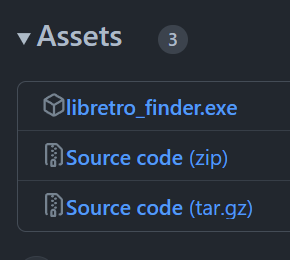
You can also download the prebuilt standalone executable which includes Python and all the program's dependencies, no installation required (currently only available for X86 Windows machines). See releases.
Example of usage
Command line interface
If installed with pip, LibretroFinder can be called directly from your preferred terminal by running libretro_finder. You can use the tool entirely from your terminal by providing values for the search directory (e.g. ~/Downloads/bios_files/) and the output directory (~/.config/retroarch/system/):
some_user@some_machine:~ libretro_finder ~/Downloads/bios_files/ ~/.config/retroarch/system/
Hashing files: 100%|█████████████████████████████████████████████████████████████████████████████████| 983/983 [00:00<00:00, 3333.95it/s]
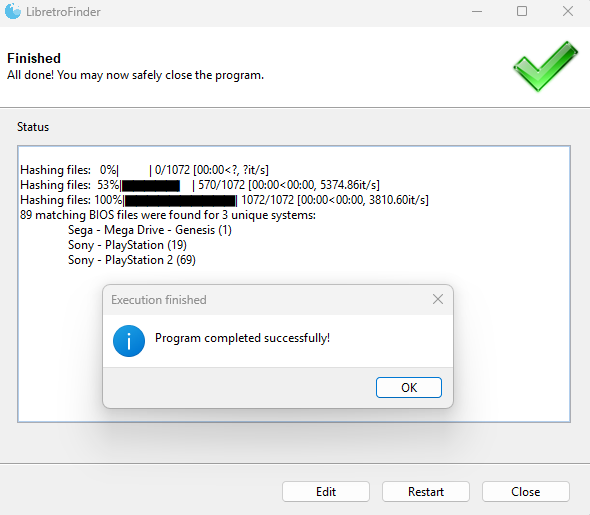
89 matching BIOS files were found for 3 unique systems:
        Sega - Mega Drive - Genesis (1)
        Sony - PlayStation (19)
        Sony - PlayStation 2 (69)
Although the output directory defaults to retroarch's system folder (if retroarch was found), you can manually specify whatever output folder you want and libretro_finder will create it for you. If your path contains spaces, wrap it in double quotes like so:
some_user@some_machine:~ libretro_finder "D:\Games\My Roms" "C:\Program Files (x86)\Steam\steamapps\common\RetroArch\system"
Hashing files: 100%|█████████████████████████████████████████████████████████████████████████████████| 983/983 [00:00<00:00, 3333.95it/s]
89 matching BIOS files were found for 3 unique systems:
        Sega - Mega Drive - Genesis (1)
        Sony - PlayStation (19)
        Sony - PlayStation 2 (69)
No matter what you select as search- or output directory, rest assured that no existing files on your file system will be modified. You can also call libretro_finder with --help to get some more information on the expected input:
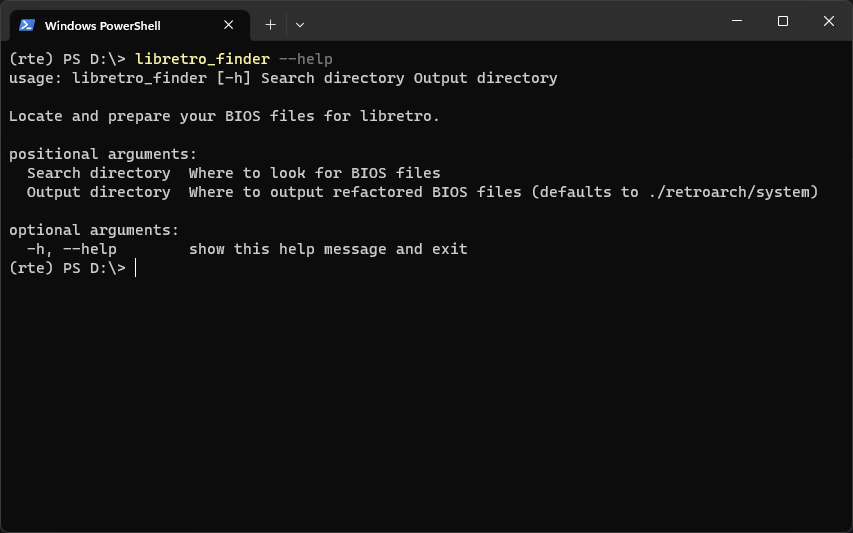
some_user@some_machine:~ libretro_finder --help

Locate and prepare your BIOS files for libretro.

positional arguments:
  Search directory  Where to look for BIOS files
  Output directory  Where to output refactored BIOS files (defaults to ./retroarch/system)

optional arguments:
  -h, --help            show this help message and exit
Graphical user interface
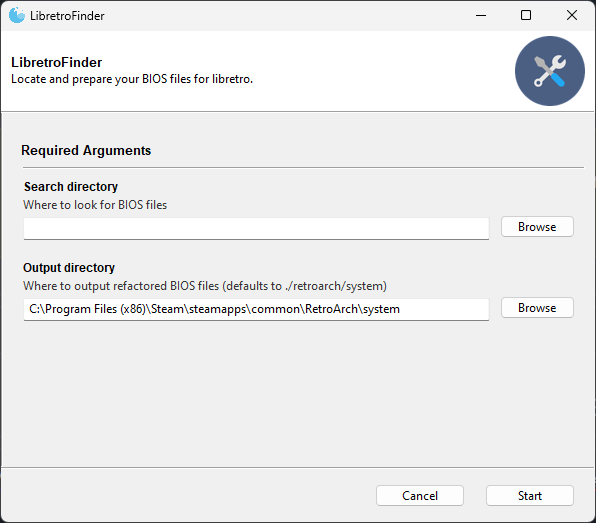
If libretro_finder is called without any additional arguments, LibretroFinder will start with a graphical interface. This is functionally identical to the CLI version with the only real difference that it automatically tries to set the output directory to retroarch's system folder.
Missing features? Have some feedback? Let me know!
Release history Release notifications | RSS feed


Download files
Download the file for your platform. If you're not sure which to choose, learn more about installing packages.
Source Distribution
Built Distribution
Filter files by name, interpreter, ABI, and platform.
If you're not sure about the file name format, learn more about wheel file names.
Copy a direct link to the current filters
File details
Details for the file libretro_finder-0.2.1.tar.gz.
File metadata
- Download URL: libretro_finder-0.2.1.tar.gz
- Upload date:
- Size: 19.8 kB
- Tags: Source
- Uploaded using Trusted Publishing? No
- Uploaded via: poetry/1.4.0 CPython/3.11.4 Windows/10
File hashes
| Algorithm | Hash digest | |
|---|---|---|
| SHA256 |
7fe804c05ca3fcfd322b7f9b3d3b9675498cc6954d92a3865a9cd2cda5f33b89
|
|
| MD5 |
7acd4ec3d6add1d727ca19852c354e40
|
|
| BLAKE2b-256 |
849dae533a93eeeede58cc6695397a85279acfda56987905681b3e24b6c3d9e2
|
File details
Details for the file libretro_finder-0.2.1-py3-none-any.whl.
File metadata
- Download URL: libretro_finder-0.2.1-py3-none-any.whl
- Upload date:
- Size: 21.0 kB
- Tags: Python 3
- Uploaded using Trusted Publishing? No
- Uploaded via: poetry/1.4.0 CPython/3.11.4 Windows/10
File hashes
| Algorithm | Hash digest | |
|---|---|---|
| SHA256 |
2ca5beefbd9d88f047a61b88fb5070e795476d79124074058c99f83f91a91def
|
|
| MD5 |
acb5818b61b778f2afe2e876ab93e0e8
|
|
| BLAKE2b-256 |
a216e27706bafb4430fe5308908c288e89b688bb90e0cc832c07be334fb2578c
|






