
Lidl Plus on Desktop
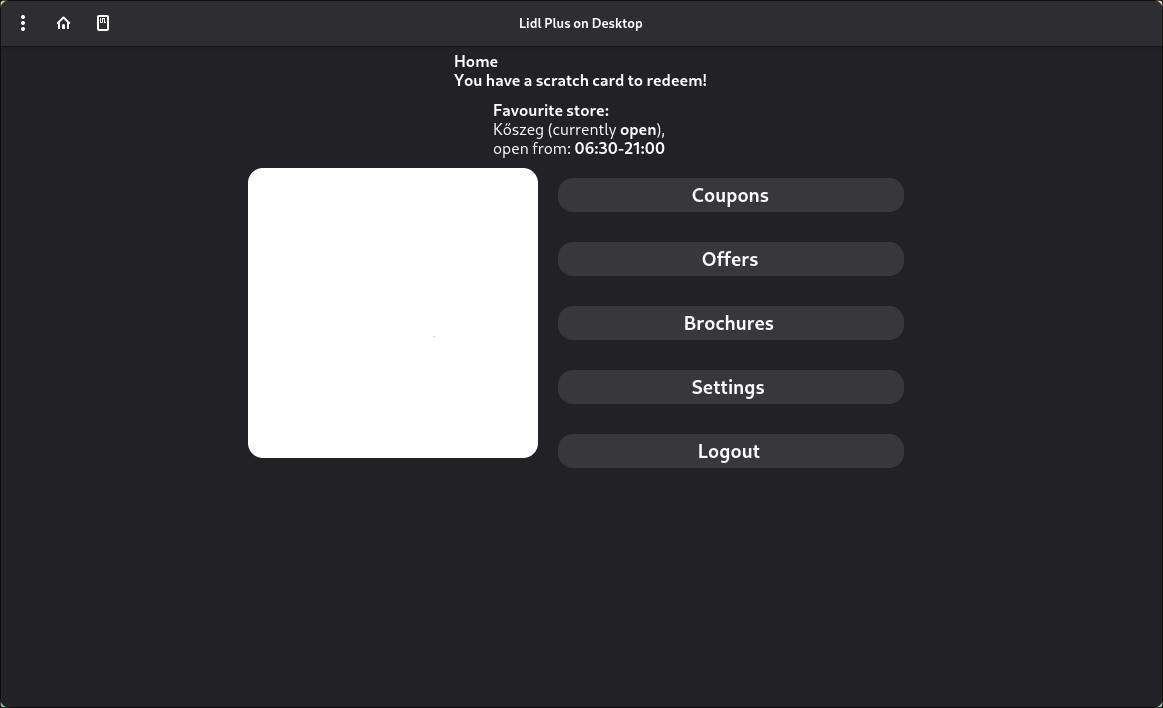
A desktop UI for Lidl Plus, written in Python using GTK and libadwaita.
This is an unofficial project and is not affiliated with Lidl.
What you need
- Python 3 + pip
- Git
- Platform dependencies for GTK / libadwaita / PyGObject
- Playwright browser dependencies
Installation
This only works on macOS/Linux only now because I gave up working with Windows.
1a) Download the flatpak package
Download and install the flatpak package from the releases
flatpak install xyz.zsobix.lidlplusui.flatpak
1b) Download from PyPI
pip install lidlplus-ui
Running the app
2a) If you installed it with the flatpak package
Just run the desktop shortcut
Or run:
flatpak run xyz.zsobix.lidlplusui
The flatpak package has all dependencies included, so you shouldn't need to download anything.
2b) If you downloaded it from PyPI
lidlplus-ui
The script will attempt to automatically install all dependencies.
Then:
- Log in
- Use Lidl Plus on your desktop!!!
Issues
If you have any problem with my project, just write in the issues tab!
Legal notice
This is an open source project written in Python that interacts with the Lidl Plus API, which is owned by Lidl Stiftung & Co. KG.
This project is provided for educational purposes. All trademarks and brand names belong to their respective owners.
1 maintainer

Metadata
1 maintainer
Release files for lidlplus-ui 0.1.3
For a detailed explanation of source distributions (sdists) and built distributions (wheels), please see the package formats documentation.
Source distribution (sdist)
| File | Size | Uploaded | |
|---|---|---|---|
| lidlplus_ui-0.1.3.tar.gz | 24.2 kB | Details |
Built distribution (wheel)
| File | Interpreter | ABI | Platform | Reset |
|---|---|---|---|---|
| lidlplus_ui-0.1.3-py3-none-any.whl | Python 3 | none | any | Details |
Total release size: 47.6 kB
Release files / lidlplus_ui-0.1.3.tar.gz
| Download URL | lidlplus_ui-0.1.3.tar.gz |
|---|---|
| Size | 24.2 kB |
| Tags | Source |
|
SHA-256 checksum How to use checksums |
1e3873be226aea80b5641541972673ccf7c30c7b4187604bcf961d1a1dbce3db
|
|
BLAKE2b-256 checksum How to use checksums |
02b80cb27c208cb67f390ea4f7e535e92baea9e67cb4faaad6653f631144ffbd
|
| Upload date | |
|
Uploaded using Trusted Publishing? What is trusted publishing? |
Yes |
| Uploaded via |
twine/6.1.0 CPython/3.13.12
|
Provenance
Provenance describes where a file came from. On PyPI, provenance is shared via attestations, which provide a verifiable record of the build or publishing details. View details, limitations and caveats.


PyPI Publish Attestation
PyPI verified that this artifact, at this checksum, originated from the publisher listed below.
Signed by GitHub Actions, verified by PyPI on Apr 30, 2026.
Transparency logRelease files / lidlplus_ui-0.1.3-py3-none-any.whl
| Download URL | lidlplus_ui-0.1.3-py3-none-any.whl |
|---|---|
| Size | 23.4 kB |
| Tags | Python 3 |
|
SHA-256 checksum How to use checksums |
9179f128ad879870fad8fb0cca2ce4f4bdcebefa28e1e03a18e9cb59703b5927
|
|
BLAKE2b-256 checksum How to use checksums |
2bbc3b5a36e3aaf9e5d1c99881a1117c858cf10b6a50f850591ca815907b8ac6
|
| Upload date | |
|
Uploaded using Trusted Publishing? What is trusted publishing? |
Yes |
| Uploaded via |
twine/6.1.0 CPython/3.13.12
|
Provenance
Provenance describes where a file came from. On PyPI, provenance is shared via attestations, which provide a verifiable record of the build or publishing details. View details, limitations and caveats.
PyPI Publish Attestation
PyPI verified that this artifact, at this checksum, originated from the publisher listed below.
Signed by GitHub Actions, verified by PyPI on Apr 30, 2026.
Transparency log













