
llm-llamacpp




A plugin for LLM providing access to models running on a llama.cpp server.
Installation
Install this plugin in the same environment as LLM:
llm install llm-llamacpp-plugin
Setup
Building the Server
First, you need to have a llama.cpp server running. You can start one using the built server binary:
# Download and build llama.cpp if you haven't already
git clone https://github.com/ggerganov/llama.cpp
cd llama.cpp

# Build the server
make

# Start the server with your model
./llama-server -m models/your-model.gguf -c 4096
The server will start on http://localhost:8080 by default.
Usage
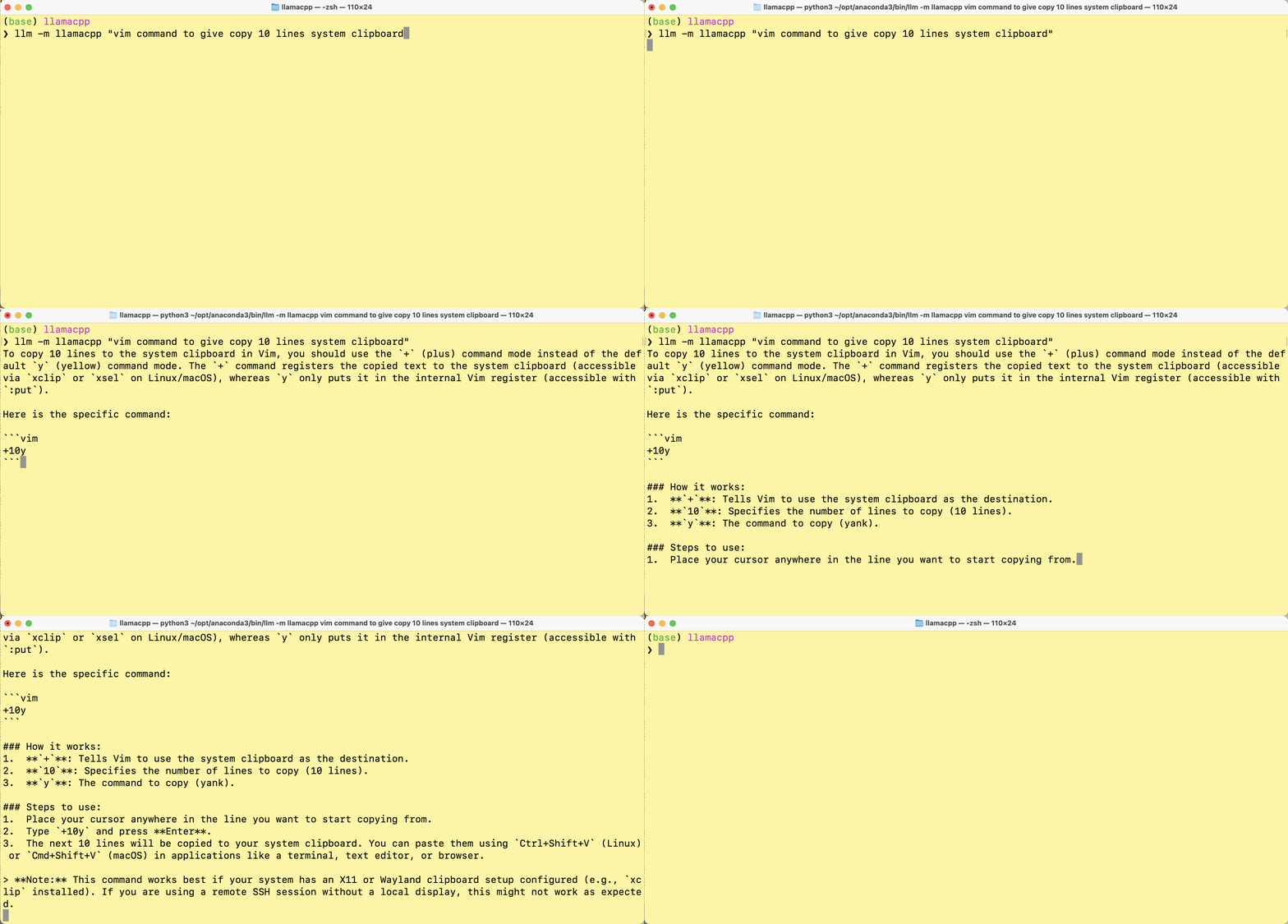
Once the plugin is installed and your llama.cpp server is running, you can use it like any other LLM model:
llm -m llamacpp "Your prompt here"
Using a different server URL
If your llama.cpp server is running on a different host or port, you can set the LLM_LLAMACPP_SERVER environment variable:
export LLM_LLAMACPP_SERVER=http://your-server:port
in windows
setx LLM_LLAMACPP_SERVER http://your-server:port
Model Management (Router Mode)
The plugin supports both single-model mode and router mode, where you can dynamically load, unload, and switch between models.
llama-server can serve multiple models with router mode.
CLI Commands
Use the llm llamacpp command to manage models:
# List available models
llm llamacpp list

# Load a specific model
llm llamacpp load <model-id>

# Unload a model
llm llamacpp unload <model-id>

# Switch to a different model
llm llamacpp switch <model-id>

# Show model information
llm llamacpp info <model-id>
Using Multiple Models
In router mode, you can switch between models dynamically:
# Load model 1
llm llamacpp load model1

# Use it
llm -m llamacpp "Your prompt here"

# Switch to model 2
llm llamacpp switch model2

# Use it
llm -m llamacpp "Your prompt here"
Per-Project Configuration
You can configure the server URL per project using .llm/llama-server.json:
{
  "url": "http://your-server:port"
}
Conversations
You can use conversations just like with other models:
llm -m llamacpp "First message"
llm -c "Follow-up question"
JSON Schema
You can request JSON output using LLM's schema feature:
llm -m llamacpp-tools "Generate a person" --schema '{"name": "string", "age": "integer"}'
Vision Models
If you're running a vision-capable llama.cpp model with multimodal support, the plugin can handle image attachments.
llm -m llamacpp-vision -a /tmp/screen.png "What is the user doing in this screenshot"
Embedding Models
The plugin also supports embedding models running on llama.cpp server. To use embeddings:
# Start the server with embedding support
./build/bin/server -m models/embedding-model.gguf --embedding
Then use it with LLM:
# Get embeddings for text
llm embed -m llamacpp-embed "Hello world"

# Get embeddings for multiple items
llm embed -m llamacpp-embed "First text" "Second text"
Development
To install the plugin for development:
cd llm-llamacpp
pip install -e .
Run the tests:
pytest
License
Apache 2.0
1 maintainer

Metadata
1 maintainer
Release files for llm-llamacpp-plugin 0.2.0
For a detailed explanation of source distributions (sdists) and built distributions (wheels), please see the package formats documentation.
Source distribution (sdist)
| File | Size | Uploaded | Provenance | |
|---|---|---|---|---|
| llm_llamacpp_plugin-0.2.0.tar.gz | 15.6 kB | With provenance | Details |
Built distribution (wheel)
| File | Interpreter | ABI | Platform | Reset |
|---|---|---|---|---|
| llm_llamacpp_plugin-0.2.0-py3-none-any.whl | Python 3 | none | any | Details |
Total release size: 27.0 kB
Release files / llm_llamacpp_plugin-0.2.0.tar.gz
| Download URL | llm_llamacpp_plugin-0.2.0.tar.gz |
|---|---|
| Size | 15.6 kB |
| Tags | Source |
|
SHA-256 checksum How to use checksums |
097a188d3e76df173b85a68391350c49162abacded918fdc9fe35387a37d00ce
|
|
BLAKE2b-256 checksum How to use checksums |
e61264f6684bbb0042f2f2fca1428c5caefffeb6f865cde4df8fa0aaf8535139
|
| Upload date | |
|
Uploaded using Trusted Publishing? What is trusted publishing? |
Yes |
| Uploaded via |
twine/6.1.0 CPython/3.13.12
|
Provenance
Provenance describes where a file came from. On PyPI, provenance is shared via attestations, which provide a verifiable record of the build or publishing details. View details, limitations and caveats.


PyPI Publish Attestation
PyPI verified that this artifact, at this checksum, originated from the publisher listed below.
Signed by GitHub Actions, verified by PyPI on Jun 26, 2026.
Transparency logRelease files / llm_llamacpp_plugin-0.2.0-py3-none-any.whl
| Download URL | llm_llamacpp_plugin-0.2.0-py3-none-any.whl |
|---|---|
| Size | 11.4 kB |
| Tags | Python 3 |
|
SHA-256 checksum How to use checksums |
c33dfd6c138765df851c5e4898aaefe05ae85f0b8628725e0f189c85972ef360
|
|
BLAKE2b-256 checksum How to use checksums |
cc3e8fad6c064e038f502ec94d6843b8eb2b70efaa2a0482307b0f4547bf5f4b
|
| Upload date | |
|
Uploaded using Trusted Publishing? What is trusted publishing? |
Yes |
| Uploaded via |
twine/6.1.0 CPython/3.13.12
|
Provenance
Provenance describes where a file came from. On PyPI, provenance is shared via attestations, which provide a verifiable record of the build or publishing details. View details, limitations and caveats.
PyPI Publish Attestation
PyPI verified that this artifact, at this checksum, originated from the publisher listed below.
Signed by GitHub Actions, verified by PyPI on Jun 26, 2026.
Transparency logSecurity for llm-llamacpp-plugin 0.2.0
Provenance
Provenance describes where a file came from. On PyPI, provenance is shared via attestations, which provide a verifiable record of the build or publishing details. View details, limitations and caveats.
Full provenance
All 2 files in this release have been uploaded with provenance metadata.
Attestation for llm_llamacpp_plugin-0.2.0.tar.gz
PyPI Publish Attestation
PyPI verified that this artifact, at this checksum, originated from the publisher listed below.
Signed by GitHub Actions, verified by PyPI on Jun 26, 2026.
Transparency logA note on package security
PyPI is a repository for distributing packages, not a service for auditing them. While third-party security researchers and our staff do their best to detect and remove malicious packages, PyPI cannot guarantee the quality, security or suitability of any given package.
To learn more about protecting yourself from malicious actors, visit our package security documentation.














