
LLM plugin providing access to llama.cpp server models

Project description
llm-llamacpp




A plugin for LLM providing access to models running on a llama.cpp server.
Installation
Install this plugin in the same environment as LLM:
llm install llm-llamacpp-plugin
Setup
Building the Server
First, you need to have a llama.cpp server running. You can start one using the built server binary:
# Download and build llama.cpp if you haven't already
git clone https://github.com/ggerganov/llama.cpp
cd llama.cpp

# Build the server
make

# Start the server with your model
./llama-server -m models/your-model.gguf -c 4096
The server will start on http://localhost:8080 by default.
Usage
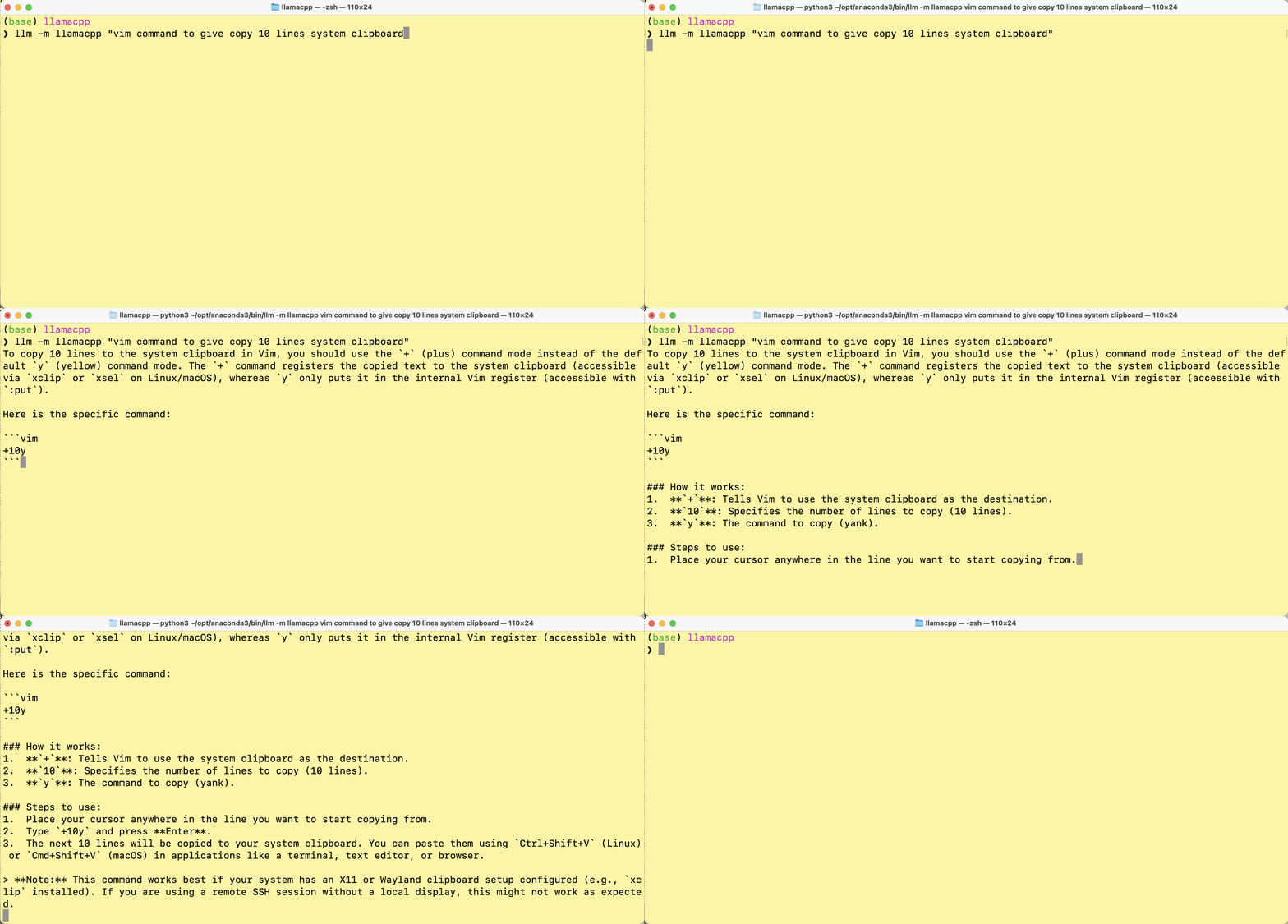
Once the plugin is installed and your llama.cpp server is running, you can use it like any other LLM model:
llm -m llamacpp "Your prompt here"
Using a different server URL
If your llama.cpp server is running on a different host or port, you can set the LLM_LLAMACPP_SERVER environment variable:
export LLM_LLAMACPP_SERVER=http://your-server:port
in windows
setx LLM_LLAMACPP_SERVER http://your-server:port
Model Management (Router Mode)
The plugin supports both single-model mode and router mode, where you can dynamically load, unload, and switch between models.
llama-server can serve multiple models with router mode.
CLI Commands
Use the llm llamacpp command to manage models:
# List available models
llm llamacpp list

# Load a specific model
llm llamacpp load <model-id>

# Unload a model
llm llamacpp unload <model-id>

# Switch to a different model
llm llamacpp switch <model-id>

# Show model information
llm llamacpp info <model-id>
Using Multiple Models
In router mode, you can switch between models dynamically:
# Load model 1
llm llamacpp load model1

# Use it
llm -m llamacpp "Your prompt here"

# Switch to model 2
llm llamacpp switch model2

# Use it
llm -m llamacpp "Your prompt here"
Per-Project Configuration
You can configure the server URL per project using .llm/llama-server.json:
{
  "url": "http://your-server:port"
}
Conversations
You can use conversations just like with other models:
llm -m llamacpp "First message"
llm -c "Follow-up question"
JSON Schema
You can request JSON output using LLM's schema feature:
llm -m llamacpp-tools "Generate a person" --schema '{"name": "string", "age": "integer"}'
Vision Models
If you're running a vision-capable llama.cpp model with multimodal support, the plugin can handle image attachments.
llm -m llamacpp-vision -a /tmp/screen.png "What is the user doing in this screenshot"
Embedding Models
The plugin also supports embedding models running on llama.cpp server. To use embeddings:
# Start the server with embedding support
./build/bin/server -m models/embedding-model.gguf --embedding
Then use it with LLM:
# Get embeddings for text
llm embed -m llamacpp-embed "Hello world"

# Get embeddings for multiple items
llm embed -m llamacpp-embed "First text" "Second text"
Development
To install the plugin for development:
cd llm-llamacpp
pip install -e .
Run the tests:
pytest
License
Apache 2.0


Download files
Download the file for your platform. If you're not sure which to choose, learn more about installing packages.
Source Distribution
Built Distribution
Filter files by name, interpreter, ABI, and platform.
If you're not sure about the file name format, learn more about wheel file names.
Copy a direct link to the current filters
File details
Details for the file llm_llamacpp_plugin-0.2.0.tar.gz.
File metadata
- Download URL: llm_llamacpp_plugin-0.2.0.tar.gz
- Upload date:
- Size: 15.6 kB
- Tags: Source
- Uploaded using Trusted Publishing? Yes
- Uploaded via: twine/6.1.0 CPython/3.13.12
File hashes
| Algorithm | Hash digest | |
|---|---|---|
| SHA256 |
097a188d3e76df173b85a68391350c49162abacded918fdc9fe35387a37d00ce
|
|
| MD5 |
c22501e8453735a34a32c8babc554d44
|
|
| BLAKE2b-256 |
e61264f6684bbb0042f2f2fca1428c5caefffeb6f865cde4df8fa0aaf8535139
|
Provenance
The following attestation bundles were made for llm_llamacpp_plugin-0.2.0.tar.gz:
Publisher:
publish.yml on sukhbinder/llm-llamacpp-plugin
-
Statement:
-
Statement type:
https://in-toto.io/Statement/v1 -
Predicate type:
https://docs.pypi.org/attestations/publish/v1 -
Subject name:
llm_llamacpp_plugin-0.2.0.tar.gz -
Subject digest:
097a188d3e76df173b85a68391350c49162abacded918fdc9fe35387a37d00ce - Sigstore transparency entry: 1970659423
- Sigstore integration time:
-
Permalink:
sukhbinder/llm-llamacpp-plugin@5ee4d91ad4c09114fcd009efe035cc8900991b3e -
Branch / Tag:
refs/tags/v0.2.0 - Owner: https://github.com/sukhbinder
-
Access:
public
-
Token Issuer:
https://token.actions.githubusercontent.com -
Runner Environment:
github-hosted -
Publication workflow:
publish.yml@5ee4d91ad4c09114fcd009efe035cc8900991b3e -
Trigger Event:
release
-
Statement type:
File details
Details for the file llm_llamacpp_plugin-0.2.0-py3-none-any.whl.
File metadata
- Download URL: llm_llamacpp_plugin-0.2.0-py3-none-any.whl
- Upload date:
- Size: 11.4 kB
- Tags: Python 3
- Uploaded using Trusted Publishing? Yes
- Uploaded via: twine/6.1.0 CPython/3.13.12
File hashes
| Algorithm | Hash digest | |
|---|---|---|
| SHA256 |
c33dfd6c138765df851c5e4898aaefe05ae85f0b8628725e0f189c85972ef360
|
|
| MD5 |
e87b10d30e61e2796931dd5a2a43a637
|
|
| BLAKE2b-256 |
cc3e8fad6c064e038f502ec94d6843b8eb2b70efaa2a0482307b0f4547bf5f4b
|
Provenance
The following attestation bundles were made for llm_llamacpp_plugin-0.2.0-py3-none-any.whl:
Publisher:
publish.yml on sukhbinder/llm-llamacpp-plugin
-
Statement:
-
Statement type:
https://in-toto.io/Statement/v1 -
Predicate type:
https://docs.pypi.org/attestations/publish/v1 -
Subject name:
llm_llamacpp_plugin-0.2.0-py3-none-any.whl -
Subject digest:
c33dfd6c138765df851c5e4898aaefe05ae85f0b8628725e0f189c85972ef360 - Sigstore transparency entry: 1970659534
- Sigstore integration time:
-
Permalink:
sukhbinder/llm-llamacpp-plugin@5ee4d91ad4c09114fcd009efe035cc8900991b3e -
Branch / Tag:
refs/tags/v0.2.0 - Owner: https://github.com/sukhbinder
-
Access:
public
-
Token Issuer:
https://token.actions.githubusercontent.com -
Runner Environment:
github-hosted -
Publication workflow:
publish.yml@5ee4d91ad4c09114fcd009efe035cc8900991b3e -
Trigger Event:
release
-
Statement type:






