
A chain message bot based on OpenAI

Project description






🍩 Deploy Docs & 🧀 Dev Docs & 🤝 Contribute
Don't hesitate to Star ⭐️, Issue 📝, and PR 🛠️
Python>=3.9
This project uses the ToolCall feature.
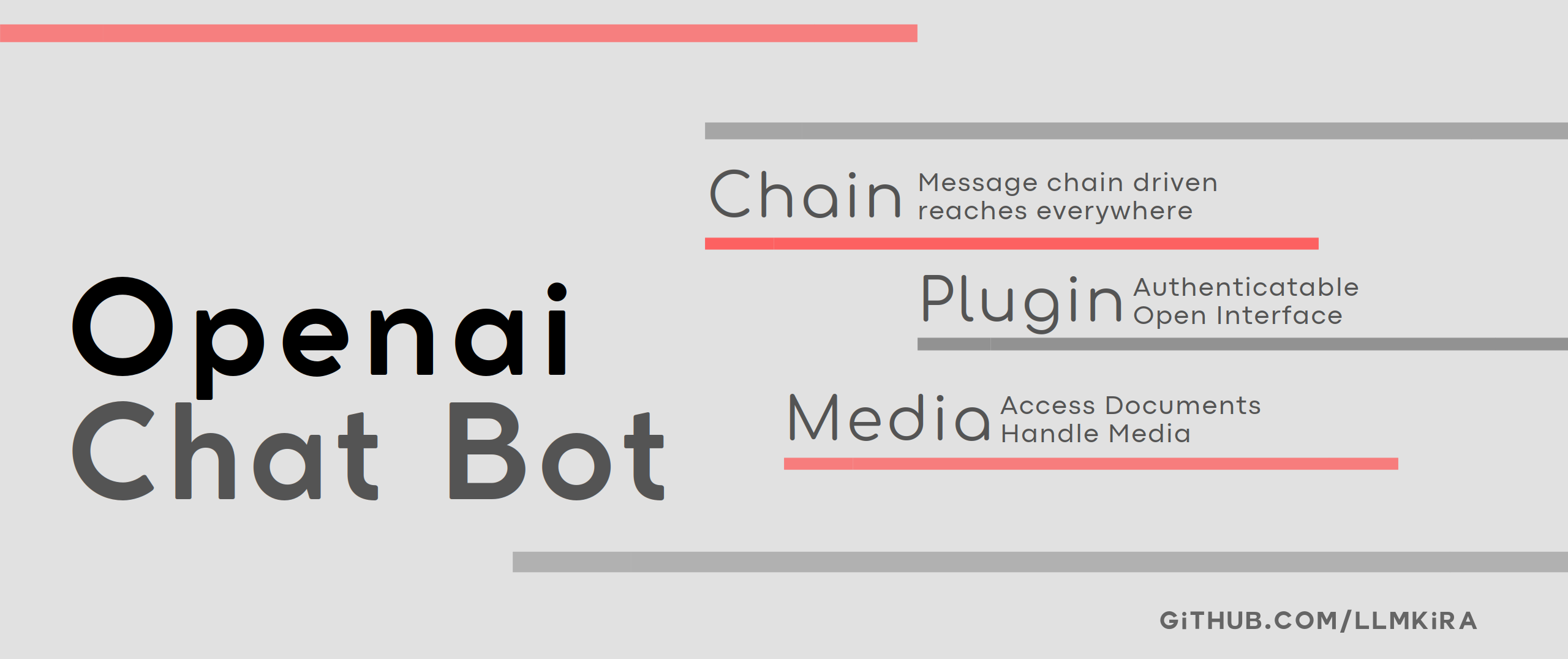
It integrates a message queuing and snapshot system, offering plugin mechanisms and authentication prior to plugin execution.
The model adheres to the Openai Format Schema. Please adapt using gateway or one-api independently.
| Demo | Vision With Voice |
|---|---|
 |
 |
🔨 Roadmap
- Removal of legacy code
- Deletion of metric system
- Deletion of model selection system, unified to OpenAI Schema
- Implementation of a more robust plugin system
- Project structure simplification
- Elimination of the Provider system
- Hook support
- Access to TTS
- Add standalone support for gpt-4-turbo and vision
- Add LLM reference support to the plugin environment. (extract && search in text)
📦 Features
- 🍪 A comprehensive plugin development ecosystem, adopting a classic design, and seamless integration with plugins
through
pipinstallation - 📝 Message system with no time or sender constraints, offering fully decoupled logics
- 📬 Offers Login via a URL mechanism, providing a flexible and expandable authentication development solution
- 🍰 Empowers users to authorize plugin execution. Users can configure plugin environment variables at their discretion
- 📦 Support for plugins to access files
- 🍟 Multi-platform support – extend new platforms by inheriting the base class
- 🍔 Plugins can determine their appearance in new sessions dynamically, preventing performance degradation despite large amounts of plugins
🍔 Login Modes
Login via url: Use/login token$https://provider.comto Login. The program posts the token to the interface to retrieve configuration informationLogin: Use/login https://api.com/v1$key$modelto login
🧀 Plugin Previews
| Sticker Converter | Timer Function | Translate Function |
|---|---|---|
 |
 |
 |
🎬 Platform Support
| Platform | Support | File System | Remarks |
|---|---|---|---|
| Telegram | ✅ | ✅ | |
| Discord | ✅ | ✅ | |
| Kook | ✅ | ✅ | Does not support triggering by reply |
| Slack | ✅ | ✅ | Does not support triggering by reply |
| ❌ | |||
| ❌ | |||
| ❌ | |||
| Matrix | ❌ | ||
| IRC | ❌ | ||
| ... | Create Issue/PR |
📦 Quick Start
Refer to the 🧀 Deployment Document for more information.
# Install Telegram Voice dependencies
apt install ffmpeg
# Install RabbitMQ
docker pull rabbitmq:3.10-management
docker run -d -p 5672:5672 -p 15672:15672 \
  -e RABBITMQ_DEFAULT_USER=admin \
  -e RABBITMQ_DEFAULT_PASS=8a8a8a \
  --hostname myRabbit \
  --name rabbitmq \
  rabbitmq:3.10-management
docker ps -l
# Install Project
pip install pdm
pdm install -G bot
cp .env.exp .env && nano .env
# Test
pdm run python3 start_sender.py
pdm run python3 start_receiver.py
# Host
pdm start pm2.json
🥣 Docker
Build Hub: sudoskys/llmbot
Automatic Docker/Docker-compose Installation
If you are using a brand new server, you can use the following shell to automatically install this project.
This script automatically installs the required services and maps ports using Docker methods. If you have
deployed redis, rabbitmq, mongodb, please modify the docker-compose.yml file accordingly.
curl -sSL https://raw.githubusercontent.com/LLMKira/Openaibot/main/deploy.sh | bash
Manual Docker-compose Installation
git clone https://github.com/LlmKira/Openaibot.git
cd Openaibot
cp .env.exp .env&&nano .env
docker-compose -f docker-compose.yml up -d
The Docker configuration file docker-compose.yml contains all databases. In fact, Redis and MongoDB are not required.
You can remove these databases yourself and use the local file system.
Update image using docker-compose pull.
Use docker exec -it llmbot /bin/bash to view Shell in Docker, enter exit to exit.
🍪 Slash Commands
clear - Deletes chat records
help - Displays documentation
chat - Conversation
task - Use a function to converse
ask - Disable function-based conversations
tool - Lists all functions
login - Login
auth - Authorize a function
env - Environment variables of the function
💻 How to Develop Plugins?
Refer to the example plugins in the plugins directory and
the 🧀 Plugin Development Document for plugin development documentation.
Hooks
Hooks control the EventMessage in sender and receiver. For example, we have voice_hook in built-in hooks.
you can enable it by setting VOICE_REPLY_ME=true in .env.
/env VOICE_REPLY_ME=true
/env REECHO_VOICE_KEY=<key in dev.reecho.ai>
use /env VOICE_REPLY_ME=NONE to disable this env.
check the source code in llmkira/extra/voice_hook.py, learn to write your own hooks.
🧀 Sponsor

📜 Notice
This project, named OpenAiBot, signifying "Open Artificial Intelligence Robot", is not officially affiliated with OpenAI.

Release history Release notifications | RSS feed


Download files
Download the file for your platform. If you're not sure which to choose, learn more about installing packages.
Source Distribution
Built Distribution
Filter files by name, interpreter, ABI, and platform.
If you're not sure about the file name format, learn more about wheel file names.
Copy a direct link to the current filters
File details
Details for the file llmkira-1.0.2.tar.gz.
File metadata
- Download URL: llmkira-1.0.2.tar.gz
- Upload date:
- Size: 56.3 kB
- Tags: Source
- Uploaded using Trusted Publishing? Yes
- Uploaded via: pdm/2.14.0 CPython/3.10.12 Linux/6.5.0-1018-azure
File hashes
| Algorithm | Hash digest | |
|---|---|---|
| SHA256 |
178a761201223470bf17ef5becda4e0daf2025aa00c4adab014222f27202a31f
|
|
| MD5 |
db840a20c6dd4389071aac09702b2902
|
|
| BLAKE2b-256 |
971ce270ebd95fdb837991e4423e3e531a9b8bf771ad891f85cb1bb88d69a337
|
File details
Details for the file llmkira-1.0.2-py3-none-any.whl.
File metadata
- Download URL: llmkira-1.0.2-py3-none-any.whl
- Upload date:
- Size: 74.0 kB
- Tags: Python 3
- Uploaded using Trusted Publishing? Yes
- Uploaded via: pdm/2.14.0 CPython/3.10.12 Linux/6.5.0-1018-azure
File hashes
| Algorithm | Hash digest | |
|---|---|---|
| SHA256 |
288135fb602446d3488d4d340d2bb999bcf6d6d5048dcaf414e3b70c43d1ae3d
|
|
| MD5 |
b798efbe5a7b6cdefb5b7e86b2ef7a7f
|
|
| BLAKE2b-256 |
e692556e1797824c293ad390b06b661c5504e42d95871da2a1475621e558ce5d
|






