
LLMstudio by TensorOps
Prompt Engineering at your fingertips

🌟 Features
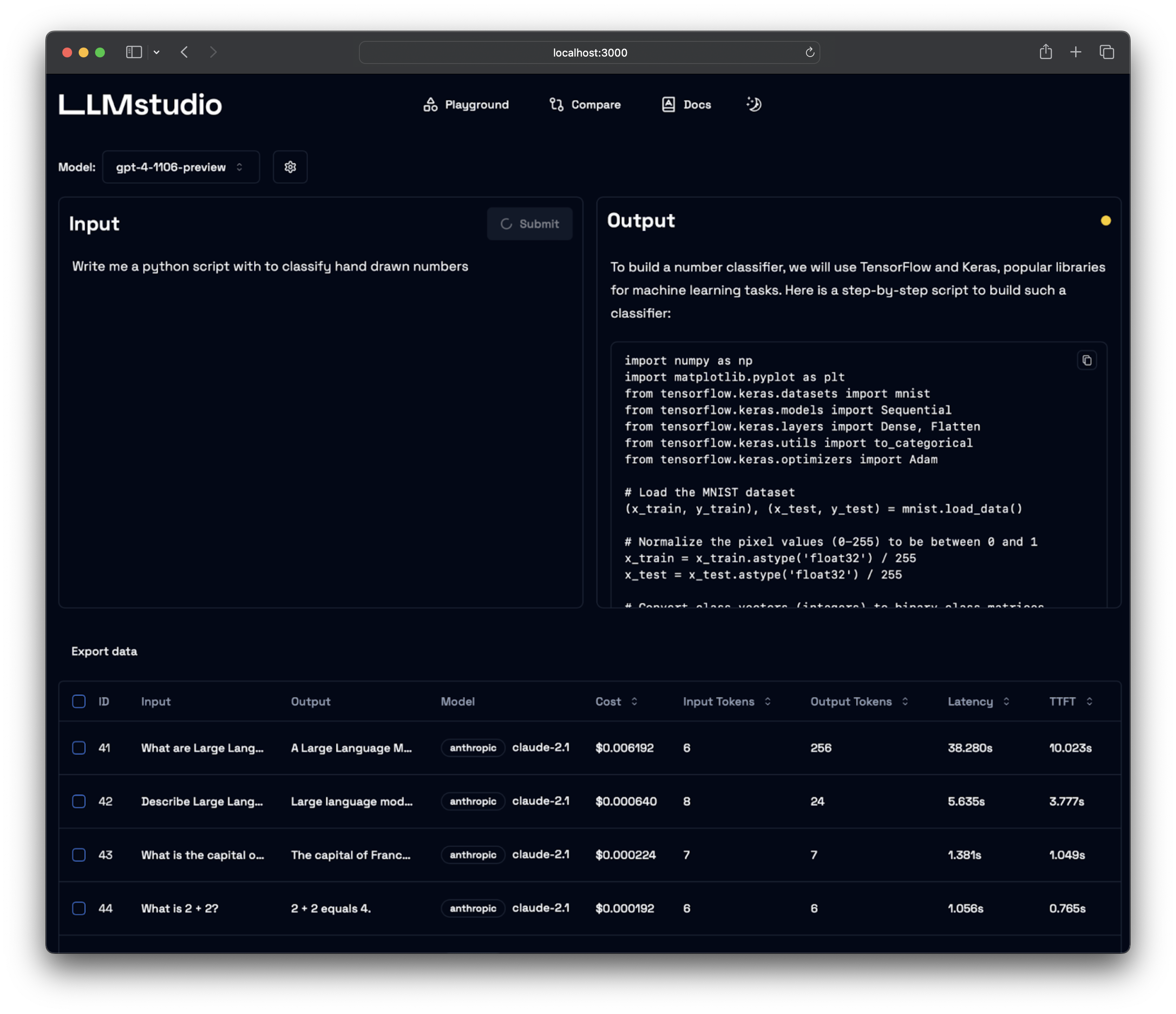
- LLM Proxy Access: Seamless access to all the latest LLMs by OpenAI, Anthropic, Google.
- Custom and Local LLM Support: Use custom or local open-source LLMs through Ollama.
- Prompt Playground UI: A user-friendly interface for engineering and fine-tuning your prompts.
- Python SDK: Easily integrate LLMstudio into your existing workflows.
- Monitoring and Logging: Keep track of your usage and performance for all requests.
- LangChain Integration: LLMstudio integrates with your already existing LangChain projects.
- Batch Calling: Send multiple requests at once for improved efficiency.
- Smart Routing and Fallback: Ensure 24/7 availability by routing your requests to trusted LLMs.
- Type Casting (soon): Convert data types as needed for your specific use case.
🚀 Quickstart
Don't forget to check out https://docs.llmstudio.ai page.
Installation
Install the latest version of LLMstudio using pip. We suggest that you create and activate a new environment using conda
For full version:
pip install 'llmstudio[proxy,tracker]'
For lightweight (core) version:
pip install llmstudio
Create a .env file at the same path you'll run LLMstudio
OPENAI_API_KEY="sk-api_key"
ANTHROPIC_API_KEY="sk-api_key"
VERTEXAI_KEY="sk-api-key"
Now you should be able to run LLMstudio using the following command.
llmstudio server --proxy --tracker
When the --proxy flag is set, you'll be able to access the Swagger at http://0.0.0.0:50001/docs (default port)
When the --tracker flag is set, you'll be able to access the Swagger at http://0.0.0.0:50002/docs (default port)
📖 Documentation
- Visit our docs to learn how the SDK works (coming soon)
- Checkout our notebook examples to follow along with interactive tutorials
👨💻 Contributing
- Head on to our Contribution Guide to see how you can help LLMstudio.
- Join our Discord to talk with other LLMstudio enthusiasts.
Training
Thank you for choosing LLMstudio. Your journey to perfecting AI interactions starts here.
1 maintainer

Metadata
1 maintainer
Release files for llmstudio 1.0.6
For a detailed explanation of source distributions (sdists) and built distributions (wheels), please see the package formats documentation.
Source distribution (sdist)
| File | Size | Uploaded | |
|---|---|---|---|
| llmstudio-1.0.6.tar.gz | 11.5 kB | Details |
Built distribution (wheel)
| File | Interpreter | ABI | Platform | Reset |
|---|---|---|---|---|
| llmstudio-1.0.6-py3-none-any.whl | Python 3 | none | any | Details |
Total release size: 23.6 kB
Release files / llmstudio-1.0.6.tar.gz
| Download URL | llmstudio-1.0.6.tar.gz |
|---|---|
| Size | 11.5 kB |
| Tags | Source |
|
SHA-256 checksum How to use checksums |
89dc8c3cebb6a7d9cbce16ddc1a9c3aa7ebbf664ebd34a945f18a338fd4641a1
|
|
BLAKE2b-256 checksum How to use checksums |
ac600b388839ca1e3a2f0f6f98213c75070927f8f6accf4077cf6b75d755581b
|
| Upload date | |
|
Uploaded using Trusted Publishing? What is trusted publishing? |
No |
| Uploaded via |
poetry/2.1.2 CPython/3.13.3 Linux/6.11.0-1012-azure
|
Release files / llmstudio-1.0.6-py3-none-any.whl
| Download URL | llmstudio-1.0.6-py3-none-any.whl |
|---|---|
| Size | 12.1 kB |
| Tags | Python 3 |
|
SHA-256 checksum How to use checksums |
6face921d011abe9d808947432371168ca8b31694f462ec809b4d56f5840c5fb
|
|
BLAKE2b-256 checksum How to use checksums |
6d48a7d86a9e000977c090774e8d2b0c7e068a8253feaee4518b06cd1ac99393
|
| Upload date | |
|
Uploaded using Trusted Publishing? What is trusted publishing? |
No |
| Uploaded via |
poetry/2.1.2 CPython/3.13.3 Linux/6.11.0-1012-azure
|














