
Prompt Perfection at Your Fingertips

Project description
LLMstudio by TensorOps
Prompt Engineering at your fingertips

🌟 Features
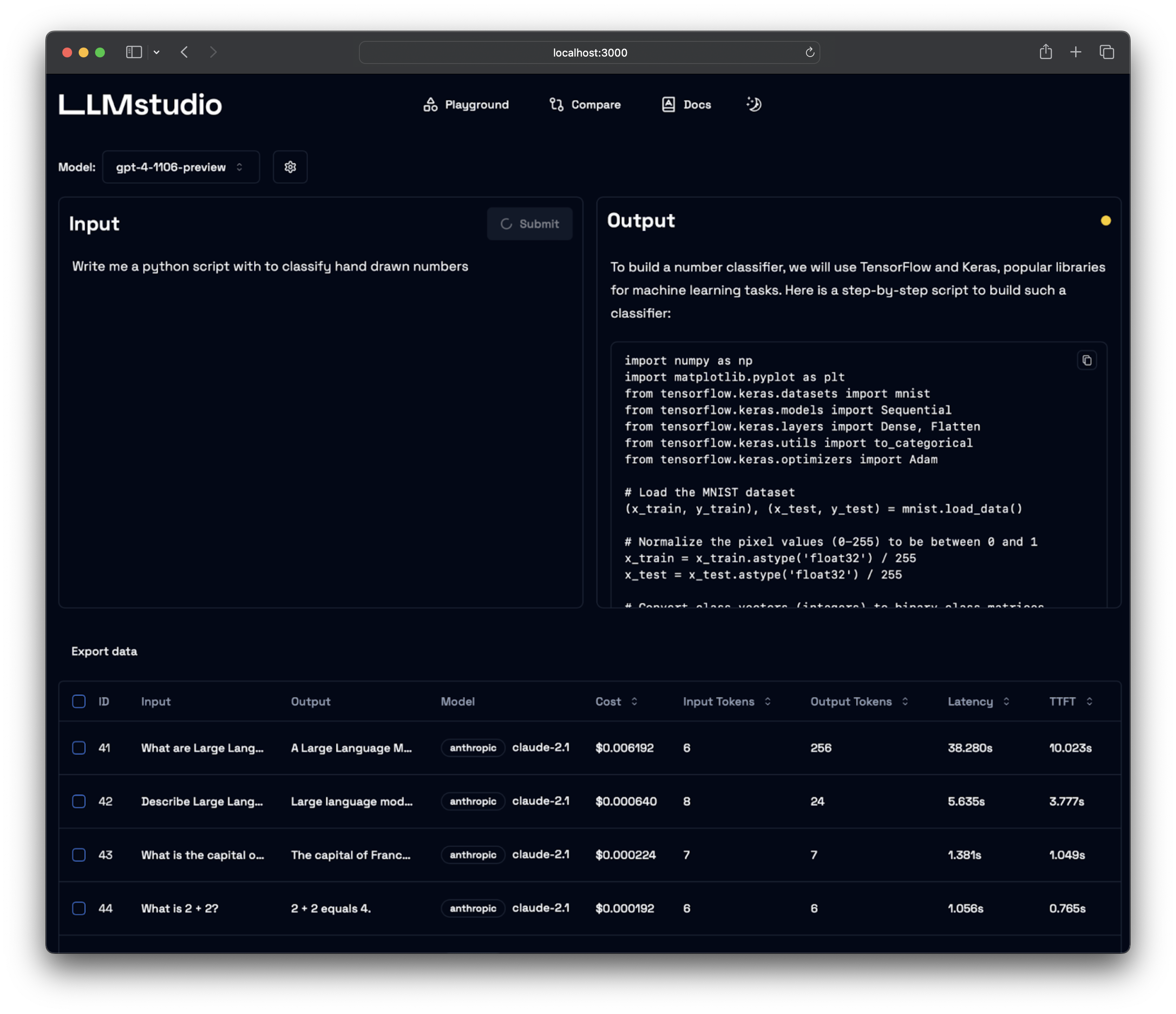
- LLM Proxy Access: Seamless access to all the latest LLMs by OpenAI, Anthropic, Google.
- Custom and Local LLM Support: Use custom or local open-source LLMs through Ollama.
- Prompt Playground UI: A user-friendly interface for engineering and fine-tuning your prompts.
- Python SDK: Easily integrate LLMstudio into your existing workflows.
- Monitoring and Logging: Keep track of your usage and performance for all requests.
- LangChain Integration: LLMstudio integrates with your already existing LangChain projects.
- Batch Calling: Send multiple requests at once for improved efficiency.
- Smart Routing and Fallback: Ensure 24/7 availability by routing your requests to trusted LLMs.
- Type Casting (soon): Convert data types as needed for your specific use case.
🚀 Quickstart
Don't forget to check out https://docs.llmstudio.ai page.
Installation
Install the latest version of LLMstudio using pip. We suggest that you create and activate a new environment using conda
For full version:
pip install 'llmstudio[proxy,tracker]'
For lightweight (core) version:
pip install llmstudio
Create a .env file at the same path you'll run LLMstudio
OPENAI_API_KEY="sk-api_key"
ANTHROPIC_API_KEY="sk-api_key"
VERTEXAI_KEY="sk-api-key"
Now you should be able to run LLMstudio using the following command.
llmstudio server --proxy --tracker
When the --proxy flag is set, you'll be able to access the Swagger at http://0.0.0.0:50001/docs (default port)
When the --tracker flag is set, you'll be able to access the Swagger at http://0.0.0.0:50002/docs (default port)
📖 Documentation
- Visit our docs to learn how the SDK works (coming soon)
- Checkout our notebook examples to follow along with interactive tutorials
👨💻 Contributing
- Head on to our Contribution Guide to see how you can help LLMstudio.
- Join our Discord to talk with other LLMstudio enthusiasts.
Training
Thank you for choosing LLMstudio. Your journey to perfecting AI interactions starts here.
Release history Release notifications | RSS feed


Download files
Download the file for your platform. If you're not sure which to choose, learn more about installing packages.
Source Distribution
Built Distribution
Filter files by name, interpreter, ABI, and platform.
If you're not sure about the file name format, learn more about wheel file names.
Copy a direct link to the current filters
File details
Details for the file llmstudio-1.1.1a0.tar.gz.
File metadata
- Download URL: llmstudio-1.1.1a0.tar.gz
- Upload date:
- Size: 11.5 kB
- Tags: Source
- Uploaded using Trusted Publishing? No
- Uploaded via: poetry/2.2.1 CPython/3.14.0 Linux/6.11.0-1018-azure
File hashes
| Algorithm | Hash digest | |
|---|---|---|
| SHA256 |
b9b3c58c87a625ec83ef63c8bc0f76751b4080e37eb896eeb18212c8b2354ddf
|
|
| MD5 |
32e8974eb01ad49c1292c7ef8b08217c
|
|
| BLAKE2b-256 |
732847a732133ef4461f68d1831edd062d49cd630fc77d2a277817af64f9edbb
|
File details
Details for the file llmstudio-1.1.1a0-py3-none-any.whl.
File metadata
- Download URL: llmstudio-1.1.1a0-py3-none-any.whl
- Upload date:
- Size: 12.1 kB
- Tags: Python 3
- Uploaded using Trusted Publishing? No
- Uploaded via: poetry/2.2.1 CPython/3.14.0 Linux/6.11.0-1018-azure
File hashes
| Algorithm | Hash digest | |
|---|---|---|
| SHA256 |
97c5fd1f56b99faa172693215f8d20473c4444a7542626932deda73954cdfa8c
|
|
| MD5 |
33fc97aa40b33d2c6f844ad1ddaaaf68
|
|
| BLAKE2b-256 |
602f5e90226c5c013eabb46b46878bede792fe3fdf7f7683b28d689451530462
|






