
LLM-powered personal knowledge base — raw data goes in, an LLM compiles it into a structured, interlinked wiki

Project description
LLMBase
LLM-powered personal knowledge base





Inspired by Karpathy's LLM Knowledge Base pattern (detailed design) — raw data goes in, an LLM compiles it into a structured, interlinked wiki, and you query & enhance it over time.
No vector database. No embeddings pipeline. Just markdown, an LLM, and a clean UI.
Live Demos:
How It Works
raw/  ──LLM compile──>  wiki/  ──query/lint──>  wiki/ (enhanced)
 │                        │                        │
 ├─ web articles          ├─ concept articles       ├─ filed answers
 ├─ papers / PDFs         ├─ index + backlinks      ├─ new connections
 └─ local files           └─ cross-references       └─ health fixes
                              ↑                        │
                              └────────────────────────┘
                                explorations add up
Phase 1: Ingest — Collect documents from URLs, PDFs, local files, or data sources (CBETA, ctext.org) into raw/
Phase 2: Compile — LLM reads raw docs, extracts concepts, writes trilingual wiki articles (EN/中/日) with [[wiki-links]], builds index. Duplicate concepts are merged, not recreated.
Phase 3: Query & Enhance — Ask questions against the wiki. Answers get filed back, strengthening the knowledge base. Every exploration adds up.
Phase 4: Lint & Heal — LLM health checks: find inconsistencies, broken links, orphan articles. Auto-generates stub articles for missing concepts, fixes metadata, rebuilds index. The worker runs this cycle every 24h.
Key Features
| Feature | Description |
|---|---|
| Trilingual Output | Every article compiled in English, 中文, and 日本語 with global language switcher |
| Autonomous Learning | Background worker continuously ingests, compiles, and self-heals. Guide → |
| Self-Healing Wiki | 7-step auto-fix: clean garbage → fix tags → normalize → metadata → broken links → dedup → taxonomy. Guide → |
| Guided Reading | LLM-generated 导读 (literary introduction) that evolves with your knowledge base |
| Voice/Tone Modes | Query in different styles: 文言文 📜 (default for Chinese), scholar 🎓, caveman 🦴, ELI5 👶 |
| Emergent Taxonomy | LLM generates domain-appropriate categories — no hardcoded domains. Works for any field |
| Alias Resolution | Multilingual wiki-links resolve correctly: [[参禅]] → can-chan.md, with optional simplified/traditional conversion (opencc) |
| Duplicate Detection | CJK-aware dedup: merges benevolence + ren + 仁爱 into one article (叠加进化) |
| Reference Sources | Pluggable citation system: articles show verifiable links to CBETA, Wikisource, ctext.org. Guide → |
| Research Trails | Rabbithole-style exploration paths — auto-generated from deep research queries |
| Entity Extraction | Opt-in: LLM extracts people, events, places → Timeline, People, Map views |
| Knowledge Graph | D3.js force-directed graph with density control slider, tag filtering, adaptive layout |
| Agent-First API | HTTP API + Python SDK for LLM agents to query and contribute. Reference → |
| Model Fallback | Primary LLM fails? Auto-falls back to secondary models. Handles thinking-mode output. |
| Deploy Anywhere | Docker, Railway, Render, or any VPS. Auto-generates API secret for cloud security. |
Install
pip install llmwiki                          # PyPI
npx clawhub install llmwiki                  # ClawHub (AI agent skill)
# or: git clone + pip install -e .           # from source
Quick Start
git clone https://github.com/Hosuke/llmbase.git && cd llmbase

# Backend
pip install llmwiki          # from PyPI
# or: pip install -e .       # from source

# Frontend
cd frontend && npm install && npx vite build && cd ..

# Configure (any OpenAI-compatible API)
cp .env.example .env    # edit with your API key

# Launch
llmbase web              # http://localhost:5555
Use Cases
LLMBase is designed for anyone building a personal or domain-specific knowledge base:
- Researchers — Compile papers and notes into an interlinked wiki that grows with every reading
- Students — Build a study knowledge base that deepens with each review session
- Domain experts — Create specialized reference wikis (law, medicine, history, philosophy)
- Cultural preservation — Digitize and compile classical texts with multilingual annotations
- AI developers — Build structured knowledge for agent retrieval without vector databases
CLI Reference
# ─── Ingest ───────────────────────────────────────
llmbase ingest url https://example.com/article
llmbase ingest pdf ./book.pdf --chunk-pages 20
llmbase ingest file ./notes.md
llmbase ingest dir ./research-papers/

# Data source plugins
llmbase ingest cbeta-learn --batch 10         # Buddhist canon
llmbase ingest ctext-book 论语 /analects/zh   # Chinese classics
llmbase ingest wikisource-learn --batch 5     # Wikisource

# ─── Compile ──────────────────────────────────────
llmbase compile new          # Incremental (3-layer dedup)
llmbase compile all          # Full rebuild
llmbase compile index        # Rebuild index + aliases

# ─── Health & Repair ─────────────────────────────
llmbase lint check           # All checks (8 categories)
llmbase lint clean           # Remove garbage stubs
llmbase lint dedup           # Detect + merge duplicates
llmbase lint normalize-tags  # Merge synonymous tags
llmbase lint fix             # Full auto-fix pipeline
llmbase lint heal            # Check → fix → recheck → report
llmbase lint deep            # LLM deep quality analysis

# ─── Query ────────────────────────────────────────
llmbase query "What are the key concepts?"
llmbase query "何为空性" --tone wenyan       # 📜 Classical Chinese
llmbase query "Explain X" --tone scholar     # 🎓 Academic
llmbase query "What is Y" --tone eli5        # 👶 Simple
llmbase query "Z?" --tone caveman            # 🦴 Primitive
llmbase query "Compare A and B" --file-back  # Save to wiki

# ─── Serve ────────────────────────────────────────
llmbase web                  # Web UI (localhost:5555)
llmbase serve                # Agent API (localhost:5556)
Web UI pages: Dashboard (导读), Wiki, Search, Q&A, Graph, Explore (timeline/people/map), Trails (research paths), Ingest, Health
LLM Provider
Works with any OpenAI-compatible API:
LLMBASE_API_KEY=sk-...
LLMBASE_BASE_URL=https://api.openai.com/v1
LLMBASE_MODEL=gpt-4o

# Auto-fallback when primary model fails
LLMBASE_FALLBACK_MODELS=gpt-4o-mini,deepseek-chat
Supports: OpenAI, OpenRouter (200+ models), Ollama (local/free), Together, Groq, and any compatible endpoint.
Autonomous Worker
Deploy once, and the server learns on its own:
# config.yaml
worker:
  enabled: true
  learn_source: cbeta              # auto-ingest from CBETA Buddhist canon
  learn_interval_hours: 6          # every 6 hours
  learn_batch_size: 10             # 10 new texts per batch
  compile_interval_hours: 1        # compile new docs every hour
  health_check_interval_hours: 24  # self-heal every 24 hours

health:
  auto_fix_broken_links: true      # generate stubs for broken [[wiki-links]]
  max_stubs_per_run: 10            # cap LLM calls per health cycle
The worker runs alongside the web server — no separate process needed. Health checks auto-generate stub articles for broken links and persist reports to wiki/_meta/health.json.
Security
Write endpoints (ingest, compile, delete, clean, etc.) are protected by an API secret when deployed to the cloud.
| Scenario | Behavior |
|---|---|
Local dev (no PORT env) |
All endpoints open, no auth needed |
Cloud deploy (PORT set, no secret) |
Auto-generates a 32-byte random secret |
| Cloud deploy (manual secret) | Set LLMBASE_API_SECRET env var |
| Frontend (same-origin) | Auth cookie set automatically on page load |
| External API | Requires Authorization: Bearer <secret> header |
# Optional: set your own secret
LLMBASE_API_SECRET=your-secret-here

# Or let it auto-generate (logged on startup: first 8 chars)
# Check Railway logs for: "Auto-generated API secret: xxxxxxxx..."
Read endpoints (GET /api/articles, /api/search, /api/taxonomy) are always open — the knowledge base is meant to be readable.
Deployment
# Docker
docker compose up -d

# Railway (connects to GitHub, auto-deploys on push)
railway init && railway up

# Manual
gunicorn --bind 0.0.0.0:5555 --workers 2 --timeout 300 wsgi:app
Agent API
from tools.agent_api import KnowledgeBase

kb = KnowledgeBase("./")
kb.ingest("https://example.com/article")
kb.compile()
result = kb.ask("What is X?", deep=True, tone="wenyan")
results = kb.search("keyword")
health = kb.health_report()
xici = kb.get_xici("zh")         # Guided reading
Key endpoints:
| Method | Endpoint | Description |
|---|---|---|
| GET | /api/articles |
List all articles |
| GET | /api/articles/<slug> |
Get article (with backlinks + sources) |
| POST | /api/ask |
Query (deep research by default) |
| GET | /api/taxonomy?lang=zh |
Hierarchical categories |
| GET | /api/xici?lang=zh |
Guided reading (导读) |
| GET | /api/entities |
People, events, places |
| GET | /api/trails |
Research exploration paths |
| POST | /api/lint/fix |
Auto-fix pipeline |
| GET | /api/health |
Last health report |
| GET | /api/aliases |
Wiki-link alias map |
| GET | /api/refs/plugins |
Reference source plugins |
MCP Server (AI Client Integration)
LLMBase exposes a Model Context Protocol server, so any MCP-compatible AI client can interact with your knowledge base directly — no HTTP, no curl, no custom integration.
Supported clients: Claude Code, Cursor, Windsurf, ClawHub, and any MCP-compatible tool.
Setup
Add to your AI client's MCP settings:
{
  "mcpServers": {
    "llmbase": {
      "command": "python",
      "args": ["-m", "tools.mcp_server", "--base-dir", "/path/to/your/kb"]
    }
  }
}
Available Tools
| Tool | Description |
|---|---|
kb_search |
Full-text search |
kb_ask |
Deep research query with tone modes |
kb_get |
Get article by slug or alias (空, kong, emptiness all work) |
kb_list |
List articles, filter by tag |
kb_backlinks |
Find articles that cite a given article |
kb_taxonomy |
Category tree (multilingual) |
kb_stats |
Article count, word count |
kb_xici |
Guided reading (导读) |
kb_ingest |
Ingest a URL |
kb_compile |
Compile raw docs into wiki |
kb_lint |
Health check / auto-fix |
Customization & Extension
LLMBase is designed as a library, not a framework. Downstream projects customize via module-level constants and hook registration — no forking needed. See full guide.
import tools.compile as c
import tools.query as q
from tools.hooks import register
from tools.worker import register_learn_source, register_job

# Single-language KB
c.SECTION_HEADERS = [("wenyan", "## 文言")]
c.COMPILE_ARTICLE_FORMAT = "## 文言\n\n以文言撰寫完整內容。"

# Custom tone mode
q.TONE_INSTRUCTIONS["formal_zh"] = "請以正式中文回答。"

# React to lifecycle events (10 events available)
register("compiled", lambda source, title, **kw: sync.push(source, title))

# Custom learn source + background job
register_learn_source("my_corpus", my_learn_handler)
register_job("my_sync", interval_hours=2, handler=my_sync_fn)
Extension points: module constants (compile, query, taxonomy, xici, entities, lint) | lifecycle hooks (10 events) | worker (custom learn sources + jobs) | web (custom routes, middleware, configurable static_dir)
Design Philosophy
- Domain-agnostic — No hardcoded domains. Taxonomy, categories, and structure emerge from content via LLM
- No vector DB — Index files + LLM context window are sufficient at personal scale
- Explorations add up — Every query, every lint pass, every batch ingestion compounds the knowledge
- LLM writes, you curate — The LLM maintains the wiki; you direct what to learn
- Incremental, not batch — New data merges into existing articles (叠加进化), never starts from scratch
- Extensible without forking — Override module constants, register hooks, add custom learn sources and API routes
- Agent-native — Every feature is accessible via API. Humans and agents are equal users
- Self-healing — The system detects and repairs its own issues: broken links, duplicates, dirty tags, miscategorization
中文说明
这是什么?
LLMBase 是一个 LLM 驱动的个人知识库系统,灵感来自 Karpathy 的 LLM Knowledge Base 设计。
核心理念:原始文档输入 → LLM 编译成结构化 wiki → 持续查询增强 → 知识不断叠加,温故而知新。
不需要向量数据库,不需要 embedding pipeline。只需要 markdown 文件、一个 LLM、和一套干净的 Web UI。
线上示例:
架构设计
┌─ 数据摄入层 ────────────────────────────────────────────┐
│  URL 抓取 | PDF 自动转换 | 本地文件 | CBETA 大藏经       │
│  ctext.org 儒道经典 | 浏览器抓取 (OpenCLI)              │
└─────────────────────────┬───────────────────────────────┘
                          ↓
┌─ LLM 编译层 ────────────────────────────────────────────┐
│  提取概念 → 生成三语文章 (EN/中/日)                      │
│  建立 [[wiki 链接]] → 交叉引用 → 反向链接                │
│  重复概念自动合并 → 知识叠加而非覆盖                     │
└─────────────────────────┬───────────────────────────────┘
                          ↓
┌─ 知识库层 ──────────────────────────────────────────────┐
│  wiki/concepts/*.md    三语结构化文章                     │
│  wiki/_meta/index.json 全文索引                          │
│  wiki/_meta/taxonomy.json 自动生成的分类体系              │
│  wiki/_meta/backlinks.json 反向链接图谱                  │
│  wiki/outputs/*.md     Q&A 答案归档                      │
└─────────────────────────┬───────────────────────────────┘
                          ↓
┌─ 应用层 ────────────────────────────────────────────────┐
│  React Web UI (亮暗双主题,全局语言切换)                   │
│  CLI 命令行工具                                          │
│  Agent HTTP API + Python SDK                             │
│  D3.js 知识图谱可视化                                    │
│  自治 Worker(后台自动学习 + 编译 + 健康检查)             │
└─────────────────────────────────────────────────────────┘
四个阶段循环
- 摄入 (Ingest) — 从 URL、PDF、本地文件、或数据源插件(CBETA、ctext.org)收集原始文档
- 编译 (Compile) — LLM 阅读原始文档,提取概念,撰写三语文章,构建索引。已有概念自动合并更新
- 查询与增强 (Query & Enhance) — 基于 wiki 的智能问答,答案归档回 wiki。每次查询都让知识库更强
- 检查与自愈 (Lint & Heal) — 断链检测 → 自动生成 stub 文章、孤立文章发现、元数据补全、LLM 深度分析。Worker 每 24h 自动执行
核心功能
| 功能 | 说明 |
|---|---|
| 三语输出 | 每篇文章自动生成 English / 中文 / 日本語 三个版本,顶栏全局语言切换,支持中英双语模式 |
| 自治学习 | 后台 Worker 自动摄入、编译、自愈,部署后无需人工干预 |
| 自愈系统 | 定期健康检查,自动为断链生成 stub 文章,修复元数据,重建索引 |
| 语气模式 | 问答支持多种风格:原始人 🦴、文言文 📜、学术 🎓、幼儿园 👶 |
| 模型容错 | 主模型失败自动切换备选模型,知识库持续增长不中断 |
| PDF 摄入 | llmbase ingest pdf ./book.pdf 自动切分为 20 页/块的 markdown,支持中英文 PDF |
| 知识叠加 | Q&A 答案归档回 wiki,Lint 建议新连接,重复概念合并而非覆盖。温故而知新 |
| 分类体系 | LLM 自动生成层级分类(参考四库全书分类法),左栏按分类浏览 |
| Agent API | HTTP API + Python SDK,便于 AI agent 直接查询、搜索、贡献知识 |
| 知识图谱 | D3.js 力导向图,可视化概念间的连接关系,发现意外关联 |
定制与扩展
LLMBase 作为库而非框架设计。下游项目通过覆盖模块常数和注册钩子来定制行为,无需 fork。详见 完整指南。
import tools.compile as c
from tools.hooks import register
from tools.worker import register_learn_source

c.SECTION_HEADERS = [("wenyan", "## 文言")]     # 单语知识库
register("compiled", my_sync_handler)            # 编译后同步
register_learn_source("my_corpus", my_handler)   # 自定义学习源
扩展点: 模块常数 (compile, query, taxonomy, xici, entities, lint) | 生命周期钩子 (10 个事件) | Worker (自定义学习源 + 后台作业) | Web (自定义路由、中间件、可配 static_dir)
快速开始
# 克隆并安装
git clone https://github.com/Hosuke/llmbase.git && cd llmbase
pip install -e .
cd frontend && npm install && npx vite build && cd ..

# 配置 LLM(支持任何 OpenAI 兼容 API)
cp .env.example .env
# 编辑 .env 填入 API key、模型名、备选模型

# 启动
llmbase web    # 浏览器打开 http://localhost:5555
CLI 命令速查
# 摄入
llmbase ingest url https://example.com/article   # 抓取网页
llmbase ingest pdf ./book.pdf --chunk-pages 20    # PDF 自动转换
llmbase ingest cbeta-learn --batch 10             # CBETA 大藏经渐进学习
llmbase ingest ctext-book 论语 /analects/zh       # ctext 经典抓取

# 编译与维护
llmbase compile new       # 增量编译新文档
llmbase lint check        # 结构健康检查
llmbase lint deep         # LLM 深度分析
llmbase lint heal         # 全自愈周期:检查 → 修复 → 复查 → 报告

# 查询(支持语气模式)
llmbase query "什么是般若?"                       # 默认风格
llmbase query "何为空性" --tone wenyan              # 📜 文言文风格
llmbase query "什么是因果" --tone caveman           # 🦴 原始人风格
llmbase query "比较儒道佛的核心思想" --file-back     # 答案归档回 wiki

# 部署
llmbase web               # Web UI (localhost:5555)
llmbase serve             # Agent API (localhost:5556)
自治 Worker 配置
# config.yaml
worker:
  enabled: true
  learn_source: cbeta        # 数据源(CBETA 大藏经)
  learn_interval_hours: 6    # 每 6 小时自动学习一批
  learn_batch_size: 10       # 每批 10 部经文
  compile_interval_hours: 1        # 每小时自动编译
  health_check_interval_hours: 24  # 每 24 小时自愈检查

health:
  auto_fix_broken_links: true      # 自动为断链生成 stub 文章
  max_stubs_per_run: 10            # 每次自愈最多生成 10 篇 stub
部署后服务器会自己学、自己编译、自己建索引、自己修复断链。你只需要偶尔上传新 PDF 或调整学习方向。
数据源插件
| 插件 | 数据量 | 用法 |
|---|---|---|
| CBETA | 4,868 部佛经,2.23 亿字 | llmbase ingest cbeta-learn |
| ctext.org | 儒道墨法兵等先秦经典 | llmbase ingest ctext-book |
| 任意 PDF 文件 | llmbase ingest pdf |
项目结构
llmbase/
├── frontend/              # React + TypeScript + Tailwind CSS
│   └── src/
│       ├── pages/         # Dashboard, Wiki, Search, Q&A, Graph, Explore, Trails, Ingest, Health
│       ├── components/    # Layout, Markdown, ArticleCard, TrailRecorder, CategoryNode
│       └── lib/           # API, theme, lang, trail context, branding
├── tools/                 # Python 后端
│   ├── cli.py             # Click CLI 入口
│   ├── ingest.py          # 文档摄入(URL/文件/目录)+ SSRF 防护
│   ├── compile.py         # LLM 三语编译 + 三层去重合并
│   ├── query.py           # Q&A 引擎(deep research + tone modes)
│   ├── search.py          # TF-IDF 全文搜索
│   ├── lint.py            # 7 步自动修复 pipeline
│   ├── resolve.py         # 多语言 wiki-link 别名解析
│   ├── taxonomy.py        # LLM 涌现式分类(两阶段生成)
│   ├── entities.py        # 人物/事件/地点实体提取
│   ├── xici.py            # 导读生成(文言文为基底)
│   ├── worker.py          # 自治学习 Worker(job lock + dedup)
│   ├── atomic.py          # 原子文件写入(防损坏)
│   ├── refs/              # 引用源插件系统
│   │   ├── __init__.py    # 插件自动发现
│   │   ├── cbeta.py       # CBETA 引用
│   │   ├── wikisource.py  # 维基文库引用
│   │   └── ctext.py       # ctext.org 引用
│   ├── cbeta.py           # CBETA 数据源
│   ├── ctext.py           # ctext.org 数据源
│   ├── wikisource.py      # 维基文库数据源
│   ├── agent_api.py       # Agent HTTP API + Python SDK
│   ├── web.py             # Flask Web 服务器(auth + 全 API)
│   └── llm.py             # LLM 客户端(容错 + thinking mode 处理)
├── docs/                  # 详细文档
├── config.yaml            # 配置文件
├── CLAUDE.md              # AI 辅助开发规范
└── pyproject.toml
安全
写入类 API(摄入、编译、删除、清理等)在云端部署时自动受 API Secret 保护。
| 场景 | 行为 |
|---|---|
| 本地开发 | 全开,无需认证 |
| 云端部署(未设密钥) | 自动生成 32 字节随机密钥 |
| 云端部署(手动设密钥) | 设置 LLMBASE_API_SECRET 环境变量 |
| 前端(同源访问) | 页面加载时自动种 cookie,免输入 |
| 外部 API 调用 | 需带 Authorization: Bearer <密钥> |
读取类 API(文章、搜索、分类)始终开放——知识库本身是可读的。
部署方式
| 方式 | 说明 |
|---|---|
| Docker | docker compose up -d,一行命令 |
| Railway | 连接 GitHub 仓库,自动部署,push 即更新 |
| Render | 免费 tier 可用 |
| VPS | gunicorn wsgi:app,任何服务器 |
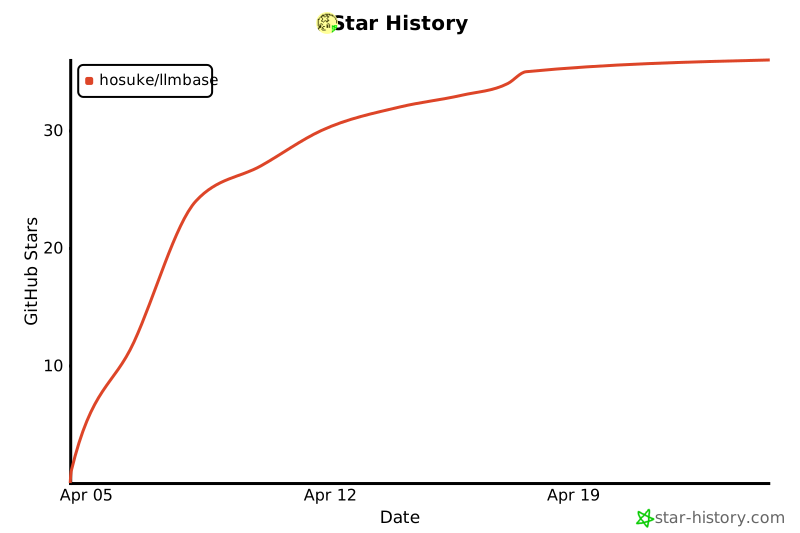
Star History
License
MIT
Release history Release notifications | RSS feed


Download files
Download the file for your platform. If you're not sure which to choose, learn more about installing packages.
Source Distribution
Built Distribution
Filter files by name, interpreter, ABI, and platform.
If you're not sure about the file name format, learn more about wheel file names.
Copy a direct link to the current filters
File details
Details for the file llmwiki-0.3.0.tar.gz.
File metadata
- Download URL: llmwiki-0.3.0.tar.gz
- Upload date:
- Size: 109.8 kB
- Tags: Source
- Uploaded using Trusted Publishing? No
- Uploaded via: twine/6.2.0 CPython/3.12.1
File hashes
| Algorithm | Hash digest | |
|---|---|---|
| SHA256 |
71f3a70354aa38efedc70c967a75bd734f565c1130e25d7f9d938126434c5e78
|
|
| MD5 |
ac202ec56a6a11875100c8b497e8c361
|
|
| BLAKE2b-256 |
0e9c77b601a506bb4935c6fd4896044e5ccf51794804929e2903835600f4372a
|
File details
Details for the file llmwiki-0.3.0-py3-none-any.whl.
File metadata
- Download URL: llmwiki-0.3.0-py3-none-any.whl
- Upload date:
- Size: 117.3 kB
- Tags: Python 3
- Uploaded using Trusted Publishing? No
- Uploaded via: twine/6.2.0 CPython/3.12.1
File hashes
| Algorithm | Hash digest | |
|---|---|---|
| SHA256 |
3f3e1dc11c85e0741d1c5e07260322862a4b8e8c12f64914fd88d606c98e1da1
|
|
| MD5 |
9c51c94b7b7bc2ef08fd514344e7263a
|
|
| BLAKE2b-256 |
d66b3984882bcc445a2985c2b4d04483a8c946f3cf55ca801b22388978503c70
|






