
Locally serve geospatial raster tiles in the Slippy Map standard.
Verified details
These details have been verified by PyPIProject links
GitHub Statistics
Maintainers

Project description
🚀 Support This Project
If localtileserver saves you time, powers your work, or you need direct help, please consider supporting the project and my efforts:

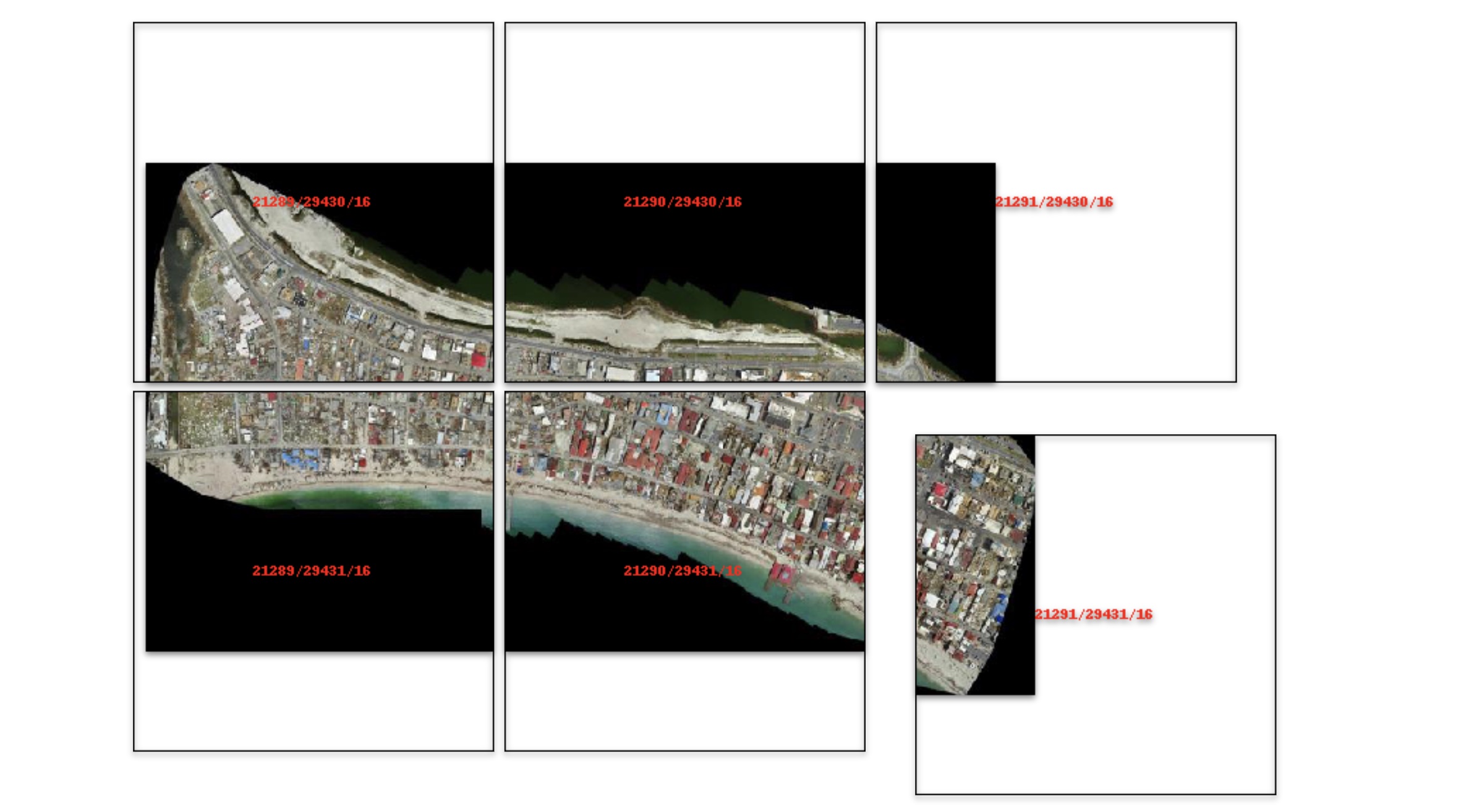
🌐 Local Tile Server for Geospatial Rasters



Need to visualize a rather large (gigabytes+) raster? This is for you.
A Python package for serving tiles from large raster files in
the Slippy Maps standard
(i.e., /zoom/x/y.png) for visualization in Jupyter with ipyleaflet or folium.
Try it live on MyBinder: 
examples/)
Documentation: https://localtileserver.banesullivan.com/
Built on rio-tiler and FastAPI
🌟 Highlights
- Launch a tile server for large geospatial images
- View local or remote raster files with
ipyleafletorfoliumin Jupyter - Band math expressions for on-the-fly computed imagery (e.g., NDVI)
- Per-band statistics and multiple image stretch modes
- Multiple output formats: PNG, JPEG, WebP, GeoTIFF, NPY
- Spatial subsetting via bounding box crops and GeoJSON masks
- STAC item support for multi-asset catalogs
- Xarray DataArray tile serving (NetCDF, Zarr, etc.)
- Virtual mosaics from multiple raster files
- View rasters with CesiumJS with the built-in web application
- Full REST API powered by FastAPI with auto-generated OpenAPI docs
🚀 Usage
Usage details and examples can be found in the documentation: https://localtileserver.banesullivan.com/
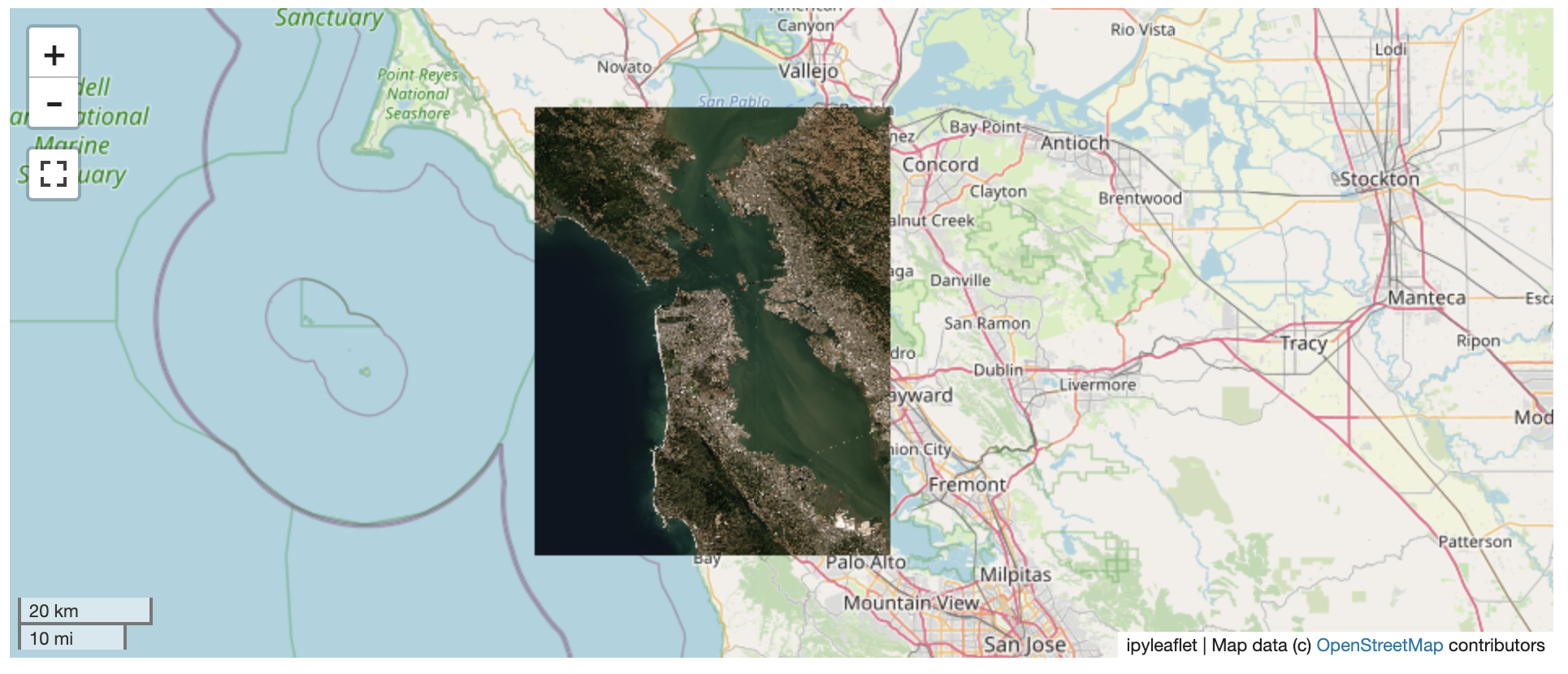
The following is a minimal example to visualize a local raster file with
ipyleaflet:
from localtileserver import get_leaflet_tile_layer, TileClient
from ipyleaflet import Map

# First, create a tile server from local raster file
client = TileClient('path/to/geo.tif')

# Create ipyleaflet tile layer from that server
t = get_leaflet_tile_layer(client)

m = Map(center=client.center(), zoom=client.default_zoom)
m.add(t)
m
Band Math Expressions
Compute derived imagery on the fly using band math expressions:
client = TileClient('path/to/multispectral.tif')

# NDVI: (NIR - Red) / (NIR + Red) where NIR=b4, Red=b1
t = get_leaflet_tile_layer(client, expression='(b4-b1)/(b4+b1)',
                           vmin=-1, vmax=1, colormap='RdYlGn')
STAC Support
Visualize assets from STAC catalogs:
import requests

# Fetch tiles from a STAC item's assets
resp = requests.get('http://localhost:PORT/api/stac/tiles/10/512/512.png',
                    params={'url': 'https://example.com/stac/item.json',
                            'assets': 'visual'})
Xarray DataArrays
Serve tiles directly from xarray DataArrays (NetCDF, Zarr, etc.):
import xarray as xr

ds = xr.open_dataset('temperature.nc')
da = ds['temperature']
da = da.rio.write_crs('EPSG:4326')

# Register and serve tiles through the REST API
VS Code, Colab, and other webview notebooks
localtileserver works out of the box in JupyterLab, Notebook 7, JupyterHub,
and Binder because those frontends let the browser reach the jupyter-server
origin directly. VS Code Jupyter (including Remote-SSH), Google Colab, Shiny
for Python, Solara, and marimo render notebook outputs in a sandboxed webview
whose origin is not the jupyter-server — so root-relative tile URLs never
reach the proxy, and http://127.0.0.1:<port>/… fails to resolve.
To cover those frontends, localtileserver integrates with
jupyter-loopback. When
you call get_leaflet_tile_layer(...) or get_folium_tile_layer(...), the
helper automatically routes that client's tile URLs through the comm bridge.
No install step or notebook changes required — jupyter-loopback[comm] is
pulled in by the core pip install localtileserver.
If you use a TileClient outside those helpers (e.g. embedding raw tile
URLs in a custom HTML output), call the method explicitly:
client = TileClient('path/to/geo.tif')
client.enable_jupyter_loopback()
Or, for a specific port you're managing yourself:
import localtileserver
localtileserver.enable_jupyter_loopback(port)
Opt out globally by setting LOCALTILESERVER_DISABLE_JUPYTER_LOOPBACK=1 in
your environment before importing localtileserver.
ℹ️ Overview
The TileClient class can be used to launch a tile server in a background
thread which will serve raster imagery to a viewer (usually ipyleaflet or
folium in Jupyter notebooks).
This tile server can efficiently deliver varying resolutions of your raster imagery to your viewer; it helps to have pre-tiled, Cloud Optimized GeoTIFFs (COGs).
There is an included, standalone web viewer leveraging CesiumJS.
REST API
The server exposes a comprehensive REST API built on FastAPI:
| Endpoint | Description |
|---|---|
GET /api/tiles/{z}/{x}/{y}.{fmt} |
Raster tiles |
GET /api/thumbnail.{fmt} |
Thumbnail preview |
GET /api/metadata |
Raster metadata |
GET /api/bounds |
Geographic bounds |
GET /api/statistics |
Per-band statistics |
GET /api/part.{fmt} |
Bounding box crop |
POST /api/feature.{fmt} |
GeoJSON mask extraction |
GET /api/stac/tiles/{z}/{x}/{y}.{fmt} |
STAC item tiles |
GET /api/xarray/tiles/{z}/{x}/{y}.{fmt} |
Xarray DataArray tiles |
GET /api/mosaic/tiles/{z}/{x}/{y}.{fmt} |
Mosaic tiles |
GET /swagger/ |
Interactive API docs |
All tile/thumbnail endpoints support expression, stretch, indexes, colormap, vmin, vmax, and nodata query parameters.
⬇️ Installation
Get started with localtileserver to view rasters in Jupyter or deploy as your
own FastAPI application.
🐍 Installing with conda
Conda makes managing localtileserver's dependencies across platforms quite
easy and this is the recommended method to install:
conda install -c conda-forge localtileserver
🎡 Installing with pip
If you prefer pip, then you can install from PyPI: https://pypi.org/project/localtileserver/
pip install localtileserver
Optional Dependencies
For xarray/DataArray support:
pip install localtileserver[xarray]
For Jupyter widget integration:
pip install localtileserver[jupyter]
For additional colormaps:
pip install localtileserver[colormaps]
💭 Feedback
Please share your thoughts and questions on the Discussions board. If you would like to report any bugs or make feature requests, please open an issue.
If filing a bug report, please share a scooby Report:
import localtileserver
print(localtileserver.Report())
Project details
Verified details
These details have been verified by PyPIProject links
GitHub Statistics
Maintainers
Release history Release notifications | RSS feed


Download files
Download the file for your platform. If you're not sure which to choose, learn more about installing packages.
Source Distribution
Built Distribution
Filter files by name, interpreter, ABI, and platform.
If you're not sure about the file name format, learn more about wheel file names.
Copy a direct link to the current filters
File details
Details for the file localtileserver-1.0.0rc3.tar.gz.
File metadata
- Download URL: localtileserver-1.0.0rc3.tar.gz
- Upload date:
- Size: 97.5 MB
- Tags: Source
- Uploaded using Trusted Publishing? Yes
- Uploaded via: twine/6.1.0 CPython/3.13.12
File hashes
| Algorithm | Hash digest | |
|---|---|---|
| SHA256 |
e227c6c59c787c28f63fc8a58290e1cedb208a21cfa5bdc33ed7144818a6367e
|
|
| MD5 |
3d4e466aee308914c8e2c3fe805717cf
|
|
| BLAKE2b-256 |
dd63a791e82a8dc75ba644b7af8a51c241d86b3cb3eb0eb7b92df800f63e45fd
|
Provenance
The following attestation bundles were made for localtileserver-1.0.0rc3.tar.gz:
Publisher:
release.yml on banesullivan/localtileserver
-
Statement:
-
Statement type:
https://in-toto.io/Statement/v1 -
Predicate type:
https://docs.pypi.org/attestations/publish/v1 -
Subject name:
localtileserver-1.0.0rc3.tar.gz -
Subject digest:
e227c6c59c787c28f63fc8a58290e1cedb208a21cfa5bdc33ed7144818a6367e - Sigstore transparency entry: 1359274750
- Sigstore integration time:
-
Permalink:
banesullivan/localtileserver@a32d6bd3fc2c54e2355eb762dd488f4ff0dbaa83 -
Branch / Tag:
refs/tags/v1.0.0rc3 - Owner: https://github.com/banesullivan
-
Access:
public
-
Token Issuer:
https://token.actions.githubusercontent.com -
Runner Environment:
github-hosted -
Publication workflow:
release.yml@a32d6bd3fc2c54e2355eb762dd488f4ff0dbaa83 -
Trigger Event:
push
-
Statement type:
File details
Details for the file localtileserver-1.0.0rc3-py3-none-any.whl.
File metadata
- Download URL: localtileserver-1.0.0rc3-py3-none-any.whl
- Upload date:
- Size: 33.7 MB
- Tags: Python 3
- Uploaded using Trusted Publishing? Yes
- Uploaded via: twine/6.1.0 CPython/3.13.12
File hashes
| Algorithm | Hash digest | |
|---|---|---|
| SHA256 |
809b32d2bc7d2c88ddc898de72f339007778455c199874ef6de836d3b865cf6e
|
|
| MD5 |
8101a7880e45e0b32934412378ea769f
|
|
| BLAKE2b-256 |
b37e2a6c28b5a10b637cf8e57163eae9eea109edf26a96ae68716b5b61cc13fd
|
Provenance
The following attestation bundles were made for localtileserver-1.0.0rc3-py3-none-any.whl:
Publisher:
release.yml on banesullivan/localtileserver
-
Statement:
-
Statement type:
https://in-toto.io/Statement/v1 -
Predicate type:
https://docs.pypi.org/attestations/publish/v1 -
Subject name:
localtileserver-1.0.0rc3-py3-none-any.whl -
Subject digest:
809b32d2bc7d2c88ddc898de72f339007778455c199874ef6de836d3b865cf6e - Sigstore transparency entry: 1359274779
- Sigstore integration time:
-
Permalink:
banesullivan/localtileserver@a32d6bd3fc2c54e2355eb762dd488f4ff0dbaa83 -
Branch / Tag:
refs/tags/v1.0.0rc3 - Owner: https://github.com/banesullivan
-
Access:
public
-
Token Issuer:
https://token.actions.githubusercontent.com -
Runner Environment:
github-hosted -
Publication workflow:
release.yml@a32d6bd3fc2c54e2355eb762dd488f4ff0dbaa83 -
Trigger Event:
push
-
Statement type:






