
A collection of pipe-able commands for playing with Apple Silicon sensor hardware and peripherals.

Project description
Use your Mac hardware like a modular synth!
A suite of commands like accelerometer, microphone, bandpass, keyboard-brightness, screen-brightness, and more that can be linked together using UNIX pipes.
All tools input and output a standardized mono audio signal that represents their sensor input/output values.
Quickstart
git clone https://github.com/pirate/mac-hardware-toys
cd mac-hardware-toys

uv sync
source .venv/bin/activate

### Examples

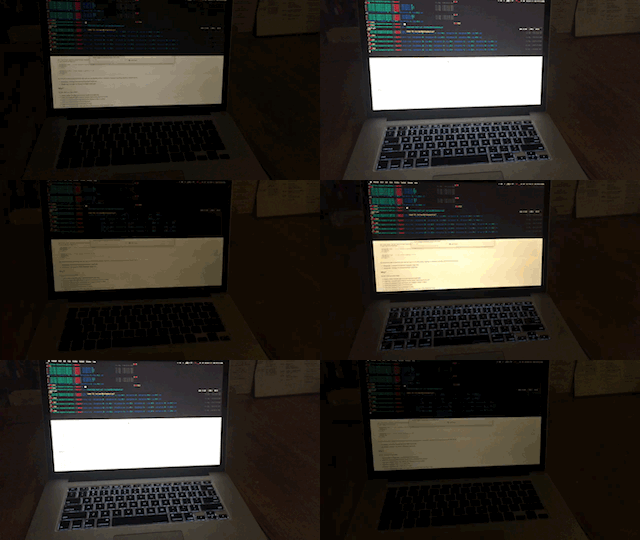
# flash your screen according to your microphone input
microphone | screen-brightness

# play a sine wave tone based on your screen lid-angle
lid-angle | speaker

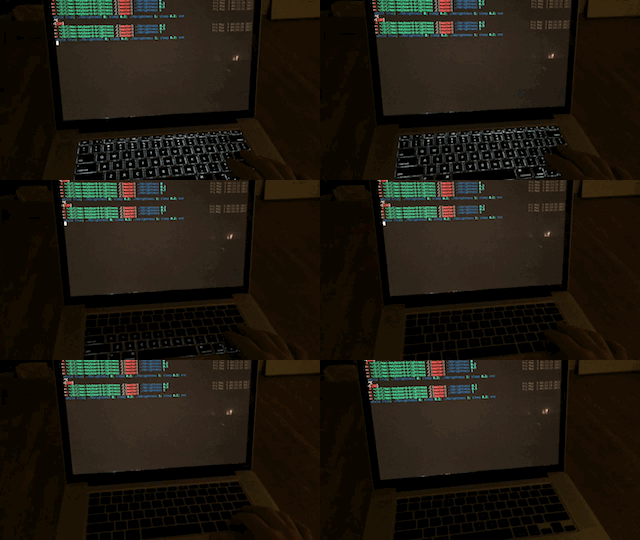
# flash the keyboard according to your heartbeat (keep your wrists on palm rests)
accelerometer | metronome | keyboard-brightness

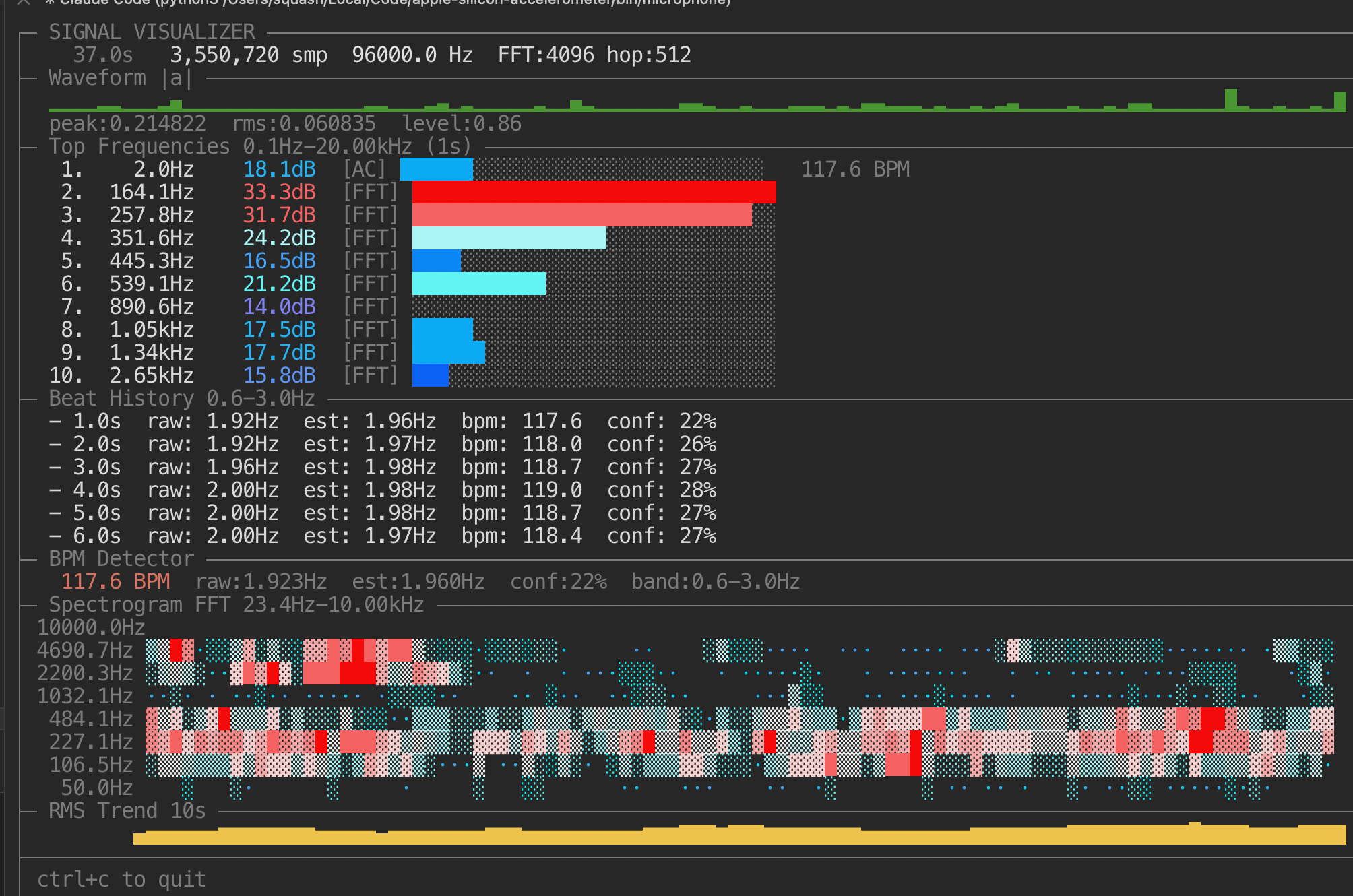
# see more detail about any given signal by piping it into visualizer
microphone | visualizer
sine 1000 | visualizer
gyroscope | tee >(speaker) | visualizer
Tools
accelerometer
- Purpose: read Apple SPU accelerometer and emit mono signal.
- Args:
--rate <hz>(<= 800),--axis x|y|z|mag,--raw. - Notes: requires root; when run from a terminal it auto-prompts via
sudo.
ambient-light
- Purpose: read ambient light sensor and emit tone mapped from low light to high light.
- Default mapping:
500 Hz -> 5000 Hzand low volume -> high volume as light goes0% -> 100%. - Args:
--rate,--low-hz,--high-hz,--low-volume,--high-volume,--json. - Notes: requires root; when run from a terminal it auto-prompts via
sudo.
lid-angle
- Purpose: read lid angle sensor and emit tone mapped from lid closed to open.
- Default mapping:
500 Hz -> 5000 Hzand low volume -> high volume as angle goes--angle-min -> --angle-max. - Args:
--rate,--low-hz,--high-hz,--low-volume,--high-volume,--angle-min,--angle-max,--json. - Notes: requires root; when run from a terminal it auto-prompts via
sudo.
gyroscope
- Purpose: read fused orientation (accel+gyro, Mahony AHRS) and emit tone mapped from the selected orientation axis.
- Default mapping:
500 Hz -> 5000 Hzand low volume -> high volume as selected axis angle maps to0..360. - Args:
--rate,--low-hz,--high-hz,--low-volume,--high-volume,--json,--axis roll|pitch|yaw,--decimate. - Notes: requires root; when run from a terminal it auto-prompts via
sudo.roll/pitchare absolute to gravity;yawis relative and can drift without magnetometer.
microphone
- Purpose: capture mono mic signal and emit stream.
- Args:
--rate <hz>,--block-size <frames>.
metronome [bpm]
- Purpose: emit metronome pulses; with piped stdin it auto-detects/follows BPM.
- Args: optional
bpm,--rate(fixed mode),--pulse-ms,--tone-hz,--level,--accent-every,--accent-gain,--block-size,--count,--min-bpm,--max-bpm,--detect-low-hz,--detect-high-hz,--self-echo-ms,--follow,--debug,--raw.
bandpass <low_hz> <high_hz>
- Purpose: realtime cascaded high/low-pass filter.
- Args: positional cutoffs or
--low/--high,--chunk-bytes,--raw --rate.
frequency-shift <factor>
- Purpose: best-effort realtime frequency scaling, takes a scalar multiplier like 0.1~1000.
- Args:
factor,--chunk-bytes,--raw --rate.
volume-shift <gain>
- Purpose: scalar amplitude gain.
- Args:
gain,--chunk-bytes,--raw --rate.
heartbeat
- Purpose: emit BPM/confidence JSON lines from incoming signal (typically bandpassed). When piped onward, it passes the signal through on stdout and writes JSON to stderr.
- Args:
--interval,--window-seconds,--emit-final,--chunk-bytes,--raw --rate.
speaker
- Purpose: play incoming stream on default output device.
- Args:
--device-rate,--block-size.
visualizer
- Purpose: terminal waveform + level monitor.
- Args:
--fps,--window-seconds,--chunk-bytes,--raw --rate.
keyboard-brightness
- Purpose: beat-follow keyboard backlight control.
- Args:
--send-hz,--fade-ms,--gain,--attack-ms,--release-ms,--baseline-ms,--decay-per-s,--debug,--as-root,--pulse,--on-time,--off-time,--set. - Notes:
--set=<0..100>without--pulsesets brightness and exits immediately (ignores stdin).--pulse=<N>ignores stdin and pulses N times;--setcontrols pulse max brightness.
screen-brightness
- Purpose: beat-follow display brightness control.
- Args:
--send-hz,--min-level,--max-level,--gain,--attack-ms,--release-ms,--baseline-ms,--decay-per-s,--debug,--no-restore,--pulse,--on-time,--off-time,--set. - Notes:
--set=<0..100>without--pulsesets display brightness and exits immediately (ignores stdin).--pulse=<N>ignores stdin and pulses N times;--setcontrols pulse max brightness.
fan-speed
- Purpose: signal-follow fan RPM control (both fans in sync by default; beat-alternating optional).
- Args:
--send-hz,--min-rpm,--max-rpm,--min-frac,--max-frac,--pulse-depth,--couple,--alternate,--input-map,--beat-threshold,--beat-hold-ms,--gain,--attack-ms,--release-ms,--baseline-ms,--decay-per-s,--debug,--no-restore.
Example Usage
Heartbeat from accelerometer:
accelerometer | bandpass 0.8 3 | heartbeat
Ambient light as signal source:
ambient-light | visualizer
Lid angle as JSONL:
lid-angle --json
Gyroscope fused orientation as JSONL:
gyroscope --axis roll --json
Music-reactive keyboard + speakers:
microphone --rate 44100 \
  | tee >(keyboard-brightness --send-hz 30 --fade-ms 20) \
  | volume-shift 0.8 \
  | speaker
Metronome to speakers:
metronome 120 | speaker
Auto-follow metronome from mic input, emits a metronome tone in sync with the beat of whatever audio is playing:
microphone | metronome | speaker
Auto-follow metronome from accelerometer, driving keyboard pulses:
accelerometer | metronome | keyboard-brightness
Metronome driving keyboard pulses:
metronome 120 | keyboard-brightness
Heartbeat telemetry while still driving keyboard brightness:
accelerometer | heartbeat | keyboard-brightness
Set keyboard backlight to 100% and exit:
keyboard-brightness --set=100
Pulse keyboard 5 times (1.2s on / 5.5s off) at 100%:
keyboard-brightness --pulse=5 --on-time=1.2 --off-time=5.5 --set=100
Set screen brightness to 40% and exit:
screen-brightness --set=40
Pulse screen brightness 3 times:
screen-brightness --pulse=3 --on-time=1.2 --off-time=5.5 --set=100
Metronome driving fan pulses:
metronome 120 | fan-speed --send-hz 4 --alternate --input-map beat --min-frac 0.30 --max-frac 0.70
Slow sine fan sweep (sync L/R):
sine 0.1 | fan-speed
One source, multiple sinks:
accelerometer \
  | bandpass 0.8 3 \
  | tee >(keyboard-brightness) \
  | frequency-shift 1000 \
  | volume-shift 0.8 \
  | tee >(speaker) \
  | visualizer
Notes
accelerometerrequires root (AppleSPU HID access) and will auto-reexec throughsudoby default.ambient-light,lid-angle, andgyroscopedo the same for AppleSPU HID access.- Set
MSIG_AUTO_SUDO=0to disable auto-reexec and only print rerun guidance on stderr. microphone/speakerdepend onsounddevice+ PortAudio runtime.- Keyboard/display brightness tools need supported hardware/permissions.
keyboard-brightnessuses the bundled Apple Silicon KBPulse binary atlib/KBPulse(arm64).fan-speeduses AppleSMC private IOKit APIs on Apple Silicon; writing fan targets typically requiressudo.frequency-shiftis intentionally lightweight and artifact-prone at extreme factors.
Stdio Audio Format
All stream tools read/write:
- header:
MSIG1 <sample_rate_hz>\n - payload: little-endian
float32mono samples
Most processors also support raw float32 input via --raw --rate <hz>.
Why?
It's fun. Here are some ideas to get started:
- make your keyboard lights flash for security alerts using Security Growler
- make your keyboard flash right before your display is about to sleep
- make your keyboard flash on incoming email
- make your keyboard flash to the beat of music
- make your keyboard flash when your boss's iPhone comes within bluetooth range
Related Projects
- https://github.com/olvvier/apple-silicon-accelerometer IOReg accelerometer reading code
- https://github.com/EthanRDoesMC/KBPulse/ keyboard brightness code for M1, M2, M3, etc. macs
- https://github.com/maxmouchet/LightKit
- https://github.com/tcr/macbook-brightness
- http://stackoverflow.com/questions/3239749/programmatically-change-mac-display-brightness
- https://web.archive.org/web/20110828210316/http://mattdanger.net:80/2008/12/adjust-mac-os-x-display-brightness-from-the-terminal/
- http://osxbook.com/book/bonus/chapter10/light/
- https://github.com/samnung/maclight/blob/master/lights_handle.cpp
- http://www.keindesign.de/stefan/Web/Sites/iWeb/Site/iSpazz.html the OG
- https://github.com/bhoeting/DiscoKeyboard


Download files
Download the file for your platform. If you're not sure which to choose, learn more about installing packages.
Source Distribution
Built Distribution
Filter files by name, interpreter, ABI, and platform.
If you're not sure about the file name format, learn more about wheel file names.
Copy a direct link to the current filters
File details
Details for the file mac_hardware_toys-0.2.3.tar.gz.
File metadata
- Download URL: mac_hardware_toys-0.2.3.tar.gz
- Upload date:
- Size: 75.8 kB
- Tags: Source
- Uploaded using Trusted Publishing? No
- Uploaded via: uv/0.9.10 {"installer":{"name":"uv","version":"0.9.10"},"python":null,"implementation":{"name":null,"version":null},"distro":{"name":"macOS","version":null,"id":null,"libc":null},"system":{"name":null,"release":null},"cpu":null,"openssl_version":null,"setuptools_version":null,"rustc_version":null,"ci":null}
File hashes
| Algorithm | Hash digest | |
|---|---|---|
| SHA256 |
cd2b450058ed7a0d82d3e64a4e2eec5b1a2beca2b5f69da591fcbbae2bf0b87a
|
|
| MD5 |
99fd25d1b9e053d2e8f09732d5e7dff9
|
|
| BLAKE2b-256 |
925873bae44b6f932aa9dbc0f4e6ae67f3e215f3880456fdf64e2669572cd87d
|
File details
Details for the file mac_hardware_toys-0.2.3-py3-none-any.whl.
File metadata
- Download URL: mac_hardware_toys-0.2.3-py3-none-any.whl
- Upload date:
- Size: 84.8 kB
- Tags: Python 3
- Uploaded using Trusted Publishing? No
- Uploaded via: uv/0.9.10 {"installer":{"name":"uv","version":"0.9.10"},"python":null,"implementation":{"name":null,"version":null},"distro":{"name":"macOS","version":null,"id":null,"libc":null},"system":{"name":null,"release":null},"cpu":null,"openssl_version":null,"setuptools_version":null,"rustc_version":null,"ci":null}
File hashes
| Algorithm | Hash digest | |
|---|---|---|
| SHA256 |
70f25bcb5b0ebe3703b803c1423f25b844a9d06f66365873db7d232047aa4b22
|
|
| MD5 |
6ffa7e9d0db1daae71c52229c9fda688
|
|
| BLAKE2b-256 |
943de2bd39f2d34365aed5bc91e8e56a3127886eea273fd7eb6e66493f7f06dd
|






