
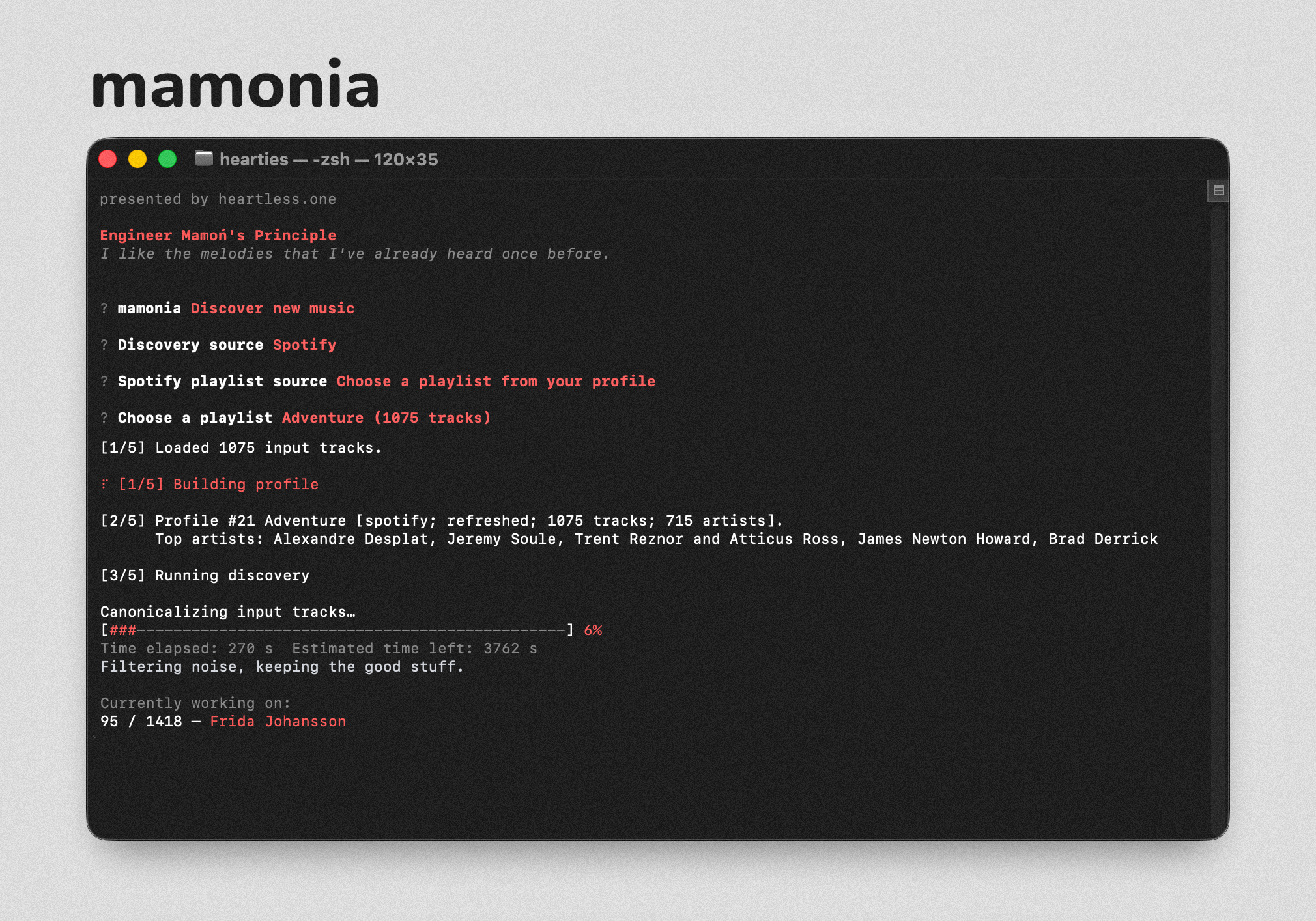
A music discovery tool built on the idea that your taste matters more than an algorithm. Inspired by Engineer Mamoń's Principle / Prawo inżyniera Mamonia.
mamonia learns what you enjoy from the music you already listen to. It starts from playlists and libraries you already like, builds a reusable profile of your taste, then explores artist networks and music databases to find fresh releases you might dig.
It runs through a clean, guided menu - no terminal flags to memorize, no .env or .json wrangling.
Your data stays on your machine. No tracking. No mystery.
Open it up, point it at a playlist, and discover something new. Simple as that.
How it works:
Give mamonia a Spotify or Tidal playlist (or even a .txt or .csv file).
Based on this, the tool will:
- Learn your taste — examine the artists you listen to, look them up across multiple music databases
- Explore connections — find collaborators, similar artists, and shared fan communities
- Discover candidates — find releases from everyone connected to the artists you love
- Handle variants intelligently — mamonia knows how to pick up the difference between deluxe editions, remasters, and regional versions
- Create a playlist on Spotify or Tidal, or save it as
.csv,.txt, or.json - Respect your time frame — focusing on the last 6 months, last year, or any era you choose
- Remember what it has already found — won't recommend the same thing twice
Everything is stored locally in SQLite: your taste profile, what's already been recommended, cached data, everything. Nothing goes to the cloud.
Where your data lives:
- Windows:
%LOCALAPPDATA%\Mamonia - macOS:
~/Library/Application Support/Mamonia - Linux:
${XDG_STATE_HOME}/mamonia(or~/.local/state/mamonia)
This is where your taste profile, recommendation history, cache, and API credentials are kept — safely, locally, just for you.
Install
pip install mamonia
Then run:
mamonia
A guided menu will walk you through the rest.
Setup
You'll need API keys from Spotify, Last.fm, Tidal, and ListenBrainz.
When mamonia runs for the first time, you can enter them - they're saved securely in your user directory.
For all CLI commands and options, see the CLI Reference. For full documentation, see docs/README.md.
License
MIT
Something not working as expected? Open an issue and let us know what happened and what you tried.
1 maintainer

Metadata
1 maintainer
Release files for mamonia 0.1.26
For a detailed explanation of source distributions (sdists) and built distributions (wheels), please see the package formats documentation.
Source distribution (sdist)
| File | Size | Uploaded | |
|---|---|---|---|
| mamonia-0.1.26.tar.gz | 363.7 kB | Details |
Built distribution (wheel)
| File | Interpreter | ABI | Platform | Reset |
|---|---|---|---|---|
| mamonia-0.1.26-py3-none-any.whl | Python 3 | none | any | Details |
Total release size: 652.4 kB
Release files / mamonia-0.1.26.tar.gz
| Download URL | mamonia-0.1.26.tar.gz |
|---|---|
| Size | 363.7 kB |
| Tags | Source |
|
SHA-256 checksum How to use checksums |
cece9688c314fd1dbc17b5876c5e072cc5b2538dbf211b116903e5d61b9161f0
|
|
BLAKE2b-256 checksum How to use checksums |
5e0f0db6fcdf44e27d02c09cb4cc9f32628449a5b62f3c0f0718549ff681eaa8
|
| Upload date | |
|
Uploaded using Trusted Publishing? What is trusted publishing? |
No |
| Uploaded via |
twine/6.2.0 CPython/3.13.11
|
Release files / mamonia-0.1.26-py3-none-any.whl
| Download URL | mamonia-0.1.26-py3-none-any.whl |
|---|---|
| Size | 288.7 kB |
| Tags | Python 3 |
|
SHA-256 checksum How to use checksums |
78f1e0da874bd1f520519fa6177c170dce8f89c1c5b394ba3ccc34bf3263a834
|
|
BLAKE2b-256 checksum How to use checksums |
5e942ed7cf7b8c5875405c59d0c3adf587f935d9273ad35f5aa445d894a606d6
|
| Upload date | |
|
Uploaded using Trusted Publishing? What is trusted publishing? |
No |
| Uploaded via |
twine/6.2.0 CPython/3.13.11
|














