
☾ Manen



An implementation of the Page Object Model design pattern, and other utilities for web scraping and automation.
PyPI ・ Documentation ・ Changelog ・ Issue tracker
Manen is a package built to enhance developer experience when using Selenium. Among the core features, you can find:
- an implementation of the Page Object Model design pattern
- a class which improves the operability of a Selenium WebDriver
- a function to easily find and isolate DOM elements inside a Selenium page
This package aims to provide you the tools to write more concise, flexible and powerful code compared to what you would do by using only Selenium.
[!NOTE] For now, only Selenium Chrome WebDriver is supported. Other browsers will be supported in the future, as well as other automation tools such as Playwright or Scrapy.
📥 Installation
The package can be installed using the official Python package manager pip.
pip install manen
✨ Features
manen.finder.findallows to easily get element(s) in an HTML page. This function supports several very different use cases, to help reduce your code complexity when fetching for elements (example: using default values, trying different selectors, iterating over several elements).manen.browserdefines an enhanced SeleniumWebDrivercalledBrowsermanen.page_object_modelis an implementation of the Page Object Model design pattern. It will wrap an HTML page, component and DOM values inside Python classes and objects, providing a better way to interact with a web page.
🚀 Getting started
Manen features will be explored by a simple example: going to the PyPI page, searching for a specific package and extracting some information from the search results.
First thing to do is to initialize a WebDriver instance. It can be done using the usual way
provided by Selenium, but an alternative is to use the Browser class provided by Manen. Note
that both ways are equivalent, but Browser provides some additional features, that won't be
explored here.
from manen.browser import ChromeBrowser

browser = ChromeBrowser.initialize()
browser.get("https://pypi.org")
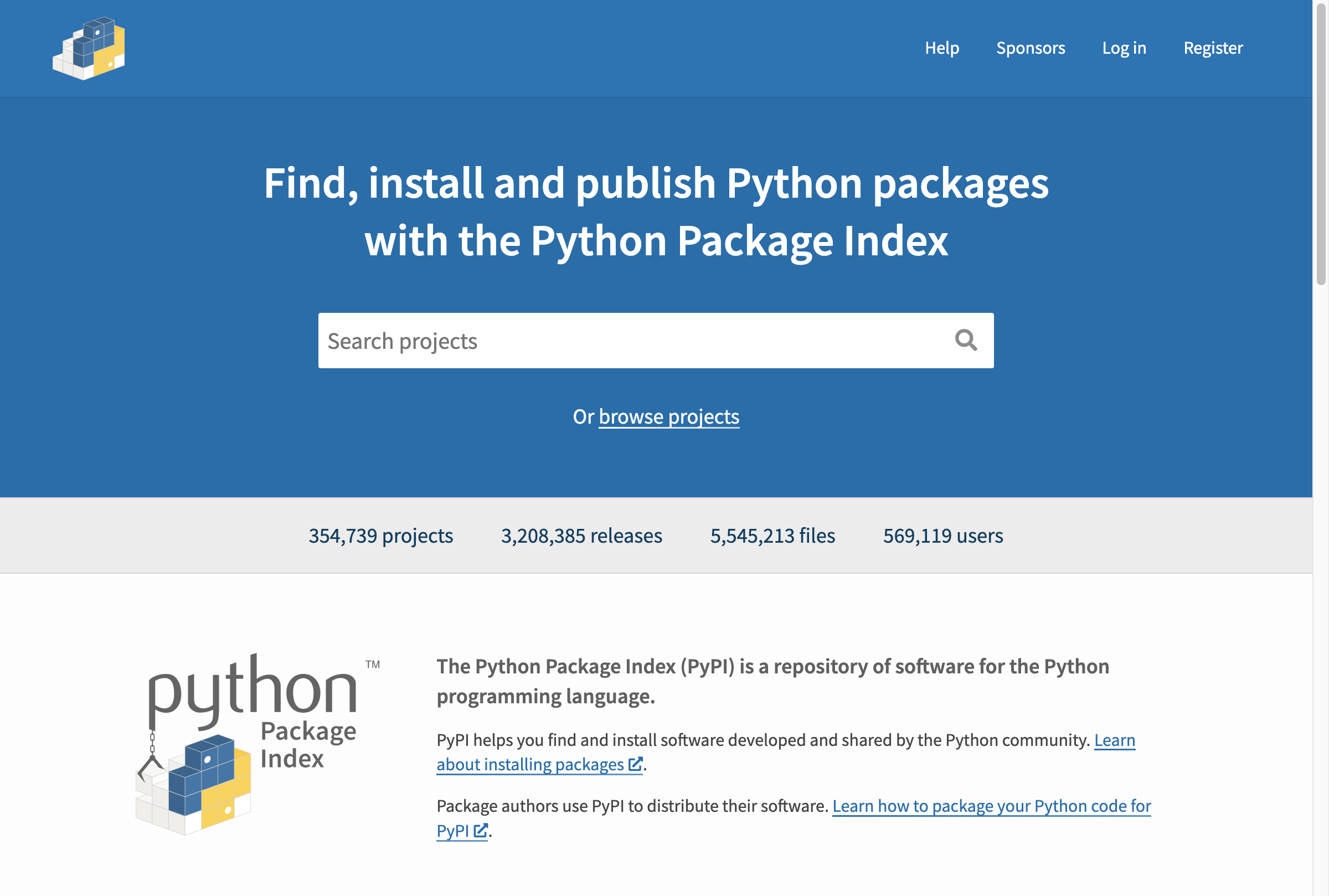
We are now on the home page of PyPI. What we are going to do now is building a class that will
inherit from Page from the manen.page_object_model.component module. This Python class will be
a reflection of the HTML page, allowing us to access DOM elements in the same way we access
attributes. Note the whole page object model design pattern is implemented with type hints (a bit
like in Pydantic model).
from datetime import datetime
from typing import Annotated, Annotated as A

from manen.page_object_model.types import href, input_value
from manen.page_object_model.config import CSS, Attribute, DatetimeFormat, XPath
from manen.page_object_model.component import Page, Component


class HomePage(Page):
    query: Annotated[input_value, CSS("input[name='q']")]


class SearchResultPage(Page):
    class Result(Component):
        name: Annotated[str, CSS("h3 span.package-snippet__name")]
        version: Annotated[str, CSS("h3 span.package-snippet__version")]
        link: Annotated[href, CSS("a.package-snippet")]
        description: Annotated[str, CSS("p.package-snippet__description")]
        release_datetime: A[
            datetime,
            DatetimeFormat("%Y-%m-%dT%H:%M:%S%z"),
            Attribute("datetime"),
            CSS("span.package-snippet__created time"),
        ]

    nb_results: Annotated[
        int,
        XPath("//*[@id='content']//form/div[1]/div[1]/p/strong"),
    ]
    results: Annotated[
        list[Result],
        CSS("ul[aria-label='Search results'] li"),
    ]
The Page class encapsulates the whole current HTML page available through the driver. Each DOM
value we want to extract is then represented by a class attribute, with a type (what to extract)
and a selector (where to extract it). Depending on the type of the value, Manen will automatically
execute the appropriate DOM content extraction on the HTML element (for example, it will extract
the inner text for a str type, the HTML attribute href for an href, or the property
innerHTML for inner_html).
A Component captures a sub-part of an HTML page. All the elements defined under this will be
fetched inside the HTML element represented by the Component class.
Here the class HomePage defines an input_value element, that will be linked to the search bar.
Filling the search bar is done by assigning a value to the attribute query.
from selenium.webdriver.common.keys import Keys

page = HomePage(browser) # A Page object is initialized only with a WebDriver instance

page.query = "manen"
page.query += Keys.ENTER
After submitting the form, we are redirected to the search results page.
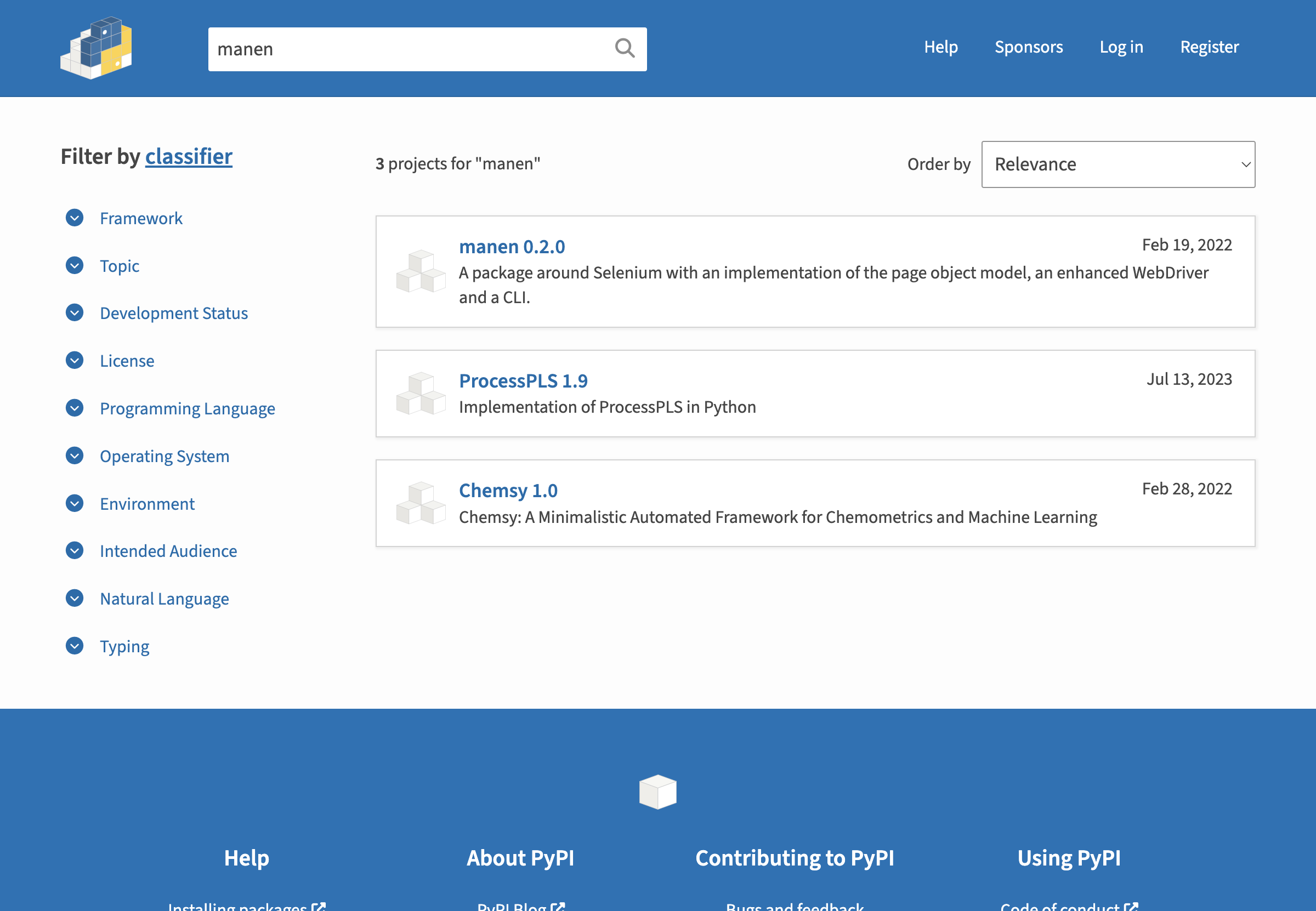
The SearchResultPage will then be used to extract the results.
page = SearchResultPage(browser)

print(page.nb_results)
# 3

print(page.results[0])
# <__main__.SearchResultPage.Result at 0x1058e97c0>
Manen provides a model_dump method, quite similar to the one in Pydantic to easily get all the
attributes of a component or a page.
print(page.results[0].model_dump())
# {'name': 'manen',
#  'version': '0.2.0',
#  'link': 'https://pypi.org/project/manen/',
#  'description': 'A package around Selenium with an implementation of the page object model, an enhanced WebDriver and a CLI.',
#  'release_datetime': datetime.datetime(2022, 2, 19, 12, 10, 31, tzinfo=datetime.timezone.utc)}
[!TIP] Other DOM elements are also implemented, such as
src,input_value,checkbox... Each one of them is used to target a specific attribute from a DOM value and can enable interaction with it, in a flawless Pythonic way. Check the documentation for the list of available elements.
Let's finally close the Selenium WebDriver to avoid any remaining running applications once we exit the Python program.
browser.quit()
🦾 Going further
The documentation provides an extensive overview of the possibilities offered by the package. It also contains several user guides to help you get started with the package.
A set of examples is also available in the
examples/ directory of the source code repository. They are designed to show you how to use the
package in a real-world context.
1 maintainer

Release files for manen 0.3.0
For a detailed explanation of source distributions (sdists) and built distributions (wheels), please see the package formats documentation.
Source distribution (sdist)
| File | Size | Uploaded | |
|---|---|---|---|
| manen-0.3.0.tar.gz | 1.4 MB | Details |
Built distribution (wheel)
| File | Interpreter | ABI | Platform | Reset |
|---|---|---|---|---|
| manen-0.3.0-py3-none-any.whl | Python 3 | none | any | Details |
Total release size: 1.5 MB
Release files / manen-0.3.0.tar.gz
| Download URL | manen-0.3.0.tar.gz |
|---|---|
| Size | 1.4 MB |
| Tags | Source |
|
SHA-256 checksum How to use checksums |
c2379989b457060361c78490d92a7faa92a2700662a8d969a7b1231df519999a
|
|
BLAKE2b-256 checksum How to use checksums |
c984920972a645b162db2394968a957f17e504b274e81276de229aa788892b58
|
| Upload date | |
|
Uploaded using Trusted Publishing? What is trusted publishing? |
No |
| Uploaded via |
uv/0.11.19 {"installer":{"name":"uv","version":"0.11.19","subcommand":["publish"]},"python":null,"implementation":{"name":null,"version":null},"distro":{"name":"Ubuntu","version":"24.04","id":"noble","libc":null},"system":{"name":null,"release":null},"cpu":null,"openssl_version":null,"setuptools_version":null,"rustc_version":null,"ci":true}
|
Release files / manen-0.3.0-py3-none-any.whl
| Download URL | manen-0.3.0-py3-none-any.whl |
|---|---|
| Size | 31.7 kB |
| Tags | Python 3 |
|
SHA-256 checksum How to use checksums |
6ff14f9aa50211b3e090f5a8d01a6ebe3237ad79a27103812247530816b58a45
|
|
BLAKE2b-256 checksum How to use checksums |
1a0bb23911f8f8030c5871bb9c064feccd317f862ca42c3e6c96b836a4252395
|
| Upload date | |
|
Uploaded using Trusted Publishing? What is trusted publishing? |
No |
| Uploaded via |
uv/0.11.19 {"installer":{"name":"uv","version":"0.11.19","subcommand":["publish"]},"python":null,"implementation":{"name":null,"version":null},"distro":{"name":"Ubuntu","version":"24.04","id":"noble","libc":null},"system":{"name":null,"release":null},"cpu":null,"openssl_version":null,"setuptools_version":null,"rustc_version":null,"ci":true}
|














