
mapnetwork-mcp
MCP server for MapNetwork — generate styled map images (PNG / SVG) for any location on Earth, directly from Claude or any MCP-compatible AI assistant.
Features
- Generate maps from a place name, coordinates, or a list of markers
- 11 color themes (white, darkBlue, darkGreen, popArt, lightBlue, lightGreen, beige, magenta, gray, black, brawn)
- Overlay walking / driving routes on the map
- PNG or SVG output, saved to your Downloads folder
- Re-download a previously generated map in a different theme or format without regenerating
- Open any generated map in the MapNetwork web editor for manual customization
Example Usage
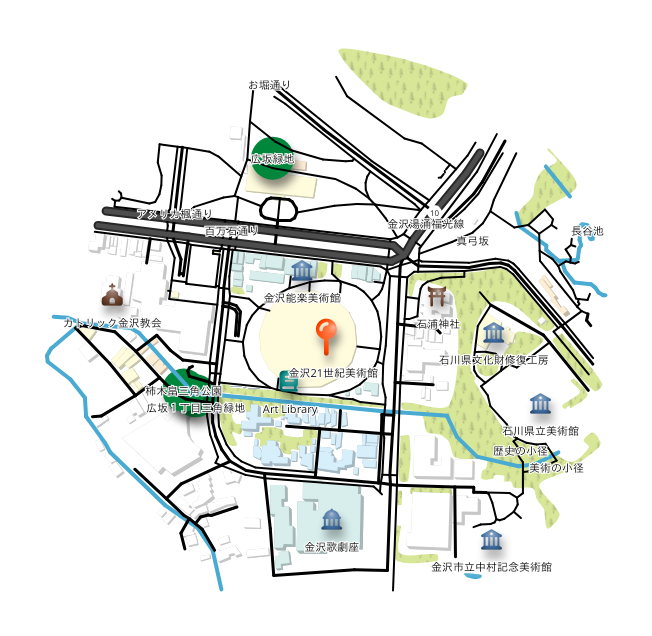
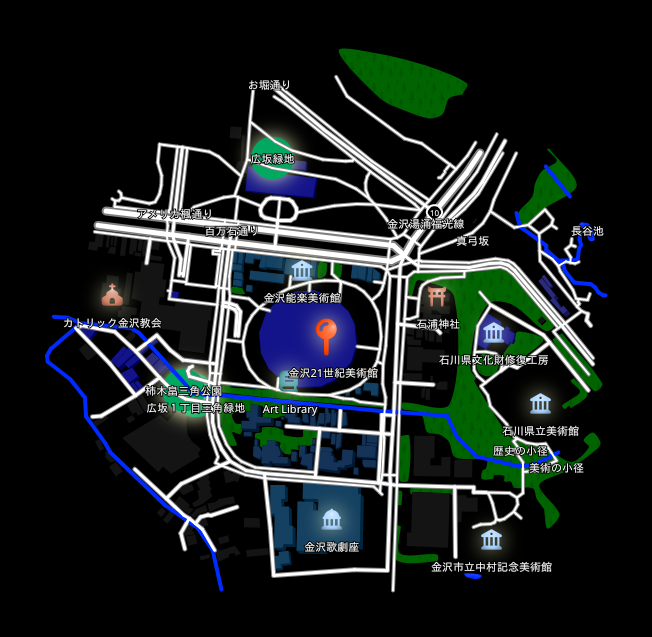
Prompt: "Generate a map around the 21st Century Museum of Contemporary Art, Kanazawa."
Here is the map it generated:
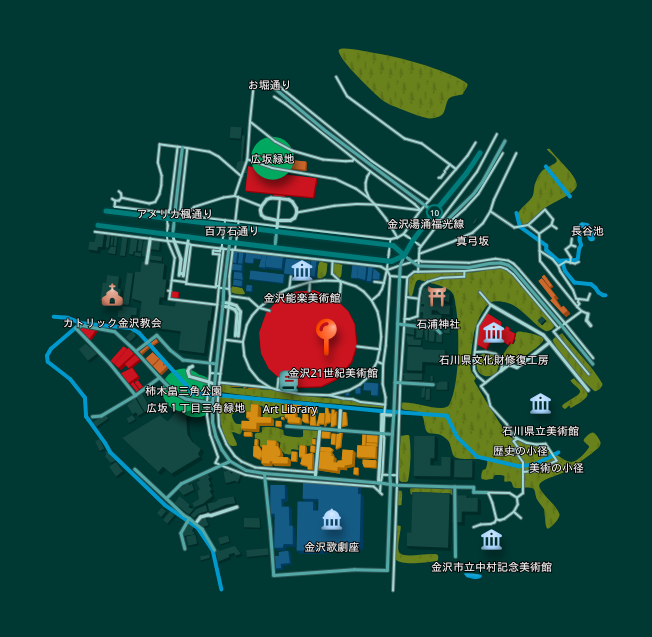
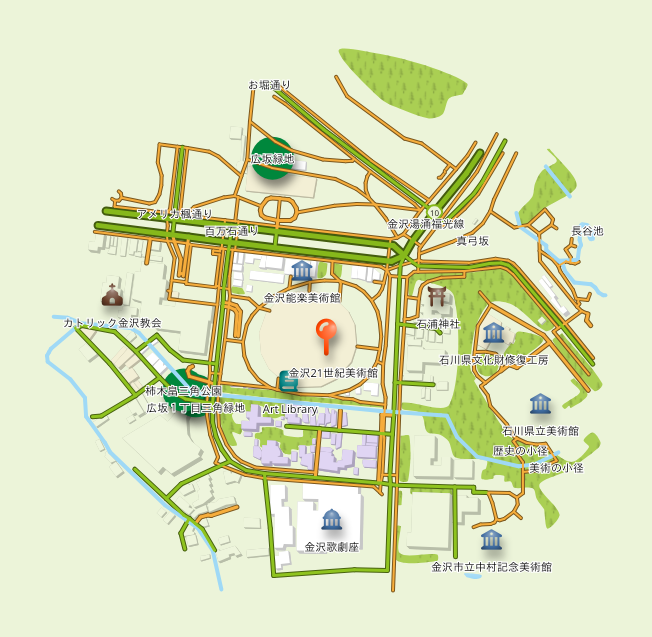
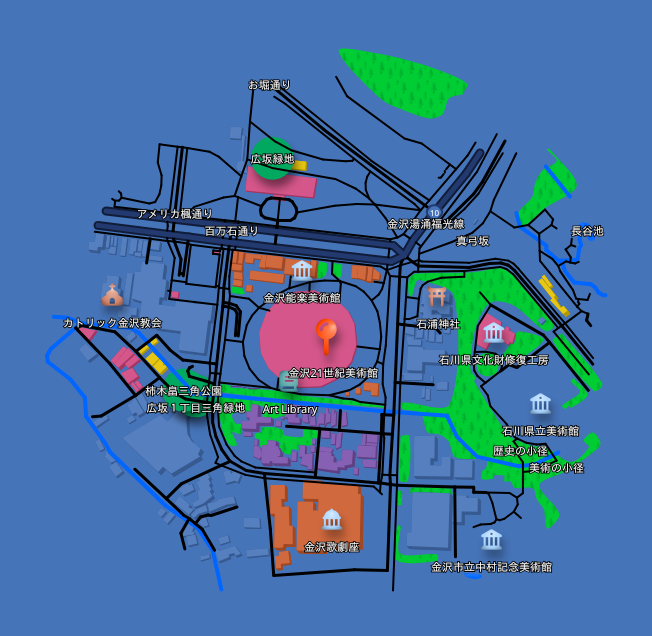
Prompt: "Redownload that map in a few different color themes."
The same map, redownloaded in different color themes:
| Dark Green Style | Light Green Style | Pop Art Style | Black Style |
|---|---|---|---|
 |
 |
 |
 |
Installation
Claude Desktop
Using the .mcpb extension file (recommended)
The easiest way to install is via the .mcpb extension file available on the Releases page.
- Download the latest
.mcpbfile from the Releases page. - Open Claude Desktop and go to Settings → Extensions.
- Drag the downloaded
.mcpbfile onto the Extensions panel to install.
Manual configuration
Add the following to your claude_desktop_config.json:
{
  "mcpServers": {
    "mapnetwork": {
      "command": "uvx",
      "args": ["mapnetwork-mcp"],
      "alwaysAllow": ["generate_map", "compute_route", "redownload_map"]
    }
  }
}
If you use pip instead of uvx:
pip install mapnetwork-mcp
{
  "mcpServers": {
    "mapnetwork": {
      "command": "mapnetwork-mcp"
    }
  }
}
Remote MCP Server
You can also use MapNetwork through MCP without installing anything, via the remote MCP server:
https://mapnetwork.app/mcp
In Claude, go to Settings → Connectors → Add custom connector and register the URL above.
The key difference from this local server is how you receive the generated map image. Since mapnetwork-mcp runs on your PC, it can save the generated image directly to your Downloads folder. The remote server can't do this — most AI assistants are unable to properly display or save tool-result images within the chat — so instead of image data, it returns a text response with a download link and a link to edit the map at mapnetwork.app. Open the links in a browser to view or save the image, or to edit the map.
Tools
| Tool | Description |
|---|---|
generate_map |
Generate a styled map image for a location and save it to Downloads |
compute_route |
Compute a walking or driving route between two locations |
redownload_map |
Re-download a previously generated map in a different color theme or format |
Example prompts
Japanese
- "渋谷駅周辺の地図を作って"
- "赤坂駅から赤坂氷川神社までの徒歩ルートを地図にして"
- "東京駅・日本橋駅・京橋駅を1枚の地図に表示して"
- "日比谷公園の1キロ四方の地図を出して"
- "その地図を darkBlue テーマでSVG画像で出し直して"
- "生成した地図の編集用リンクをください"
English
- "Generate a map around Shibuya Station"
- "Show a walking route from Akasaka Station to Akasaka Hikawa Shrine on a map"
- "Put Tokyo Station, Nihonbashi Station, and Kyobashi Station on a single map"
- "Show a 1km square map of Hibiya Park"
- "Redownload that map as an SVG in the darkBlue theme"
- "Give me a link to edit the generated map"
Links
- Web UI: https://mapnetwork.app
- Web UI Manual: https://mapnetwork.app/manual
- API docs: https://mapnetwork.app/openapi.json
mcp-name: io.github.toruproject/mapnetwork-mcp
1 maintainer

Release files for mapnetwork-mcp 1.2.2
For a detailed explanation of source distributions (sdists) and built distributions (wheels), please see the package formats documentation.
Source distribution (sdist)
| File | Size | Uploaded | |
|---|---|---|---|
| mapnetwork_mcp-1.2.2.tar.gz | 1.5 MB | Details |
Built distribution (wheel)
| File | Interpreter | ABI | Platform | Reset |
|---|---|---|---|---|
| mapnetwork_mcp-1.2.2-py3-none-any.whl | Python 3 | none | any | Details |
Total release size:1.5 MB
Release files / mapnetwork_mcp-1.2.2.tar.gz
| Download URL | mapnetwork_mcp-1.2.2.tar.gz |
|---|---|
| Size | 1.5 MB |
| Tags | Source |
|
SHA-256 checksum How to use checksums |
68580943d407ab7212f272f5f2f3d5a8ff2d79a8e210374832d6ba33f4277e17
|
|
BLAKE2b-256 checksum How to use checksums |
2abc27d2c001b97555fde467436726c58b6bfc4a02ccbf77413e981a5e7842d1
|
| Upload date | |
|
Uploaded using Trusted Publishing? What is trusted publishing? |
No |
| Uploaded via |
twine/6.2.0 CPython/3.14.0
|
Release files / mapnetwork_mcp-1.2.2-py3-none-any.whl
| Download URL | mapnetwork_mcp-1.2.2-py3-none-any.whl |
|---|---|
| Size | 11.6 kB |
| Tags | Python 3 |
|
SHA-256 checksum How to use checksums |
93359ac50aaf7f7dac348a08481990ed389fd699ad8093059b75479a6bc4bb6c
|
|
BLAKE2b-256 checksum How to use checksums |
749df835aacd52cf32da7d13b8f7262c09425b58f7753e64a38f31a16559d6d6
|
| Upload date | |
|
Uploaded using Trusted Publishing? What is trusted publishing? |
No |
| Uploaded via |
twine/6.2.0 CPython/3.14.0
|














