
One import. A few method calls. A full interactive map.





Documentation: https://egarciamendez.github.io/mapyta
Source Code: https://github.com/egarciamendez/mapyta
Build OpenStreetMap visualizations with hover tooltips, choropleths, heatmaps, and export to HTML or PNG all from Shapely geometries.
Perfect for geotechnical site plans, infrastructure overviews, or any spatial data visualization where you want more control than static images but don't need the full power of a GIS.
Mapyta is standing on the shoulders of giants like Folium and Leaflet, but it's designed to be more intuitive and Pythonic for users who are already familiar with Shapely and GeoPandas. It's not trying to replace a full GIS, but rather to provide a simple way to create interactive maps without needing to learn a whole new set of tools.
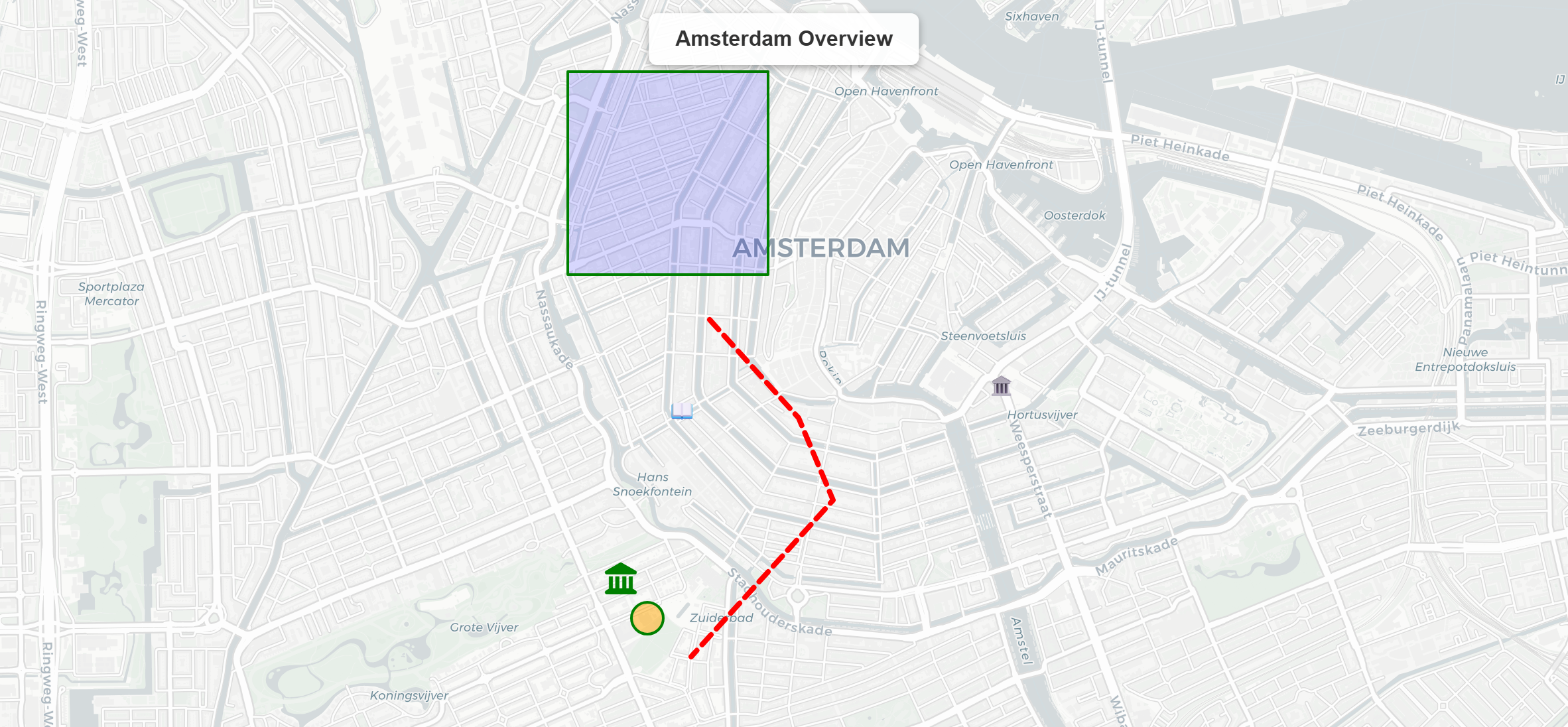
👉 See the Showcase — every feature as a live, interactive map on a single page.
Key features
- 🗺️ Shapely-native — pass
Point,Polygon,LineStringdirectly, including multi-geometries - 📝 Markdown/HTML hover and popup text — bold, italic, links, lists, and code in tooltips
- 📌 Emoji & icon markers — any text or Font Awesome icons as markers
- 🎨 Choropleth & heatmaps — color-coded maps from numeric data
- 📊 GeoPandas integration —
Map.from_geodataframe()one-liner - 🗂️ DataFrame support —
add_dataframe()works with any Pandas or Polars DataFrame with a WKT geometry column - 🌐 Auto CRS detection — RD New (EPSG:28992) coordinates transform automatically
- 📤 Export anywhere — HTML, PNG, SVG, GeoJSON, async variants, and
BytesIObuffers - 🧩 Feature groups — toggleable layers with a built-in layer control
- 🔌 Set of tile providers — OpenStreetMap, CartoDB, Esri, Stamen, and Kadaster
Installation
Mapyta requires Python 3.12+.
uv add mapyta
# or
pip install mapyta
Exporting maps to PNG/SVG images additionally needs a headless browser (Chrome,
Chromium, or Edge) and the export extra:
uv add "mapyta[export]"
# or
pip install "mapyta[export]"
Quickstart
Create your first map:
from shapely.geometry import Point
from mapyta import Map

m = Map(title="Hello Utrecht")
m.add_point(
    point=Point(5.121311, 52.090648),
    tooltip="**Utrecht**",
    popup="**Utrecht**\nCity in the Netherlands\nPopulation: ~350k",
    caption="UTR",
)
m.to_html("hello.html")
Open hello.html in any browser and you're done.
Want the map as an image instead? Get raw PNG bytes or a buffer, no file needed:
png_bytes = m.to_image()   # bytes, for an HTTP response or an email attachment
buf = m.to_bytesio()       # io.BytesIO, e.g. for Flask/FastAPI/Django
See the Showcase for choropleths, heatmaps, clusters, drawing tools, and more — each as a live, interactive map — or work through the Tutorial one concept at a time.
Contributing
Issues and pull requests are welcome. To set up a local development environment:
git clone https://github.com/egarciamendez/mapyta
cd mapyta
uv sync --all-extras --all-groups
uv run pytest
Please open an issue to discuss substantial changes before starting.
License
This project is licensed under the terms of the MIT license.
1 maintainer

Download files
Download the file for your platform. If you're not sure which to choose, learn more about installing packages.
Source Distribution
Built Distribution
Filter files by name, interpreter, ABI, and platform.
If you're not sure about the file name format, learn more about wheel file names.
Copy a direct link to the current filters
File details
Details for the file mapyta-1.0.1.tar.gz.
File metadata
- Download URL: mapyta-1.0.1.tar.gz
- Upload date:
- Size: 3.1 MB
- Tags: Source
- Uploaded using Trusted Publishing? Yes
- Uploaded via:
uv/0.12.5 {"installer":{"name":"uv","version":"0.12.5","subcommand":["publish"]},"python":null,"implementation":{"name":null,"version":null},"distro":{"name":"Ubuntu","version":"24.04","id":"noble","libc":null},"system":{"name":null,"release":null},"cpu":null,"openssl_version":null,"setuptools_version":null,"rustc_version":null,"ci":true}
File hashes
| Algorithm | Hash digest | |
|---|---|---|
| SHA256 |
d7355fe59d8378d4a7473be8e92ef4a307abdaae5f7569ecd47428194ac94bfc
|
|
| MD5 |
e4c91ce0b40a4509d716c352f1adba5b
|
|
| BLAKE2b-256 |
8db7703860402d869b356c1ee577478b7ad4630eaba17d5c20e235257c9fe539
|
File details
Details for the file mapyta-1.0.1-py3-none-any.whl.
File metadata
- Download URL: mapyta-1.0.1-py3-none-any.whl
- Upload date:
- Size: 53.9 kB
- Tags: Python 3
- Uploaded using Trusted Publishing? Yes
- Uploaded via:
uv/0.12.5 {"installer":{"name":"uv","version":"0.12.5","subcommand":["publish"]},"python":null,"implementation":{"name":null,"version":null},"distro":{"name":"Ubuntu","version":"24.04","id":"noble","libc":null},"system":{"name":null,"release":null},"cpu":null,"openssl_version":null,"setuptools_version":null,"rustc_version":null,"ci":true}
File hashes
| Algorithm | Hash digest | |
|---|---|---|
| SHA256 |
bc5171b0c0b5e593b3a57252579f54c7046d3808d59cae6358c51bf377d26a6e
|
|
| MD5 |
cc81da96b78ceb03e3fe42463d43fc03
|
|
| BLAKE2b-256 |
77e736670e52ff68a80dd5d3f883221b3529209575b57e59831a853748bb7778
|







