
A python integration for the Saiku ad hoc analysis tool


Project description
Mara Mondrian




A python interface for Mondrian server, a Mondrian XMLA server combined with the Saiku ad hoc analysis tool. Comes with
-
A Makefile for running Mondrian Server locally.
-
Mondrian schma generation from a Mara Schema definition.
-
Mondrian cache flushing.
-
Saiku authentication via Mara ACL.
Installation
To use the library directly, use pip:
pip install mara-mondrian
or
pip install git+https://github.com/mara/mara-mondrian.git
For an example of an integration into a flask application, have a look at the mara example project 1.
Running Saiku
From within a project, include .scripts/mondrian-server.mk in your project Makefile (as for example in https://github.com/mara/mara-example-project-1/blob/master/Makefile).
Running make setup-mondrian-server will create the required mondrian-server.properties file. And then running make run-mondrian-server will start Saiku and the XMLA server on port 8080:
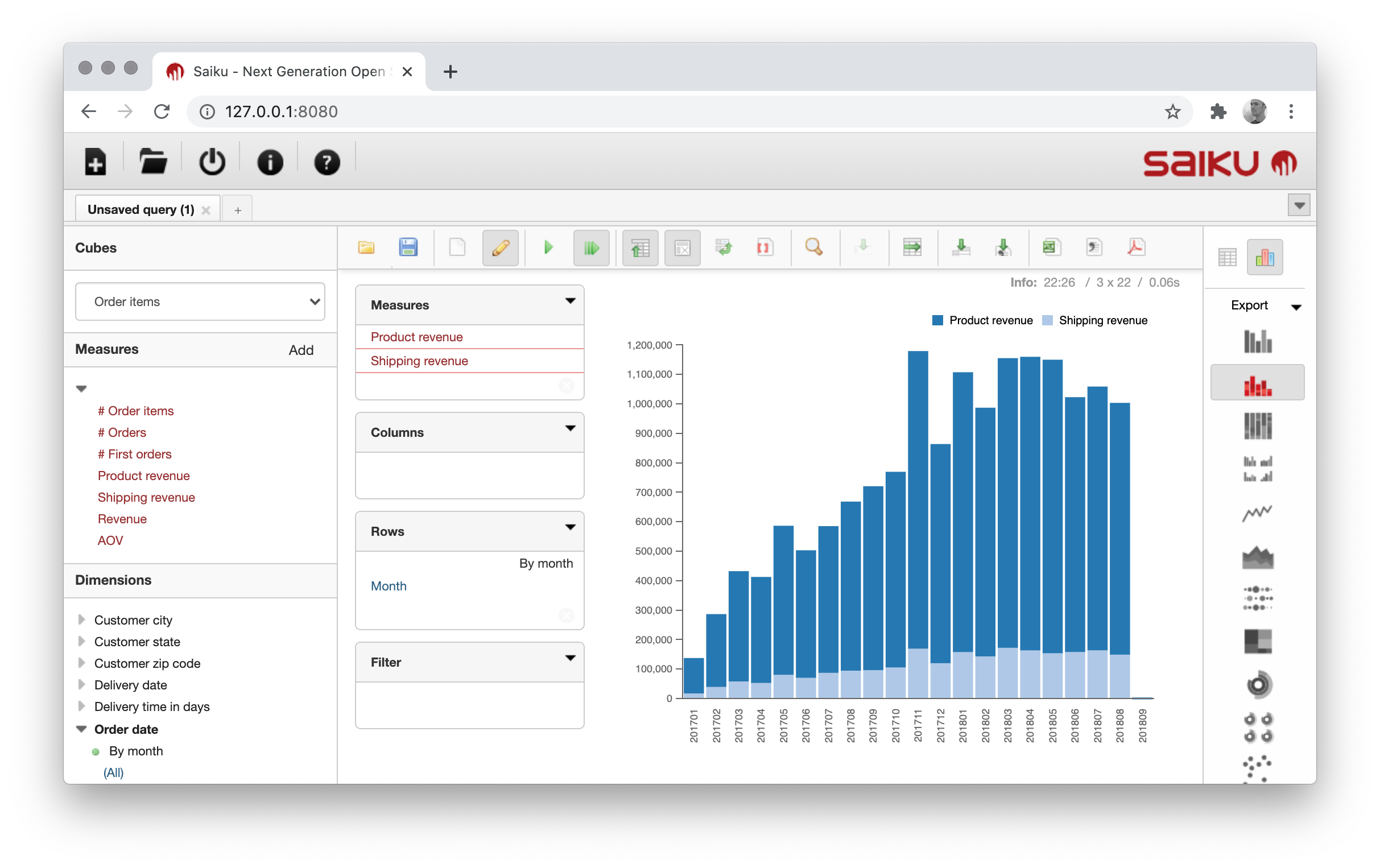
For running mondrian server in production, please have a look at https://github.com/project-a/mondrian-server/blob/master/README.md.
Features
Mondrian schema generation
If you have a data warehouse schema defined in Mara Schema, then you can automatically create a mondrian schema file using the function write_mondrian_schema in mara_mondrian/schema_generation.py.
Have a look at https://github.com/mara/mara-example-project-1/blob/master/app/pipelines/update_frontends/init.py for an example.
Mondrian cache flushing
The function flush_mondrian_cache in mara_mondrian/connection.py triggers a reload of the schema and a flushing of all caches in mondrian server.
This file also contains functions for making XMLA requests.
Saiku authentication via Mara ACL
Once you add the Saiku ACL resource in mara_mondrian/views.py to your project, you can control easily control which users can query which cubes:
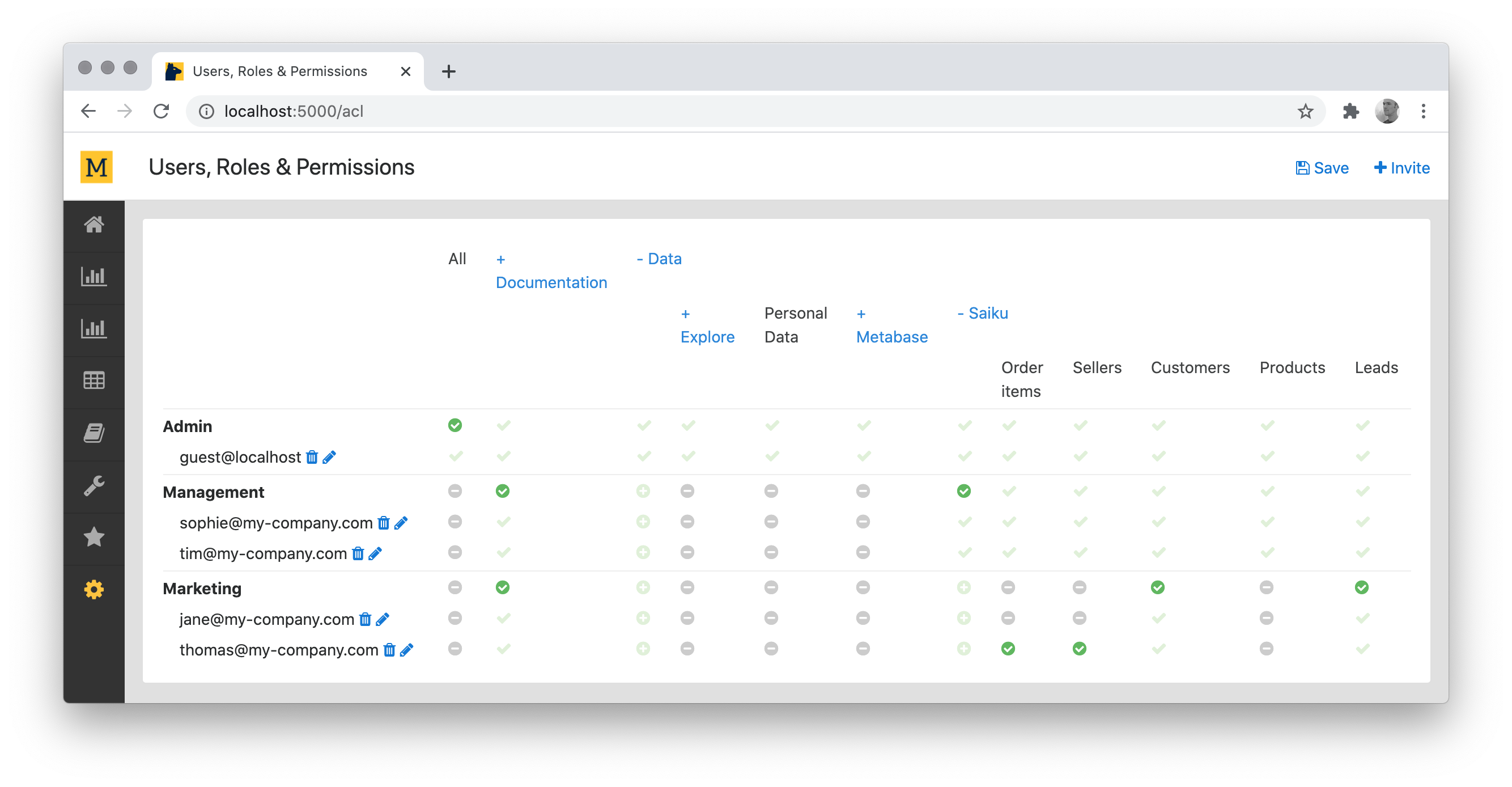
In this example, users from the "Management" group can query all cubes, and users from "Marketing" only "Customers" and "Leads" (with the exception of Thomas who can also query "Order items" and "Sellers").
Please have a look at https://github.com/project-a/mondrian-server/blob/master/README.md for how to set this up.
Please make sure that the /mondrian/saiku/authorize endpoint is white-listed from the Mara ACL, as for example in https://github.com/mara/mara-example-project-1/blob/master/app/ui/init.py:
monkey_patch.patch(mara_acl.config.whitelisted_uris)(lambda: ['/mara-app/navigation-bar', '/mondrian/saiku/authorize'])
The easiest way to try out Mara Mondrian is to run the mara example project 1.


Download files
Download the file for your platform. If you're not sure which to choose, learn more about installing packages.
Source Distribution
File details
Details for the file mara-mondrian-1.0.1.tar.gz.
File metadata
- Download URL: mara-mondrian-1.0.1.tar.gz
- Upload date:
- Size: 6.9 kB
- Tags: Source
- Uploaded using Trusted Publishing? No
- Uploaded via: twine/3.2.0 pkginfo/1.5.0.1 requests/2.24.0 setuptools/49.2.0 requests-toolbelt/0.9.1 tqdm/4.47.0 CPython/3.7.1
File hashes
| Algorithm | Hash digest | |
|---|---|---|
| SHA256 |
0f7767ae1337244f295548df8ac87925469a193816c2f0014df7451e280d3190
|
|
| MD5 |
4621c876612cb390a600daa264f5428e
|
|
| BLAKE2b-256 |
ab4ce52e3500d617ea2fdd9f3e30358291209ab311a08931ee2bbf0d12efe6cb
|






