
Autogenerated Table of Contents for Github Markdown or Bear Notes

Project description
Autogenerated Table of Contents for Github Markdown or Bear Notes
Generated by the script ;)
Table of Contents
Overview
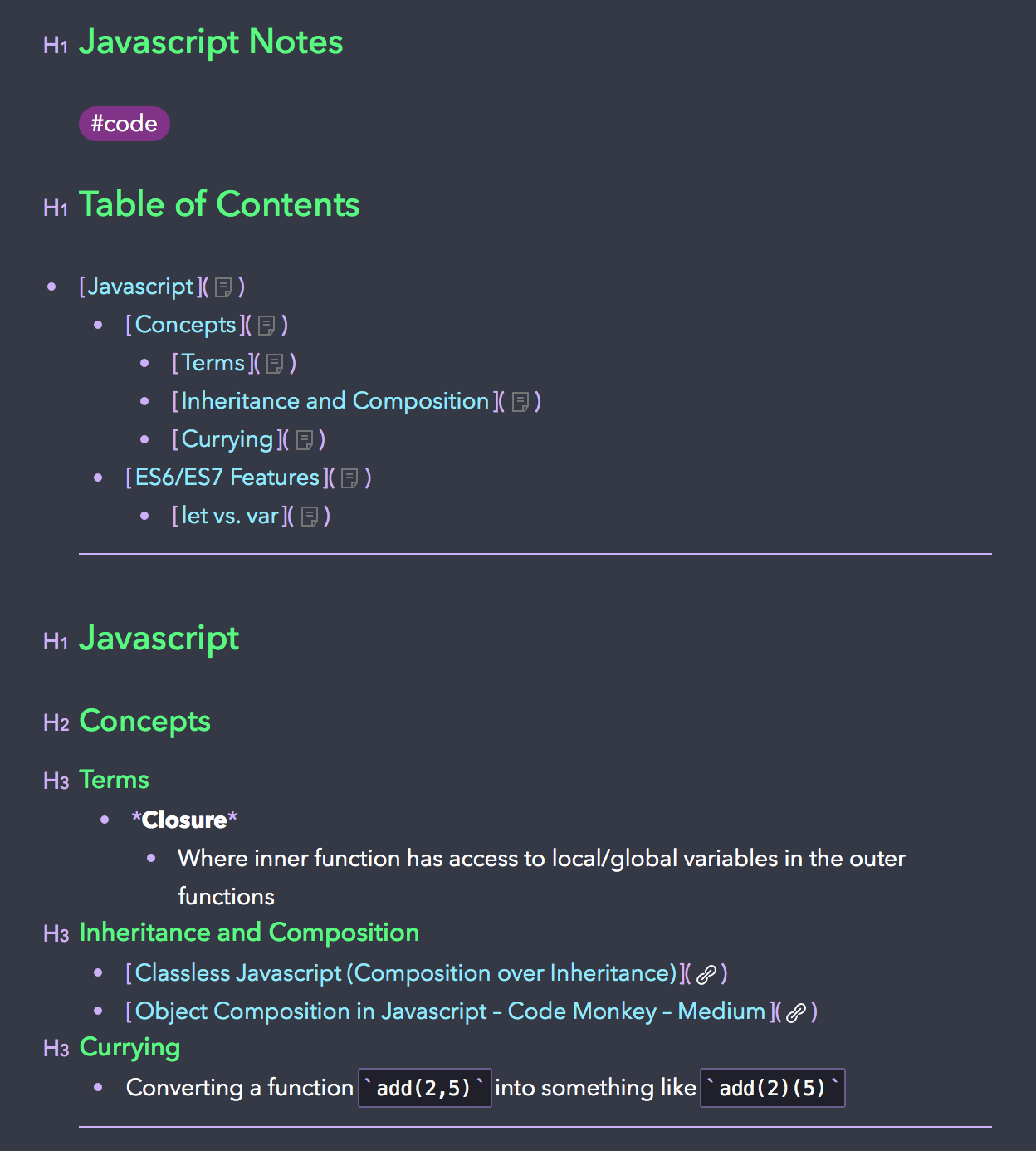
I love using Bear Notes for note taking of all sorts. Recently, Bear released a feature that allowed headers to be linked with x-callback-urls. And thus, I created a script to autogenerate a Table of Contents for your notes based on the headers.
Installation
NOTE: This program is only compatible with Python 3.x
PyPi (Preferred)
$ pip3 install markdown-toc --upgrade
Manually
$ git clone https://github.com/alexander-lee/markdown-github-bear-toc.git

$ cd markdown-github-bear-toc
$ python3 setup.py install
Usage
Flags
-hor--header-priorityis the Limiting Header Priority/Strength (whether you limit your Table of Contents to h3s or h4s)-tor--typeis the type of anchor you want to use (Github or Bear x-callback-url)--no-writeis a flag on whether you want to disable the feature that automatically injects the ToC into your Markdown file or Bear Note-tocor--table-of-contents-styleis the Markdown style for your Table of Contents header
With Bear
- Add a Table of Contents to a Bear Note with the title "Bear Note Title"
$ markdown-toc -h <default: 3> -t bear [--no-write] "Bear Note Title"
- Add a Table of Contents to a Bear Note with the UUID
20703126-FA33-400A-B98E-F55F57E3EF48-47683-000143B2335758CA
$ markdown-toc -h <default: 3> -t bear [--no-write] "20703126-FA33-400A-B98E-F55F57E3EF48-47683-000143B2335758CA"
- Add a Table of Contents to two Bear Notes with titles "Bear Note Title 1" and "Bear Note Title 2"
$ markdown-toc -h <default: 3> -t bear [--no-write] "Bear Note Title 1" "Bear Note Title 2"
- Add a Table of Contents to all Bear Notes that contain the tag
#bearOR tag#beet
$ markdown-toc -h <default: 3> -t bear [--no-write] "#bear" "#beet"
- This allows you to take input a list of Bear Note titles, tags, or UUIDs and will inject the ToC into your note whether or not you submit the
--no-writeflag. - If you have
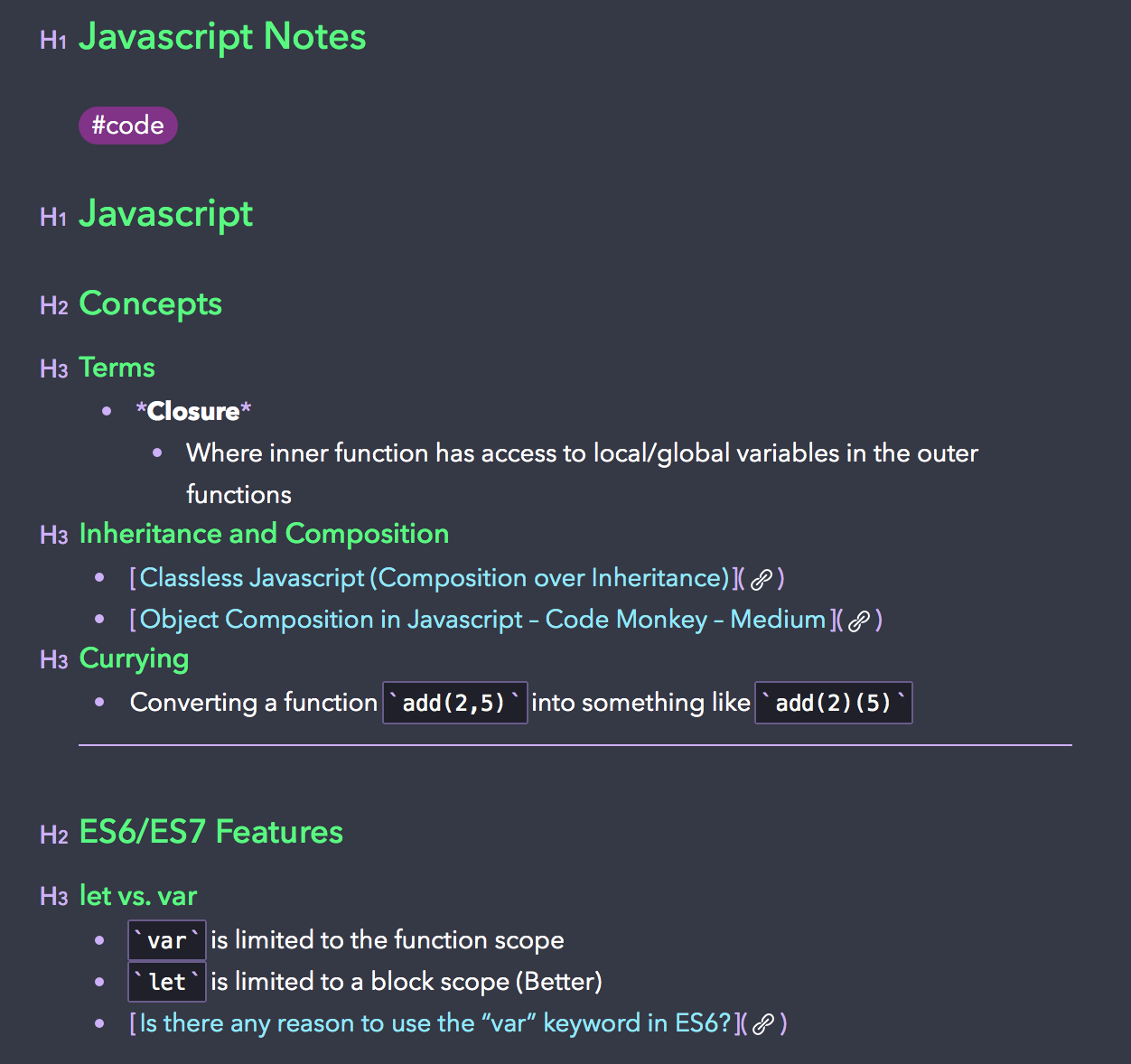
#tagsat the top of your note (cause I use them to categorize my notes), it will inject the ToC right after any tags.
| Original Note | Note with ToC |
|---|---|
 |
 |
With Markdown Files
- Add of a Table of Contents to README.md (Using Github Anchors)
$ markdown-toc -h <default: 3> -t github [--no-write] README.md
- Add of a Table of Contents to README.md and Folder/README2.md (Using Github Anchors)
$ markdown-toc -h <default: 3> -t github [--no-write] README.md Folder/README2.md
Release history Release notifications | RSS feed


Download files
Download the file for your platform. If you're not sure which to choose, learn more about installing packages.
Source Distribution
markdown-toc-1.2.2.tar.gz
(6.3 kB
view details)
File details
Details for the file markdown-toc-1.2.2.tar.gz.
File metadata
- Download URL: markdown-toc-1.2.2.tar.gz
- Upload date:
- Size: 6.3 kB
- Tags: Source
- Uploaded using Trusted Publishing? No
- Uploaded via: twine/1.12.1 pkginfo/1.4.2 requests/2.20.1 setuptools/40.6.2 requests-toolbelt/0.8.0 tqdm/4.28.1 CPython/3.6.5
File hashes
| Algorithm | Hash digest | |
|---|---|---|
| SHA256 |
26b6956efc107b5f43e52d42ceb12f92f5f2c9d42ef2bdfff080136d8811f44a
|
|
| MD5 |
0108267774c5bc69ea4477762ed40538
|
|
| BLAKE2b-256 |
e9cb4094b3dde8f25d1abb8802263b9f38339e8839172887bb4c54b69489c761
|






