
Python Materialx Conversion Application
This sample package shows the basic components required to connect MaterialX running in Python to a Web client running Javascript in order to run conversion or rendering applications.
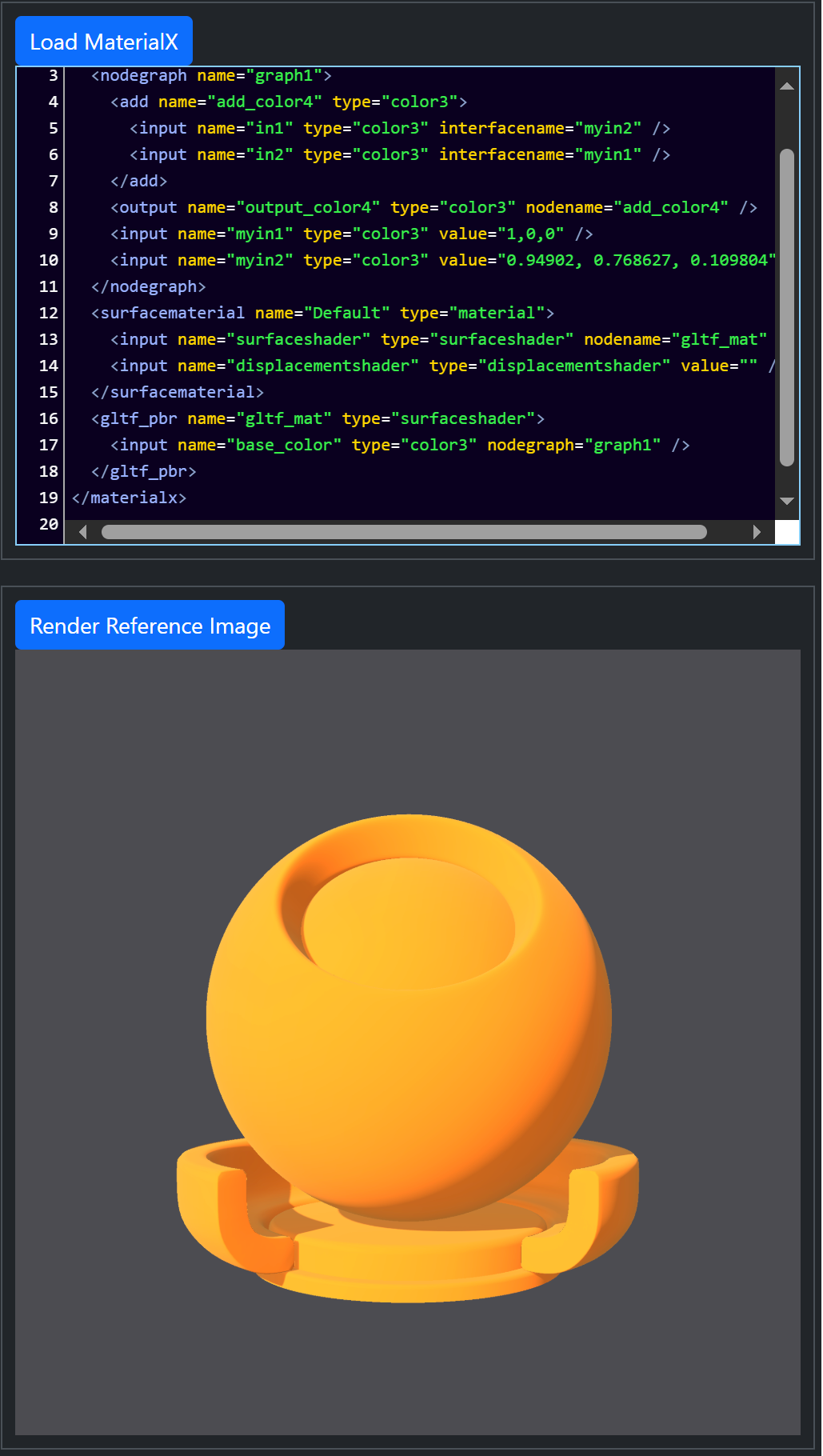 Server-side rendering using MaterialXView
 |
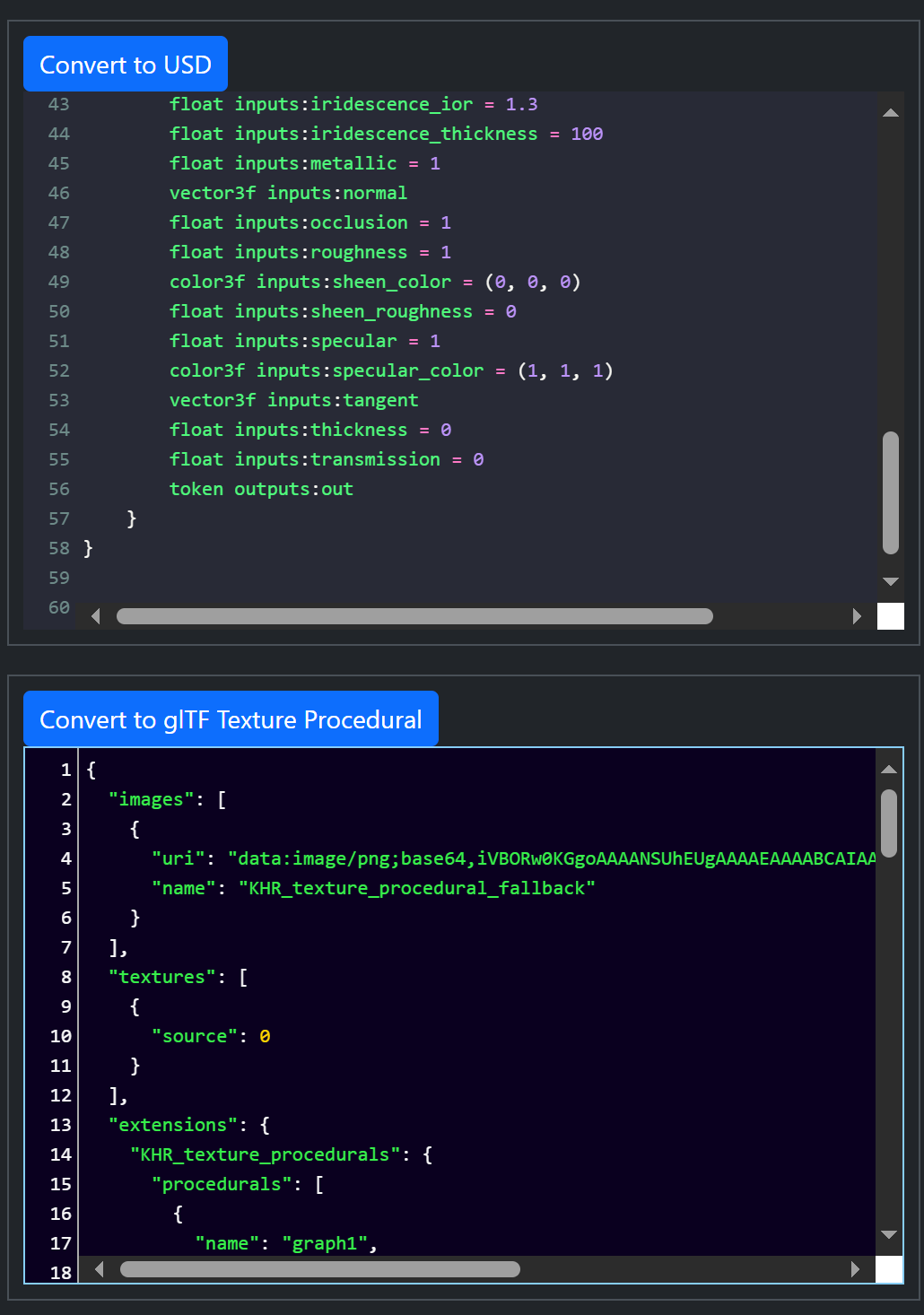 Server-side conversion from MaterialX to USD and glTF (top and
bottom respectively)
Server-side conversion from MaterialX to USD and glTF (top and
bottom respectively)
|
Dependents
The following packages are installed by default as part of the pip installation.
-
flaskandflask-socketio: Python packages for Flask support -
socket-io: For Javascript WebSocket support -
usd-core: for OpenUSD conversion. Different versions can be downloaded explicitly from PyPi. The assumed minimum version is 24.11. -
MaterialX: Different versions can be downloaded explicitly from PyPi. The assumed minimum version is 1.38.10. -
gltf_materialx_converter:MaterialX glTF ConvertorPython library. Note that this is not available onPyPicurrently so the Github repository must be cloned and the package locally installed.
Rendering depends on the environment variable: MATERIALX_DEFAULT_VIEWER being set to the location of the MaterialXView binary. This is part of the MaterialX release distribution as found here
Installation
Either install the package from PyPi:
pip install materialx_conversion_app
or clone the materialXWeb repository and install from the root folder:
pip install .
or
pip install -e .
if planning to perform edits on the repository.
Execution
Run the main package using:
materialx_conversion_app
or directly with Python:
python MaterialXConversionApp.py
By default the application is running a local server. To access the client page open the following in a Web browser:
http://127.0.0.1:8080
Deployment
This application is not currently deployed on any platform, though it should
run properly with the exception of rendering in a Render container.
1 maintainer

Release files for materialx-conversion-app 1.39.5
For a detailed explanation of source distributions (sdists) and built distributions (wheels), please see the package formats documentation.
Source distribution (sdist)
| File | Size | Uploaded | |
|---|---|---|---|
| materialx_conversion_app-1.39.5.tar.gz | 2.8 kB | Details |
Built distribution (wheel)
| File | Interpreter | ABI | Platform | Reset |
|---|---|---|---|---|
| materialx_conversion_app-1.39.5-py3-none-any.whl | Python 3 | none | any | Details |
Total release size: 5.6 kB
Release files / materialx_conversion_app-1.39.5.tar.gz
| Download URL | materialx_conversion_app-1.39.5.tar.gz |
|---|---|
| Size | 2.8 kB |
| Tags | Source |
|
SHA-256 checksum How to use checksums |
b0df70dcbd2f24783317551465aac63afc9b1e0c8dea5e327675e418b3263376
|
|
BLAKE2b-256 checksum How to use checksums |
dae3bbdc8e7e70a4f45ee2a462a08136bea975160ef8922f0e0a728c6291094d
|
| Upload date | |
|
Uploaded using Trusted Publishing? What is trusted publishing? |
No |
| Uploaded via |
twine/5.1.1 CPython/3.11.0
|
Release files / materialx_conversion_app-1.39.5-py3-none-any.whl
| Download URL | materialx_conversion_app-1.39.5-py3-none-any.whl |
|---|---|
| Size | 2.9 kB |
| Tags | Python 3 |
|
SHA-256 checksum How to use checksums |
d7aa31ad4a9cfdedba4f363fbb4d5c50c3de68ac5d1445be9ae6d5e2c2016fb7
|
|
BLAKE2b-256 checksum How to use checksums |
7bb56bf180fdce16303c788306110d207572c19308d661394ce7abc14de37efb
|
| Upload date | |
|
Uploaded using Trusted Publishing? What is trusted publishing? |
No |
| Uploaded via |
twine/5.1.1 CPython/3.11.0
|














