
A Flask-based application for MaterialX conversion utilities.

Project description
Python Materialx Conversion Application
This sample package shows the basic components required to connect MaterialX running in Python to a Web client running Javascript in order to run conversion or rendering applications.
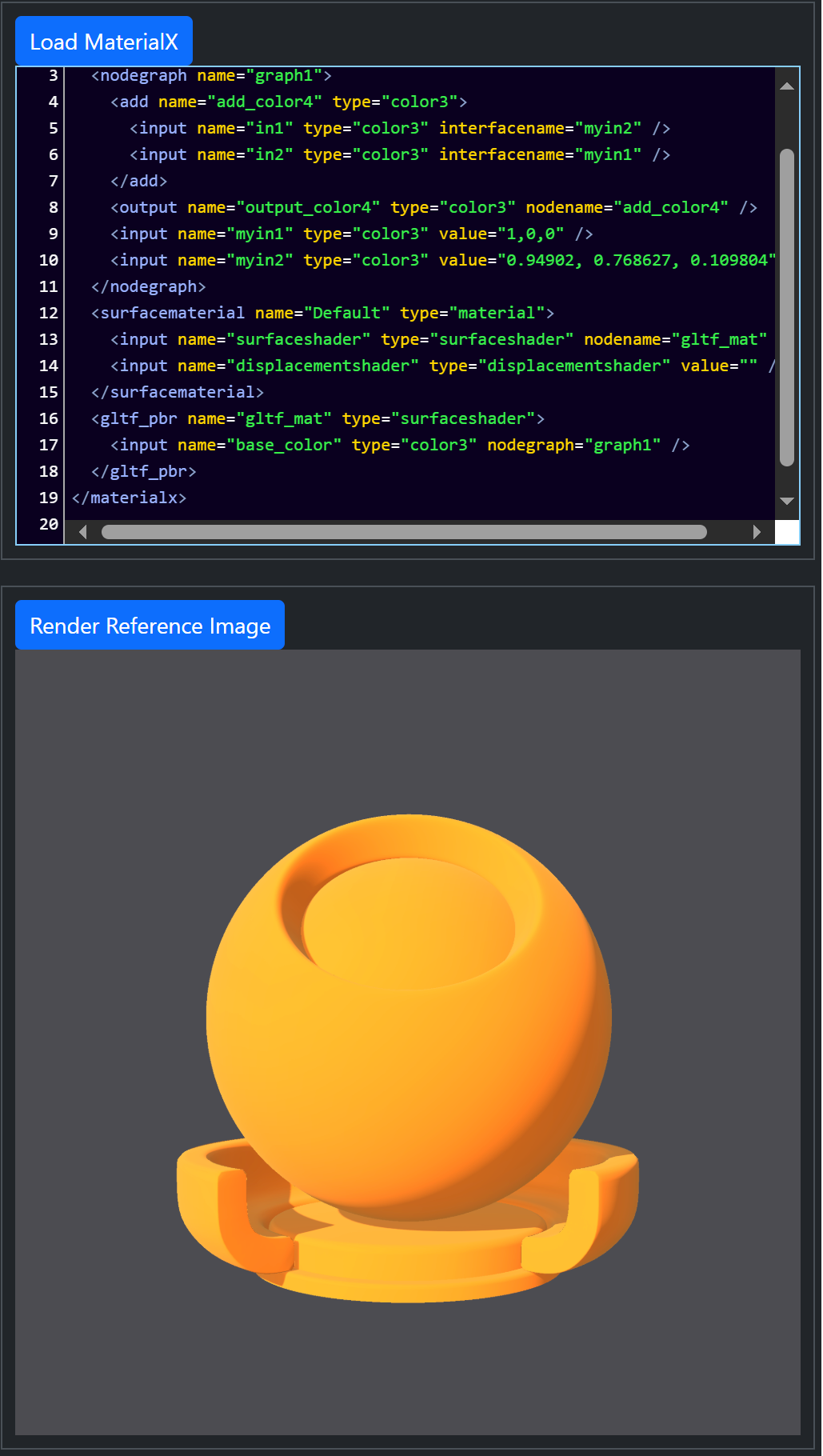 Server-side rendering using MaterialXView
 |
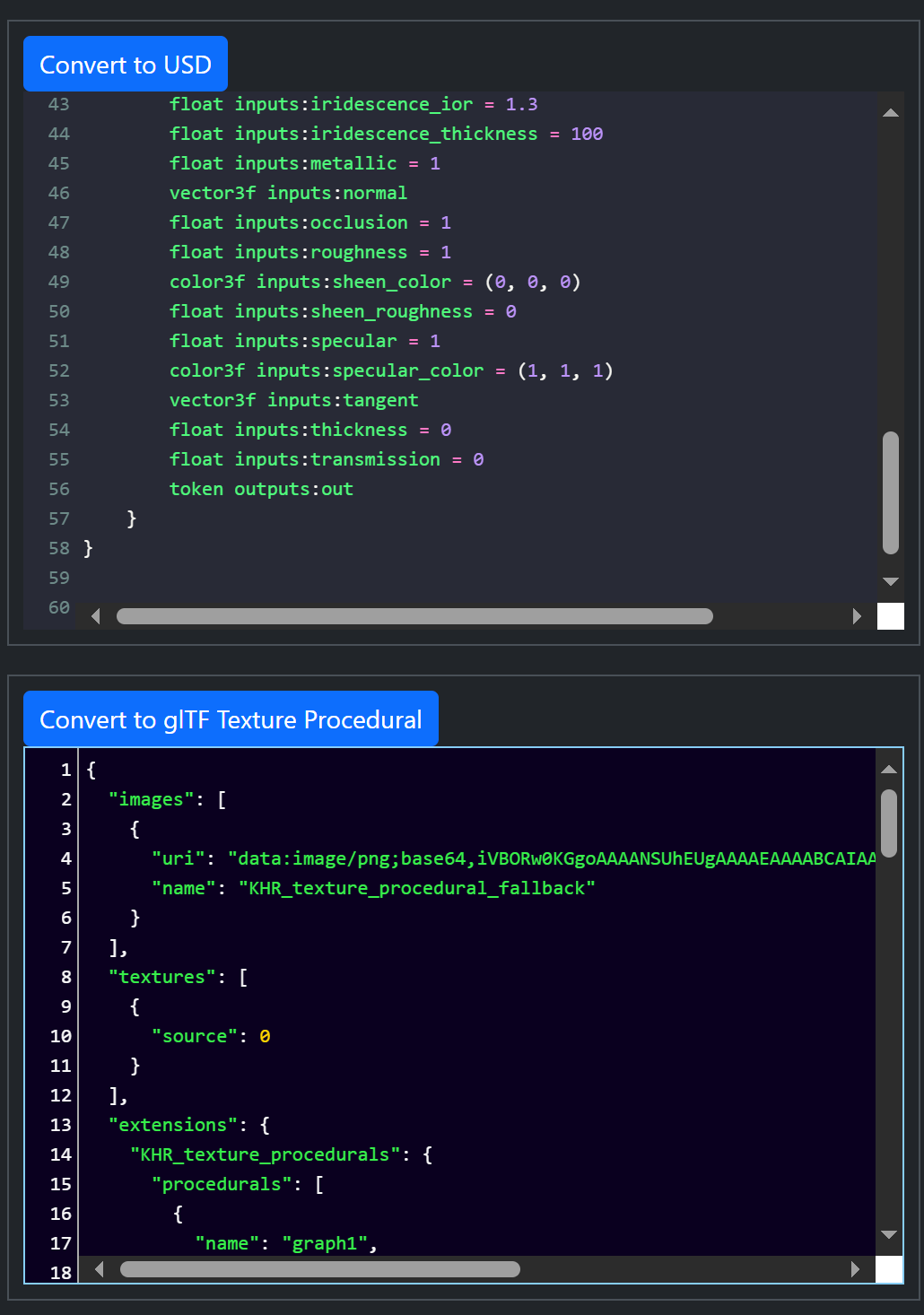 Server-side conversion from MaterialX to USD and glTF (top and
bottom respectively)
Server-side conversion from MaterialX to USD and glTF (top and
bottom respectively)
|
Dependents
The following packages are installed by default as part of the pip installation.
-
flaskandflask-socketio: Python packages for Flask support -
socket-io: For Javascript WebSocket support -
usd-core: for OpenUSD conversion. Different versions can be downloaded explicitly from PyPi. The assumed minimum version is 24.11. -
MaterialX: Different versions can be downloaded explicitly from PyPi. The assumed minimum version is 1.38.10. -
gltf_materialx_converter:MaterialX glTF ConvertorPython library. Note that this is not available onPyPicurrently so the Github repository must be cloned and the package locally installed.
Rendering depends on the environment variable: MATERIALX_DEFAULT_VIEWER being set to the location of the MaterialXView binary. This is part of the MaterialX release distribution as found here
Installation
Either install the package from PyPi:
pip install materialx_conversion_app
or clone the materialXWeb repository and install from the root folder:
pip install .
or
pip install -e .
if planning to perform edits on the repository.
Execution
Run the main package using:
materialx_conversion_app
or directly with Python:
python MaterialXConversionApp.py
By default the application is running a local server. To access the client page open the following in a Web browser:
http://127.0.0.1:8080
Deployment
This application is not currently deployed on any platform, though it should
run properly with the exception of rendering in a Render container.
Release history Release notifications | RSS feed


Download files
Download the file for your platform. If you're not sure which to choose, learn more about installing packages.
Source Distribution
Built Distribution
Filter files by name, interpreter, ABI, and platform.
If you're not sure about the file name format, learn more about wheel file names.
Copy a direct link to the current filters
File details
Details for the file materialx_conversion_app-1.39.4.tar.gz.
File metadata
- Download URL: materialx_conversion_app-1.39.4.tar.gz
- Upload date:
- Size: 2.8 kB
- Tags: Source
- Uploaded using Trusted Publishing? No
- Uploaded via: twine/5.1.1 CPython/3.11.0
File hashes
| Algorithm | Hash digest | |
|---|---|---|
| SHA256 |
016f26f9d714e59ef88124220d1a72c900d444ead878beccf6fae47bcca405d2
|
|
| MD5 |
67b17d73d897c8c4f1d74723525d8116
|
|
| BLAKE2b-256 |
3d554cb992dbd2fd43129c1656a4b9e515660c1c46d09f8ead76b242fd94f3b1
|
File details
Details for the file materialx_conversion_app-1.39.4-py3-none-any.whl.
File metadata
- Download URL: materialx_conversion_app-1.39.4-py3-none-any.whl
- Upload date:
- Size: 2.9 kB
- Tags: Python 3
- Uploaded using Trusted Publishing? No
- Uploaded via: twine/5.1.1 CPython/3.11.0
File hashes
| Algorithm | Hash digest | |
|---|---|---|
| SHA256 |
e6311db2b6cf6707a621be0b068dc3477164d375462eeddb2ea0cff92b3bdf10
|
|
| MD5 |
6d89d4c19a9f493780efffcd1e9e6237
|
|
| BLAKE2b-256 |
39b01df47d7d17f05ede3817a4e0897d40a2336ca3576156ace0336ca21eda5f
|






