

Mazinger Dubber
End-to-end video dubbing pipeline. Download a video, transcribe it, translate the subtitles, clone a voice, and produce a fully dubbed audio or video — in one command.
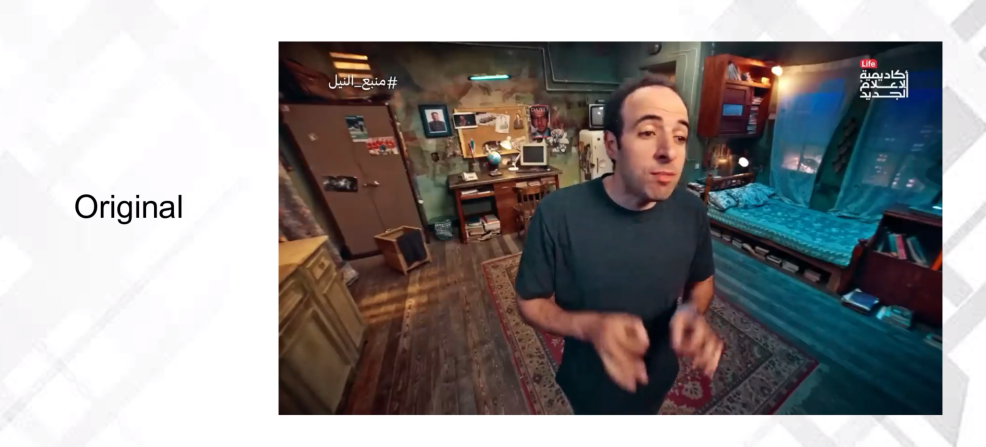
▶️ Watch Demo Video (with audio)
🚀 Get Started in 2 Steps
Prerequisites: Python 3.10+ and ffmpeg on your PATH (apt install ffmpeg / brew install ffmpeg).
1. Install
⚠️ Use
uv— plainpipwill fail.mazinger[all]bundles packages with conflicting dependency pins that onlyuvcan resolve. Installuvonce:pip install uv
uv pip install "mazinger[all]"
2. Launch the Web UI
mazinger web --with-ollama --with-faster-whisper
A local URL opens in your browser. Paste a video link, pick a voice, and click Start. The flags install a free local LLM (Ollama) and download the speech-recognition model on first run — no API keys required.
The flags only move the wait to launch time: if you run plain
mazinger web, Studio installs Ollama and pulls the model by itself the first time you start a mission with the Ollama (Local — Free) provider. SetOLLAMA_HOSTto use an Ollama server running elsewhere.
💡 No GPU? Run it on a free Colab T4 in two clicks:

Prefer the command line or Python? Skip ahead to Common Tasks or the Python API.
✨ What You Get
mazinger[all] is a single, GPU-friendly install that includes everything needed for the full pipeline and the Studio web UI:
| Capability | Engine |
|---|---|
| Local transcription — 14 languages + a dedicated Arabic model | CohereX — Cohere Transcribe + wav2vec2 (Studio default) |
| Local transcription — any language, no sign-in | Faster Whisper (CLI default) |
| Cloud transcription (no GPU) | Deepgram Nova 3 — $200 free credit |
| Voice-cloned TTS | Qwen3-TTS, OmniVoice (24 languages) |
| Background-audio separation | Demucs |
| Web UI | Gradio (Mazinger Studio) |
| Local LLM (optional) | Ollama (auto-installed by mazinger web) |
CohereX needs a one-time Hugging Face sign-in — the Cohere models are gated. In the Studio, open 🤗 Hugging Face → Sign in with Hugging Face; from the CLI, set
HF_TOKEN. Not signed in, or working in a language CohereX does not cover? Switch the transcription method to Faster Whisper, which needs neither.
Need Chatterbox, MLX (Apple Silicon), or a lighter install? See the Installation Guide — mazinger[all] now bundles CohereX, which brings the pyannote stack with it (~50 extra packages).
🛠️ Common Tasks
Dub a video — auto-clone the original speaker
No voice files needed. Mazinger picks the best 20–60 s of the source as the cloning reference.
mazinger dub "https://youtube.com/watch?v=VIDEO_ID" \
    --target-language Spanish
Dub with a ready-made voice theme
16 built-in themes — no files, no profile downloads.
mazinger dub "https://youtube.com/watch?v=VIDEO_ID" \
    --voice-theme narrator-m \
    --target-language Spanish
Themes: narrator-m/f · young-m/f · deep-m/f · warm-m/f · news-m/f · storyteller-m/f · kid-m/f · teen-m/f
Dub with a HuggingFace voice profile
mazinger dub "https://youtube.com/watch?v=VIDEO_ID" \
    --clone-profile abubakr \
    --target-language Arabic
Available out-of-the-box: abubakr · daheeh-v1 · 3b1b · italian-v1 · morgan-freeman · trump-v1 — full list in Voice Profiles.
Dub with your own voice sample
mazinger dub "https://youtube.com/watch?v=VIDEO_ID" \
    --voice-sample speaker.m4a \
    --voice-script speaker_transcript.txt \
    --target-language Spanish
Output a video with burned-in subtitles
mazinger dub "https://youtube.com/watch?v=VIDEO_ID" \
    --voice-theme narrator-m \
    --target-language Arabic \
    --output-type video \
    --embed-subtitles \
    --subtitle-google-font "Noto Sans Arabic"
See Subtitle Styling for fonts, colors, positioning, and RTL options.
Transcribe with CohereX (Cohere Transcribe)
14 languages with word-level alignment, plus a dedicated Arabic model that is
selected automatically for Arabic sources. Included in mazinger[all], and the
default in Mazinger Studio — nothing to install separately.
The Cohere models are gated on HuggingFace, so it needs a one-time sign-in. In
the Studio, open 🤗 Hugging Face → Sign in with Hugging Face and follow the
link it shows — no token to copy. From the CLI, set HF_TOKEN instead.
The CLI still defaults to Faster Whisper; pass --transcribe-method coherex to
use CohereX there:
export HF_TOKEN=hf_your_token

mazinger dub "https://youtube.com/watch?v=VIDEO_ID" \
    --transcribe-method coherex \
    --source-language Arabic \
    --voice-theme narrator-m \
    --target-language English
⚠️ Cohere Transcribe cannot detect the source language on its own. Given one, it transcribes confidently in whatever language you name; given none, it probes each supported language first, which is slower and less reliable. Always pass
--source-language(or pick one in the Studio).
Use Deepgram instead of a local GPU
export DEEPGRAM_API_KEY=your_key_here
mazinger dub "https://youtube.com/watch?v=VIDEO_ID" \
    --transcribe-method deepgram \
    --voice-theme narrator-m \
    --target-language English
Run a single stage
mazinger download   "https://youtube.com/watch?v=VIDEO_ID"
mazinger transcribe ./output/projects/my-video/source/audio.mp3 -o subs.srt
mazinger translate  --srt subs.srt --target-language French -o translated.srt
mazinger subtitle   video.mp4 --srt translated.srt -o output.mp4
Every stage caches its output. Re-running resumes where it stopped. Full command list in the CLI Reference.
🐍 Python API
from mazinger import MazingerDubber

dubber = MazingerDubber(openai_api_key="sk-...", base_dir="./output")

proj = dubber.dub(
    source="https://youtube.com/watch?v=VIDEO_ID",
    voice_theme="narrator-m",
    target_language="Spanish",
    output_type="video",
)

print(proj.final_video)   # ./output/projects/<slug>/tts/dubbed.mp4
Full reference: Python API.
🔧 How It Works
Mazinger chains ten resumable stages: Download → Transcribe → Thumbnails → Describe → Review → Translate → Re-segment → Speak → Assemble → Subtitle. Every stage runs standalone or as part of the full pipeline; completed stages and individual TTS segments are cached and skipped on re-runs.
See the Pipeline Overview for a diagram and the data flow between stages.
📚 Documentation
| Topic | What's inside |
|---|---|
| Installation | All install options, advanced extras, Apple Silicon, Colab, uv overrides |
| Quick Start | More copy-paste workflows |
| Pipeline Overview | The ten stages, data flow, resume behavior |
| CLI Reference | Every command, flag, and default |
| Python API | Classes, functions, parameters |
| Voice Profiles | Using, creating, uploading profiles |
| Subtitle Styling | Fonts, colors, positioning, RTL, Google Fonts |
| Configuration | Env vars, caching, tempo, LLM usage tracking |
| Project Structure | Output directory layout |
| YouTube Cookies | Cookies for age-restricted / region-locked videos |
License
MIT
1 maintainer

Download files
Download the file for your platform. If you're not sure which to choose, learn more about installing packages.
Source Distribution
Built Distribution
Filter files by name, interpreter, ABI, and platform.
If you're not sure about the file name format, learn more about wheel file names.
Copy a direct link to the current filters
File details
Details for the file mazinger-2.1.1.tar.gz.
File metadata
- Download URL: mazinger-2.1.1.tar.gz
- Upload date:
- Size: 281.8 kB
- Tags: Source
- Uploaded using Trusted Publishing? Yes
- Uploaded via:
twine/7.0.0 CPython/3.13.14
File hashes
| Algorithm | Hash digest | |
|---|---|---|
| SHA256 |
73ab5b0b5431c4f74595075d5aacf1f318f5a33ef59d357ff9ff56c1170fccea
|
|
| MD5 |
12afb60eb79ff75604f0813e499cc1cf
|
|
| BLAKE2b-256 |
e9a3ff89184a668a6c0550cd78cf34ee0739a7cb39281668295d16b9f7189360
|
Provenance
The following attestation bundles were made for mazinger-2.1.1.tar.gz:
Publisher:
publish.yml on bakrianoo/mazinger
-
Statement:
-
Statement type:
https://in-toto.io/Statement/v1 -
Predicate type:
https://docs.pypi.org/attestations/publish/v1 -
Subject name:
mazinger-2.1.1.tar.gz -
Subject digest:
73ab5b0b5431c4f74595075d5aacf1f318f5a33ef59d357ff9ff56c1170fccea - Sigstore transparency entry: 2724635974
- Sigstore integration time:
-
Permalink:
bakrianoo/mazinger@7d279aa6de2dd8c0f0c10b6e8178254197372618 -
Branch / Tag:
refs/tags/v2.1.1 - Owner: https://github.com/bakrianoo
-
Access:
public
-
Token Issuer:
https://token.actions.githubusercontent.com -
Runner Environment:
github-hosted -
Publication workflow:
publish.yml@7d279aa6de2dd8c0f0c10b6e8178254197372618 -
Trigger Event:
release
-
Statement type:
File details
Details for the file mazinger-2.1.1-py3-none-any.whl.
File metadata
- Download URL: mazinger-2.1.1-py3-none-any.whl
- Upload date:
- Size: 290.3 kB
- Tags: Python 3
- Uploaded using Trusted Publishing? Yes
- Uploaded via:
twine/7.0.0 CPython/3.13.14
File hashes
| Algorithm | Hash digest | |
|---|---|---|
| SHA256 |
e9b23a4c1ab15cdf8c6afca5efaa1c02170cbbdcc0ad5e0102f7388fe0a1f71b
|
|
| MD5 |
275d67398654dda8b1c1fe5e10ea2ba1
|
|
| BLAKE2b-256 |
0f9dfcf46102721e7089898c673ed6147b4a03baf91fdc3c7d4fccde85f9065c
|
Provenance
The following attestation bundles were made for mazinger-2.1.1-py3-none-any.whl:
Publisher:
publish.yml on bakrianoo/mazinger
-
Statement:
-
Statement type:
https://in-toto.io/Statement/v1 -
Predicate type:
https://docs.pypi.org/attestations/publish/v1 -
Subject name:
mazinger-2.1.1-py3-none-any.whl -
Subject digest:
e9b23a4c1ab15cdf8c6afca5efaa1c02170cbbdcc0ad5e0102f7388fe0a1f71b - Sigstore transparency entry: 2724636269
- Sigstore integration time:
-
Permalink:
bakrianoo/mazinger@7d279aa6de2dd8c0f0c10b6e8178254197372618 -
Branch / Tag:
refs/tags/v2.1.1 - Owner: https://github.com/bakrianoo
-
Access:
public
-
Token Issuer:
https://token.actions.githubusercontent.com -
Runner Environment:
github-hosted -
Publication workflow:
publish.yml@7d279aa6de2dd8c0f0c10b6e8178254197372618 -
Trigger Event:
release
-
Statement type:














