
 AgentSkills MCP: Bringing Anthropic's Agent Skills to Any MCP-compatible Agent




简体中文 | English
📖 Project Overview
Agent Skills is a new function recently introduced by Anthropic. By packaging specialized skills into modular resources, it allows Claude to transform on demand into a “tailored expert” suited to any scenario. AgentSkills MCP, built on the FlowLLM framework, unlocks Claude’s proprietary Agent Skills for any MCP-compatible agent. It implements the Progressive Disclosure architecture proposed in Anthropic’s official Agent Skills engineering blog, enabling agents to load necessary skills as needed, thereby efficiently utilizing limited context windows.
💡 Why Choose AgentSkills MCP?
- ✅ Zero-Code Configuration: one-command install (
pip install mcp-agentskills) - ✅ Out-of-the-Box: uses official Skill format and fully compatible with Anthropic’s Agent Skills
- ✅ MCP Support: multiple transports (stdio/SSE/HTTP), works with any MCP-compatible agent
- ✅ Flexible Skill Path: custom skill directories with automatic detection, parsing, and loading
🔥 Latest Updates
- [2025-12] 🎉 Released mcp-agentskills v0.1.1
🚀 Quick Start
Installation
Install AgentSkills MCP with pip:
pip install mcp-agentskills
Or with uv:
uv pip install mcp-agentskills
For Development (if you want to modify the code):
git clone https://github.com/zouyingcao/agentskills-mcp.git
cd agentskills-mcp

conda create -n agentskills-mcp python==3.10
conda activate agentskills-mcp
pip install -e .
Load Skills
- Create a directory to store Skills, like:
mkdir skills
- Clone from open-source GitHub repositories, e.g.,
https://github.com/anthropics/skills
https://github.com/ComposioHQ/awesome-claude-skills
- Add the collected Skills into the directory created in step 1. Each Skill is a folder containing a SKILL.md file.
Run
Local process communication (stdio)
This mode runs AgentSkills MCP via uvx and communicates through stdin/stdout, suitable for local MCP clients.
{
  "mcpServers": {
    "agentskills-mcp": {
      "command": "uvx",
      "args": [
        "agentskills-mcp",
        "config=default",
        "mcp.transport=stdio",
        "metadata.skill_dir=\"./skills\""
      ],
      "env": {
        "FLOW_LLM_API_KEY": "xxx",
        "FLOW_LLM_BASE_URL": "https://dashscope.aliyuncs.com/compatible-mode/v1"
      }
    }
  }
}
Remote communication (SSE/HTTP Server)
This mode runs AgentSkills MCP as a standalone SSE/HTTP server that can be accessed remotely.
- Step 1: Configure Environment Variables
Copy example.env to .env and fill in your API key:
cp example.env .env
# Edit the .env file and fill in your API key
- Step 2: Start the Server
Start the AgentSkills MCP server with SSE transport:
agentskills-mcp \
  config=default \
  mcp.transport=sse \
  mcp.host=0.0.0.0 \
  mcp.port=8001 \
  metadata.skill_dir="./skills"
The service will be available at: http://0.0.0.0:8001/sse
- Step 3: Connect from MCP Client
- Add this configuration to your MCP client (Cursor, Gemini Code, Cline, etc.) to connect to the remote SSE server:
{
  "mcpServers": {
    "agentskills-mcp": {
      "type": "sse",
      "url": "http://0.0.0.0:8001/sse"
    }
  }
}
- You can also use the FastMCP Python client to directly access the server:
import asyncio
from fastmcp import Client


async def main():
    async with Client("http://0.0.0.0:8001/sse") as client:
        tools = await client.list_tools()
        for tool in tools:
            print(tool)

        result = await client.call_tool(
            name="load_skill",
            arguments={
              "skill_name"="pdf"
            }
        )
        print(result)


asyncio.run(main())
One-Command Test
This command will start the server, connect via FastMCP client, and test all available tools automatically.
python tests/run_project_sse.py <path/to/skills>
or
python tests/run_project_http.py <path/to/skills>
Demo
After starting the AgentSkills MCP server with the SSE transport, you can run the demo:
# Enable Agent Skills for the Qwen model.
# Since Qwen supports function calling, you can implement Agent Skills by passing the MCP tools registered by the AgentSkills MCP service to the tools parameter.
cd tests
python run_skill_agent.py
🔧 MCP Tools
This service provides four tools to support Agent Skills:
- load_skill_metadata_op — Loads the names and descriptions of all Skills into the agent context at startup (always called)
- load_skill_op — When a specific skill is needed, loads the SKILL.md content by skill name (invoked when triggering the Skill)
- read_reference_file_op — Reads specific files from a skill, such as scripts or reference documents (on demand)
- run_shell_command_op — Executes shell commands to run executable scripts included in the skill (on demand)
For detailed parameters and usage examples, see the documentation.
⚙️ Server Configuration Parameters
| Parameter | Description | Example |
|---|---|---|
config |
Configuration files to load (comma-separated). Default: default (core workflow) |
config=default |
mcp.transport |
Transport mode: stdio (stdin/stdout, good for local), sse (Server-Sent Events, good for online apps), http (RESTful, good for lightweight remote calls) |
mcp.transport=stdio |
mcp.host |
Host address (for sse/http transport only) | mcp.host=0.0.0.0 |
mcp.port |
Port number (for sse/http transport only) | mcp.port=8001 |
metadata.skill_dir |
Skills Directory (required) | metadata.skill_dir=./skills |
For the full set of available options and defaults, refer to default.yaml.
Environment Variables
| Variable Name | Required | Description |
|---|---|---|
FLOW_LLM_API_KEY |
✅ Yes | API key for OpenAI-compatible LLM Service |
FLOW_LLM_BASE_URL |
✅ Yes | Base URL for OpenAI-compatible LLM Service |
🤝 Contributing
We welcome community contributions! To get started:
- Install the package in development mode:
pip install -e .
- Install pre-commit hooks:
pip install pre-commit
pre-commit run --all-files
- Submit a pull request with your changes.
📚 Learn More
- Anthropic Agent Skills Documentation
- Anthropic Engineering Blog
- Claude Agent Skills: A First Principles Deep Dive
- FlowLLM Documentation
- MCP Documentation
⚖️ License
This project is licensed under the Apache License 2.0 — see LICENSE for details.
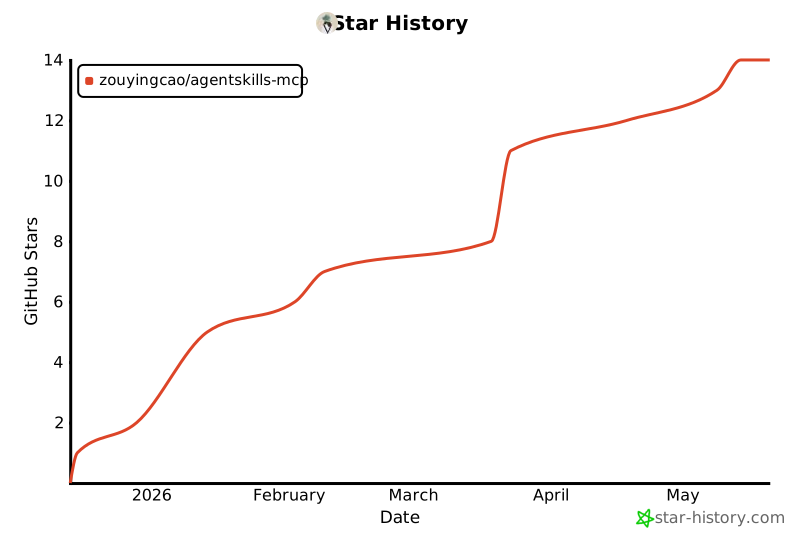
📈 Star History
1 maintainer

Metadata
1 maintainer
Release files for mcp-agentskills 0.1.2
For a detailed explanation of source distributions (sdists) and built distributions (wheels), please see the package formats documentation.
Source distribution (sdist)
| File | Size | Uploaded | |
|---|---|---|---|
| mcp_agentskills-0.1.2.tar.gz | 30.7 kB | Details |
Built distribution (wheel)
| File | Interpreter | ABI | Platform | Reset |
|---|---|---|---|---|
| mcp_agentskills-0.1.2-py3-none-any.whl | Python 3 | none | any | Details |
Total release size: 61.4 kB
Release files / mcp_agentskills-0.1.2.tar.gz
| Download URL | mcp_agentskills-0.1.2.tar.gz |
|---|---|
| Size | 30.7 kB |
| Tags | Source |
|
SHA-256 checksum How to use checksums |
3d0e850a7260be0a3322f1b4b1bddf44a6c1512c85f4afa2de6806ce7bbe8971
|
|
BLAKE2b-256 checksum How to use checksums |
4a2239376036c6912953777eaa545744bf678be76a37ef1f24f5ea59304385ed
|
| Upload date | |
|
Uploaded using Trusted Publishing? What is trusted publishing? |
No |
| Uploaded via |
twine/6.2.0 CPython/3.10.0
|
Release files / mcp_agentskills-0.1.2-py3-none-any.whl
| Download URL | mcp_agentskills-0.1.2-py3-none-any.whl |
|---|---|
| Size | 30.7 kB |
| Tags | Python 3 |
|
SHA-256 checksum How to use checksums |
e3a094add5d515ece7a94cf19dc39e24dc639f97126c997e0262bc6fe1536a8b
|
|
BLAKE2b-256 checksum How to use checksums |
d452ffb77601ea0f383b817db9805b86b32b9a3b4eab291e32fee9f92d14028e
|
| Upload date | |
|
Uploaded using Trusted Publishing? What is trusted publishing? |
No |
| Uploaded via |
twine/6.2.0 CPython/3.10.0
|














