
MCP GitHub Learning Assistant
An MCP (Model Context Protocol) server that helps developers discover and learn from open-source projects on GitHub, based on their skill level and goals.
Features
8 tools to support every stage of open-source learning:
| Tool | Description |
|---|---|
analyze_repo_for_learning |
Score a repo: stars, doc quality, difficulty, prerequisites, suggested learning path |
recommend_learning_repos |
Curated recommendations per tech stack (Spring Boot, FastAPI, Vue, React, Electron, HarmonyOS) |
get_repo_roadmap |
Generate a step-by-step learning roadmap from a repo's directory structure |
find_similar_repos |
Find thematically similar repos (same language/topic) for comparison |
find_good_first_issues |
Find beginner-friendly open issues (good first issue / help wanted) |
compare_learning_repos |
Compare 2+ candidate repos and suggest which to learn first |
get_trending_repos_for_learning |
Find breakout repos created recently by language/topic |
get_server_info |
Verify the MCP server connection |
Screenshots
| MCP Inspector - Tools list | MCP Inspector - analyze_repo_for_learning result |
|---|---|
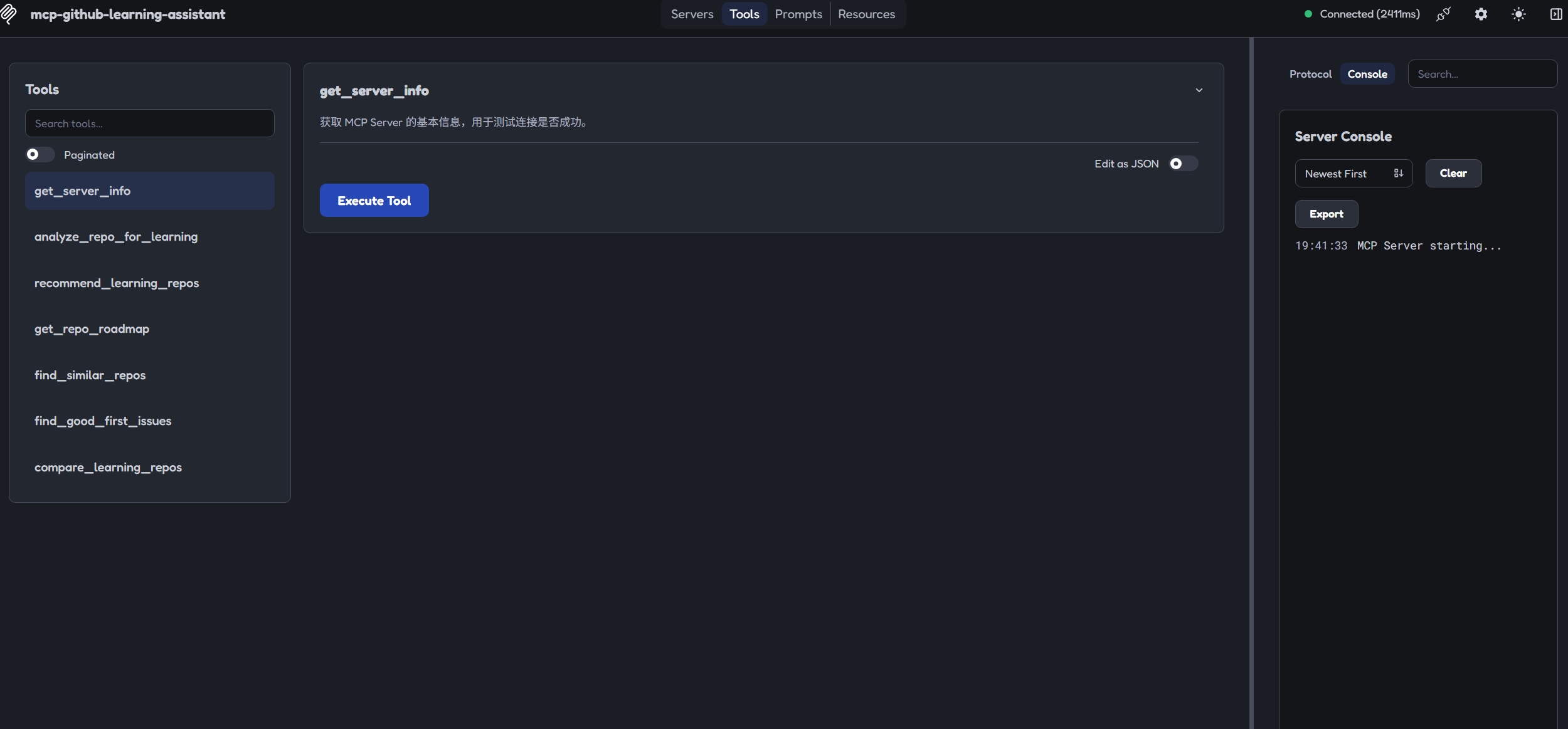 |
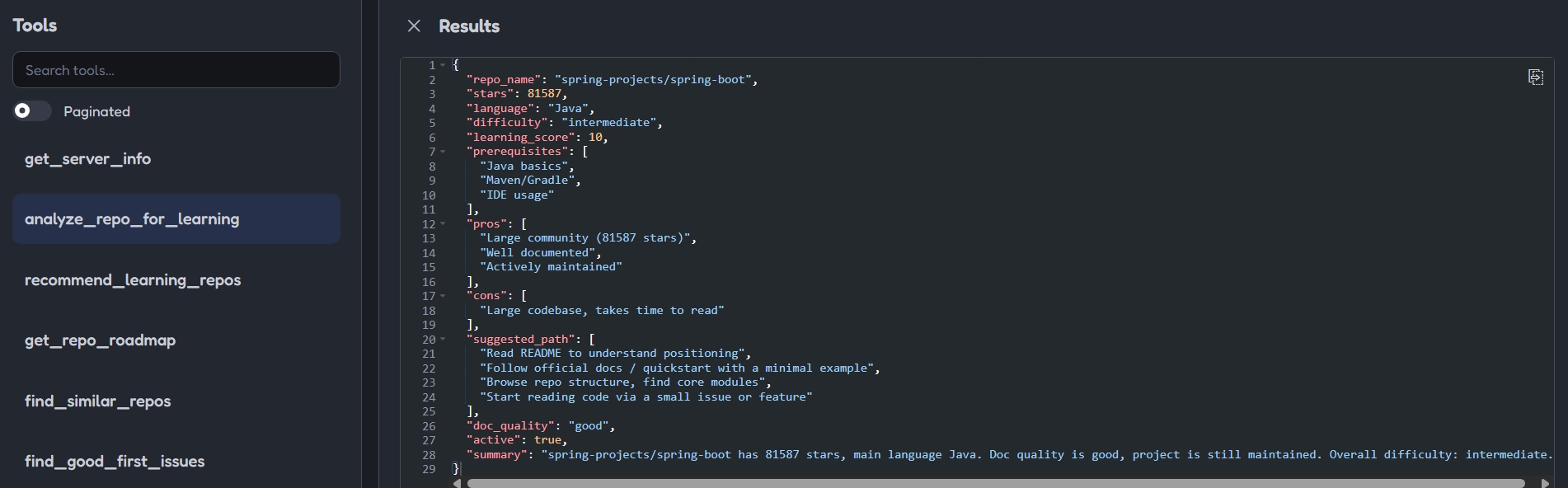 |
Screenshots use dark-mode crops under 500KB each.
Installation
pip install mcp-github-learning-assistant
Configuration
Set your GitHub Personal Access Token:
# Windows PowerShell
$env:GITHUB_TOKEN = "your_github_token"
# Linux / macOS
export GITHUB_TOKEN=your_github_token
Token scope: fine-grained PAT with no special permissions (public repo read-only) is enough.
Usage in MCP Clients
MCP Inspector (development)
npx @modelcontextprotocol/inspector python -m mcp_github_learning_assistant
Cherry Studio
- Open Cherry Studio, go to Settings -> MCP
- Add an MCP server with the command
python -m mcp_github_learning_assistant - Set the environment variable
GITHUB_TOKEN
Development
git clone https://github.com/iyiook333/mcp-github-learning-assistant.git
cd mcp-github-learning-assistant
pip install -e .[dev]
pytest
License
MIT
1 maintainer

Metadata
1 maintainer
Release files for mcp-github-learning-assistant 0.1.0
For a detailed explanation of source distributions (sdists) and built distributions (wheels), please see the package formats documentation.
Source distribution (sdist)
| File | Size | Uploaded | |
|---|---|---|---|
| mcp_github_learning_assistant-0.1.0.tar.gz | 363.7 kB | Details |
Built distribution (wheel)
| File | Interpreter | ABI | Platform | Reset |
|---|---|---|---|---|
| mcp_github_learning_assistant-0.1.0-py3-none-any.whl | Python 3 | none | any | Details |
Total release size: 386.6 kB
Release files / mcp_github_learning_assistant-0.1.0.tar.gz
| Download URL | mcp_github_learning_assistant-0.1.0.tar.gz |
|---|---|
| Size | 363.7 kB |
| Tags | Source |
|
SHA-256 checksum How to use checksums |
c07d09929c5dff34205f30e23f3b7df4bd8a4ada0a53ba0468ec6566db11c635
|
|
BLAKE2b-256 checksum How to use checksums |
5d9d00dac7e98ef582b3305167c9f8c2c8c58bb16eeff18d640520ab76b580b8
|
| Upload date | |
|
Uploaded using Trusted Publishing? What is trusted publishing? |
No |
| Uploaded via |
twine/7.0.0 CPython/3.12.10
|
Release files / mcp_github_learning_assistant-0.1.0-py3-none-any.whl
| Download URL | mcp_github_learning_assistant-0.1.0-py3-none-any.whl |
|---|---|
| Size | 22.9 kB |
| Tags | Python 3 |
|
SHA-256 checksum How to use checksums |
71b69fba27dfd7cbbdd1480430220738ffc4cf76d6795e8075cb3c927f6a802a
|
|
BLAKE2b-256 checksum How to use checksums |
996d5412954ddeb9d015db51a81b47c131ea1bfadb01ce482ba19bd71045f782
|
| Upload date | |
|
Uploaded using Trusted Publishing? What is trusted publishing? |
No |
| Uploaded via |
twine/7.0.0 CPython/3.12.10
|














