

md-viewer-py


Drop-in Markdown viewer for any folder
A local HTTP server that renders Markdown files in the browser with navigation, search, and editing. Install and run:
pip install md-viewer-py
mdview
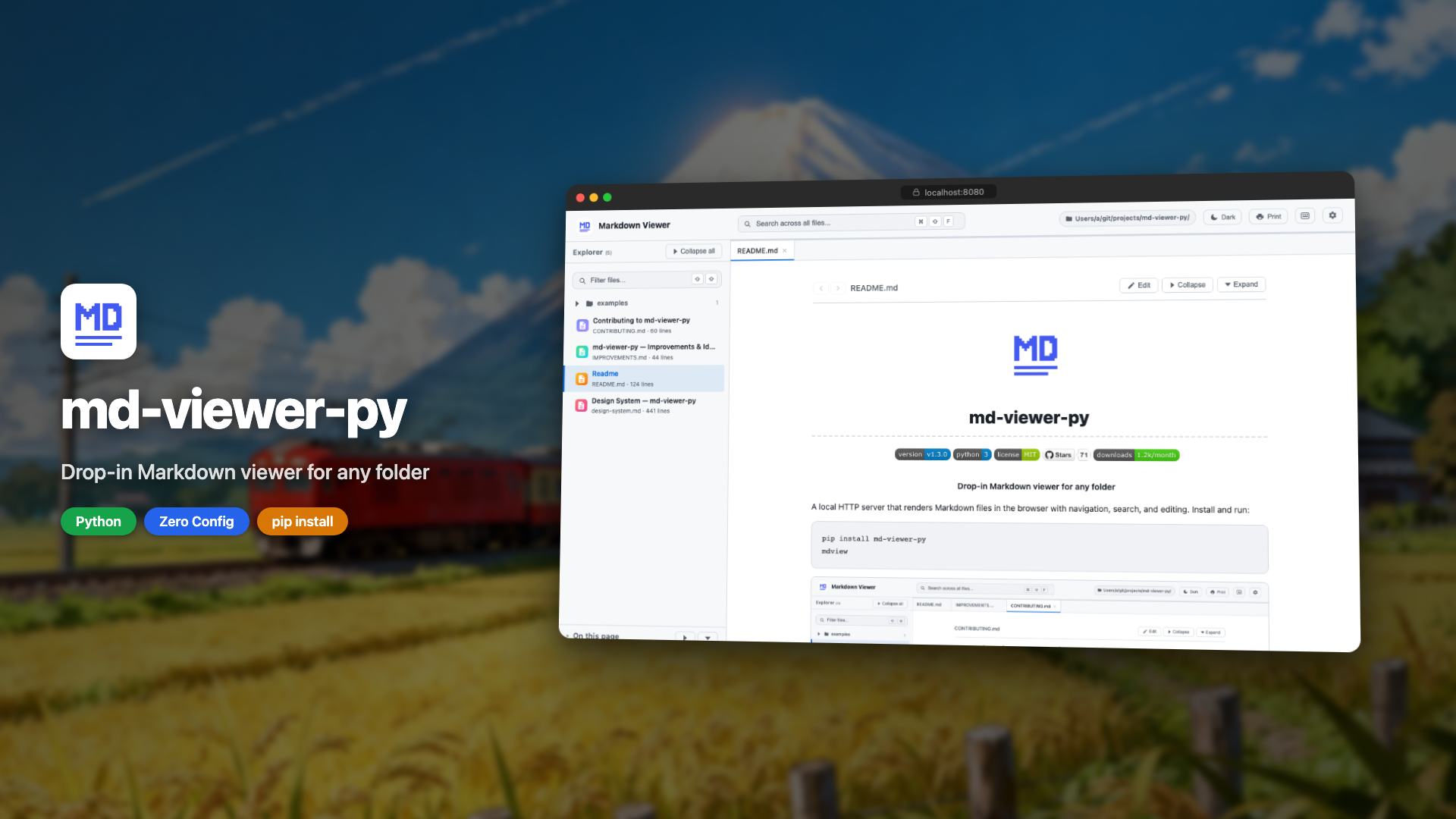
▶ Click to watch the demo
Why mdview?
Point it at any folder and instantly browse your docs - no config files, no build step, no Node.js. It comes with sidebar navigation, global search, table of contents, dark mode, Mermaid diagrams, syntax highlighting, and an in-browser editor with live preview, all powered by Python's stdlib HTTP server and a single dependency (watchdog).
mdview vs. the alternatives
| mdview | MkDocs / Docusaurus | VS Code Preview | grip | |
|---|---|---|---|---|
| Setup | pip install |
Config + build + Node.js | Already installed | pip install |
| Multi-file navigation | ✅ | ✅ | ❌ | ❌ |
| Cross-file search | ✅ | ✅ | ❌ | ❌ |
| Live reload | ✅ | ✅ (with plugin) | ✅ | ❌ |
| In-browser editing | ✅ | ❌ | ✅ | ❌ |
| Config required | None | ✅ | ❌ | API token |
| Works offline | ✅ | ✅ | ✅ | ❌ |
Install
pip install md-viewer-py
uv tool install md-viewer-py
pipx install md-viewer-py
Then run from any directory:
mdview                        # serve current directory on port 8080
mdview --port 3000            # custom port
mdview /path/to/docs          # custom directory
mdview /path/to/docs -p 3000  # both
mdview /path/to/docs --readonly     # disable editing (safe for public hosting)
mdview --help                 # show all options
All Features
- Dashboard: grid view of folders and files, macOS Finder-style
- Dark & light themes: auto-detects OS preference, manual toggle
- File tree sidebar: collapsible directories with file name filter
- Global search: search across all files from header with dropdown results
- In-file search: Cmd/Ctrl+F to find and highlight matches
- Table of contents: right panel with scroll spy and collapsible groups
- In-browser editing: edit mode with live preview, save to disk
- Live reload: instant updates when files change on disk
- Syntax highlighting: for code blocks in all major languages
- Mermaid diagrams: rendered inline with error feedback
- LaTeX math: inline
$...$and block$$...$$rendered with KaTeX - Audio playback: inline
<audio>player for mp3, wav, ogg, m4a, aac, flac, opus - Keyboard shortcuts: full shortcut set with
?modal - Print-friendly: clean stylesheet with proper page breaks
- Proper CLI:
--help,--port,--host,--no-browser,--readonly - Minimal dependencies: only
watchdog, pip-installable
Keyboard Shortcuts
| Key | Action |
|---|---|
⌘/Ctrl+F |
Find in current file |
⌘/Ctrl+Shift+F |
Search across all files |
Shift Shift |
Filter files by name |
/ |
Focus search (legacy) |
? |
Show keyboard shortcuts |
← ↑ |
Previous file |
→ ↓ |
Next file |
Escape |
Close search / modal |
Examples
- Mermaid Diagrams: flowcharts, sequence diagrams, gantt charts, and more
- LaTeX Math: inline and block equations via KaTeX
- Audio Playback: inline audio player for common formats
How It Works
md-viewer-py is a pip-installable HTTP server built on Python's http.server. It scans the directory for .md files, serves a single-page UI with dark and light themes, and renders Markdown client-side using marked.js from a CDN. No build step, no config files. Just install and run.
Built in public
Follow the development journey:
- How I Split 2,800 Lines Into 29 Files With Zero Regressions
- From Viewer to Workspace: Rebuilding md-viewer-py in 9 Days
- My Side Project Got Its First Security Vulnerability
- I Built a Zero-Dependency Markdown Viewer in Python
Contributing
Contributions are welcome! See CONTRIBUTING.md for guidelines and the improvements & ideas list for open tasks.
Feel free to open an issue to discuss ideas before starting work.
License
Install it, use it, uninstall anytime with pip uninstall md-viewer-py.
1 maintainer

Metadata
1 maintainer
Release files for md-viewer-py 1.8.1
For a detailed explanation of source distributions (sdists) and built distributions (wheels), please see the package formats documentation.
Source distribution (sdist)
| File | Size | Uploaded | |
|---|---|---|---|
| md_viewer_py-1.8.1.tar.gz | 2.2 MB | Details |
Built distribution (wheel)
| File | Interpreter | ABI | Platform | Reset |
|---|---|---|---|---|
| md_viewer_py-1.8.1-py3-none-any.whl | Python 3 | none | any | Details |
Total release size: 4.4 MB
Release files / md_viewer_py-1.8.1.tar.gz
| Download URL | md_viewer_py-1.8.1.tar.gz |
|---|---|
| Size | 2.2 MB |
| Tags | Source |
|
SHA-256 checksum How to use checksums |
7f90a08d589b70cbc629535630f9be0527574aa288787e829411e6c91c32827a
|
|
BLAKE2b-256 checksum How to use checksums |
0d4d9f4cd4d101942c36a9231e063d40dad1085166d2f9caee871255ee8d4eb6
|
| Upload date | |
|
Uploaded using Trusted Publishing? What is trusted publishing? |
No |
| Uploaded via |
twine/6.2.0 CPython/3.9.6
|
Release files / md_viewer_py-1.8.1-py3-none-any.whl
| Download URL | md_viewer_py-1.8.1-py3-none-any.whl |
|---|---|
| Size | 2.2 MB |
| Tags | Python 3 |
|
SHA-256 checksum How to use checksums |
e7b20aab8c1e51d3f7a2770af21968be43bc556f1c48a76cb1e56b540b48e856
|
|
BLAKE2b-256 checksum How to use checksums |
d025b4617c7dd956749cdddd95a4085f725f9e45e78a80906f114a50cb72db93
|
| Upload date | |
|
Uploaded using Trusted Publishing? What is trusted publishing? |
No |
| Uploaded via |
twine/6.2.0 CPython/3.9.6
|














