
Drop-in single-file Markdown viewer for any folder

Project description

md-viewer-py


Drop-in Markdown viewer for any folder
A local HTTP server that renders Markdown files in the browser with navigation, search, and editing. Install and run:
pip install md-viewer-py
mdview
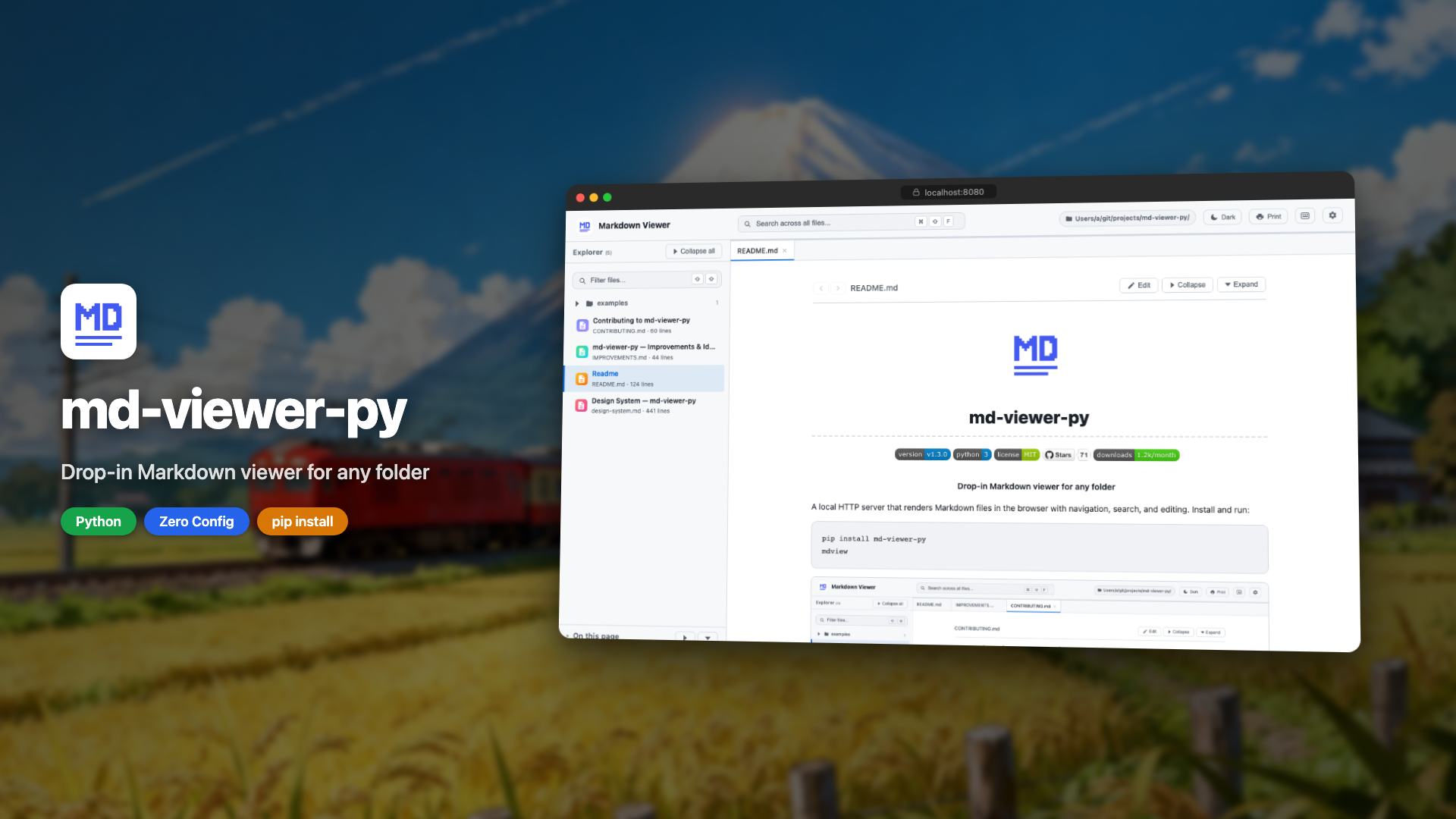
▶ Click to watch the demo
Why mdview?
Point it at any folder and instantly browse your docs - no config files, no build step, no Node.js. It comes with sidebar navigation, global search, table of contents, dark mode, Mermaid diagrams, syntax highlighting, and an in-browser editor with live preview, all powered by Python's stdlib HTTP server and a single dependency (watchdog).
mdview vs. the alternatives
| mdview | MkDocs / Docusaurus | VS Code Preview | grip | |
|---|---|---|---|---|
| Setup | pip install |
Config + build + Node.js | Already installed | pip install |
| Multi-file navigation | ✅ | ✅ | ❌ | ❌ |
| Cross-file search | ✅ | ✅ | ❌ | ❌ |
| Live reload | ✅ | ✅ (with plugin) | ✅ | ❌ |
| In-browser editing | ✅ | ❌ | ✅ | ❌ |
| Config required | None | ✅ | ❌ | API token |
| Works offline | ✅ | ✅ | ✅ | ❌ |
Install
pip install md-viewer-py
uv tool install md-viewer-py
pipx install md-viewer-py
Then run from any directory:
mdview                        # serve current directory on port 8080
mdview --port 3000            # custom port
mdview /path/to/docs          # custom directory
mdview /path/to/docs -p 3000  # both
mdview --help                 # show all options
All Features
- Dashboard: grid view of folders and files, macOS Finder-style
- Dark & light themes: auto-detects OS preference, manual toggle
- File tree sidebar: collapsible directories with file name filter
- Global search: search across all files from header with dropdown results
- In-file search: Cmd/Ctrl+F to find and highlight matches
- Table of contents: right panel with scroll spy and collapsible groups
- In-browser editing: edit mode with live preview, save to disk
- Live reload: instant updates when files change on disk
- Syntax highlighting: for code blocks in all major languages
- Mermaid diagrams: rendered inline with error feedback
- LaTeX math: inline
$...$and block$$...$$rendered with KaTeX - Audio playback: inline
<audio>player for mp3, wav, ogg, m4a, aac, flac, opus - Keyboard shortcuts: full shortcut set with
?modal - Print-friendly: clean stylesheet with proper page breaks
- Proper CLI:
--help,--port,--host,--no-browser - Minimal dependencies: only
watchdog, pip-installable
Keyboard Shortcuts
| Key | Action |
|---|---|
⌘/Ctrl+F |
Find in current file |
⌘/Ctrl+Shift+F |
Search across all files |
Shift Shift |
Filter files by name |
/ |
Focus search (legacy) |
? |
Show keyboard shortcuts |
← ↑ |
Previous file |
→ ↓ |
Next file |
Escape |
Close search / modal |
Examples
- Mermaid Diagrams: flowcharts, sequence diagrams, gantt charts, and more
- LaTeX Math: inline and block equations via KaTeX
- Audio Playback: inline audio player for common formats
How It Works
md-viewer-py is a pip-installable HTTP server built on Python's http.server. It scans the directory for .md files, serves a single-page UI with dark and light themes, and renders Markdown client-side using marked.js from a CDN. No build step, no config files. Just install and run.
Built in public
Follow the development journey:
- How I Split 2,800 Lines Into 29 Files With Zero Regressions
- From Viewer to Workspace: Rebuilding md-viewer-py in 9 Days
- My Side Project Got Its First Security Vulnerability
- I Built a Zero-Dependency Markdown Viewer in Python
Contributing
Contributions are welcome! See CONTRIBUTING.md for guidelines and the improvements & ideas list for open tasks.
Feel free to open an issue to discuss ideas before starting work.
License
Install it, use it, uninstall anytime with pip uninstall md-viewer-py.
Release history Release notifications | RSS feed


Download files
Download the file for your platform. If you're not sure which to choose, learn more about installing packages.
Source Distribution
Built Distribution
Filter files by name, interpreter, ABI, and platform.
If you're not sure about the file name format, learn more about wheel file names.
Copy a direct link to the current filters
File details
Details for the file md_viewer_py-1.5.1.tar.gz.
File metadata
- Download URL: md_viewer_py-1.5.1.tar.gz
- Upload date:
- Size: 55.2 kB
- Tags: Source
- Uploaded using Trusted Publishing? No
- Uploaded via: twine/6.2.0 CPython/3.9.6
File hashes
| Algorithm | Hash digest | |
|---|---|---|
| SHA256 |
db20fdf15428b6472ae1cd3bb141a48347d2d280d9e66d5c6b9136f3f6fe8aa6
|
|
| MD5 |
11086780c26a6cafac567ea79592be62
|
|
| BLAKE2b-256 |
c622f9961447f9264b824fdb9f2fd56a52a85865c904b2c3e047c7eb7253feac
|
File details
Details for the file md_viewer_py-1.5.1-py3-none-any.whl.
File metadata
- Download URL: md_viewer_py-1.5.1-py3-none-any.whl
- Upload date:
- Size: 69.9 kB
- Tags: Python 3
- Uploaded using Trusted Publishing? No
- Uploaded via: twine/6.2.0 CPython/3.9.6
File hashes
| Algorithm | Hash digest | |
|---|---|---|
| SHA256 |
7ce8a8169340332896e0c0000e7dce6e827dbb51309790d08fcb0393b4509495
|
|
| MD5 |
ad47f244f4b7f3407248d844cf1cdcb2
|
|
| BLAKE2b-256 |
0238d932f5e318d66e4bc31638d2abaf7c53ec9a598a280ddf81ee0c7d99886d
|






