
Medical Intraoperative Real-time Visualization System.

Project description
medscope
Medical Intraoperative Real-time Visualization System.
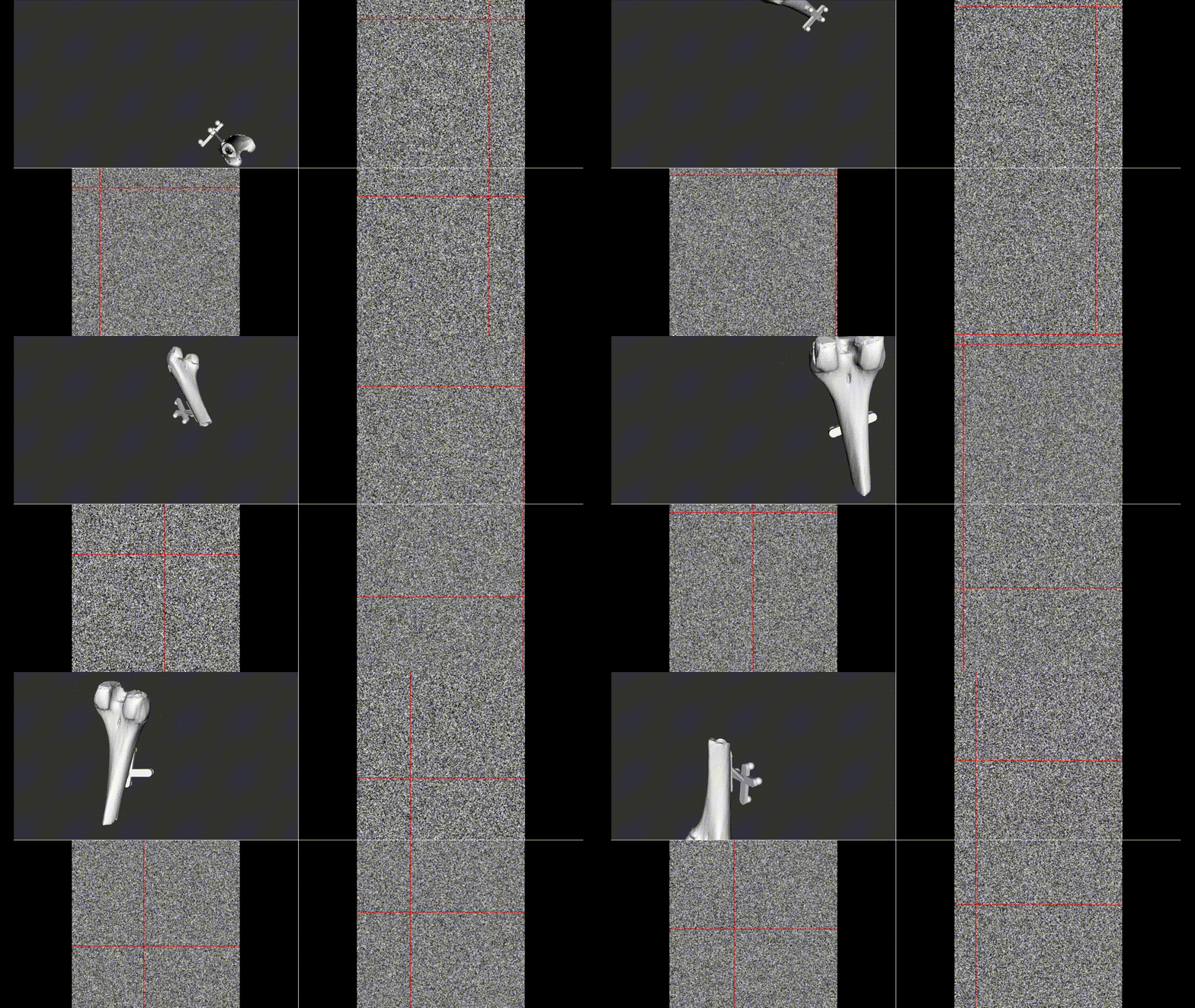
Demo
[!TIP] For another demo, see https://github.com/GGN-2015/medscope_demo_project
Installation
[!IMPORTANT] You should use
python >=3.10, <3.13
pip install medscope
Usage
[!WARNING] Do not use multithreading, use
MedScopeWindow.add_timer
from medscope import MedScopeWindow, MedScopeSystem
import numpy as np
import sys

# Generate a random 3x3 rotation matrix uniformly distributed over SO(3).
def random_rotation_matrix() -> np.ndarray:
    phi = np.random.uniform(0, 2 * np.pi)
    theta = np.random.uniform(0, np.pi)
    psi = np.random.uniform(0, 2 * np.pi)
    cos_phi, sin_phi = np.cos(phi), np.sin(phi)
    cos_theta, sin_theta = np.cos(theta), np.sin(theta)
    cos_psi, sin_psi = np.cos(psi), np.sin(psi)
    R = np.array([
        [cos_phi*cos_theta*cos_psi - sin_phi*sin_psi,
         -cos_phi*cos_theta*sin_psi - sin_phi*cos_psi,
         cos_phi*sin_theta],
        [sin_phi*cos_theta*cos_psi + cos_phi*sin_psi,
         -sin_phi*cos_theta*sin_psi + cos_phi*cos_psi,
         sin_phi*sin_theta],
        [-sin_theta*cos_psi,
         sin_theta*sin_psi,
         cos_theta]
    ])

    return R

# Initialize app and window
app = MedScopeSystem(sys.argv)
window = MedScopeWindow()

# Add a 3D model
window.add_model_from_file(
    "bone_model",
    "BONE-1.real.stl",
    (1.0, 1.0, 1.0))  # white, random if not given

# Set the pose of camera
#   you can change camera pos in callback function with add_timer
window.set_camera_pose(
    (0, 0, -500),
    (0, 0, 0),
    (0, 1, 0)
)

# Volume data should be given in 3D np.ndarray
#   and dtype should be np.uint8
#   RGB channel image 3 * N * M * L
# window.set_volume(np.random.randint(0, 255, (3, 256, 256, 256)).astype(np.uint8))

# use N * M * L to achieve grey image
window.set_volume(np.random.randint(0, 255, (256, 256, 256)).astype(np.uint8))

# calculate every 1.0s
import time
lp = time.time()
pp = 1.0

# Create a callback function to move your model
def move_model():
    import random
    global lp
    if time.time() - lp >= pp:
        lp = time.time()
        x = random.random() * 256
        y = random.random() * 256
        z = random.random() * 256
        window.set_slice_positions(x, y, z)
        window.set_model_pose(
            "bone_model",
            (x  - 128, y - 128, z - 128),
            random_rotation_matrix()
        )

# Call move_model every 1ms (as quickly as the processor can)
window.add_timer("move_model", 1, move_model)
sys.exit(app.exec_())
Release history Release notifications | RSS feed


Download files
Download the file for your platform. If you're not sure which to choose, learn more about installing packages.
Source Distribution
medscope-0.1.23.tar.gz
(8.8 kB
view details)
Built Distribution
Filter files by name, interpreter, ABI, and platform.
If you're not sure about the file name format, learn more about wheel file names.
Copy a direct link to the current filters
File details
Details for the file medscope-0.1.23.tar.gz.
File metadata
- Download URL: medscope-0.1.23.tar.gz
- Upload date:
- Size: 8.8 kB
- Tags: Source
- Uploaded using Trusted Publishing? No
- Uploaded via: poetry/2.4.1 CPython/3.13.12 Windows/11
File hashes
| Algorithm | Hash digest | |
|---|---|---|
| SHA256 |
7b68a43ca3e596cb90f3ea38079ab6947f38554844a9f9fa2eda75d6908fe95e
|
|
| MD5 |
bfa1a433f6334f3862c630fc54637978
|
|
| BLAKE2b-256 |
d7c3ea739d41cb8a698aa1fca4a0507ebe61c93d549e1892a35e7428f5ac9564
|
File details
Details for the file medscope-0.1.23-py3-none-any.whl.
File metadata
- Download URL: medscope-0.1.23-py3-none-any.whl
- Upload date:
- Size: 9.7 kB
- Tags: Python 3
- Uploaded using Trusted Publishing? No
- Uploaded via: poetry/2.4.1 CPython/3.13.12 Windows/11
File hashes
| Algorithm | Hash digest | |
|---|---|---|
| SHA256 |
a15499dd8daa130bab75c8a9cd15f728140ac40e13ccc9c7bc5d4cc1de77fcb7
|
|
| MD5 |
20c17b2efecae3b7c6a9faac925ebe33
|
|
| BLAKE2b-256 |
a61df622cc712d9f5740ec741301a71209b8116f873ec70b475475769b18d9a6
|






