
Sync Time-Series Pipes with Meerschaum

Project description

| PyPI | GitHub | Info | Stats |
|---|---|---|---|
 |
 |
 |
 |
 |
 |
 |
 |
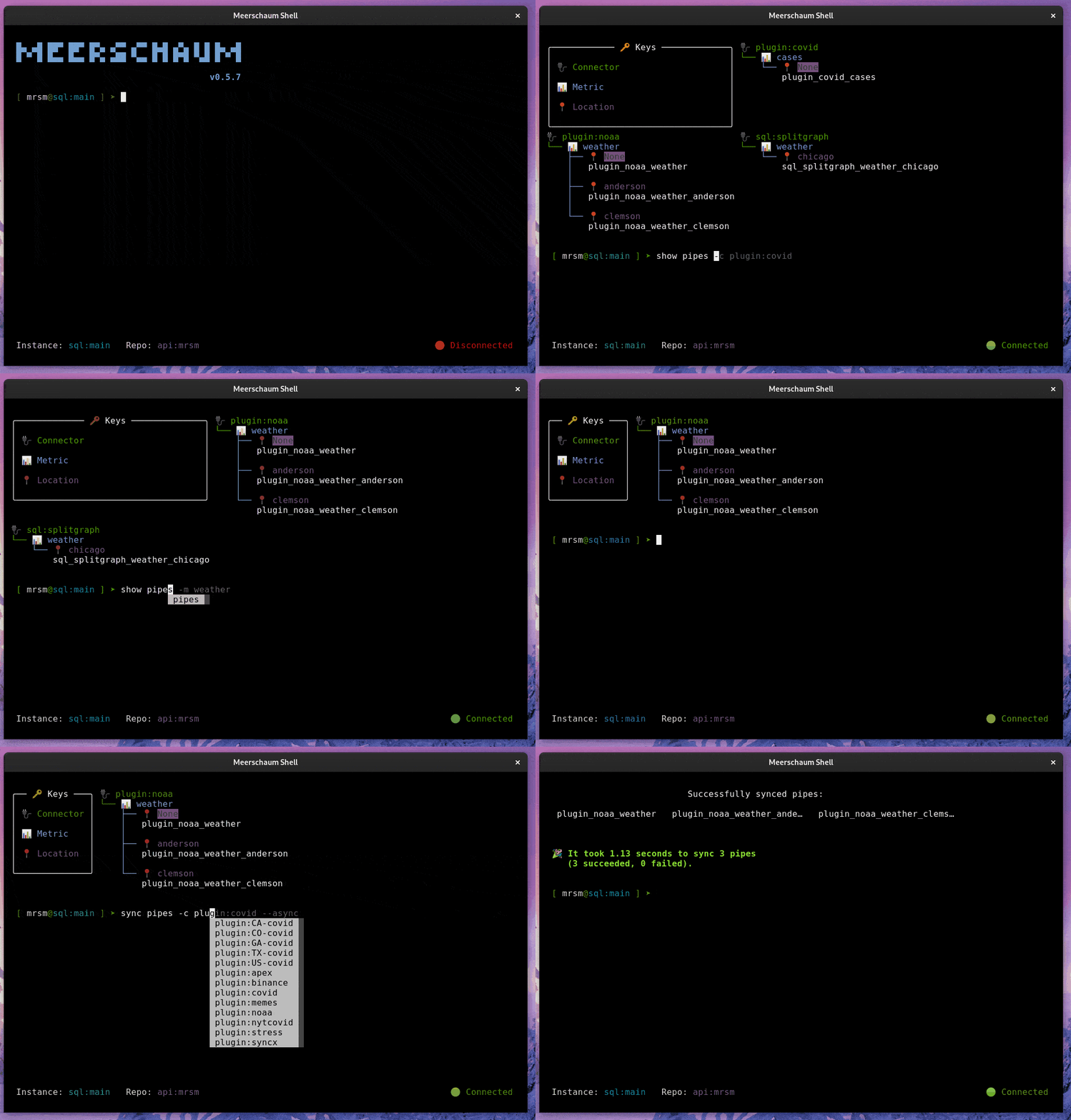
What is Meerschaum?
Meerschaum is an ETL framework for time-series data. You define pipes — named data streams — and Meerschaum keeps them in sync: it fetches only the new or changed rows, deduplicates and upserts them, manages the schema, and handles scheduling, serving, and storage.
Write a few lines of fetch logic; Meerschaum handles the rest of the pipeline. No more copy/pasting ETL scripts, hand-rolling incremental windows, or babysitting cron jobs. Drop it into an existing stack or stand up a full database-and-dashboard stack in minutes.
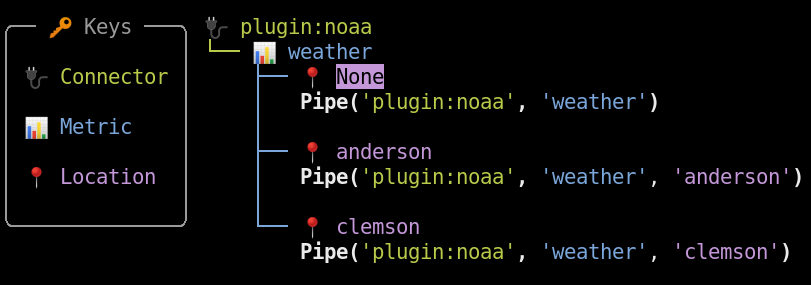
import meerschaum as mrsm

pipe = mrsm.Pipe('plugin:noaa', 'weather', 'atl', instance='sql:local')
pipe.sync()  ### Pulls only what's new since the last sync.
Features
- ⚡️ Incremental by default — the sync engine fetches only new or changed rows and concurrently updates many streams at once. Duplicate rows are ignored; rows with existing keys are updated.
- 📊 Built for data scientists and analysts — integrate with Pandas, Grafana, and friends; persist DataFrames and always get the latest data. Skip pandas overhead and read rows as plain dicts with
Pipe.get_docs(). - 🗄️ Production-ready, batteries included — one-click deploy a TimescaleDB + Grafana stack, serve data org-wide via
FastAPI(uvicorn/gunicorn), and secure API instances with scoped auth tokens. Supports PostGIS geometry (incl. ESRI CRS) for geospatial pipelines. - 💼 Jobs and scheduling — run any command as a background job with
-d. Built-in scheduler handles cron and interval schedules — nocrontaborsystemdsetup. Execute locally, viasystemd, or remotely on an API instance with--executor-keys. - 🔌 Easily expandable — ingest any source with a simple plugin: just return a DataFrame. Add any function as a command, define parent/child pipe relationships for composable SQL pipelines, or embed Meerschaum via its Python API.
- ✨ Tailored for your experience — a rich CLI that's surprisingly enjoyable, a web dashboard for the graphically inclined, and connectors for SQL, API, Valkey, and custom backends.
- 🧳 Portable from the start —
$MRSM_ROOT_DIRemulates multiple installations and groups instances. No dependencies required (anything needed installs into a virtual environment), and it'suv-compatible:uv tool install meerschaum.
Want to learn more?
Find a wealth of information at meerschaum.io, or read up on Meerschaum in the wild:
- Interview featured in Console 100 - The Open Source Newsletter
- A Data Scientist's Guide to Fetching COVID-19 Data in 2022 (Towards Data Science)
- Time-Series ETL with Meerschaum (Towards Data Science)
- How I automatically extract my M1 Finance transactions
Installation
For a more thorough setup guide, visit the Getting Started page at meerschaum.io.
TL;DR
pip install meerschaum # or `uv tool install meerschaum[api]`
mrsm stack up -d
mrsm bootstrap pipes
Usage
Visit meerschaum.io for setup, usage, and troubleshooting information. You can find technical documentation at docs.meerschaum.io.
CLI
### Install the NOAA weather plugin.
mrsm install plugin noaa

### Register a new pipe to the built-in SQLite DB.
### You can instead run `bootstrap pipe` for a wizard.
### Enter 'KATL' for Atlanta when prompted.
mrsm register pipe -c plugin:noaa -m weather -l atl -i sql:local

### Pull data and create the table "plugin_noaa_weather_atl".
mrsm sync pipes -l atl -i sql:local
Python API
import meerschaum as mrsm

pipe = mrsm.Pipe(
    'foo', 'bar',
    instance = 'sql:local',                  ### Built-in SQLite DB.
    columns  = {'datetime': 'dt', 'id': 'id'},
)

### Sync a DataFrame (or list of dicts) — creates the table on first run.
pipe.sync([{'dt': '2024-07-01', 'id': 1, 'val': 10}])

### Duplicates are ignored; rows with existing keys are updated.
pipe.sync([{'dt': '2024-07-01', 'id': 1, 'val': 100}])
assert pipe.get_rowcount() == 1

### Read back as a DataFrame, filtered by time range and params.
df = pipe.get_data(begin='2024-01-01', end='2025-01-01', params={'id': [1]})

### Or skip pandas and read plain dicts.
docs = pipe.get_docs(params={'id': [1]})
### [{'dt': datetime(2024, 7, 1), 'id': 1, 'val': 100}]
For composable in-database SQL pipelines (reference inheritance and {{ Pipe(...) }} table resolution), see the SQL pipes guide.
Plugins
Ingest any source by returning rows from a fetch function — Meerschaum handles the rest:
# ~/.config/meerschaum/plugins/example.py
__version__ = '1.0.0'
required = ['requests']

def register(pipe, **kw):
    return {'columns': {'datetime': 'dt', 'id': 'id'}}

def fetch(pipe, begin=None, end=None, **kw):
    import requests
    rows = requests.get('https://api.example.com/data').json()
    return rows  ### list of dicts or a Pandas DataFrame
Support Meerschaum's Development
For consulting services and to support Meerschaum's development, please considering sponsoring me on GitHub sponsors.
Additionally, you can always buy me a coffee☕!
License
Copyright 2020-2026 Bennett Meares
Licensed under the Apache License, Version 2.0 (the "License"); you may not use this file except in compliance with the License. You may obtain a copy of the License at
http://www.apache.org/licenses/LICENSE-2.0
Unless required by applicable law or agreed to in writing, software distributed under the License is distributed on an "AS IS" BASIS, WITHOUT WARRANTIES OR CONDITIONS OF ANY KIND, either express or implied. See the License for the specific language governing permissions and limitations under the License.
Release history Release notifications | RSS feed


Download files
Download the file for your platform. If you're not sure which to choose, learn more about installing packages.
Source Distribution
Built Distribution
Filter files by name, interpreter, ABI, and platform.
If you're not sure about the file name format, learn more about wheel file names.
Copy a direct link to the current filters
File details
Details for the file meerschaum-3.4.4.tar.gz.
File metadata
- Download URL: meerschaum-3.4.4.tar.gz
- Upload date:
- Size: 1.2 MB
- Tags: Source
- Uploaded using Trusted Publishing? No
- Uploaded via: twine/6.2.0 CPython/3.14.6
File hashes
| Algorithm | Hash digest | |
|---|---|---|
| SHA256 |
7ec99d1ed412d126768950a6ef8e05cdabf7ec585be6b63ae8e10f2a9c7c7935
|
|
| MD5 |
0c721bcb2179a6d4e454855ef28ccc12
|
|
| BLAKE2b-256 |
8f7a840a6ba06a6f4b4e4d28c970330fd4c5228db3fdd3b8431fc5720c2bb0e7
|
File details
Details for the file meerschaum-3.4.4-py3-none-any.whl.
File metadata
- Download URL: meerschaum-3.4.4-py3-none-any.whl
- Upload date:
- Size: 1.4 MB
- Tags: Python 3
- Uploaded using Trusted Publishing? No
- Uploaded via: twine/6.2.0 CPython/3.14.6
File hashes
| Algorithm | Hash digest | |
|---|---|---|
| SHA256 |
4501edf796a591f0c1d7115aaec1c8a8b6b7a373395791e26135b737363f85a2
|
|
| MD5 |
dfed562bce2be9e6d8b896f3480ed488
|
|
| BLAKE2b-256 |
7a3e100d02c1623112521d68807b6b488b47447a8d46fef53d8dafb91400abb1
|






