
Generate a visual map of your codebase

Project description
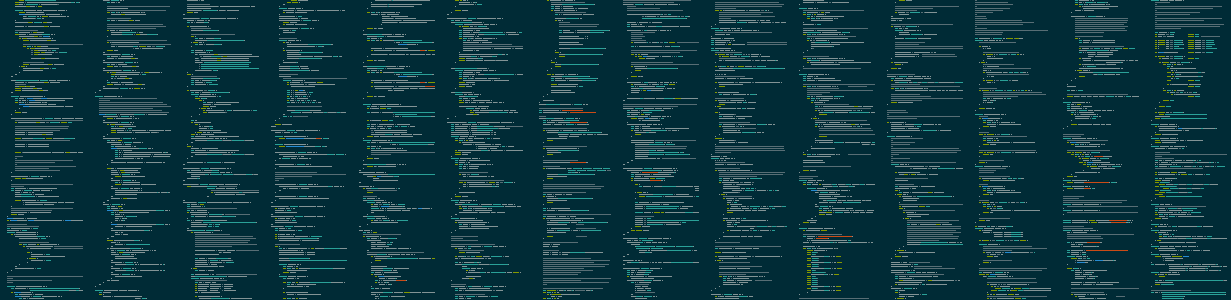
Megamap
Megamap is a mega awesome version of the minimap feature of text editors like Sublime. Give megamap a directory full of source code, and it will produce a PNG image which is a beautiful birdseye view of all the source code.
Installation
pip install megamap
Usage
megamap [input_directory] [output_filename]
By default, input_directory = . and output_filename = megamap.png.
Optional arguments:
-h, --help            show this help message and exit
-a, --aspect-ratio ASPECT_RATIO
                      Target aspect ratio (width/height) for the output image (default: 1.5)
-b, --banner          Enable banner mode (sets target aspect ratio to 5.0)
-c, --cols COLS       Number of characters per line in output image (default: 80)
--include-hidden      Include hidden files and directories
--list-styles         List available syntax highlighting styles and exit
-q, --quiet           Suppress all output except errors
-s, --style STYLE     Syntax highlighting style (use "random" for random style)
-v, --verbose         Enable verbose output
--version             Print program version number and exit
-x, --scale SCALE     Pixel scale factor (must be integer, default: 1)
-z, --zebra           Enable zebra striping of background colors between files
The program will automatically:
- Skip common non-code files (LICENSE, README, etc.)
- Skip files with non-code extensions (.txt, .md, .json, etc.)
- Skip binary and non-text files
- Skip files without a valid syntax highlighter
Pretty pictures
These two images were created using the same input (this program's own source code) with different parameters:
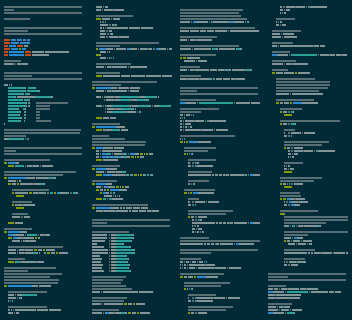
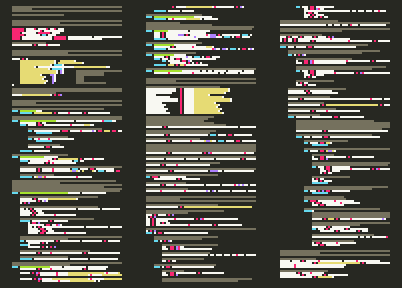
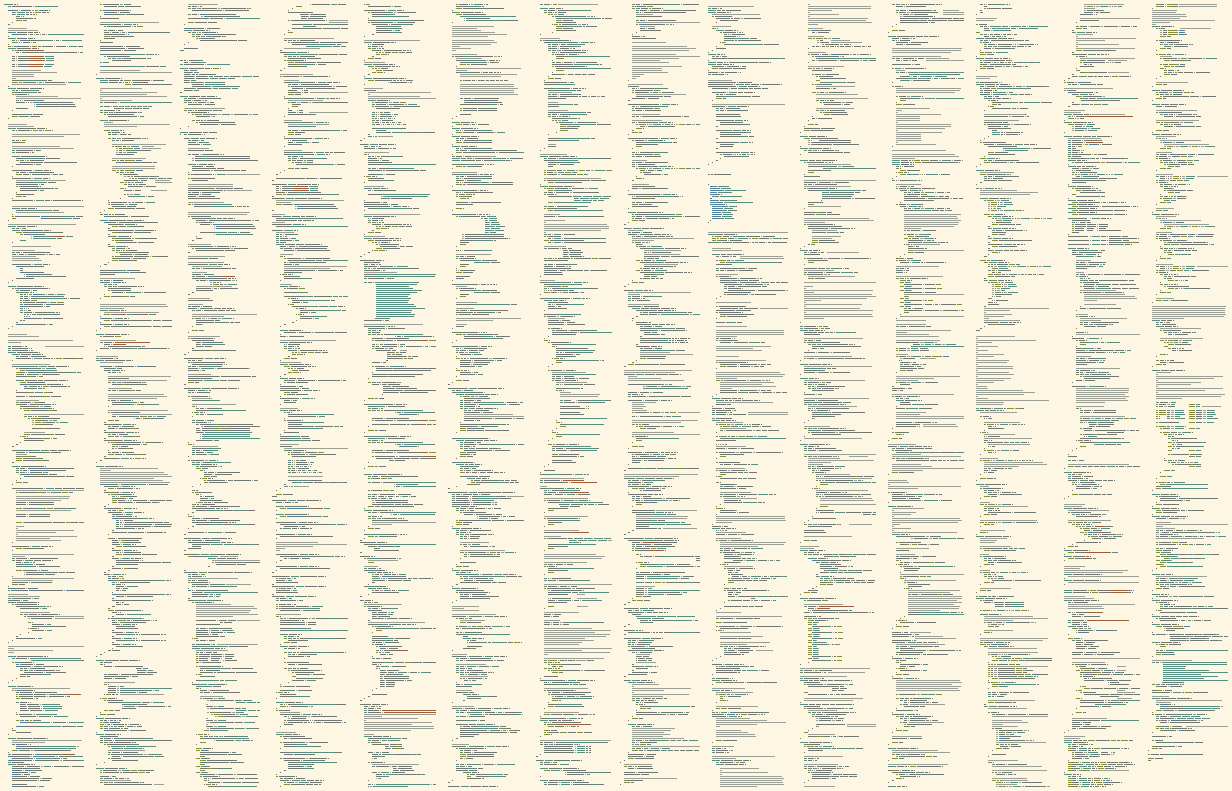
Source code of entire projects can be elegantly illustrated:
FAQ
How are the files sorted?
The files are sorted alphabetically by directory and then by file name, with files in the base directory first.
How do I find out what all the syntax highlighting styles are called?
You can either:
- Run
megamap --list-stylesto see all available styles - Use
randomas the style to let megamap choose one randomly
What about word wrapping?
Not currently supported.
Release history Release notifications | RSS feed


Download files
Download the file for your platform. If you're not sure which to choose, learn more about installing packages.
Source Distribution
Built Distribution
Filter files by name, interpreter, ABI, and platform.
If you're not sure about the file name format, learn more about wheel file names.
Copy a direct link to the current filters
File details
Details for the file megamap-1.0.1.tar.gz.
File metadata
- Download URL: megamap-1.0.1.tar.gz
- Upload date:
- Size: 97.2 kB
- Tags: Source
- Uploaded using Trusted Publishing? No
- Uploaded via: twine/6.0.1 CPython/3.13.1
File hashes
| Algorithm | Hash digest | |
|---|---|---|
| SHA256 |
dd5464290ac1992773cc8255e63c29ce9d2159894257ed10385d550bd86d815b
|
|
| MD5 |
c339dd1d2e1a272cbaf94da38cb00880
|
|
| BLAKE2b-256 |
fe42e85a670b9c389170ff87fc54a5fbb0b1605adb1ecebfe37b321735baab40
|
File details
Details for the file megamap-1.0.1-py3-none-any.whl.
File metadata
- Download URL: megamap-1.0.1-py3-none-any.whl
- Upload date:
- Size: 9.1 kB
- Tags: Python 3
- Uploaded using Trusted Publishing? No
- Uploaded via: twine/6.0.1 CPython/3.13.1
File hashes
| Algorithm | Hash digest | |
|---|---|---|
| SHA256 |
904708052145375f65ac30ca3582049b6d75978c721cdb3dd098f25ed92daef0
|
|
| MD5 |
cc5be9bdb9221af47af37d57797743ac
|
|
| BLAKE2b-256 |
2c2a06c69b4ab68f7d6462694f6a8a41c421bc2e149c585eba69b8f945e0460c
|






