
mellea is a library for writing generative programs


Project description

Mellea
Mellea is a library for writing generative programs. Generative programming replaces flaky agents and brittle prompts with structured, maintainable, robust, and efficient AI workflows.




Features
- A standard library of opinionated prompting patterns.
- Sampling strategies for inference-time scaling.
- Clean integration between verifiers and samplers.
- Batteries-included library of verifiers.
- Support for efficient checking of specialized requirements using activated LoRAs.
- Train your own verifiers on proprietary classifier data.
- Compatible with many inference services and model families. Control cost and quality by easily lifting and shifting workloads between: - inference providers - model families - model sizes
- Easily integrate the power of LLMs into legacy code-bases (mify).
- Sketch applications by writing specifications and letting
melleafill in the details (generative slots). - Get started by decomposing your large unwieldy prompts into structured and maintainable mellea problems.
Getting Started
You can get started with a local install, or by using Colab notebooks.
Getting Started with Local Infernece
Install with uv:
uv pip install mellea
Install with pip:
pip install mellea
[!NOTE]
melleacomes with some additional packages as defined in ourpyproject.toml. If you would like to install all the extra optional dependencies, please run the following commands:uv pip install mellea[hf] # for Huggingface extras and Alora capabilities. uv pip install mellea[watsonx] # for watsonx backend uv pip install mellea[docling] # for docling uv pip install mellea[all] # for all the optional dependenciesYou can also install all the optional dependencies with
uv sync --all-extras
[!NOTE] If running on an Intel mac, you may get errors related to torch/torchvision versions. Conda maintains updated versions of these packages. You will need to create a conda environment and run
conda install 'torchvision>=0.22.0'(this should also install pytorch and torchvision-extra). Then, you should be able to runuv pip install mellea. To run the examples, you will need to usepython <filename>inside the conda environment instead ofuv run --with mellea <filename>.
[!NOTE] If you are using python >= 3.13, you may encounter an issue where outlines cannot be installed due to rust compiler issues (
error: can't find Rust compiler). You can either downgrade to python 3.12 or install the rust compiler to build the wheel for outlines locally.
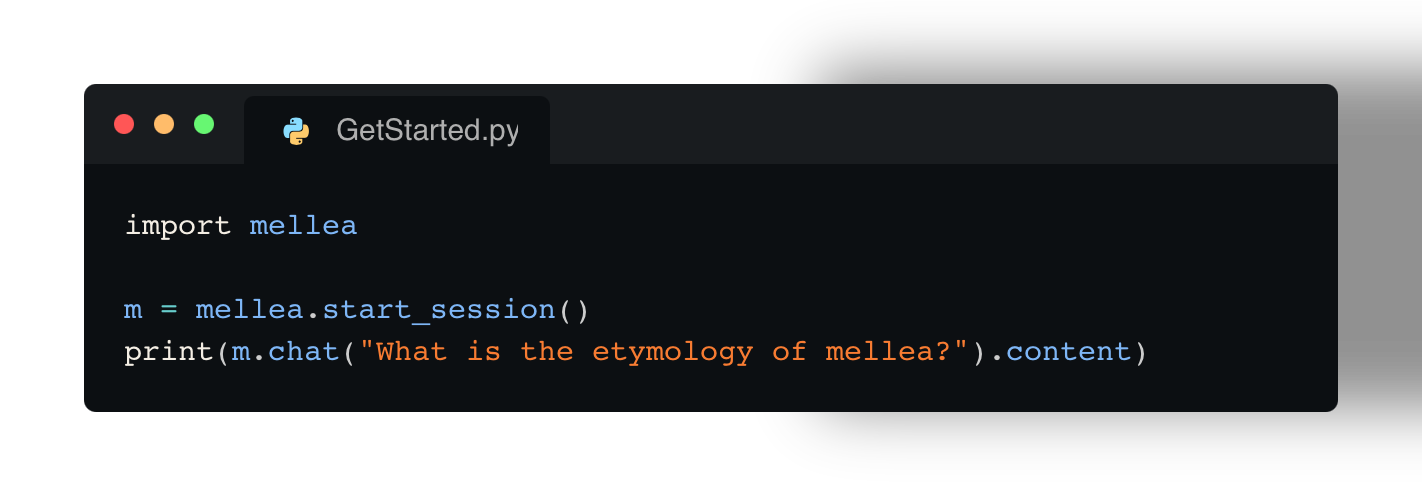
For running a simple LLM request locally (using Ollama with Granite model), this is the starting code:
# file: https://github.com/generative-computing/mellea/blob/main/docs/examples/tutorial/example.py
import mellea

m = mellea.start_session()
print(m.chat("What is the etymology of mellea?").content)
Then run it:
[!NOTE] Before we get started, you will need to download and install ollama. Mellea can work with many different types of backends, but everything in this tutorial will "just work" on a Macbook running IBM's Granite 4 Micro 3B model.
uv run --with mellea docs/examples/tutorial/example.py
Get Started with Colab
| Notebook | Try in Colab | Goal |
|---|---|---|
| Hello, World |  |
Quick‑start demo |
| Simple Email | |
Using the m.instruct primitive |
| Instruct-Validate-Repair | |
Introduces our first generative programming design pattern |
| Model Options | |
Demonstrates how to pass model options through to backends |
| Sentiment Classifier | |
Introduces the @generative decorator |
| Managing Context | |
Shows how to construct and manage context in a MelleaSession |
| Generative OOP | |
Demonstrates object-oriented generative programming in Mellea |
| Rich Documents | |
A generative program that uses Docling to work with rich-text documents |
| Composing Generative Functions | |
Demonstrates contract-oriented programming in Mellea |
m serve |
|
Serve a generative program as an openai-compatible model endpoint |
| MCP | |
Mellea + MCP |
uv-based installation from source
Fork and clone the repositoy:
git clone ssh://git@github.com/<my-username>/mellea.git && cd mellea/
Setup a virtual environment:
uv venv .venv && source .venv/bin/activate
Use uv pip to install from source with the editable flag:
uv pip install -e '.[all]'
If you are planning to contribute to the repo, it would be good to have all the development requirements installed:
uv pip install '.[all]' --group dev --group notebook --group docs
or
uv sync --all-extras --all-groups
If you want to contribute, ensure that you install the precommit hooks:
pre-commit install
conda/mamba-based installation from source
Fork and clone the repositoy:
git clone ssh://git@github.com/<my-username>/mellea.git && cd mellea/
It comes with an installation script, which does all the commands listed above:
conda/install.sh
Getting started with validation
Mellea supports validation of generation results through a instruct-validate-repair pattern. Below, the request for "Write an email.." is constrained by the requirements of "be formal" and "Use 'Dear interns' as greeting.". Using a simple rejection sampling strategy, the request is sent up to three (loop_budget) times to the model and the output is checked against the constraints using (in this case) LLM-as-a-judge.
# file: https://github.com/generative-computing/mellea/blob/main/docs/examples/instruct_validate_repair/101_email_with_validate.py
from mellea import MelleaSession
from mellea.backends.types import ModelOption
from mellea.backends.ollama import OllamaModelBackend
from mellea.backends import model_ids
from mellea.stdlib.sampling import RejectionSamplingStrategy

# create a session with Mistral running on Ollama
m = MelleaSession(
    backend=OllamaModelBackend(
        model_id=model_ids.MISTRALAI_MISTRAL_0_3_7B,
        model_options={ModelOption.MAX_NEW_TOKENS: 300},
    )
)

# run an instruction with requirements
email_v1 = m.instruct(
    "Write an email to invite all interns to the office party.",
    requirements=["be formal", "Use 'Dear interns' as greeting."],
    strategy=RejectionSamplingStrategy(loop_budget=3),
)

# print result
print(f"***** email ****\n{str(email_v1)}\n*******")
Getting Started with Generative Slots
Generative slots allow you to define functions without implementing them.
The @generative decorator marks a function as one that should be interpreted by querying an LLM.
The example below demonstrates how an LLM's sentiment classification
capability can be wrapped up as a function using Mellea's generative slots and
a local LLM.
# file: https://github.com/generative-computing/mellea/blob/main/docs/examples/tutorial/sentiment_classifier.py#L1-L13
from typing import Literal
from mellea import generative, start_session


@generative
def classify_sentiment(text: str) -> Literal["positive", "negative"]:
  """Classify the sentiment of the input text as 'positive' or 'negative'."""


if __name__ == "__main__":
  m = start_session()
  sentiment = classify_sentiment(m, text="I love this!")
  print("Output sentiment is:", sentiment)
Tutorial
See the tutorial
Contributing
Please refer to the Contributor Guide for detailed instructions on how to contribute.
IBM ❤️ Open Source AI
Mellea has been started by IBM Research in Cambridge, MA.
Release history Release notifications | RSS feed


Download files
Download the file for your platform. If you're not sure which to choose, learn more about installing packages.
Source Distribution
Built Distribution
Filter files by name, interpreter, ABI, and platform.
If you're not sure about the file name format, learn more about wheel file names.
Copy a direct link to the current filters
File details
Details for the file mellea-0.2.4.tar.gz.
File metadata
- Download URL: mellea-0.2.4.tar.gz
- Upload date:
- Size: 208.6 kB
- Tags: Source
- Uploaded using Trusted Publishing? Yes
- Uploaded via: twine/6.1.0 CPython/3.13.7
File hashes
| Algorithm | Hash digest | |
|---|---|---|
| SHA256 |
973a20bf7a3f25a7e85a563d79a166b6bb8a12142d93a46f71df26632362db65
|
|
| MD5 |
e7d20e96bbb649287e4c590a4ade0b80
|
|
| BLAKE2b-256 |
2f8de9032cacc0b5f54236074a8e1a1333813db4f0613baea17e5d815305135b
|
Provenance
The following attestation bundles were made for mellea-0.2.4.tar.gz:
Publisher:
pypi.yml on generative-computing/mellea
-
Statement:
-
Statement type:
https://in-toto.io/Statement/v1 -
Predicate type:
https://docs.pypi.org/attestations/publish/v1 -
Subject name:
mellea-0.2.4.tar.gz -
Subject digest:
973a20bf7a3f25a7e85a563d79a166b6bb8a12142d93a46f71df26632362db65 - Sigstore transparency entry: 805026309
- Sigstore integration time:
-
Permalink:
generative-computing/mellea@66fb007691a941331df4a96e54fc4fe01a1d747e -
Branch / Tag:
refs/tags/v0.2.4 - Owner: https://github.com/generative-computing
-
Access:
public
-
Token Issuer:
https://token.actions.githubusercontent.com -
Runner Environment:
github-hosted -
Publication workflow:
pypi.yml@66fb007691a941331df4a96e54fc4fe01a1d747e -
Trigger Event:
release
-
Statement type:
File details
Details for the file mellea-0.2.4-py3-none-any.whl.
File metadata
- Download URL: mellea-0.2.4-py3-none-any.whl
- Upload date:
- Size: 308.1 kB
- Tags: Python 3
- Uploaded using Trusted Publishing? Yes
- Uploaded via: twine/6.1.0 CPython/3.13.7
File hashes
| Algorithm | Hash digest | |
|---|---|---|
| SHA256 |
549b1b57f081a5837ea30692075ab29fd224a0600f4fa6da99b56be95b9c1759
|
|
| MD5 |
04926d562f1a7a1704f6379a097401c7
|
|
| BLAKE2b-256 |
e096b1482a8aec3419981e7f40eb9f7388a924c3023a77aaf032d39ddbe062ac
|
Provenance
The following attestation bundles were made for mellea-0.2.4-py3-none-any.whl:
Publisher:
pypi.yml on generative-computing/mellea
-
Statement:
-
Statement type:
https://in-toto.io/Statement/v1 -
Predicate type:
https://docs.pypi.org/attestations/publish/v1 -
Subject name:
mellea-0.2.4-py3-none-any.whl -
Subject digest:
549b1b57f081a5837ea30692075ab29fd224a0600f4fa6da99b56be95b9c1759 - Sigstore transparency entry: 805026314
- Sigstore integration time:
-
Permalink:
generative-computing/mellea@66fb007691a941331df4a96e54fc4fe01a1d747e -
Branch / Tag:
refs/tags/v0.2.4 - Owner: https://github.com/generative-computing
-
Access:
public
-
Token Issuer:
https://token.actions.githubusercontent.com -
Runner Environment:
github-hosted -
Publication workflow:
pypi.yml@66fb007691a941331df4a96e54fc4fe01a1d747e -
Trigger Event:
release
-
Statement type:






