
MetaX
MetaX is a novel tool for linking peptide sequences with taxonomic and functional information in Metaproteomics. We introduce the Operational Taxon-Function (OTF) concept to explore microbial roles and interactions ("who is doing what and how") within ecosystems.
MetaX also features statistical modules and plotting tools for analyzing peptides, taxa, functions, proteins, and taxon-function contributions across groups.
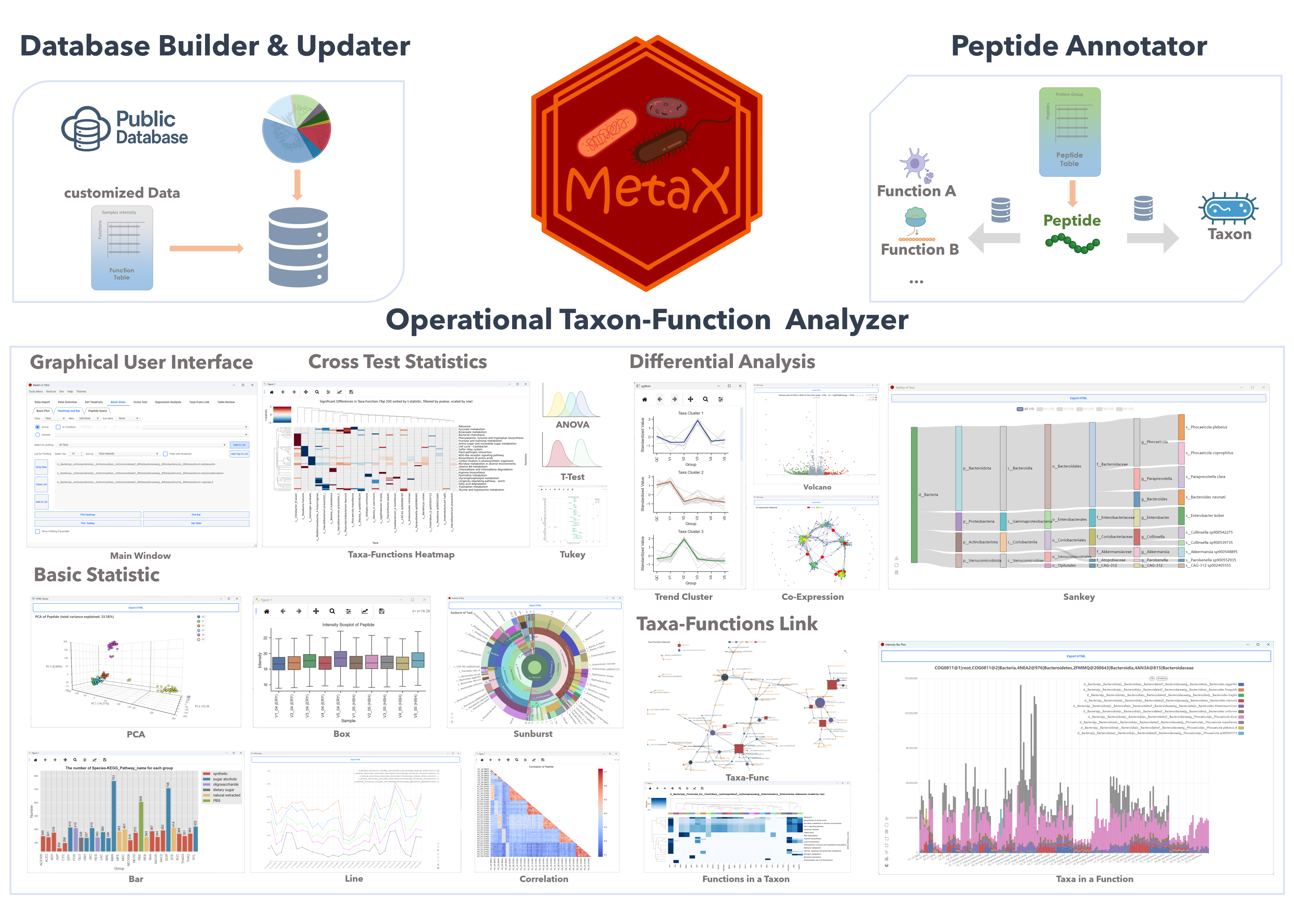
Operational Taxon-Function (OTF)
Operational Taxon-Function (OTF) Unit: An operational unit which represents the association between specific taxa and biological functions.
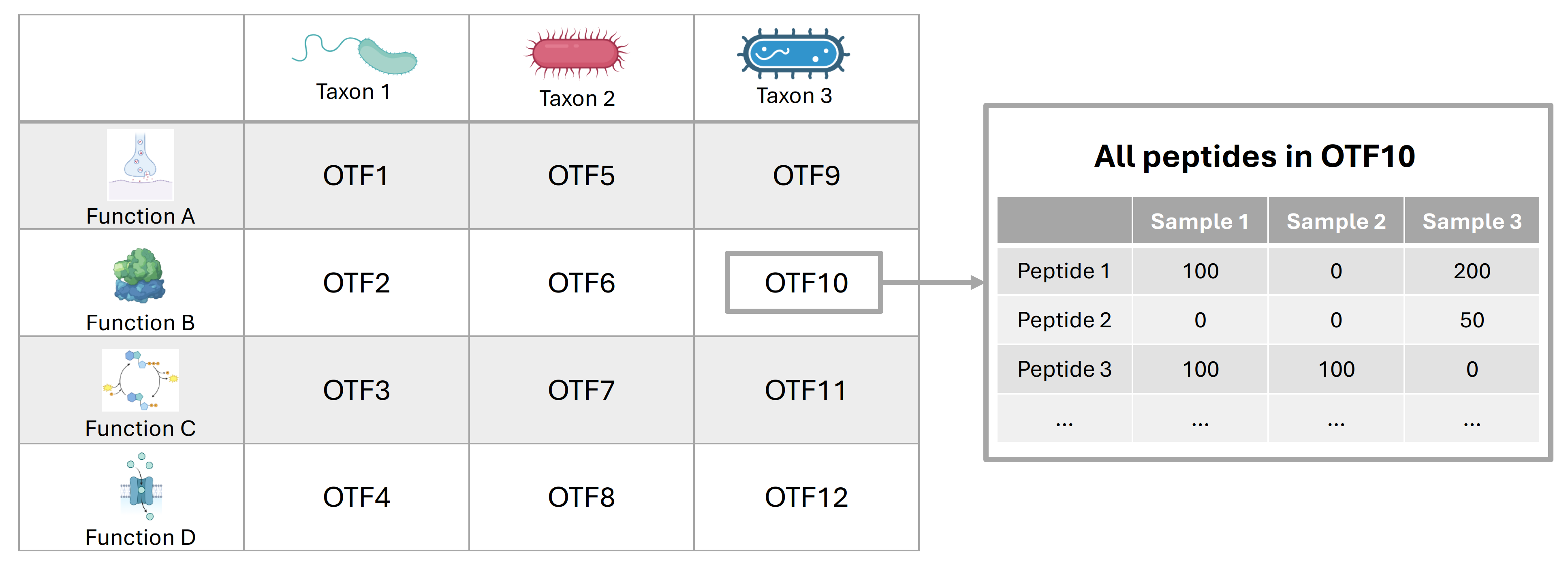
OTF Analyzer
The Tools in OTF Analyzer
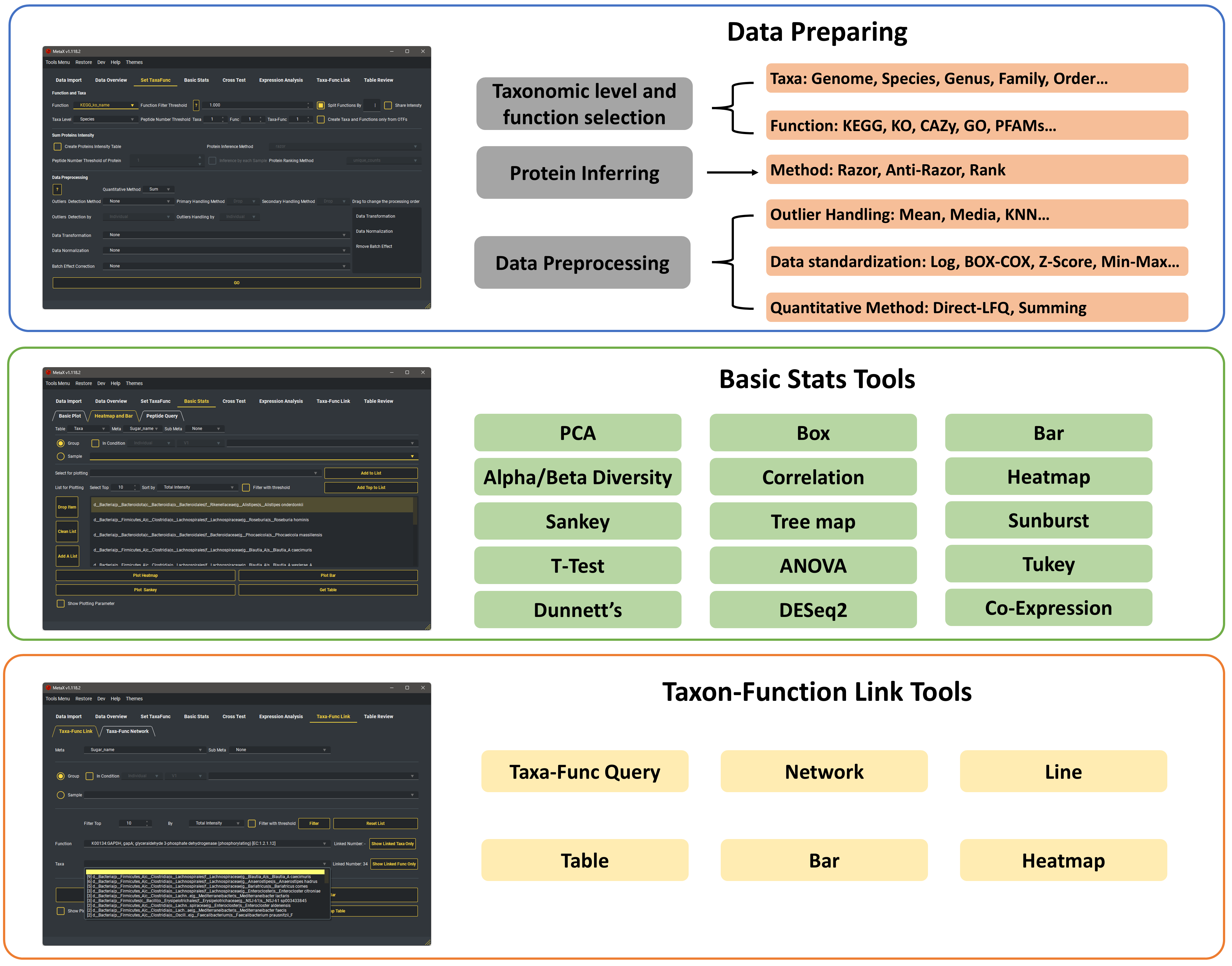
OTF Examples
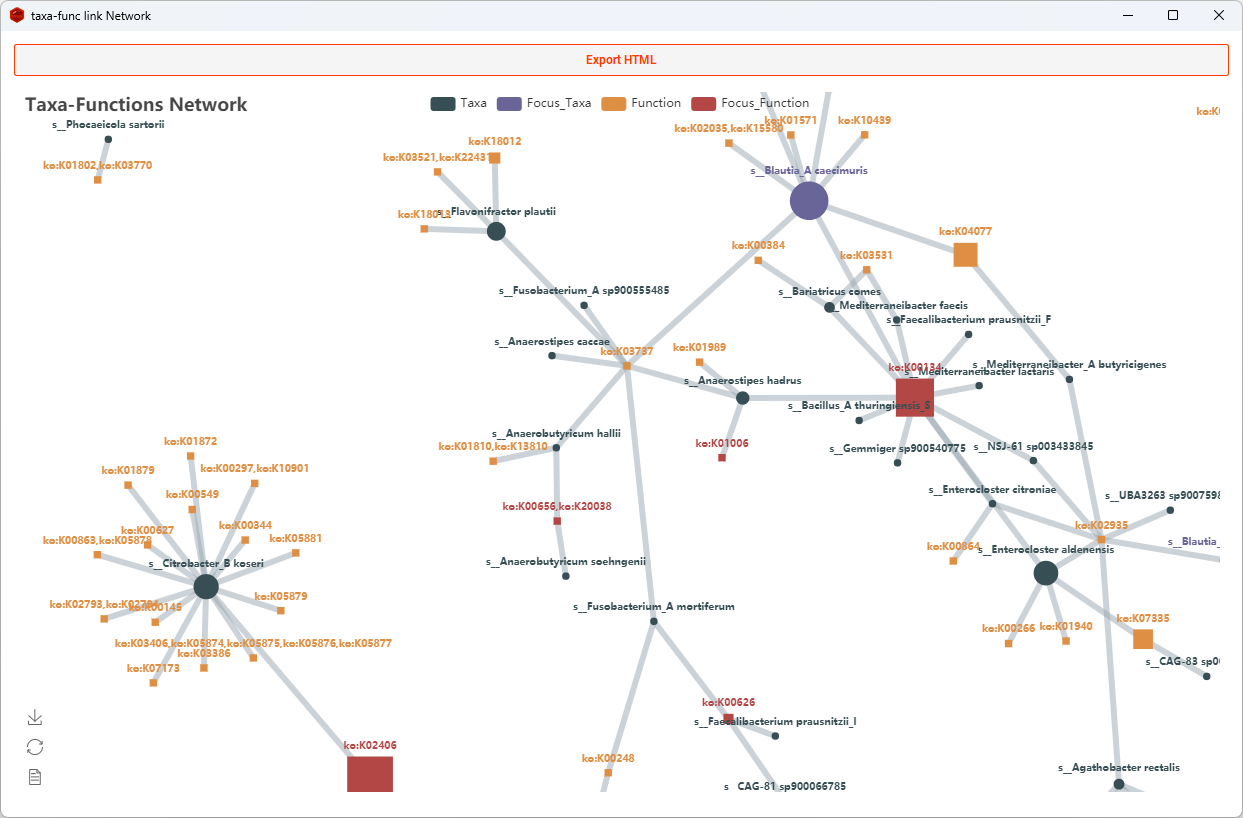
Linking Taxa and Functions in different levels of the hierarchy, and various functional categories. e.g., Species-KO, Genus-CAZy, Phylum-EC, etc. Lots of visualization tools can be selected.
Network
Dots represent taxa and squares represent functions in the network.
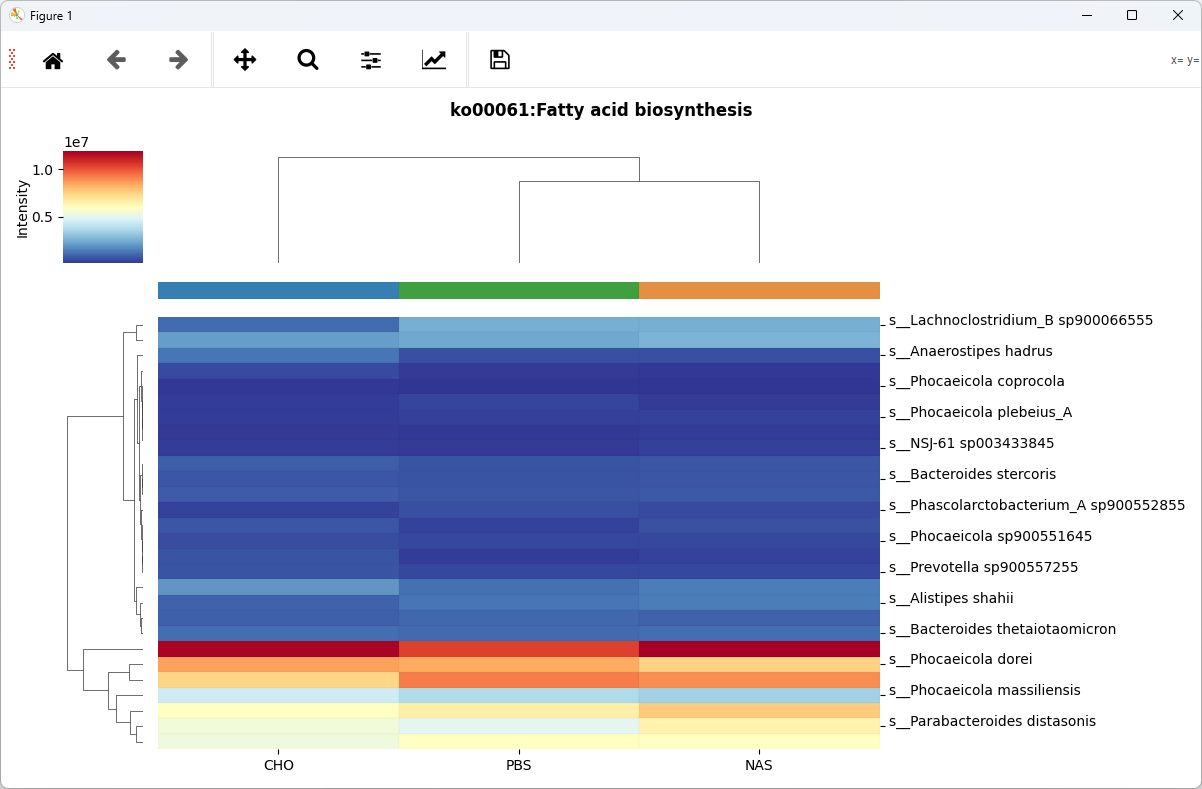
Heatmap
Show all Taxa of a function.
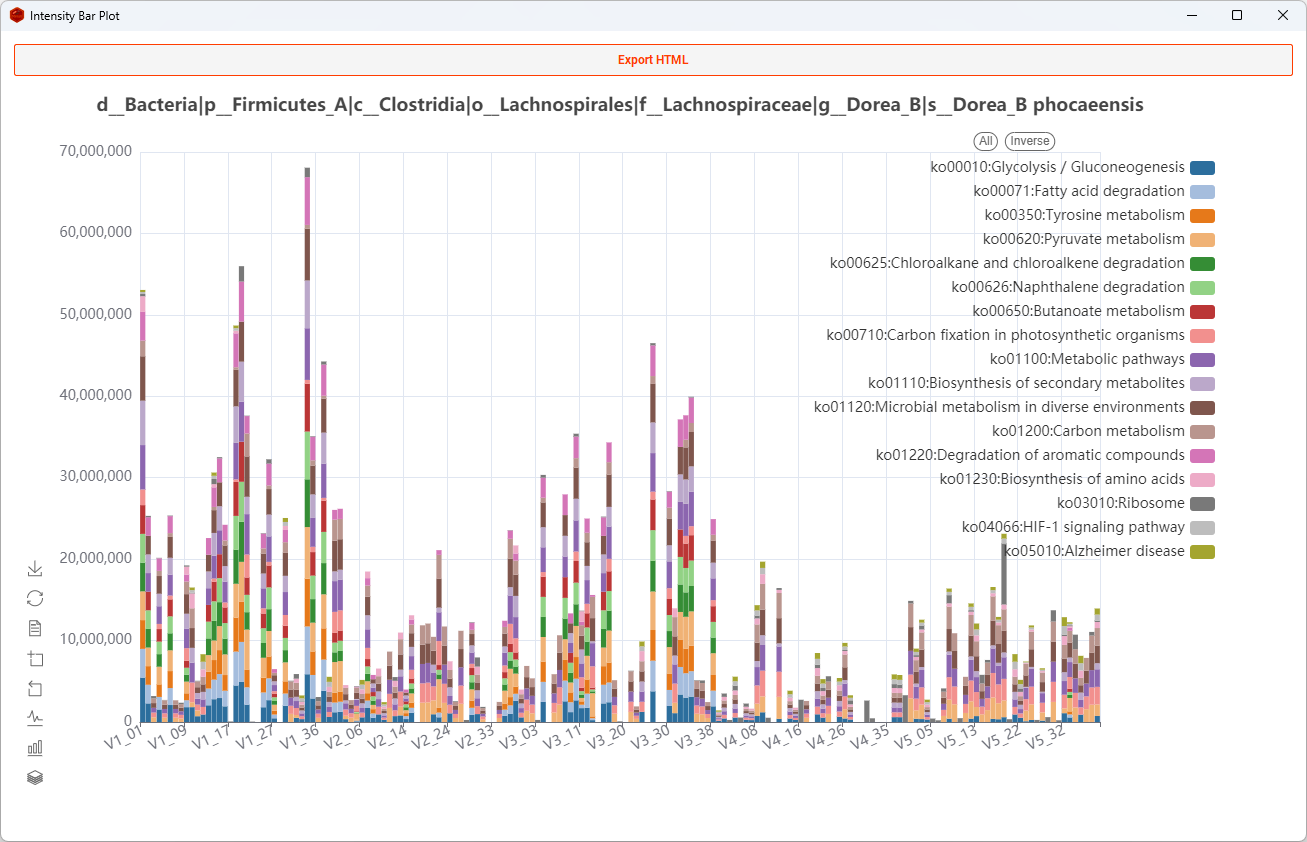
Bar
Show all functions of a taxon
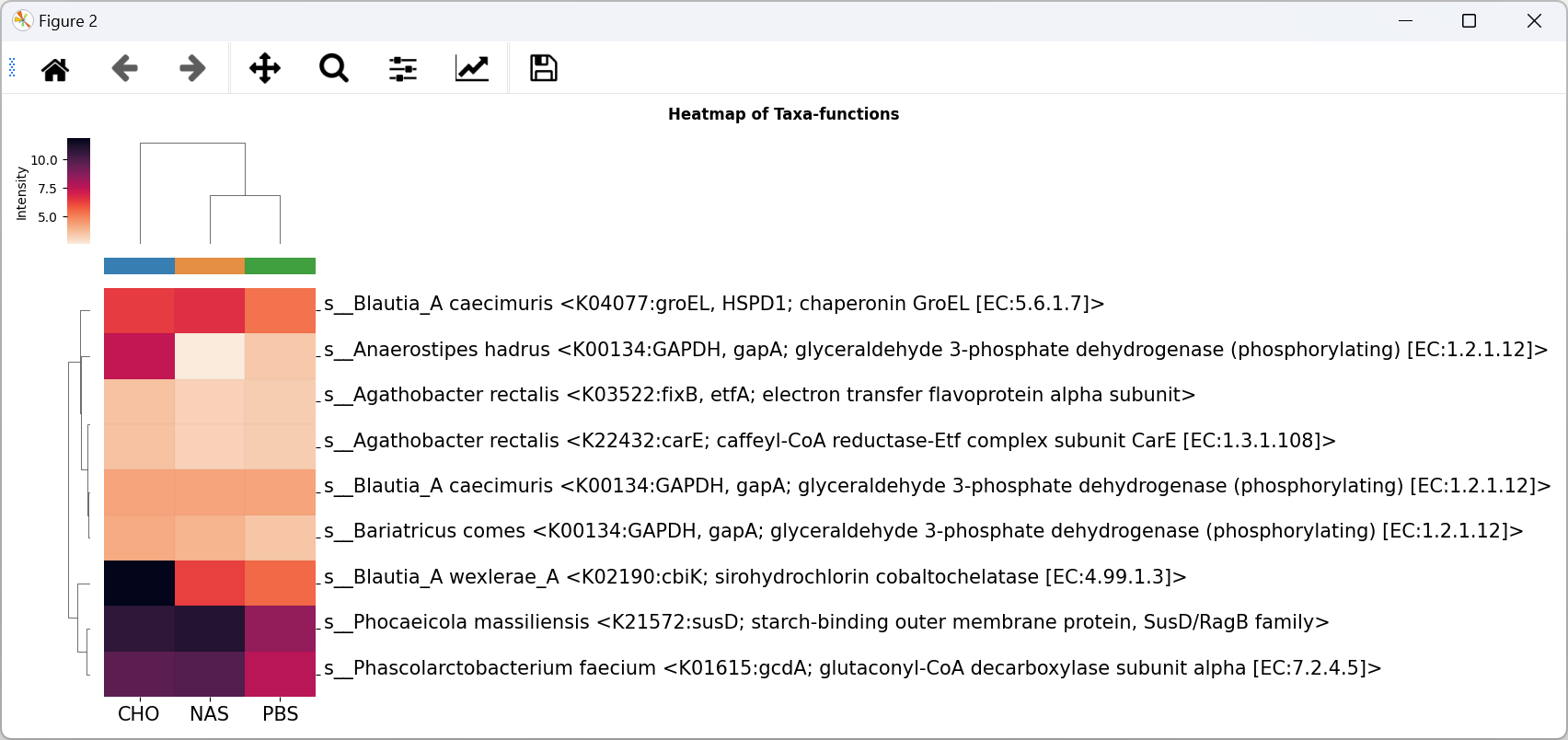
OTF Heatmap
Show OTFS intensity in groups(samples), e.g., Species-KO OTF Heatmap
Download & Installation
-
Desktop Version (Recommended)
The desktop version comes fully set up and ready to use, including all required dependencies and a graphical user interface.
-
Command-line version
Use PyPi to install, then type
metaxin the terminal to launch the GUI.python -m pip install MetaXTools
Guidebook
Desktop Version(desktop):- Refer to the MetaX Cookbook for detailed instructions on how to use MetaX with the graphical user interface.
Command-line version:- Read the example documentation in the Notebook for detailed instructions and examples.
Citing
If you use MetaX in your research, please cite the following publication:
Operational Taxon-Function Framework in MetaX: Unveiling Taxonomic and Functional Associations in Metaproteomics. Wu, Q., Ning, Z., Zhang, A., Zhang, X., Sun, Z., & Figeys, D. (2025). Analytical Chemistry. DOI: 10.1021/acs.analchem.4c06645.
1 maintainer

Metadata
1 maintainer
Release files for MetaXTools 1.124.5
For a detailed explanation of source distributions (sdists) and built distributions (wheels), please see the package formats documentation.
Source distribution (sdist)
| File | Size | Uploaded | Provenance | Actions |
|---|---|---|---|---|
| metaxtools-1.124.5.tar.gz | 5.0 MB | Without provenance | Details for metaxtools-1.124.5.tar.gz |
Built distribution (wheel)
| File | Interpreter | ABI | Platform | Actions Reset |
|---|---|---|---|---|
| metaxtools-1.124.5-py3-none-any.whl | Python 3 | none | any | Details for metaxtools-1.124.5-py3-none-any.whl |
Total release size: 10.1 MB
Release files / metaxtools-1.124.5.tar.gz
| Download URL | metaxtools-1.124.5.tar.gz |
|---|---|
| Size | 5.0 MB |
| Tags | Source |
|
SHA-256 checksum How to use checksums |
69cfd864cb08b87c67a8ad11302d96883c796473793922b3ad36b2e09ee914b1
|
|
BLAKE2b-256 checksum How to use checksums |
1e86ec93168eca2863120f12a4a72f43b754359ea11fb0e448feb76ec9f3168a
|
| Upload date | |
|
Uploaded using Trusted Publishing? What is trusted publishing? |
No |
| Uploaded via |
twine/6.1.0 CPython/3.11.5
|
Release files / metaxtools-1.124.5-py3-none-any.whl
| Download URL | metaxtools-1.124.5-py3-none-any.whl |
|---|---|
| Size | 5.1 MB |
| Tags | Python 3 |
|
SHA-256 checksum How to use checksums |
dd9a03b62a4848fd37a0648f1077ed15104ac32332518c3fa37e280cb1861971
|
|
BLAKE2b-256 checksum How to use checksums |
e8cebea2098ce500784a9fd9a7391f158354601e59fc879adc689f1d2232328e
|
| Upload date | |
|
Uploaded using Trusted Publishing? What is trusted publishing? |
No |
| Uploaded via |
twine/6.1.0 CPython/3.11.5
|
Security for MetaXTools 1.124.5
Provenance
Provenance describes where a file came from. On PyPI, provenance is shared via attestations, which provide a verifiable record of the build or publishing details. View details, limitations and caveats.
No provenance found
None of the files in this release were uploaded with provenance metadata.
A note on package security
PyPI is a repository for distributing packages, not a service for auditing them. While third-party security researchers and our staff do their best to detect and remove malicious packages, PyPI cannot guarantee the quality, security or suitability of any given package.
To learn more about protecting yourself from malicious actors, visit our package security documentation.














