

Mindkosh is the platform for labeling multi-sensor data, from Lidar point clouds to multiple camera images. Our powerful automatic annotation features and a particular focus on making Quality checking easier and faster, helps ML teams obtain high quality labeled datasets at scale.
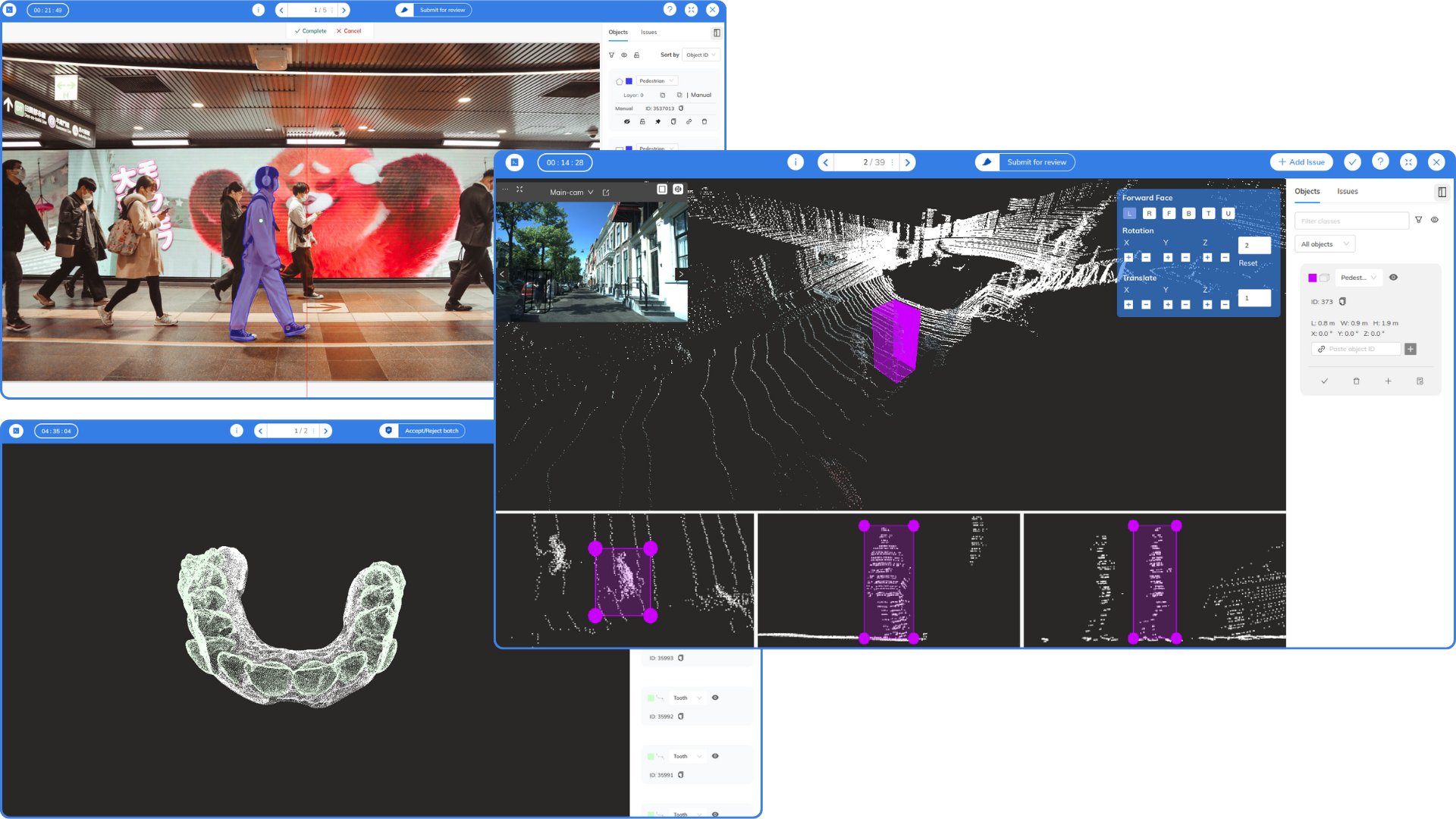
Table of contents:
Setup
Requirements
- Python >= 3.7
- Account on the Mindkosh platform (Create on now)
- SDK Token (contact us to get one)
Installation
- Install the package
pip install mindkosh
Getting started
from mindkosh import Client, PointCloudFile, ImageFile, Label
client = Client(token)
To get started, create a Task/Project object using the token provided to you. You can also set the token in an environment variable(MK_TOKEN) instead of passing as a parameter to the object constructor.
Datasets
Create dataset
client.create_dataset(
    name: str,
    data_type: str
)
Parameters:
- name - unique dataset name
- data_type - image, pointcloud or video
Example:
dataset = client.create_dataset(
    name = 'test-1',
    data_type = 'pointcloud'
)
Get datasets
datasets = client.get_datasets(
    dataset_id = 1
)
Get dataset files
files = client.get_dataset_files(
    dataset_id = 1,
    max_files = 100
)
Update tags
updated_dataset_files = client.update_tags(
    dataset_id = 1,
    datasetfile_ids = [1,2,3,4,5,6,8],
    add = ['tag1','tag2'],
    remove = ['tag2'],
    all = False
)
Upload data
Uploads images from a list of directories or/and files. Useful when all the images same tags/extra.
client.upload_data(
    dataset_id = 1,
    tags = ['tag4'],
    resources = ['/home/user/Desktop/my-images/', '/home/user/Downloads/test1.jpg'],
    recursive = False,
    manifest_file = None,
    save_files_dir = None,
    **kwargs
)
Upload pointcloud data
Uploads images from a list of directories or/and files. Useful when all the images same tags/extra.
pcdfile1 = PointCloudFile(
    filepath = '/file/path1/',
    related_files = [
        ImageFile(
            filepath='/path/to/image1',
            tags=[],
            extra={
                "intrinsic": [255.520403, 449.883682, 250.828738, 255.237477],

                # Projection matrix from lidar to camera
                "extrinsic": [
                    [-0.735827, -0.65789, -0.0384775, 0],
                    [0.6567956, -0.70452916, 0.00140833, 0],
                    [-0.02255652, -0.0248216, 0.9993586, 0],
                    [0, 0, 0, 1]
                ],

                # Camera projection model - PINHOLE OR FISHEYE
                # For FISHEYE, mirrorParameter is also needed
                "cameraModel": "PINHOLE",
                "device_id": 1
            }
        )
    ]
)

client.upload_pointcloud_data(
    dataset_id = 1,
    pcdfiles = [pcdfile1, pcdfile2]
    **kwargs
)
Upload imagefiles
Uploads images with tags/extra for each image
client.upload_imagefiles(
    dataset_id = 1,
    imagefiles = [
        ImageFile(
            filepath='/path/to/image1',
            tags=["city1"]
        ),
        ImageFile(
            filepath='path/to/image2',
            tags=["city2"]
        )
    ]
)
Delete files from dataset
Delete select files or delete all the files from a dataset
client.delete_files_from_dataset(
    dataset_id = 1,
    file_ids = [1,2,3,4],
    delete_all = False
)
Delete dataset
Delete a dataset along with its files
client.delete_dataset(dataset_id=1)
Projects
Create project
project = client.project.create(name, description=None)
To create a project, enter a name and an optional description.
Get all projects
Get list of all project objects
myprojects = client.project.get()
Update project details
project.update_name("new name")
project.update_description("New description")
Delete project
project.delete()
Tasks
Create task
Create a new task :
labels = [
    Label(
      name='car',
      color='#fffccc',
      sequence=1,
      type='non_mask'
    ),
    Label(
      name='bus',
      color='#fcf0fc',
      sequence=2,
      type='instance_mask'
      attributes =[]
    )
]
Note : Each label should have a unique name.
task = client.task.create(
    name='task1',
    labels=labels,
    dataset_id=1,
    tags=['tag1'],
    project_id=None,
    job_modes=['validation','qc']
    batches=3
)
To create a task and upload images/video, user must provide either resources/manifest.
Parameters:
- name - A valid task name.
- batches - Number of images in each job. Only valid for resource_type="imageset".
- project_id - Optional - ID of the project this task should belong to.
Get all tasks
Get list of all the tasks
mytasks = client.task.get()
Update task details
task.update_name("New name")
task.update_project_id(new_valid_project_id)
Download annotations
Get releases
releases = task.get_releases()
Create a release
releases = task.create_release(
    format="coco",
    batches=[1,2],
    description=None,
    webhook_url=None
)
format can be any of the following:
- Available formats and their parameter names:
- COCO - "coco"
- Datumaro - "datumaro"
- Pascal VOC - "voc"
- Segmentation mask - "segmentation_mask"
- YOLO - "yolo"
Download a release
task.download_release(
    release_id=1,
    local_path='/local/dir/'
)
Delete a release
task.delete_release(release_id=1)
Upload annotations
task.upload_annotations(
    annotation_format='coco',
    local_path='annotation_file.zip'
)
Delete task
Delete a task -
task.delete()
Frames
Get frames
frames = t1.frames()
frame = frames[frame_id]
Download frame
frame.download(location)
Show frame annotations
frame.annotations
Download frame annotations
frame.download_annotations(location,format=None)
Parameters :
- location - local dir location where you want to save annotations
- format - None if you want to download row annotations. Any of ("coco", "datumaro", "voc", "yolo") if you want to download datasets in specific format.
Visualize frame annotations
frame.visualize(show_annotations=True,fill_color=0.30)
Parameters :
- show_annotations - False to see raw image, True to see image with annotations.
- fill_color - 0 <= Color transparency <= 1
1 maintainer

Release files for mindkosh 1.1.4
For a detailed explanation of source distributions (sdists) and built distributions (wheels), please see the package formats documentation.
Source distribution (sdist)
| File | Size | Uploaded | |
|---|---|---|---|
| mindkosh-1.1.4.tar.gz | 45.6 kB | Details |
Built distribution (wheel)
| File | Interpreter | ABI | Platform | Reset |
|---|---|---|---|---|
| mindkosh-1.1.4-py3-none-any.whl | Python 3 | none | any | Details |
Total release size:96.6 kB
Release files / mindkosh-1.1.4.tar.gz
| Download URL | mindkosh-1.1.4.tar.gz |
|---|---|
| Size | 45.6 kB |
| Tags | Source |
|
SHA-256 checksum How to use checksums |
a2098c9a8ad88f2a9226427c806b830786f3aa3120921b84fc76a4b7e90fb43f
|
|
BLAKE2b-256 checksum How to use checksums |
4784d690ac5085d3ee574715255fd29836871aeff6ede487e48b6119adf21b05
|
| Upload date | |
|
Uploaded using Trusted Publishing? What is trusted publishing? |
No |
| Uploaded via |
twine/7.0.0 CPython/3.13.14
|
Release files / mindkosh-1.1.4-py3-none-any.whl
| Download URL | mindkosh-1.1.4-py3-none-any.whl |
|---|---|
| Size | 51.0 kB |
| Tags | Python 3 |
|
SHA-256 checksum How to use checksums |
ffcc0de8abc03ef5ca2b84369c1d26da3dafdd924c4393594c9f070ee1588540
|
|
BLAKE2b-256 checksum How to use checksums |
5b7db643faba97663aba6eac0c25e24f5a41f60f373fa12b4d82b12d8bc07a50
|
| Upload date | |
|
Uploaded using Trusted Publishing? What is trusted publishing? |
No |
| Uploaded via |
twine/7.0.0 CPython/3.13.14
|














