
Mindkosh Python SDK

Project description

Mindkosh is the platform for labeling multi-sensor data, from Lidar point clouds to multiple camera images. Our powerful automatic annotation features and a particular focus on making Quality checking easier and faster, helps ML teams obtain high quality labeled datasets at scale.
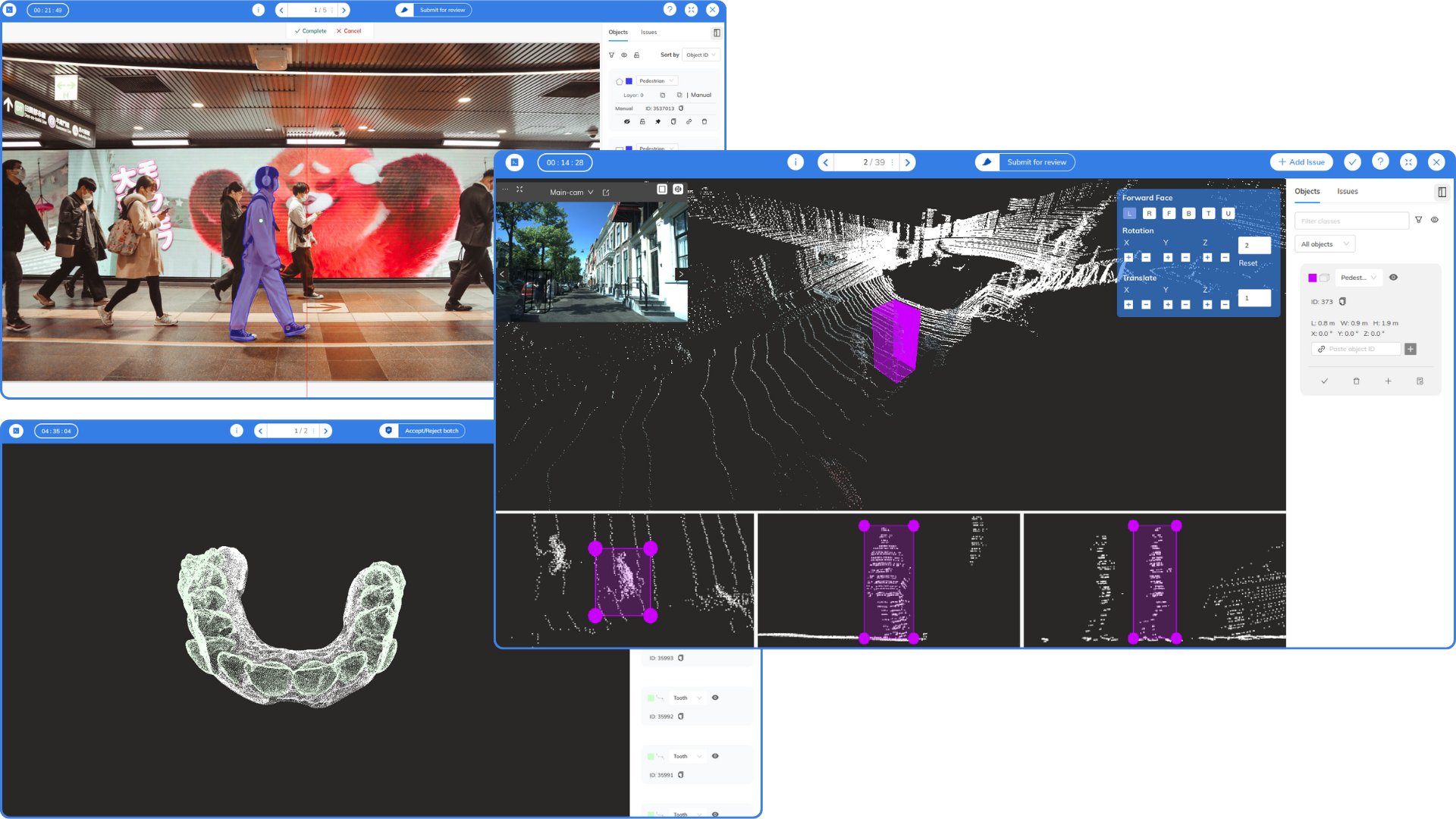
Table of contents:
Setup
Requirements
- Python >= 3.7
- Account on the Mindkosh platform (Create on now)
- SDK Token (contact us to get one)
Installation
- Install the package
pip install mindkosh
Getting started
from mindkosh import Client, PointCloudFile, ImageFile, Label
client = Client(token)
To get started, create a Task/Project object using the token provided to you. You can also set the token in an environment variable(MK_TOKEN) instead of passing as a parameter to the object constructor.
Datasets
Create dataset
client.create_dataset(
    name: str,
    data_type: str
)
Parameters:
- name - unique dataset name
- data_type - image, pointcloud or video
Example:
dataset = client.create_dataset(
    name = 'test-1',
    data_type = 'pointcloud'
)
Get datasets
datasets = client.get_datasets(
    dataset_id = 1
)
Get dataset files
files = client.get_dataset_files(
    dataset_id = 1,
    max_files = 100
)
Update tags
updated_dataset_files = client.update_tags(
    dataset_id = 1,
    datasetfile_ids = [1,2,3,4,5,6,8],
    add = ['tag1','tag2'],
    remove = ['tag2'],
    all = False
)
Upload data
Uploads images from a list of directories or/and files. Useful when all the images same tags/extra.
client.upload_data(
    dataset_id = 1,
    tags = ['tag4'],
    resources = ['/home/user/Desktop/my-images/', '/home/user/Downloads/test1.jpg'],
    recursive = False,
    manifest_file = None,
    save_files_dir = None,
    **kwargs
)
Upload pointcloud data
Uploads images from a list of directories or/and files. Useful when all the images same tags/extra.
pcdfile1 = PointCloudFile(
    filepath = '/file/path1/',
    related_files = [
        ImageFile(
            filepath='/path/to/image1',
            tags=[],
            extra={
                "intrinsic": [255.520403, 449.883682, 250.828738, 255.237477],

                # Projection matrix from lidar to camera
                "extrinsic": [
                    [-0.735827, -0.65789, -0.0384775, 0],
                    [0.6567956, -0.70452916, 0.00140833, 0],
                    [-0.02255652, -0.0248216, 0.9993586, 0],
                    [0, 0, 0, 1]
                ],

                # Camera projection model - PINHOLE OR FISHEYE
                # For FISHEYE, mirrorParameter is also needed
                "cameraModel": "PINHOLE",
                "device_id": 1
            }
        )
    ]
)

client.upload_pointcloud_data(
    dataset_id = 1,
    pcdfiles = [pcdfile1, pcdfile2]
    **kwargs
)
Upload imagefiles
Uploads images with tags/extra for each image
client.upload_imagefiles(
    dataset_id = 1,
    imagefiles = [
        ImageFile(
            filepath='/path/to/image1',
            tags=["city1"]
        ),
        ImageFile(
            filepath='path/to/image2',
            tags=["city2"]
        )
    ]
)
Delete files from dataset
Delete select files or delete all the files from a dataset
client.delete_files_from_dataset(
    dataset_id = 1,
    file_ids = [1,2,3,4],
    delete_all = False
)
Delete dataset
Delete a dataset along with its files
client.delete_dataset(dataset_id=1)
Projects
Create project
project = client.project.create(name, description=None)
To create a project, enter a name and an optional description.
Get all projects
Get list of all project objects
myprojects = client.project.get()
Update project details
project.update_name("new name")
project.update_description("New description")
Delete project
project.delete()
Tasks
Create task
Create a new task :
labels = [
    Label(
      name='car',
      color='#fffccc',
      sequence=1,
      type='non_mask'
    ),
    Label(
      name='bus',
      color='#fcf0fc',
      sequence=2,
      type='instance_mask'
      attributes =[]
    )
]
Note : Each label should have a unique name.
task = client.task.create(
    name='task1',
    labels=labels,
    dataset_id=1,
    tags=['tag1'],
    project_id=None,
    job_modes=['validation','qc']
    batches=3
)
To create a task and upload images/video, user must provide either resources/manifest.
Parameters:
- name - A valid task name.
- batches - Number of images in each job. Only valid for resource_type="imageset".
- project_id - Optional - ID of the project this task should belong to.
Get all tasks
Get list of all the tasks
mytasks = client.task.get()
Update task details
task.update_name("New name")
task.update_project_id(new_valid_project_id)
Download annotations
Get releases
releases = task.get_releases()
Create a release
releases = task.create_release(
    format="coco",
    batches=[1,2],
    description=None,
    webhook_url=None
)
format can be any of the following:
- Available formats and their parameter names:
- COCO - "coco"
- Datumaro - "datumaro"
- Pascal VOC - "voc"
- Segmentation mask - "segmentation_mask"
- YOLO - "yolo"
Download a release
task.download_release(
    release_id=1,
    local_path='/local/dir/'
)
Delete a release
task.delete_release(release_id=1)
Upload annotations
task.upload_annotations(
    annotation_format='coco',
    local_path='annotation_file.zip'
)
Delete task
Delete a task -
task.delete()
Frames
Get frames
frames = t1.frames()
frame = frames[frame_id]
Download frame
frame.download(location)
Show frame annotations
frame.annotations
Download frame annotations
frame.download_annotations(location,format=None)
Parameters :
- location - local dir location where you want to save annotations
- format - None if you want to download row annotations. Any of ("coco", "datumaro", "voc", "yolo") if you want to download datasets in specific format.
Visualize frame annotations
frame.visualize(show_annotations=True,fill_color=0.30)
Parameters :
- show_annotations - False to see raw image, True to see image with annotations.
- fill_color - 0 <= Color transparency <= 1


Download files
Download the file for your platform. If you're not sure which to choose, learn more about installing packages.
Source Distribution
Built Distribution
Filter files by name, interpreter, ABI, and platform.
If you're not sure about the file name format, learn more about wheel file names.
Copy a direct link to the current filters
File details
Details for the file mindkosh-1.1.0.tar.gz.
File metadata
- Download URL: mindkosh-1.1.0.tar.gz
- Upload date:
- Size: 45.2 kB
- Tags: Source
- Uploaded using Trusted Publishing? No
- Uploaded via: twine/6.1.0 CPython/3.13.12
File hashes
| Algorithm | Hash digest | |
|---|---|---|
| SHA256 |
1973fe141b2b2b6eef1c382323d258d55a6c5857f463d3f2b2dd3b8416399f41
|
|
| MD5 |
a99bdef13bfd5d1c07972f09fa84e6f1
|
|
| BLAKE2b-256 |
79c5362697bdb58bf618101732942a845bf005e22aa914e6d6af4a6f5084083f
|
File details
Details for the file mindkosh-1.1.0-py3-none-any.whl.
File metadata
- Download URL: mindkosh-1.1.0-py3-none-any.whl
- Upload date:
- Size: 50.6 kB
- Tags: Python 3
- Uploaded using Trusted Publishing? No
- Uploaded via: twine/6.1.0 CPython/3.13.12
File hashes
| Algorithm | Hash digest | |
|---|---|---|
| SHA256 |
b63debd3ad5d94947589b7fcc9ee8e019f8cc95fd9389b80022ecc1f56025f53
|
|
| MD5 |
03e99b94059093d31ffdeeb59651d3b2
|
|
| BLAKE2b-256 |
46d604de7c672344994e32ed7100c004853dd10a57ea30fc78b745736017cebe
|






