




Minion

High performance agent framework that can do everything. Minion is designed to execute any type of queries, offering a variety of features that demonstrate its flexibility and intelligence.

Features
- CodeAgent - Python code execution agent with tool calling support
- Tool Search Tool (TST) - Dynamic tool discovery, 85% token reduction (docs)
- Auto-compact - Automatic context window management via history summarization (docs)
- Auto-decay - Large tool response management, saves to files after TTL (docs)
- Multi-provider Support - OpenAI, Azure, Bedrock, Anthropic, LiteLLM (100+ providers)
- Skills - Modular capabilities to extend agent functionality (docs)
- MCP Integration - Model Context Protocol tool support
- Streaming - Real-time streaming responses with structured chunks
Installation
Install from PyPI
pip install minionx

# With optional dependencies
pip install minionx[litellm]      # LiteLLM support (100+ LLM providers)
pip install minionx[anthropic]   # Anthropic Claude
pip install minionx[bedrock]     # AWS Bedrock
pip install minionx[gradio]      # Gradio web UI
pip install minionx[all]         # All optional dependencies
Install from Source
git clone https://github.com/femto/minion.git && cd minion
pip install -e .
cp config/config.yaml.example config/config.yaml
cp config/.env.example config/.env
Configure
Edit config.yaml (see Configuration for file location):
models:
  "default":
    api_type: "openai"
    base_url: "${DEFAULT_BASE_URL}"
    api_key: "${DEFAULT_API_KEY}"
    model: "gpt-5.1"
    temperature: 0
Set your API key:
export DEFAULT_BASE_URL=your-base-url use https://api.openai.com/v1 if openai
export DEFAULT_API_KEY=your-api-key
See Configuration for more details on configuration options.
Docker Installation
git clone https://github.com/femto/minion.git && cd minion
cp config/config.yaml.example config/config.yaml

# Set your API key
export DEFAULT_BASE_URL=your-base-url use https://api.openai.com/v1 if openai
export DEFAULT_API_KEY=your-api-key

# Build and run (basic install)
docker-compose build
docker-compose run --rm minion

# Build with optional dependencies
docker-compose build --build-arg EXTRAS="gradio,web,anthropic"
# Or install all extras
docker-compose build --build-arg EXTRAS="all"

# Run a specific example
docker-compose run --rm minion python examples/mcp/mcp_agent_example.py
Quick Start
Using CodeAgent (Recommended)
from minion.agents.code_agent import CodeAgent

# Create agent
agent = await CodeAgent.create(
    name="Minion Code Assistant",
    llm="your-model",
    tools=all_tools,  # optional
)

# Run task
async for event in await agent.run_async("your task here"):
    print(event)
See examples/mcp/mcp_agent_example.py for a complete example with MCP tools.
Using Brain
from minion.main.brain import Brain

brain = Brain()
obs, score, *_ = await brain.step(query="what's the solution 234*568")
print(obs)
See Brain Usage Guide for more examples.
Quick Demo
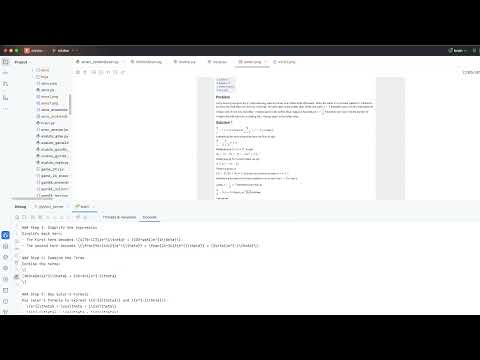
Click to watch the demo video on YouTube.
Working Principle

The flowchart demonstrates the complete process from query to final result:
- First receives the user query (Query)
- System generates a solution (Solution)
- Performs solution verification (Check)
- If unsatisfactory, makes improvements (Improve) and returns to generate new solutions
- If satisfactory, outputs the final result (Final Result)
Documentation
- CodeAgent Documentation - Powerful Python code execution agent
- Brain Usage Guide - Using brain.step() for various tasks
- Skills Guide - Extend agent capabilities with modular skills
- Benchmarks - Performance results on GSM8K, Game of 24, AIME, Humaneval
- Route Parameter Guide - Route options for different reasoning strategies
- Tool Search Tool (TST) - Dynamic tool discovery for large tool libraries (85% token reduction)
- Auto-compact Guide - Automatic context window management via history summarization
- Auto-decay Guide - Automatic context management for large tool responses (Experimental)
Configuration
Configuration File Locations
- Project Config:
MINION_ROOT/config/config.yaml- Default project configuration (see MINION_ROOT) - User Config:
~/.minion/config.yaml- User-specific overrides
Configuration Priority
When both configuration files exist:
- Project Config takes precedence over User Config
This allows you to:
- Keep sensitive data (API keys) in your user config
- Share project defaults through the project config
Environment Variables
Variable Substitution: Use ${VAR_NAME} syntax to reference environment variables directly in config values:
models:
  "default":
    api_key: "${OPENAI_API_KEY}"
    base_url: "${OPENAI_BASE_URL}"
    api_type: "openai"
    model: "gpt-4.1"
    temperature: 0.3
  "azure-gpt-4o":
    api_type: "azure"
    api_key: "${AZURE_OPENAI_API_KEY}"
    base_url: "${AZURE_OPENAI_ENDPOINT}"  # e.g., https://your-resource.openai.azure.com/
    api_version: "2024-06-01"
    model: "gpt-4o"  # deployment name
    temperature: 0
Loading .env Files: Use env_file to load environment variables from .env files (follows Docker .env file format):
env_file:
  - .env        # loaded first
  - .env.local  # loaded second, can override values from .env
Inline Environment Variables: Define environment variables directly in config:
environment:
  MY_VAR: "value"
  ANOTHER_VAR: "another_value"
Variables from all sources (system environment, .env files, inline environment) will be available for ${VAR_NAME} substitution throughout the configuration.
Supported API Types
| api_type | Description | Required Fields |
|---|---|---|
openai |
OpenAI API or compatible (Ollama, vLLM, LocalAI) | api_key, base_url, model |
azure |
Azure OpenAI Service | api_key, base_url, api_version, model |
azure_inference |
Azure AI Model Inference (DeepSeek, Phi) | api_key, base_url, model |
azure_anthropic |
Azure hosted Anthropic models | api_key, base_url, model |
bedrock |
AWS Bedrock (sync) | access_key_id, secret_access_key, region, model |
bedrock_async |
AWS Bedrock (async, better performance) | access_key_id, secret_access_key, region, model |
litellm |
Unified interface for 100+ providers | api_key, model (with provider prefix) |
LiteLLM Model Prefixes: Use anthropic/claude-3-5-sonnet, bedrock/anthropic.claude-3, gemini/gemini-1.5-pro, ollama/llama3.2, etc. See LiteLLM docs for all supported providers.
See config/config.yaml.example for complete examples of all supported providers.
Warning: Be cautious - LLM can generate potentially harmful code.
MINION_ROOT
MINION_ROOT is the base directory for locating configuration files (MINION_ROOT/config/config.yaml).
How MINION_ROOT is Determined
- Checks
MINION_ROOTenvironment variable (if set) - Auto-detects by finding
.git,.project_root, or.gitignorein parent directories - Falls back to current working directory
MINION_ROOT by Installation Method
| Installation Method | MINION_ROOT Value |
|---|---|
pip install minionx (PyPI) |
Your application's current working directory (cwd) |
pip install -e . (Source) |
The minion source code directory |
Example:
# PyPI install - config at /home/user/myproject/config/config.yaml
cd /home/user/myproject
python my_app.py  # MINION_ROOT = /home/user/myproject

# Source install from /home/user/minion
cd /home/user/minion && pip install -e .
cd /anywhere
python my_app.py  # MINION_ROOT = /home/user/minion
Verify MINION_ROOT - Check the startup log:
INFO | minion.const:get_minion_root:44 - MINION_ROOT set to: <some_path>
Related Projects
- minion-agent Production agent system with multi-agent coordination, browser automation, and research capabilities
- minion-code Minion's implementation of Claude Code
Community and Support
WeChat Group (minion-agent discussion):

Optional Dependencies
The project uses optional dependency groups to avoid installing unnecessary packages. Install only what you need:
# Development tools (pytest, black, ruff)
pip install -e ".[dev]"

# LiteLLM - unified interface for 100+ LLM providers
pip install -e ".[litellm]"

# Google ADK and LiteLLM support
pip install -e ".[google]"

# Browser automation (browser-use)
pip install -e ".[browser]"

# Gradio web UI
pip install -e ".[gradio]"

# UTCP support
pip install -e ".[utcp]"

# AWS Bedrock support
pip install -e ".[bedrock]"

# Anthropic Claude support
pip install -e ".[anthropic]"

# Web tools (httpx, beautifulsoup4, etc.)
pip install -e ".[web]"

# Install ALL optional dependencies
pip install -e ".[all]"

# You can also combine multiple groups:
pip install -e ".[dev,gradio,anthropic,litellm]"
1 maintainer

Metadata
1 maintainer
Release files for minionx 0.1.22
For a detailed explanation of source distributions (sdists) and built distributions (wheels), please see the package formats documentation.
Source distribution (sdist)
| File | Size | Uploaded | |
|---|---|---|---|
| minionx-0.1.22.tar.gz | 2.5 MB | Details |
Built distribution (wheel)
| File | Interpreter | ABI | Platform | Reset |
|---|---|---|---|---|
| minionx-0.1.22-py3-none-any.whl | Python 3 | none | any | Details |
Total release size: 2.9 MB
Release files / minionx-0.1.22.tar.gz
| Download URL | minionx-0.1.22.tar.gz |
|---|---|
| Size | 2.5 MB |
| Tags | Source |
|
SHA-256 checksum How to use checksums |
703e1dce13f045d05de79fee60d8d270edd6881c3c6d4ed077fa60905fc4ae20
|
|
BLAKE2b-256 checksum How to use checksums |
8d1706ca9c6f9076c7ff64bf31a4fcf37b23b57db3700c7a8d1b9b123892c8ca
|
| Upload date | |
|
Uploaded using Trusted Publishing? What is trusted publishing? |
No |
| Uploaded via |
twine/7.0.0 CPython/3.11.4
|
Release files / minionx-0.1.22-py3-none-any.whl
| Download URL | minionx-0.1.22-py3-none-any.whl |
|---|---|
| Size | 353.8 kB |
| Tags | Python 3 |
|
SHA-256 checksum How to use checksums |
620d6c2f2e714d974df257db51dfb373ee7f9acf8cf74e766414a6c90cf41ad5
|
|
BLAKE2b-256 checksum How to use checksums |
ae524727843d3bef4ef82900163a6b0c7b4e17f1a34a606bdcacabad4a9be0c1
|
| Upload date | |
|
Uploaded using Trusted Publishing? What is trusted publishing? |
No |
| Uploaded via |
twine/7.0.0 CPython/3.11.4
|














