
🪞 MirrorDash





The ambient, zero-friction smart display designed to bring your home to life—silently, elegantly, and beautifully.
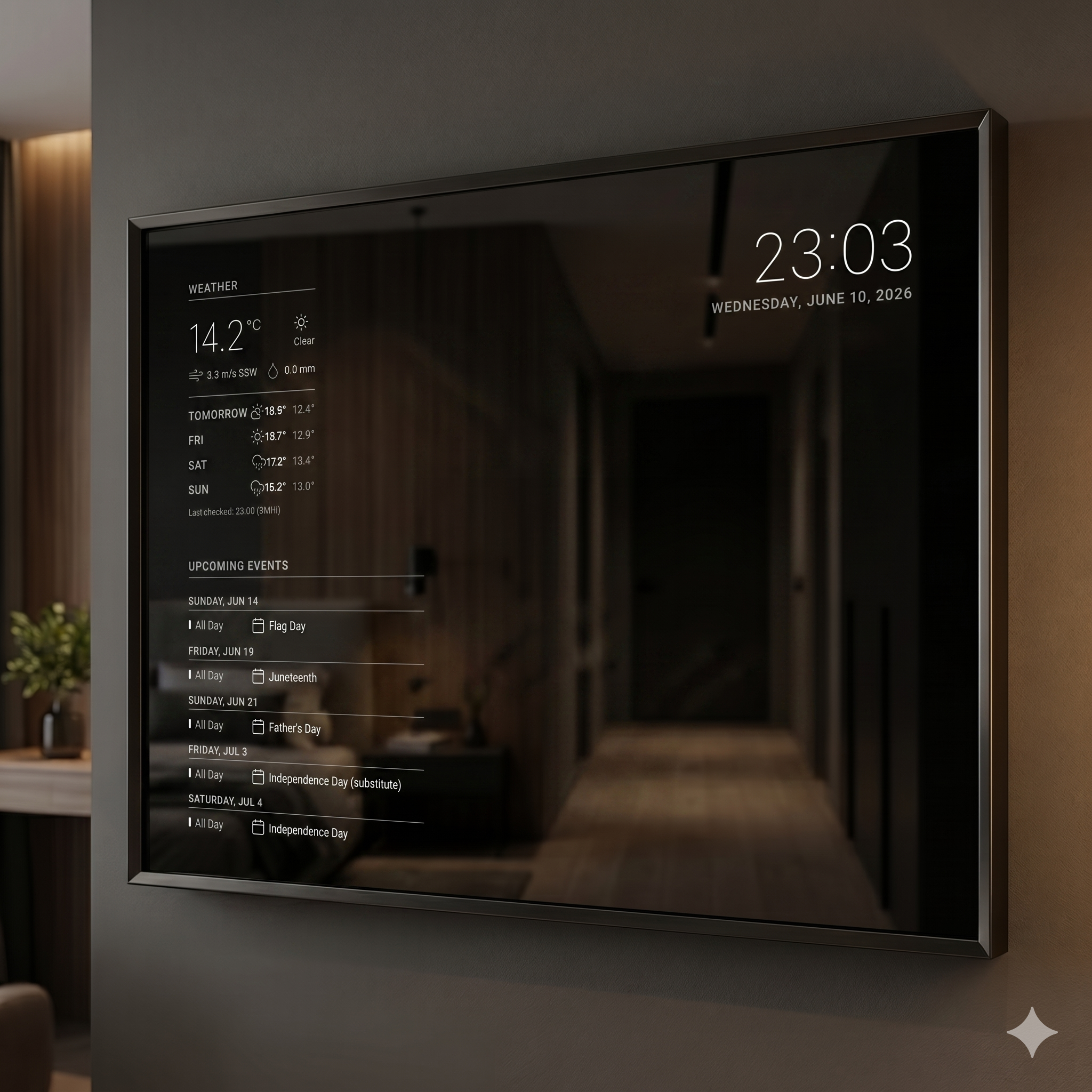
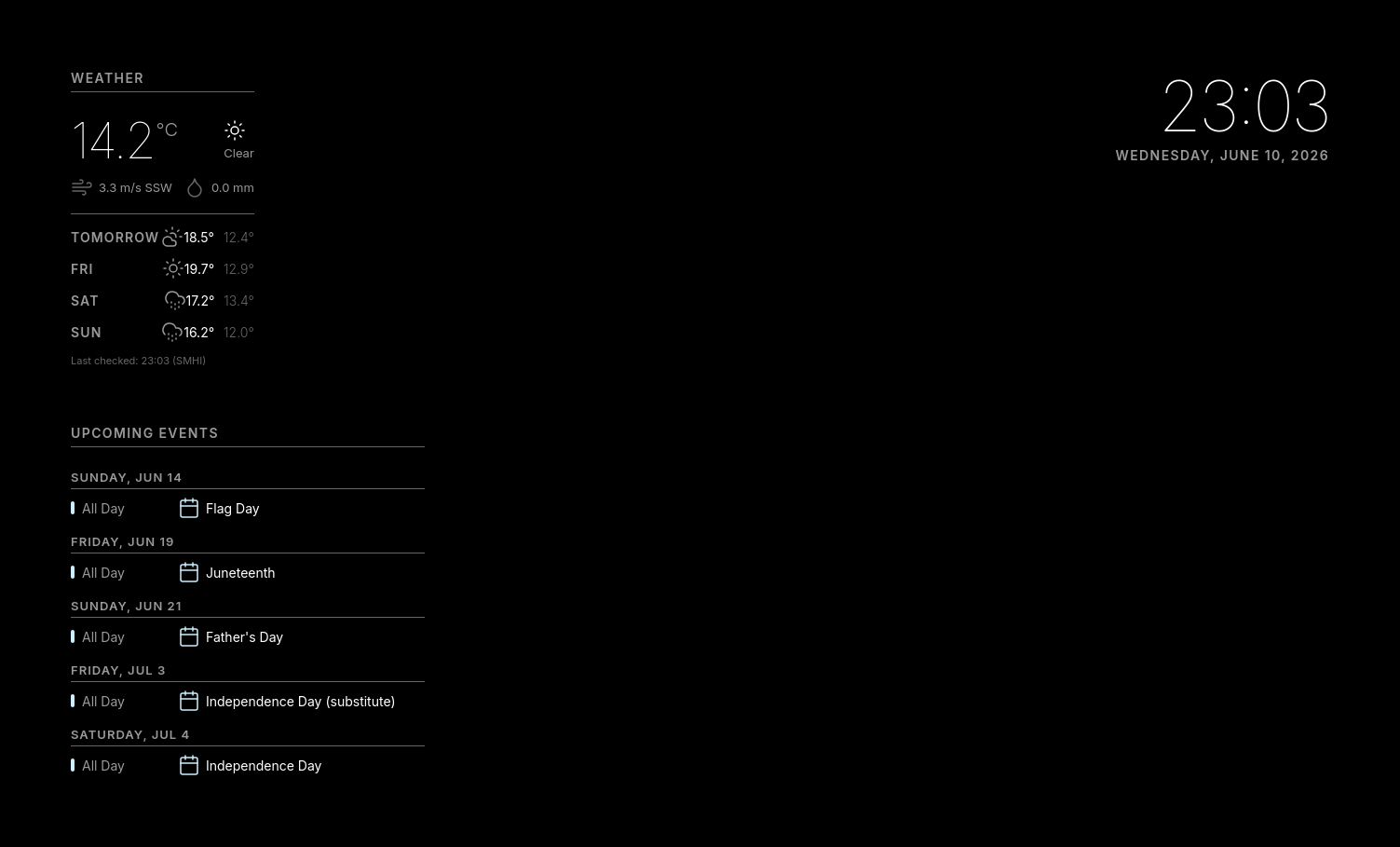
Imagine a morning routine without screens, clutter, or notification fatigue. You walk into your bathroom or hallway, look in the mirror, and see the time, today's weather forecast, and your upcoming calendar appointments floating gently on the glass. No buttons to press, no voice assistants to argue with, and no touchscreen smudges.
That is MirrorDash—a professional-grade, ambient smart display that turns any two-way mirror into a quiet, glanceable dashboard.
✨ Why MirrorDash is Different
While smart mirrors and screens have existed for years, they are notoriously difficult to set up, maintain, and develop for. MirrorDash is built from the ground up to solve these pain points, offering a premium experience that sets it apart from traditional platforms:
- 🛡️ True "Set and Forget" Reliability: Standard DIY smart displays frequently corrupt their SD cards due to constant writing of logs and cache files. MirrorDash is built to run on write-restricted, read-only operating systems (OverlayFS). Dynamic configurations are isolated to a protected, persistent partition, ensuring your display runs continuously for years without filesystem degradation or SD card wear.
- 📱 No-Code Phone Configuration: Most open-source smart mirror platforms require you to edit complicated configuration files using terminal commands or SSH. MirrorDash provides an elegant, local Admin Dashboard that lets you change settings, toggle widgets, enter API keys, and manage backups directly from your phone.
- ⚡ Ultra-Lightweight, Zero-Build Frontend: Unlike modern web setups that rely on heavy frameworks (like React or Vue) and bloat the CPU, MirrorDash uses pure, native HTML, CSS, and JavaScript connected via direct WebSockets. By eliminating heavy build steps and runtimes, the interface updates instantly with near-zero CPU and memory overhead on the Raspberry Pi.
- 🧩 Decoupled Widget Ecosystem: Instead of a massive, messy codebase where one broken module crashes the entire system, MirrorDash treats every widget as a fully isolated, standard Python package. Developers can build, test, and distribute widgets independently using the MirrorDash SDK without touching the core system.
⚙️ Technical Deep-Dive (For Developers)
Under the hood, MirrorDash is a production-grade IoT platform optimized for the Raspberry Pi running in full-screen kiosk mode.
- 🐍 Backend: FastAPI (Python 3.14) driving a high-performance, asynchronous event loop. Communication with the frontend is handled via real-time WebSockets with local frame caching for instant layout rendering on client connect.
- 🎨 Frontend & Styling: Zero-framework vanilla HTML5, CSS Grid/Flexbox, and native JavaScript.
- ✨ Live Design Explorer: Served at
http://localhost:8000/designwhen running the application. It acts as a live interactive kitchen-sink containing styling tokens, typography examples, and copy-pasteable layout/component markups matching the Ethereal Design System. - 🔒 OS Hardening: Configured to run on a read-only OverlayFS root filesystem (Debian 13 Trixie). Dynamic configs and data are written exclusively to a persistent user partition, preventing SD card corruption from frequent write cycles.
- 🏗️ Decoupled Architecture: Widgets are fully isolated, pip-installable Python packages discovered at runtime via metadata entry points.
🚀 Build for MirrorDash (Pushing Community Modules)
Do you have a smart device, a custom API, or a unique idea you want to show on your mirror? MirrorDash is built for developers. We invite you to build and share custom widgets with the community!
Our standalone MirrorDash SDK makes bootstrapping a new widget incredibly easy:
- 🛠️ Scaffold a new module in seconds:
uvx mirrordash-cli create-module mirrordash-my-widget --description "My custom display widget"
- 💻 Develop with standard tools: Write simple Python logic to fetch data, and structure your layout with a clean Jinja2 HTML template and vanilla CSS.
- 📦 Share it: Push your module to GitHub and make a GitHub Release; mirrors install it from its Git URL.
Whether you want to show transit schedules, air quality indexes, plant soil moisture, or custom stock charts, the community is always looking for new modules. Check out mirrordash-sdk to get started!
1 maintainer

Metadata
1 maintainer
Release files for mirrordash 0.5.0
For a detailed explanation of source distributions (sdists) and built distributions (wheels), please see the package formats documentation.
Source distribution (sdist)
| File | Size | Uploaded | |
|---|---|---|---|
| mirrordash-0.5.0.tar.gz | 7.1 MB | Details |
Built distribution (wheel)
| File | Interpreter | ABI | Platform | Reset |
|---|---|---|---|---|
| mirrordash-0.5.0-py3-none-any.whl | Python 3 | none | any | Details |
Total release size: 8.6 MB
Release files / mirrordash-0.5.0.tar.gz
| Download URL | mirrordash-0.5.0.tar.gz |
|---|---|
| Size | 7.1 MB |
| Tags | Source |
|
SHA-256 checksum How to use checksums |
fb1cb3495dcc373706a617a53645a8d10956841beaeb540f80126a741c5396e3
|
|
BLAKE2b-256 checksum How to use checksums |
820e511f9cea46afa7cdeb30358eb1bbe22032b1ba0ecdf8f4c8ba2cc907f724
|
| Upload date | |
|
Uploaded using Trusted Publishing? What is trusted publishing? |
Yes |
| Uploaded via |
twine/7.0.0 CPython/3.13.14
|
Provenance
Provenance describes where a file came from. On PyPI, provenance is shared via attestations, which provide a verifiable record of the build or publishing details. View details, limitations and caveats.


PyPI Publish Attestation
PyPI verified that this artifact, at this checksum, originated from the publisher listed below.
Signed by GitHub Actions, verified by PyPI on Oct 8, 2026.
Transparency logRelease files / mirrordash-0.5.0-py3-none-any.whl
| Download URL | mirrordash-0.5.0-py3-none-any.whl |
|---|---|
| Size | 1.5 MB |
| Tags | Python 3 |
|
SHA-256 checksum How to use checksums |
5affc6e46e5a6cd48ad7e069ed1f9e2bc53b862b842777fa7493a46ad17fc65e
|
|
BLAKE2b-256 checksum How to use checksums |
21f87839ac4cbc82ebfc5d00860048d21dde6528c504c35df24d51430d8a4549
|
| Upload date | |
|
Uploaded using Trusted Publishing? What is trusted publishing? |
Yes |
| Uploaded via |
twine/7.0.0 CPython/3.13.14
|
Provenance
Provenance describes where a file came from. On PyPI, provenance is shared via attestations, which provide a verifiable record of the build or publishing details. View details, limitations and caveats.
PyPI Publish Attestation
PyPI verified that this artifact, at this checksum, originated from the publisher listed below.
Signed by GitHub Actions, verified by PyPI on Oct 8, 2026.
Transparency log













