
This release is a pre-release and may not be stable for production use.
🪞 MirrorDash





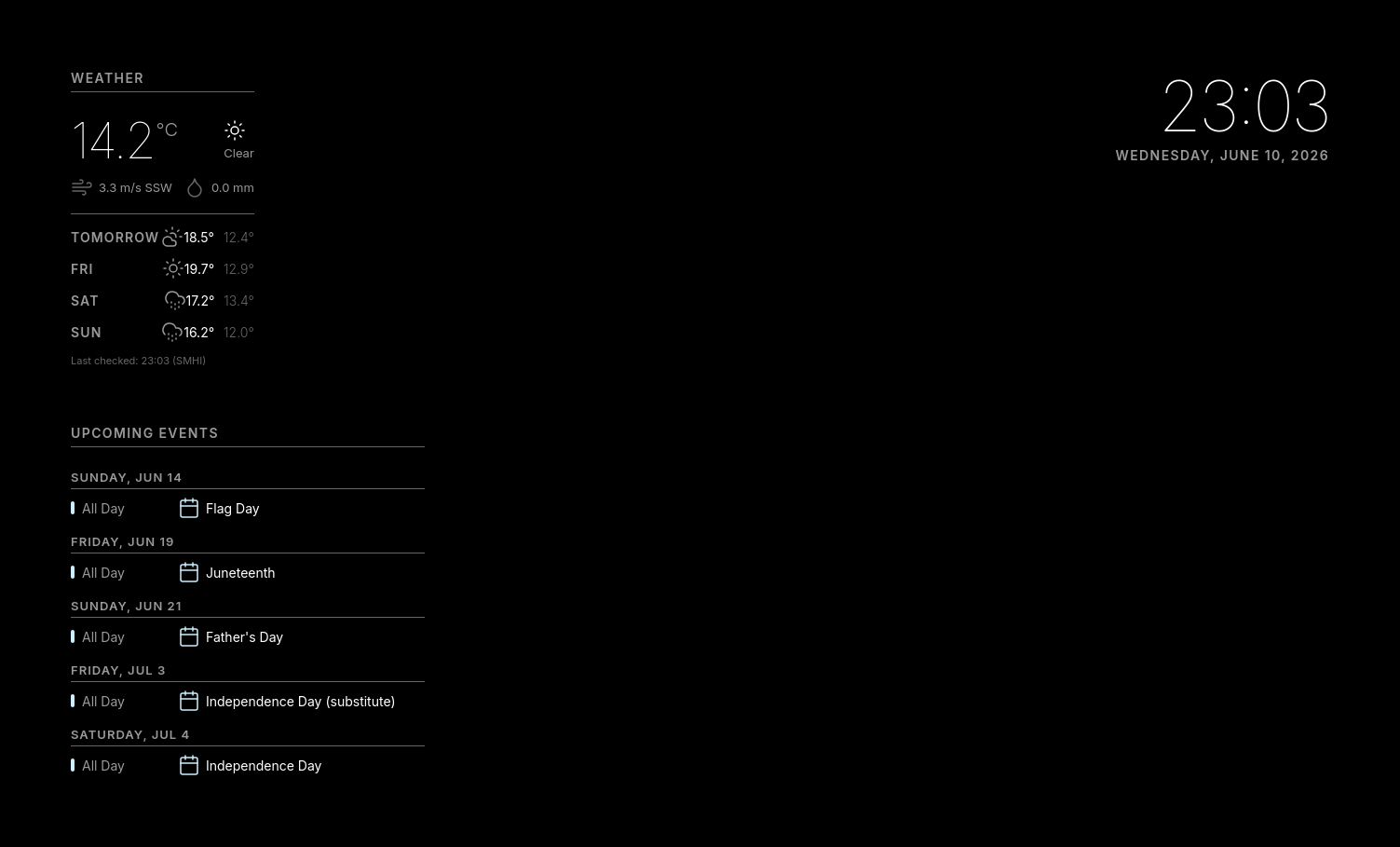
A calm display for your hallway mirror: the time, the weather and your day, glowing through the glass. No touchscreen, no voice assistant, no notifications.
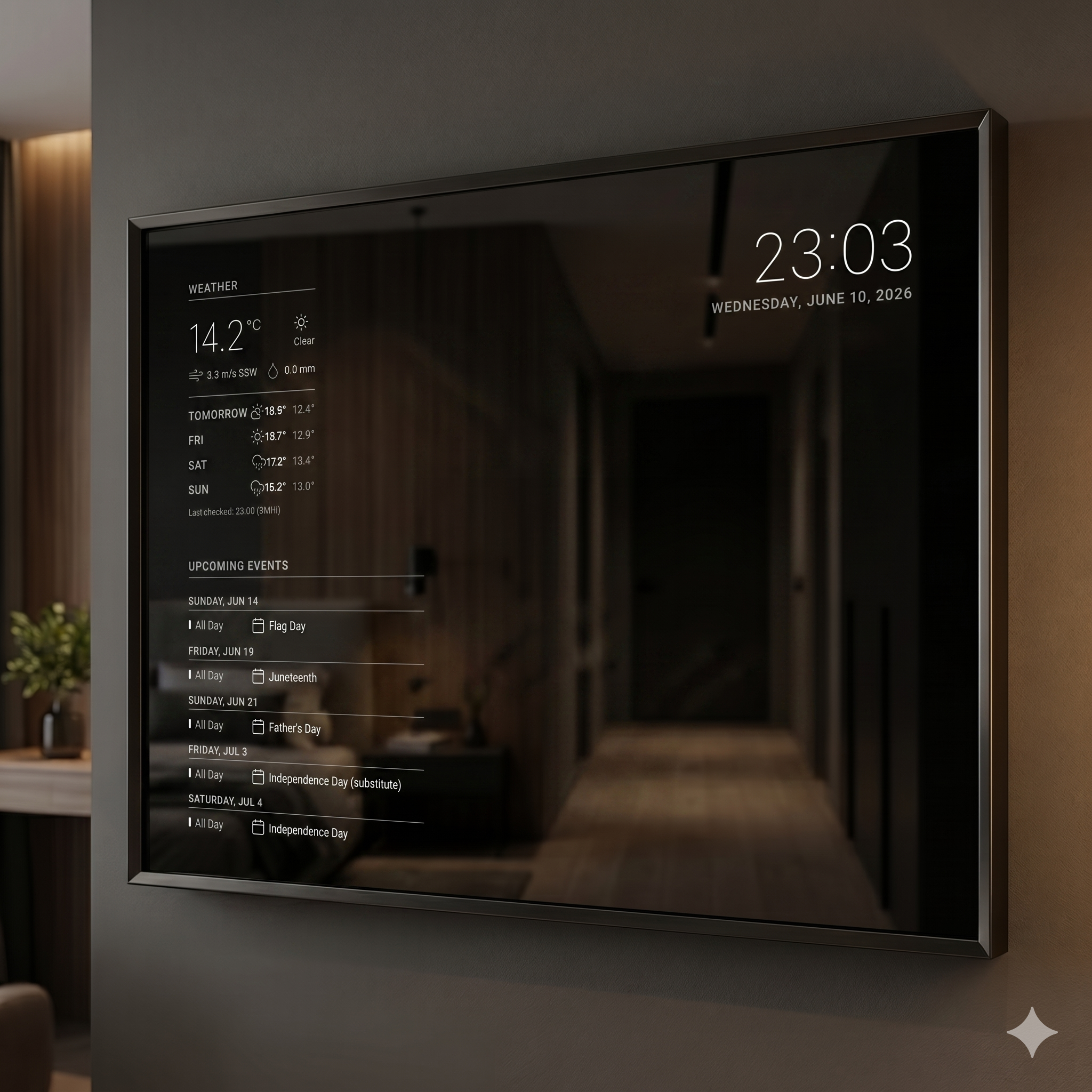
From SD card to mirror in three steps
- Flash the MirrorDash image onto an SD card and put it in the Pi.
- Join the mirror's own Wi-Fi with your phone (scan the QR code on the screen) and pick your home network.
- Done. Open
mirrordash.localon your phone to choose what the mirror shows.
No keyboard, no terminal, no config files, now or later.
Why it's different from the smart mirror you built last time
| A typical DIY smart mirror | MirrorDash | |
|---|---|---|
| Setting it up | Keyboard, terminal, config files | Join its Wi-Fi from your phone, pick your network |
| Changing things | Edit a file over SSH | Your phone, in the admin page |
| An update goes wrong | A black screen, and an evening of debugging | It goes back to the last version by itself |
| The SD card | Wears out from constant writing | The system part is read-only |
| The screen | On all night | On when someone's there, on a schedule, or from Home Assistant |
| New widgets | Copy code into the project | Tap Install in the admin page |
Get started
You need
- A Raspberry Pi 3 or newer (MirrorDash is developed and tested on a Pi 3 B).
- An SD card of at least 8 GB.
- The official power supply (5.1 V, 2.5 A for a Pi 3). A weaker one makes the mirror slow, and it warns you.
- A screen behind a two-way mirror.
Then
- Download the latest image (
mirrordash-os-….img.xz) from Releases: the newest release whose name ends in-os1,-os2, …. - Flash it with Raspberry Pi Imager (Choose OS → Use custom).
- Start the mirror. On its first start it restarts once by itself, then shows the Wi-Fi setup. The user guide takes it from there.
Modules
The clock comes with the mirror. Install the others in the admin page under Modules → Discover New Modules.
| Module | Shows |
|---|---|
| Clock | The time and date |
| Weather | The weather now and the forecast |
| Calendar | Your upcoming events |
| News | The latest headlines from built-in or your own sources |
| Home Assistant | Sensors from Home Assistant |
| Krisinformation | Swedish crisis information from Krisinformation.se |
| Namnsdag | The Swedish name day |
Make your own
uvx mirrordash-sdk quickstart mirrordash-my-widget
This creates a module with example data and starts a mirror on your computer that shows every change as you save. Put the module on GitHub as mirrordash-<something> and publish a GitHub Release: it then shows up in every mirror's Discover list. The SDK and its module guide have the details.
Under the hood
- Server: FastAPI (Python 3.14). Modules push their content to the screen over a WebSocket, and a page that reconnects gets everything again right away.
- Screen: plain HTML, CSS and JavaScript without a build step, shown full screen by Cog (WPE WebKit) on labwc. Every mirror has its component library at
/design. - Modules: each is its own Python package, found through entry points. A module that crashes is restarted on its own.
- System: Raspberry Pi OS (Debian 13) with a read-only root (overlayroot). Settings, modules and Wi-Fi live on a separate partition. Updates go into a second environment, and the mirror switches back if the new one doesn't start.
Documentation
- User guide: setting up, wiring, the screen's rules, recovery, Home Assistant.
- Changelog: what's new in each release.
- Architecture and Design system: for contributors.
- Golden image and Releasing: how the OS image is built and released.
License
PolyForm Noncommercial 1.0.0: free to use and change for personal, non-commercial use.
1 maintainer

Metadata
1 maintainer
Release files for mirrordash 0.6.2rc1
For a detailed explanation of source distributions (sdists) and built distributions (wheels), please see the package formats documentation.
Source distribution (sdist)
| File | Size | Uploaded | |
|---|---|---|---|
| mirrordash-0.6.2rc1.tar.gz | 7.1 MB | Details |
Built distribution (wheel)
| File | Interpreter | ABI | Platform | Reset |
|---|---|---|---|---|
| mirrordash-0.6.2rc1-py3-none-any.whl | Python 3 | none | any | Details |
Total release size: 8.6 MB
Release files / mirrordash-0.6.2rc1.tar.gz
| Download URL | mirrordash-0.6.2rc1.tar.gz |
|---|---|
| Size | 7.1 MB |
| Tags | Source |
|
SHA-256 checksum How to use checksums |
bb40ad8a59e89c66d9cffd7668fcca398e98736693c01d14a987b5da466f3073
|
|
BLAKE2b-256 checksum How to use checksums |
65b77f6dcec476349821dc6405eb973fe109099b12ada353a4605fb3fc343b0d
|
| Upload date | |
|
Uploaded using Trusted Publishing? What is trusted publishing? |
Yes |
| Uploaded via |
twine/7.0.0 CPython/3.13.14
|
Provenance
Provenance describes where a file came from. On PyPI, provenance is shared via attestations, which provide a verifiable record of the build or publishing details. View details, limitations and caveats.


PyPI Publish Attestation
PyPI verified that this artifact, at this checksum, originated from the publisher listed below.
Signed by GitHub Actions, verified by PyPI on Oct 8, 2026.
Transparency logRelease files / mirrordash-0.6.2rc1-py3-none-any.whl
| Download URL | mirrordash-0.6.2rc1-py3-none-any.whl |
|---|---|
| Size | 1.5 MB |
| Tags | Python 3 |
|
SHA-256 checksum How to use checksums |
8b75165d857dcd420726256e61138935c63391f7768e64b08078054515c86b2e
|
|
BLAKE2b-256 checksum How to use checksums |
95f64d4e7a809cc76ea347fa62326e95d83bac45b02b550a670b9a35836aa489
|
| Upload date | |
|
Uploaded using Trusted Publishing? What is trusted publishing? |
Yes |
| Uploaded via |
twine/7.0.0 CPython/3.13.14
|
Provenance
Provenance describes where a file came from. On PyPI, provenance is shared via attestations, which provide a verifiable record of the build or publishing details. View details, limitations and caveats.
PyPI Publish Attestation
PyPI verified that this artifact, at this checksum, originated from the publisher listed below.
Signed by GitHub Actions, verified by PyPI on Oct 8, 2026.
Transparency log













