
ML Conformer Generator

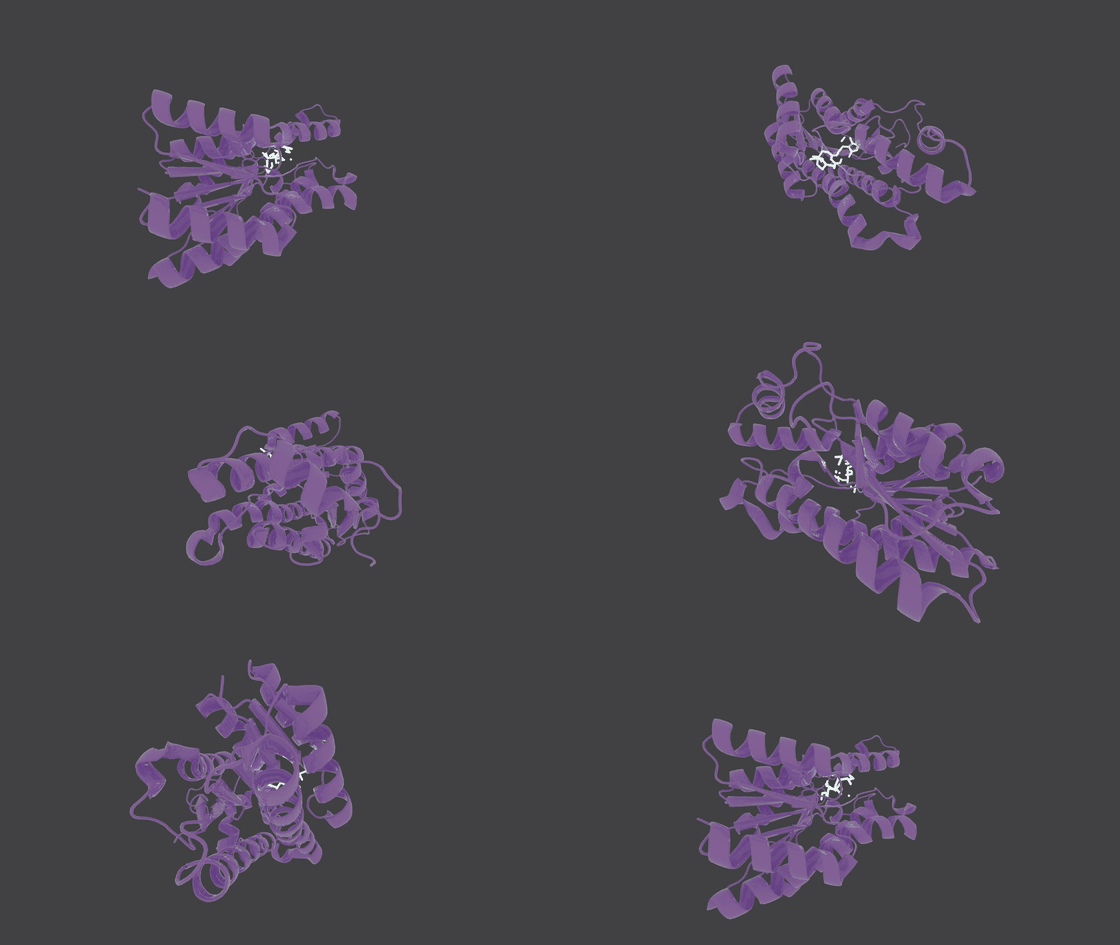
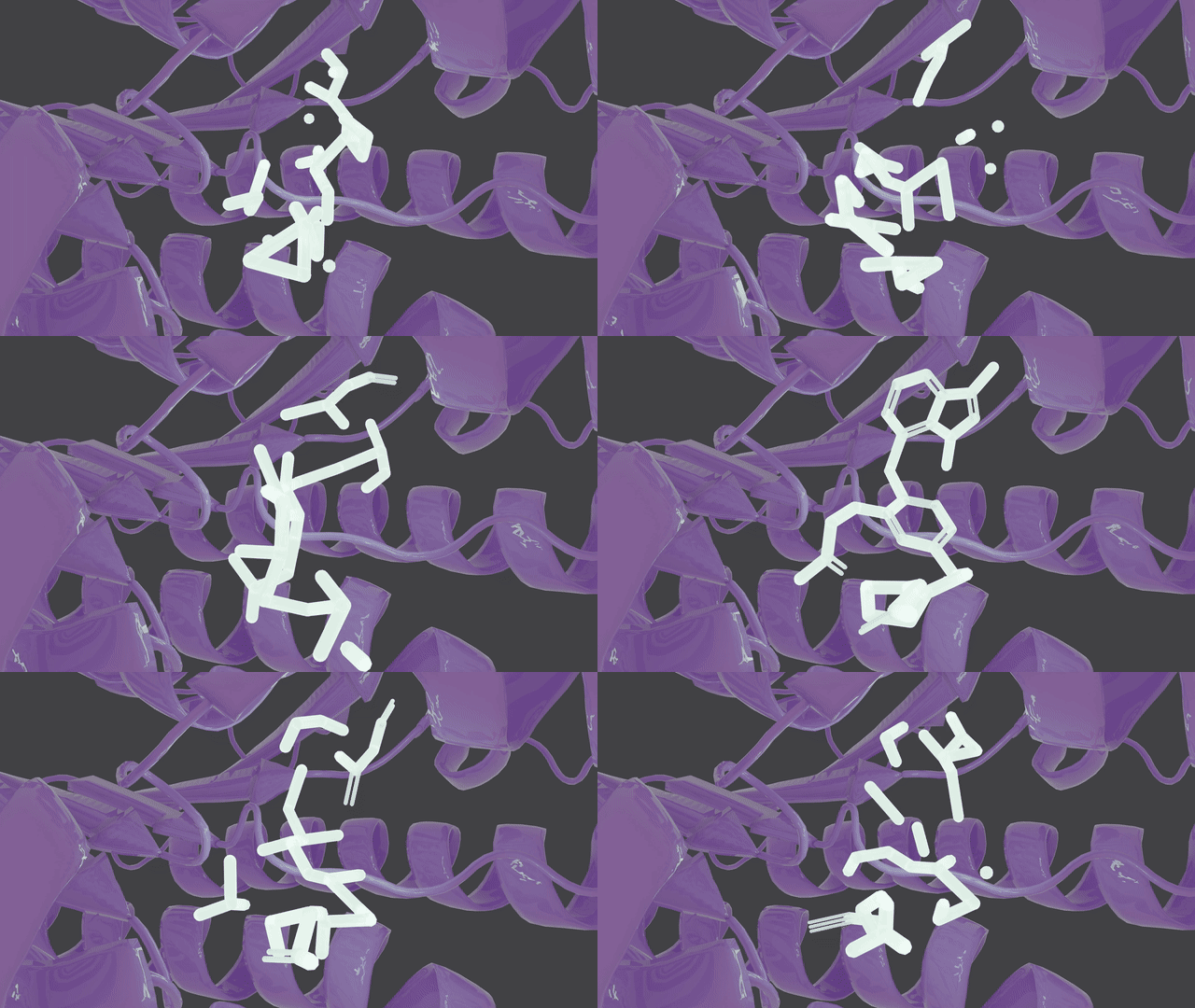
ML Conformer Generator is a tool for spatially-aware molecule generation with an Equivariant Diffusion Model (EDM) and a Graph Convolutional Network (GCN). It is designed to generate 3D molecular conformations that are both chemically valid and spatially similar to a reference shape.
Molecule Generation in Action
Supported features
-
Shape-guided molecular generation
Generate novel molecules that conform to arbitrary 3D shapes—such as protein binding pockets or custom-defined spatial regions.
-
Objective-guided Generation
Use reinforcement learning (RL) to steer molecular generation toward higher-scoring candidates, with support for custom scoring functions.
-
Reference-based conformer similarity
Create molecules conformations of which closely resemble a reference structure, supporting scaffold-hopping and ligand-based design workflows.
-
Fragment-based inpainting
Fix specific substructures or fragments within a molecule and complete or grow the rest in a geometrically consistent manner.
-
Inertial Fragment Matching
Generate molecules fragment-by-fragment by leveraging the physical properties of the shape descriptor, improving both shape similarity and chemical validity.
Citation
If you use MLConfGen in your research, please cite:
Denis Sapegin, Fedor Bakharev, Dmitry Krupenya, Azamat Gafurov, Konstantin Pildish, and Joseph C. Bear.
Moment of inertia as a simple shape descriptor for diffusion-based shape-constrained molecular generation.
Digital Discovery, 2025.
DOI: 10.1039/D5DD00318K
Installation
-
Install the package for your preferred backend:
-
pip install mlconfgen[torch]— use the PyTorch-based inference pipeline -
pip install mlconfgen[onnx]— use the torch-free ONNX runtime version
-
-
Load the weights from Huggingface
edm_moi_chembl_15_39.pt
adj_mat_seer_chembl_15_39.pt
🐍 Python API
See interactive examples: ./python_api_demo.ipynb
from rdkit import Chem
from mlconfgen import MLConformerGenerator, evaluate_samples

model = MLConformerGenerator(
                             edm_weights="./edm_moi_chembl_15_39.pt",
                             adj_mat_seer_weights="./adj_mat_seer_chembl_15_39.pt",
                             diffusion_steps=100,
                            )

reference = Chem.MolFromMolFile('./assets/demo_files/ceyyag.mol')

samples = model.generate_conformers(reference_conformer=reference, n_samples=20, variance=2)

aligned_reference, std_samples = evaluate_samples(reference, samples)
🚀 Overview
This solution employs:
- Equivariant Diffusion Model (EDM) [1]: For generating atom coordinates and types under a shape constraint.
- Graph Convolutional Network (GCN) [2]: For predicting atom adjacency matrices.
- Deterministic Standardization Pipeline: For refining and validating generated molecules.
🧠 Model Training
- Trained on 1.6 million compounds from the ChEMBL database.
- Filtered to molecules with 15–39 heavy atoms.
- Supported elements:
H, C, N, O, F, P, S, Cl, Br.
🧪 Standardization Pipeline
The generated molecules are post-processed through the following steps:
- Largest Fragment picker
- Valence check
- Kekulization
- RDKit sanitization
- Constrained Geometry optimization via MMFF94 Molecular Dynamics
📏 Evaluation Pipeline
Aligns and Evaluates shape similarity between generated molecules and a reference using Shape Tanimoto Similarity [3] via Gaussian Molecular Volume overlap.
Hydrogens are ignored in both reference and generated samples for this metric.
📊 Performance (100 Denoising Steps)
Tested on 100,000 samples using 1,000 CCDC Virtual Screening [4] reference compounds.
General Overview
- ⏱ Avg time to generate 50 valid samples: 11.46 sec (NVIDIA H100) (100 samples batch)
- ⚡️ Generation speed: 4.18 valid molecules/sec (100 samples batch)
- 💾 GPU memory (per generation thread): Up to 14.0 GB (
float1639 atoms 100 samples) - 📐 Avg Shape Tanimoto Similarity: 53.32% (Basic generation) - 69.97% (Inertial Fragment Matching)
- 🎯 Max Shape Tanimoto Similarity: 99.69%
- 🔬 Avg Chemical Tanimoto Similarity (2-hop 2048-bit Morgan Fingerprints): 10.87%
- 🧬 % Chemically novel (vs. training set): 99.84%
- ✔️ % Valid molecules (post-standardization): 48% (ML Bond Prediction) - 93% (OpenBabel bond prediction)
- 🔁 % Unique molecules in generated set: 99.94%
- 📎 Fréchet Fingerprint Distance (2-hop 2048-bit Morgan Fingerprints):
- To ChEMBL: 4.13
- To PubChem: 2.64
- To ZINC (250k): 4.95
PoseBusters [5] validity check results:
Overall stats:
- PB-valid molecules: 91.33 %
Detailed Problems:
- position: 0.01 %
- mol_pred_loaded: 0.0 %
- sanitization: 0.01 %
- inchi_convertible: 0.01 %
- all_atoms_connected: 0.0 %
- bond_lengths: 0.24 %
- bond_angles: 0.70 %
- internal_steric_clash: 2.31 %
- aromatic_ring_flatness: 3.34 %
- non-aromatic_ring_non-flatness: 0.27 %
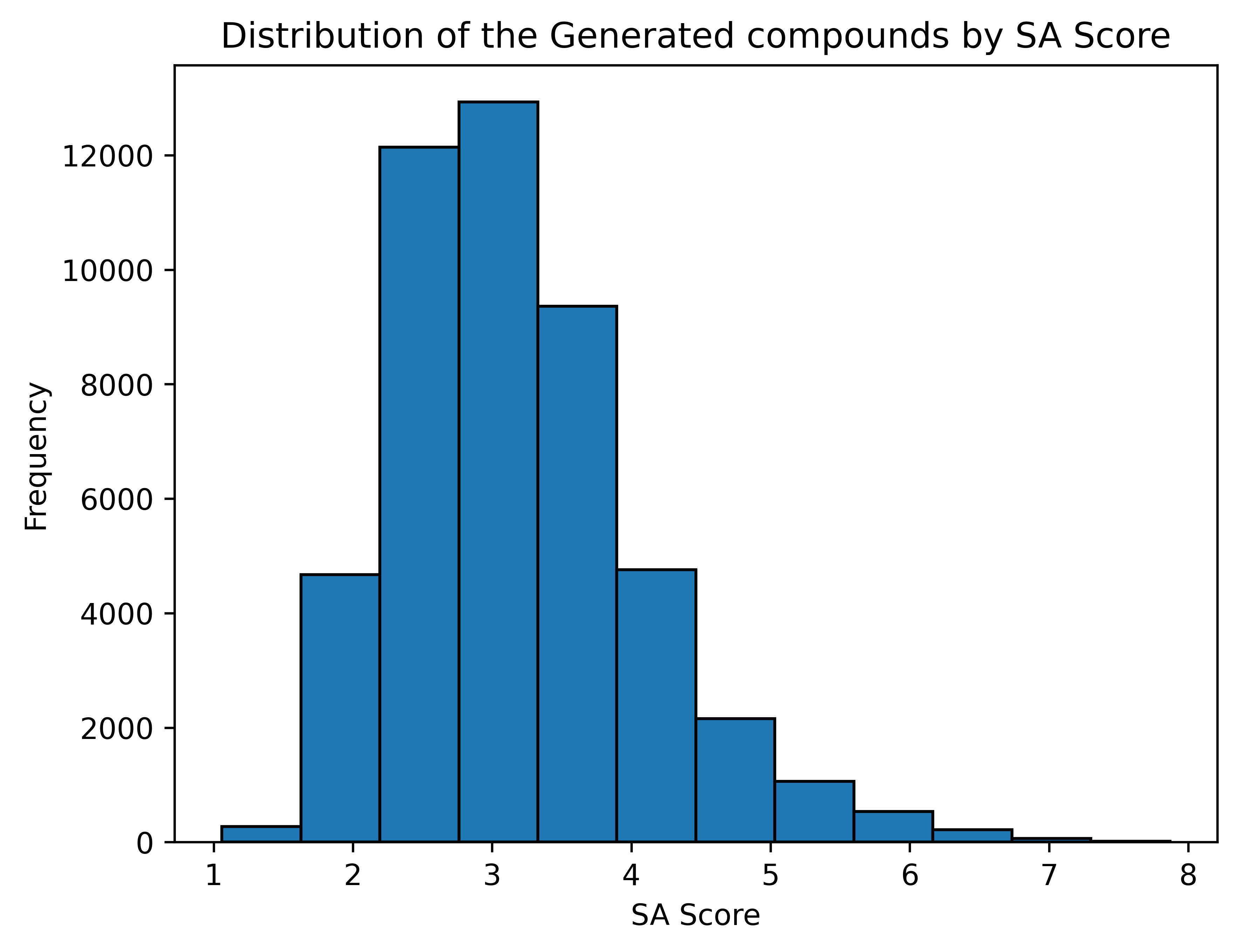
Synthesizability of the generated compounds
SA Score [6]
1 (easy to make) - 10 (very difficult to make)
Average SA Score: 3.18
RL Fine Tuning
MLConformerGenerator supports objective-guided reinforcement learning (RL) fine-tuning, allowing you to steer the generated molecular distribution toward molecules that better match your desired properties.
Scoring functions are fully customizable. The only requirement is that they accept a list of RDKit Mol objects and return a list of scores in the range [0, 1].
A scoring function should follow this interface:
from rdkit import Chem

def scoring_function(mols: list[Chem.Mol | None]) -> list[float]:
    ...
Example: RL fine-tuning
[!NOTE] If
scoring_functionis None, a default scoring function enforcing validity is applied for RL.
from rdkit import Chem
from mlconfgen import MLConformerGenerator

model = MLConformerGenerator(
                             edm_weights="./edm_moi_chembl_15_39.pt",
                             adj_mat_seer_weights="./adj_mat_seer_chembl_15_39.pt",
                             diffusion_steps=10,
                            )

reference = Chem.MolFromMolFile('./assets/demo_files/ceyyag.mol')

model.fine_tune(
                  reference_conformer=reference,
                  variance=1,
                  n_epochs=20,
                  sigma=60.0,
                  lambda_edm_adapter=1.5,
                  temperature=1.5,
                  n_samples_per_mol=16,
                  eval_every=5,
                  save_dir="./rl_checkpoints"
)
Fine-tuning produces both the best and the latest checkpoints, which can later be loaded into the model:
from mlconfgen import MLConformerGenerator

model = MLConformerGenerator(
                             edm_weights="./edm_moi_chembl_15_39.pt",
                             adj_mat_seer_weights="./adj_mat_seer_chembl_15_39.pt",
                             finetune_checkpoint = "./finetune_checkpoint.pt",
                             diffusion_steps=10,
                            )

# Or

model.load_finetune_checkpoint("./finetune_checkpoint.pt")
REINVENT4 compatibility
The RL fine-tuning pipeline is compatible with scoring functions from REINVENT4.
If REINVENT4 is installed, you can use ReinventScoreWrapper to load a REINVENT4 scoring configuration and use MLConfGen as a spatially-aware molecule generator.
For working examples, see rl_fine_tuning_demo.ipynb.
from rdkit import Chem
from mlconfgen import MLConformerGenerator
from mlconfgen.rl_fine_tuning.reinvent_score_wrapper import ReinventScoreWrapper

model = MLConformerGenerator(
                             edm_weights="./edm_moi_chembl_15_39.pt",
                             adj_mat_seer_weights="./adj_mat_seer_chembl_15_39.pt",
                             diffusion_steps=10,
                            )

reference = Chem.MolFromMolFile('./assets/demo_files/ceyyag.mol')
scoring_function = ReinventScoreWrapper("./assets/demo_files/scoring_config.toml")

model.fine_tune(
                  scoring_function=scoring_function,
                  reference_conformer=reference,
                  variance=1,
                  n_epochs=100,
                  train_batch_size=128,
                  eval_batch_size=128,
                  learning_rate= 8e-5,
                  sigma=128.0,
                  lambda_edm_adapter=1.5,
                  lambda_edm_reg=0.2,
                  temperature=1.5,
                  n_samples_per_mol=32,
                  eval_every=5,
                  save_dir="./rl_checkpoints_reinvent",

)
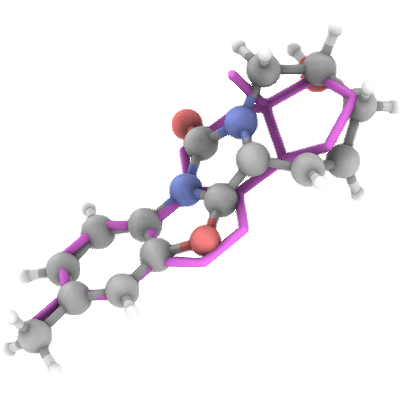
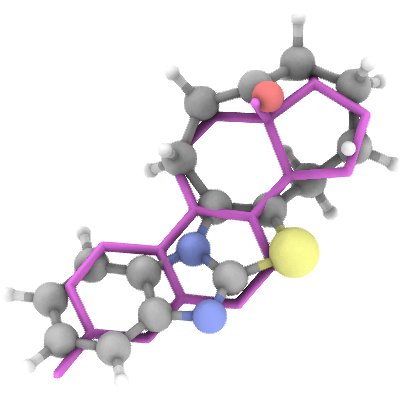
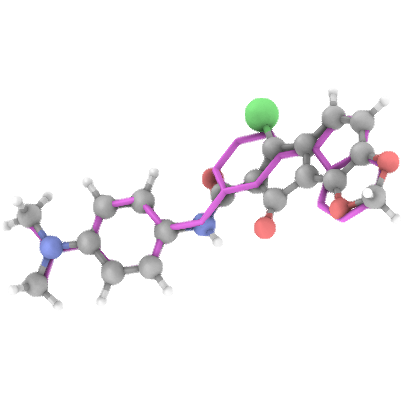
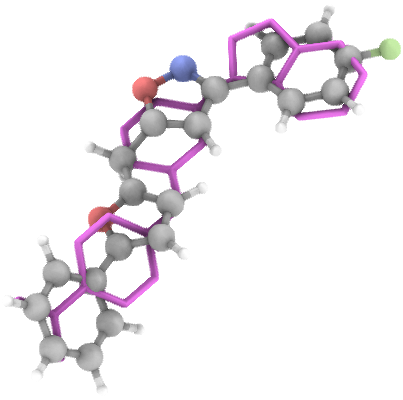
Generation Examples
💾 Access & Licensing
The Python package and inference code are available on GitHub under Apache 2.0 License
The trained model Weights are available at
And are licensed under CC BY-NC-ND 4.0
The usage of the trained weights for any profit-generating activity is restricted.
For commercial licensing and inference-as-a-service, contact: Denis Sapegin
ONNX Inference:
For torch Free inference an ONNX version of the model is present.
Weights of the model in ONNX format are available at:
egnn_chembl_15_39.onnx
adj_mat_seer_chembl_15_39.onnx
from mlconfgen import MLConformerGeneratorONNX
from rdkit import Chem

model = MLConformerGeneratorONNX(
                                 egnn_onnx="./egnn_chembl_15_39.onnx",
                                 adj_mat_seer_onnx="./adj_mat_seer_chembl_15_39.onnx",
                                 diffusion_steps=100,
                                )

reference = Chem.MolFromMolFile('./assets/demo_files/yibfeu.mol')
samples = model.generate_conformers(reference_conformer=reference, n_samples=20, variance=2)
Install ONNX GPU runtime (if needed):
pip install onnxruntime-gpu
Export to ONNX
An option to compile the model to ONNX is provided
requires onnxscript==0.2.2
pip install onnxscript
from mlconfgen import MLConformerGenerator
from onnx_export import export_to_onnx

model = MLConformerGenerator()
export_to_onnx(model)
This compiles and saves the ONNX files to: ./
Testing
To execute all tests (including slow generation ones)
pytest -v tests
To bypass generation tests
pytest -v tests -m "not slow"
Streamlit App
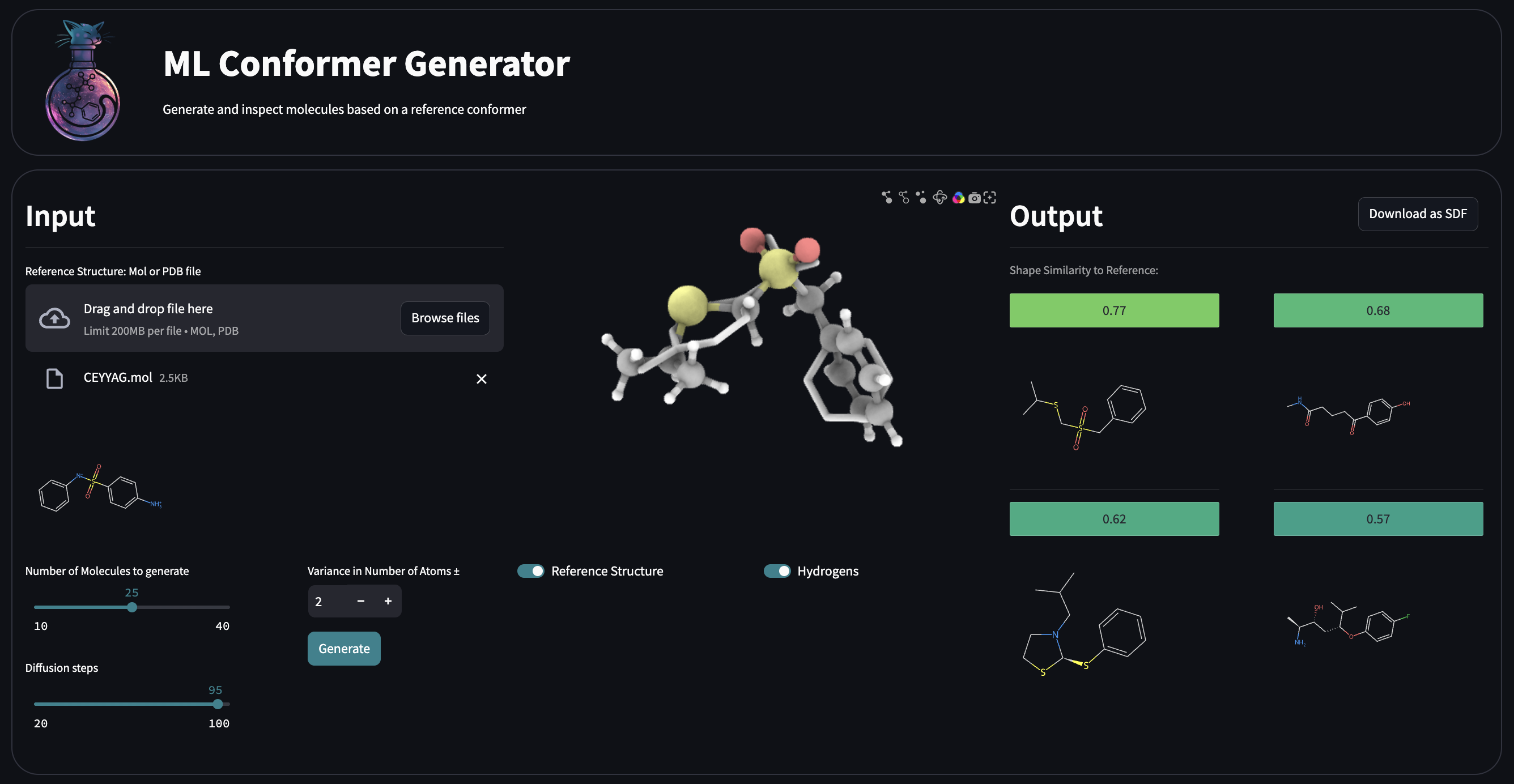
Running
- Move the trained PyTorch weights into
./streamlit_app
./streamlit_app/edm_moi_chembl_15_39.pt
./streamlit_app/adj_mat_seer_chembl_15_39.pt
-
Install the dependencies
pip install -r ./streamlit_app/requirements.txt -
Bring the app UI up:
cd ./streamlit_app
streamlit run app.py
Streamlit App Development
-
To enable development mode for the 3D viewer (
stspeck), set_RELEASE = Falsein./streamlit/stspeck/__init__.py. -
Navigate to the 3D viewer frontend and start the development server:
cd ./frontend/speck/frontend
npm run start
This will launch the dev server at
http://localhost:3001 -
In a separate terminal, run the Streamlit app from the root frontend directory:
cd ./streamlit_app
streamlit run app.py
-
To build the production version of the 3D viewer, run:
cd ./streamlit_app/stspeck/frontend
npm run build
2 maintainers


Metadata
2 maintainers
Release files for mlconfgen 0.4.3
For a detailed explanation of source distributions (sdists) and built distributions (wheels), please see the package formats documentation.
Source distribution (sdist)
| File | Size | Uploaded | |
|---|---|---|---|
| mlconfgen-0.4.3.tar.gz | 77.9 kB | Details |
Built distribution (wheel)
| File | Interpreter | ABI | Platform | Reset |
|---|---|---|---|---|
| mlconfgen-0.4.3-py3-none-any.whl | Python 3 | none | any | Details |
Total release size: 161.4 kB
Release files / mlconfgen-0.4.3.tar.gz
| Download URL | mlconfgen-0.4.3.tar.gz |
|---|---|
| Size | 77.9 kB |
| Tags | Source |
|
SHA-256 checksum How to use checksums |
3975277ccfb004322435d4f4debf2ad246c030352819e130727be535f7f08d63
|
|
BLAKE2b-256 checksum How to use checksums |
4ed9cc75e0c2e2247c604abe42620eb80260011bbaa40564167814b82b6b5d17
|
| Upload date | |
|
Uploaded using Trusted Publishing? What is trusted publishing? |
Yes |
| Uploaded via |
twine/6.1.0 CPython/3.12.8
|
Provenance
Provenance describes where a file came from. On PyPI, provenance is shared via attestations, which provide a verifiable record of the build or publishing details. View details, limitations and caveats.


PyPI Publish Attestation
PyPI verified that this artifact, at this checksum, originated from the publisher listed below.
Signed by GitHub Actions, verified by PyPI on Apr 28, 2026.
Transparency logRelease files / mlconfgen-0.4.3-py3-none-any.whl
| Download URL | mlconfgen-0.4.3-py3-none-any.whl |
|---|---|
| Size | 83.5 kB |
| Tags | Python 3 |
|
SHA-256 checksum How to use checksums |
4c5b394d3646bb2d496efec3553c9c74b0442e06a82a8234e2e3da3ba2950db1
|
|
BLAKE2b-256 checksum How to use checksums |
5661c9cc758d014c0ad77e3393c6244098e5f85e081ec1660aede16420ec5a2c
|
| Upload date | |
|
Uploaded using Trusted Publishing? What is trusted publishing? |
Yes |
| Uploaded via |
twine/6.1.0 CPython/3.12.8
|
Provenance
Provenance describes where a file came from. On PyPI, provenance is shared via attestations, which provide a verifiable record of the build or publishing details. View details, limitations and caveats.
PyPI Publish Attestation
PyPI verified that this artifact, at this checksum, originated from the publisher listed below.
Signed by GitHub Actions, verified by PyPI on Apr 28, 2026.
Transparency log













