

Open-Source Platform for Productionizing AI
MLflow is an open-source developer platform to build AI/LLM applications and models with confidence. Enhance your AI applications with end-to-end experiment tracking, observability, and evaluations, all in one integrated platform.






🚀 Installation
To install the MLflow Python package, run the following command:
pip install mlflow
📦 Core Components
MLflow is the only platform that provides a unified solution for all your AI/ML needs, including LLMs, Agents, Deep Learning, and traditional machine learning.
💡 For LLM / GenAI Developers

🔍 Tracing / Observability Trace the internal states of your LLM/agentic applications for debugging quality issues and monitoring performance with ease. Getting Started → |
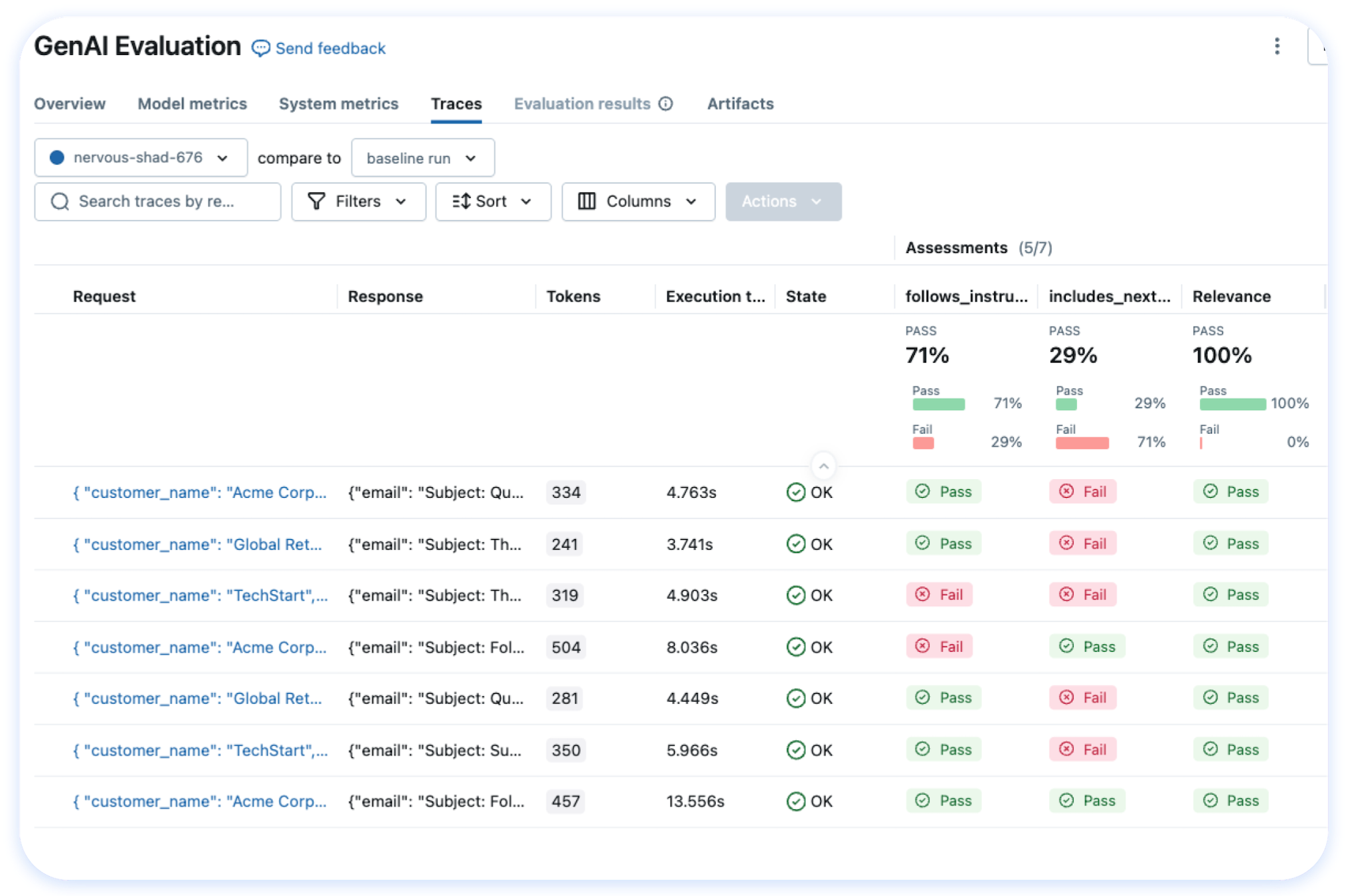
📊 LLM Evaluation A suite of automated model evaluation tools, seamlessly integrated with experiment tracking to compare across multiple versions. Getting Started → |
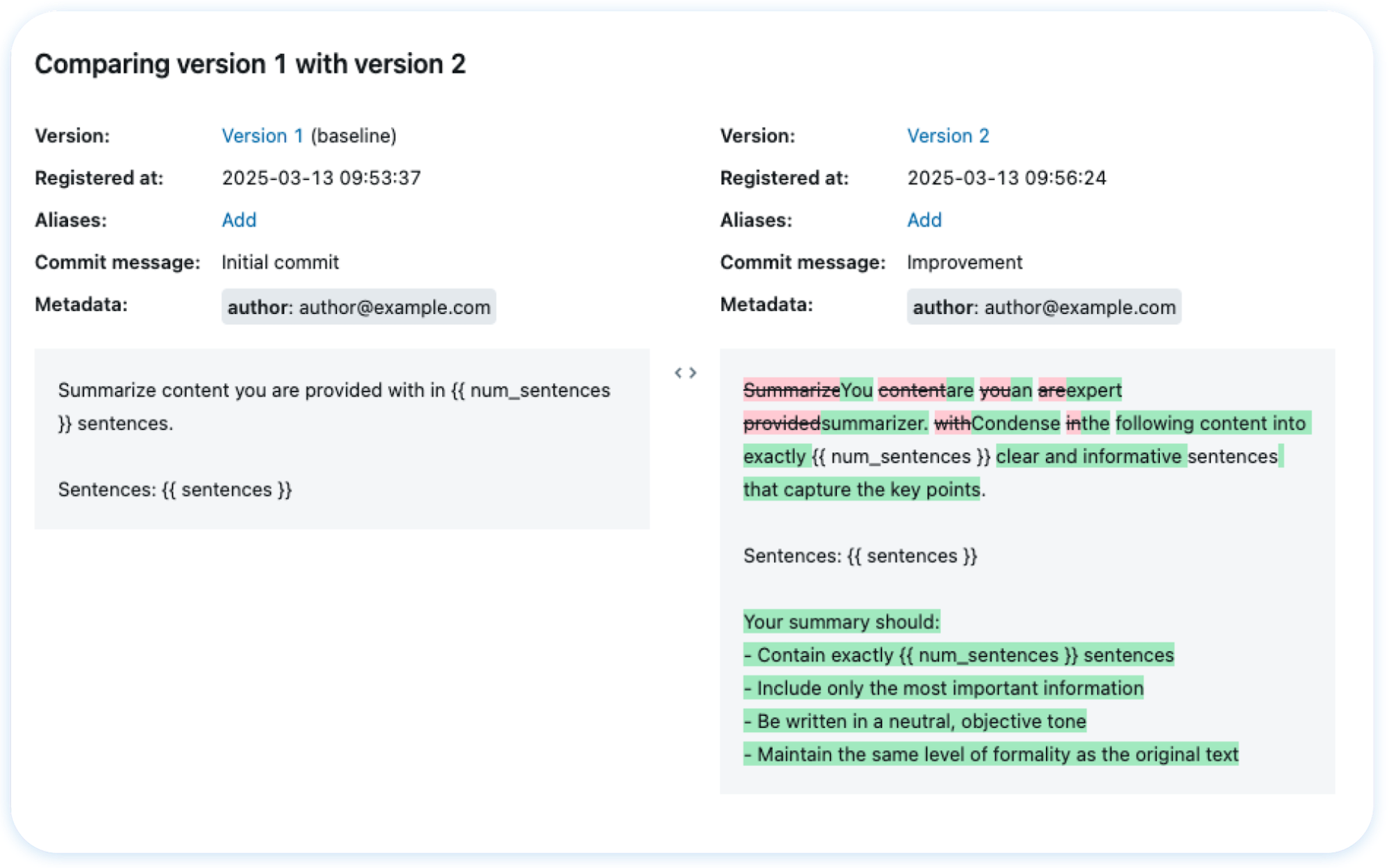
🤖 Prompt Management Version, track, and reuse prompts across your organization, helping maintain consistency and improve collaboration in prompt development. Getting Started → |
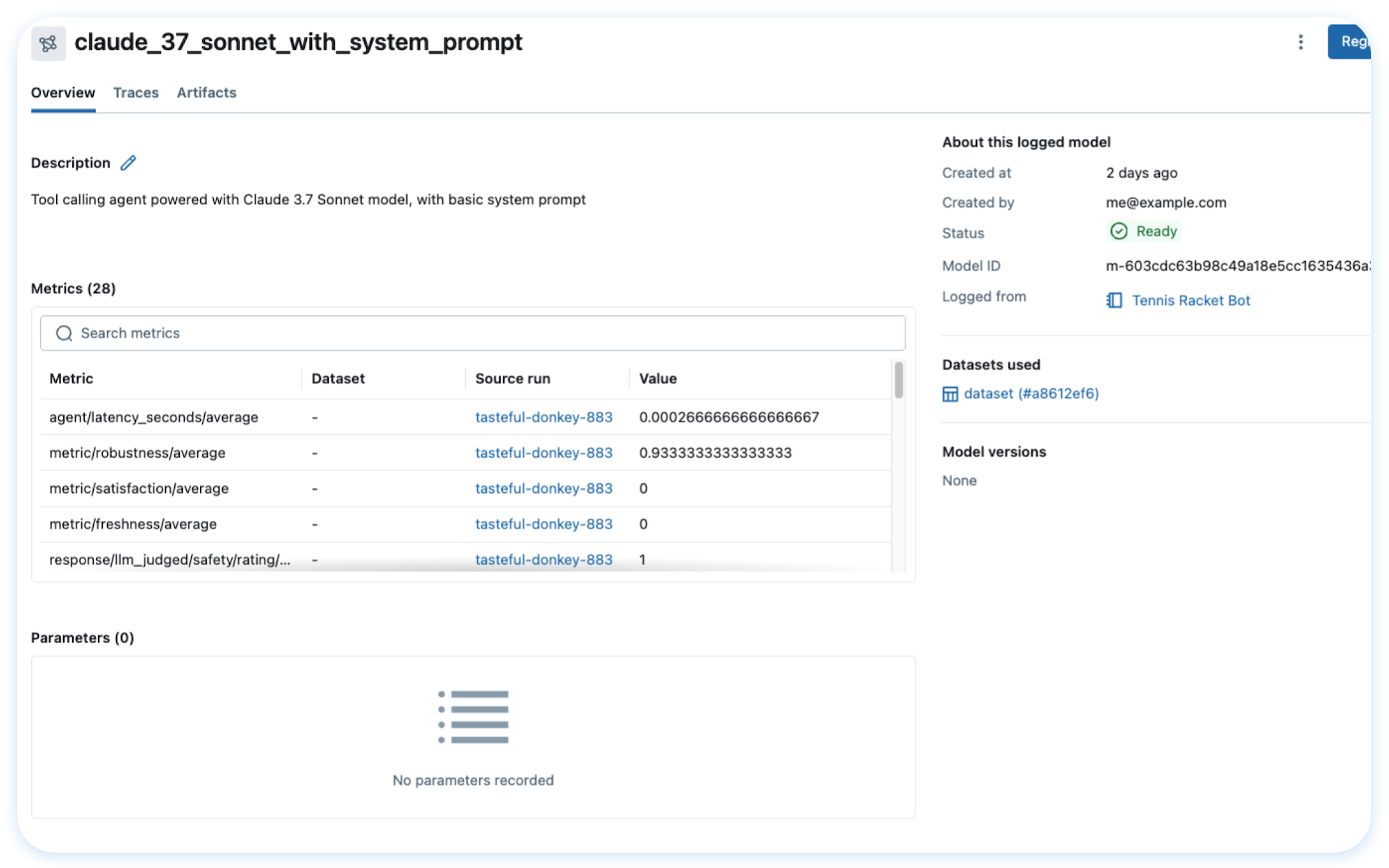
📦 App Version Tracking MLflow keeps track of many moving parts in your AI applications, such as models, prompts, tools, and code, with end-to-end lineage. Getting Started → |
🎓 For Data Scientists
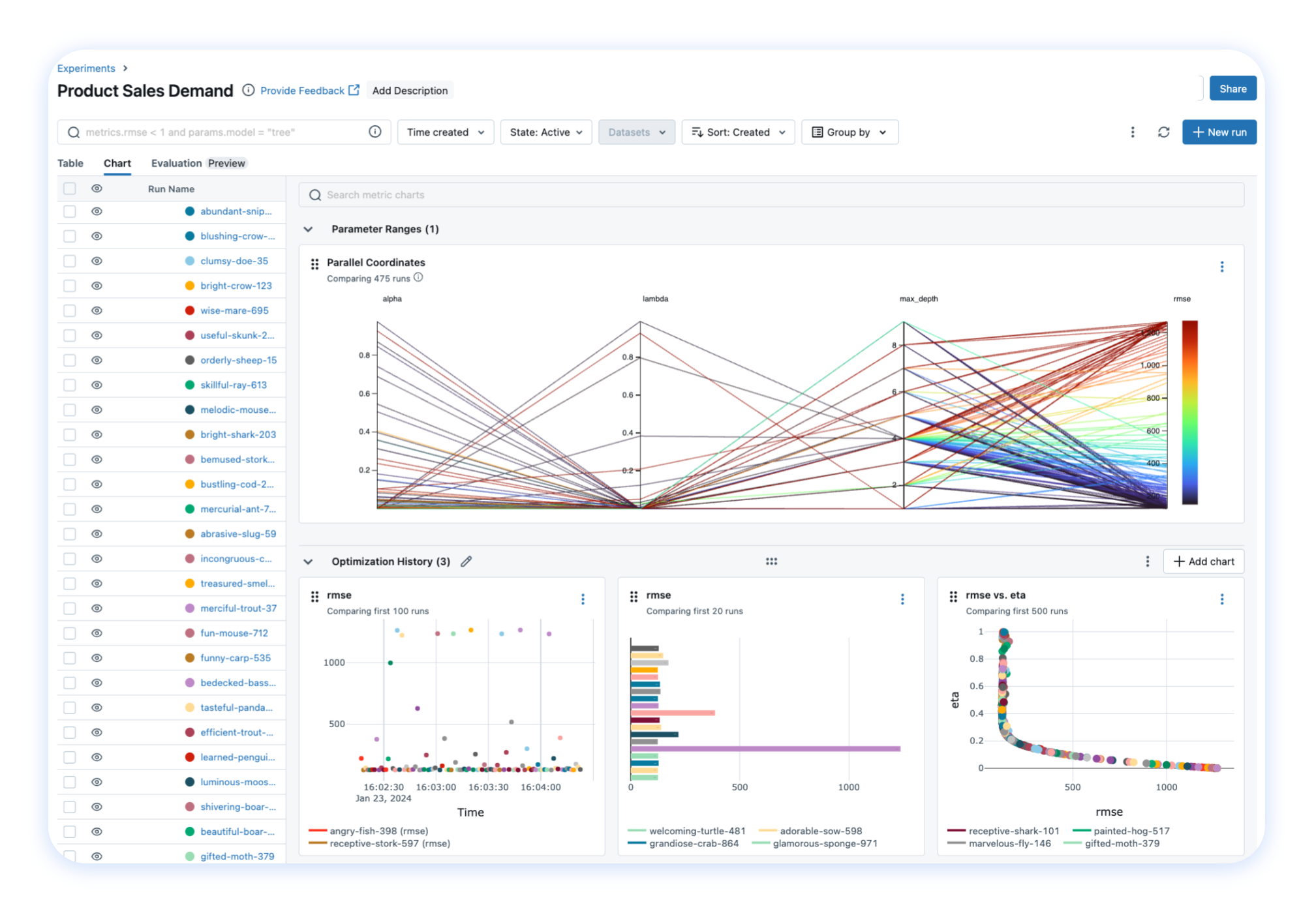
📝 Experiment Tracking Track your models, parameters, metrics, and evaluation results in ML experiments and compare them using an interactive UI. Getting Started → |
|
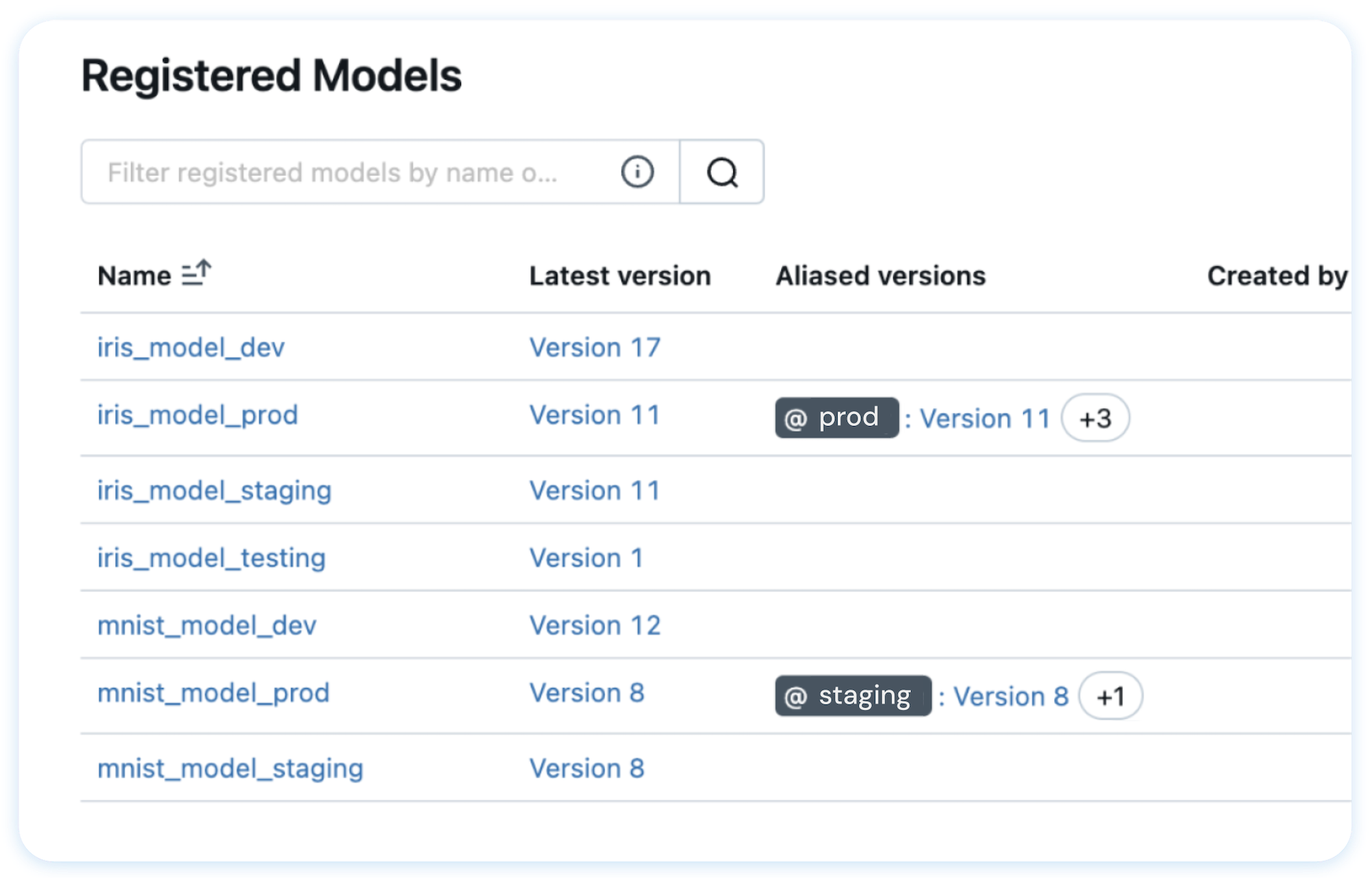
💾 Model Registry A centralized model store designed to collaboratively manage the full lifecycle and deployment of machine learning models. Getting Started → |
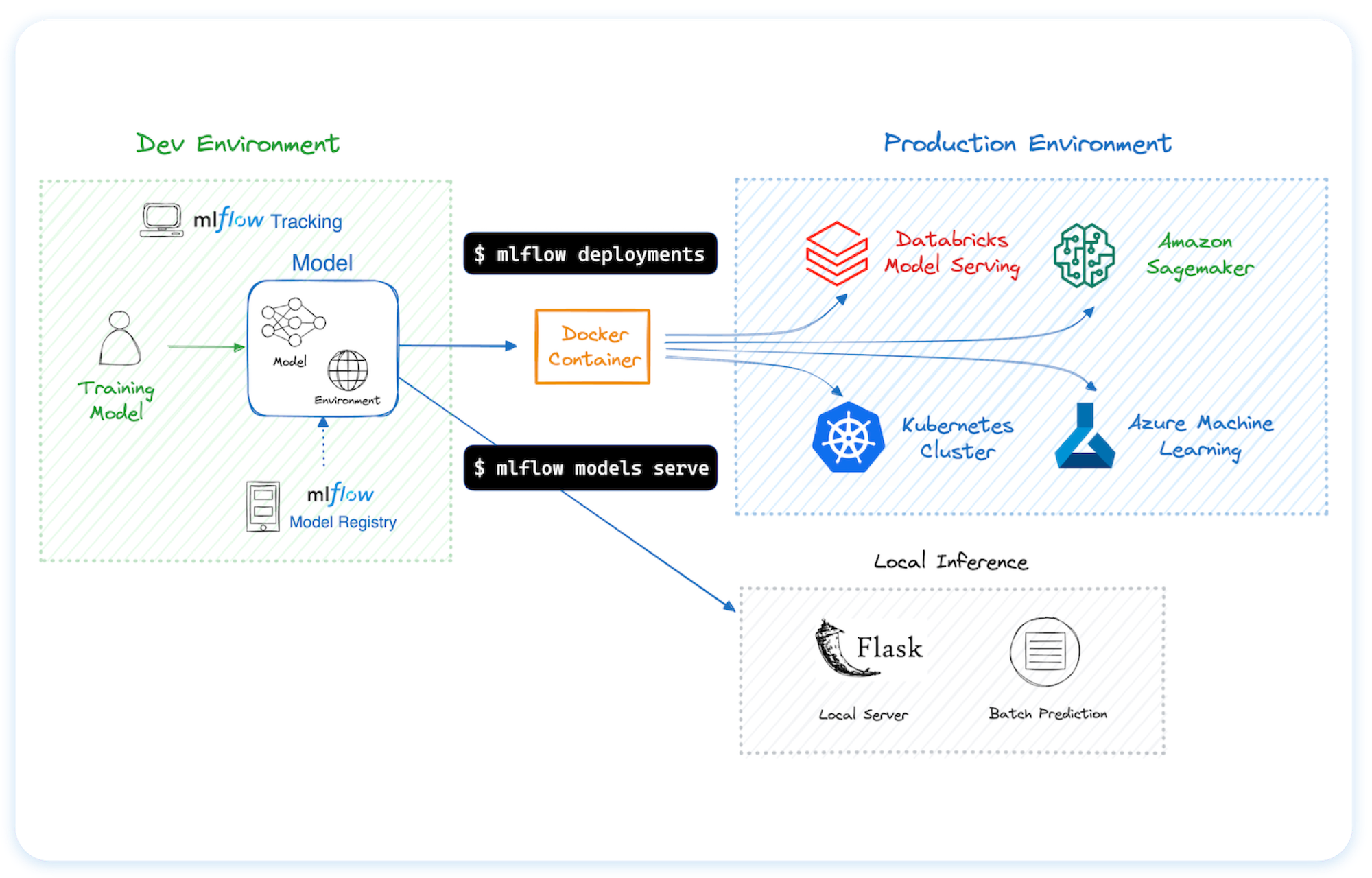
🚀 Deployment Tools for seamless model deployment to batch and real-time scoring on platforms like Docker, Kubernetes, Azure ML, and AWS SageMaker. Getting Started → |
🌐 Hosting MLflow Anywhere

You can run MLflow in many different environments, including local machines, on-premise servers, and cloud infrastructure.
Trusted by thousands of organizations, MLflow is now offered as a managed service by most major cloud providers:
For hosting MLflow on your own infrastructure, please refer to this guidance.
🗣️ Supported Programming Languages
🔗 Integrations
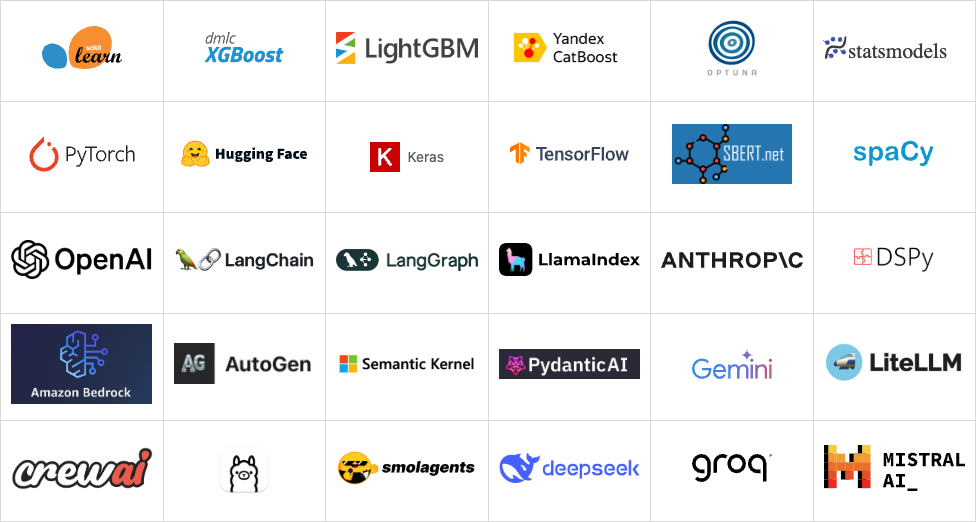
MLflow is natively integrated with many popular machine learning frameworks and GenAI libraries.
Usage Examples
Tracing (Observability) (Doc)
MLflow Tracing provides LLM observability for various GenAI libraries such as OpenAI, LangChain, LlamaIndex, DSPy, AutoGen, and more. To enable auto-tracing, call mlflow.xyz.autolog() before running your models. Refer to the documentation for customization and manual instrumentation.
import mlflow
from openai import OpenAI

# Enable tracing for OpenAI
mlflow.openai.autolog()

# Query OpenAI LLM normally
response = OpenAI().chat.completions.create(
    model="gpt-4o-mini",
    messages=[{"role": "user", "content": "Hi!"}],
    temperature=0.1,
)
Then navigate to the "Traces" tab in the MLflow UI to find the trace records OpenAI query.
Evaluating LLMs, Prompts, and Agents (Doc)
The following example runs automatic evaluation for question-answering tasks with several built-in metrics.
import os
import openai
import mlflow
from mlflow.genai.scorers import Correctness, Guidelines

client = openai.OpenAI(api_key=os.getenv("OPENAI_API_KEY"))

# 1. Define a simple QA dataset
dataset = [
    {
        "inputs": {"question": "Can MLflow manage prompts?"},
        "expectations": {"expected_response": "Yes!"},
    },
    {
        "inputs": {"question": "Can MLflow create a taco for my lunch?"},
        "expectations": {
            "expected_response": "No, unfortunately, MLflow is not a taco maker."
        },
    },
]


# 2. Define a prediction function to generate responses
def predict_fn(question: str) -> str:
    response = client.chat.completions.create(
        model="gpt-4o-mini", messages=[{"role": "user", "content": question}]
    )
    return response.choices[0].message.content


# 3.Run the evaluation
results = mlflow.genai.evaluate(
    data=dataset,
    predict_fn=predict_fn,
    scorers=[
        # Built-in LLM judge
        Correctness(),
        # Custom criteria using LLM judge
        Guidelines(name="is_english", guidelines="The answer must be in English"),
    ],
)
Navigate to the "Evaluations" tab in the MLflow UI to find the evaluation results.
Tracking Model Training (Doc)
The following examples trains a simple regression model with scikit-learn, while enabling MLflow's autologging feature for experiment tracking.
import mlflow

from sklearn.model_selection import train_test_split
from sklearn.datasets import load_diabetes
from sklearn.ensemble import RandomForestRegressor

# Enable MLflow's automatic experiment tracking for scikit-learn
mlflow.sklearn.autolog()

# Load the training dataset
db = load_diabetes()
X_train, X_test, y_train, y_test = train_test_split(db.data, db.target)

rf = RandomForestRegressor(n_estimators=100, max_depth=6, max_features=3)
# MLflow triggers logging automatically upon model fitting
rf.fit(X_train, y_train)
Once the above code finishes, run the following command in a separate terminal and access the MLflow UI via the printed URL. An MLflow Run should be automatically created, which tracks the training dataset, hyper parameters, performance metrics, the trained model, dependencies, and even more.
mlflow ui
💭 Support
- For help or questions about MLflow usage (e.g. "how do I do X?") visit the documentation.
- In the documentation, you can ask the question to our AI-powered chat bot. Click on the "Ask AI" button at the right bottom.
- Join the virtual events like office hours and meetups.
- To report a bug, file a documentation issue, or submit a feature request, please open a GitHub issue.
- For release announcements and other discussions, please subscribe to our mailing list (mlflow-users@googlegroups.com) or join us on Slack.
🤝 Contributing
We happily welcome contributions to MLflow!
- Submit bug reports and feature requests
- Contribute for good-first-issues and help-wanted
- Writing about MLflow and sharing your experience
Please see our contribution guide to learn more about contributing to MLflow.
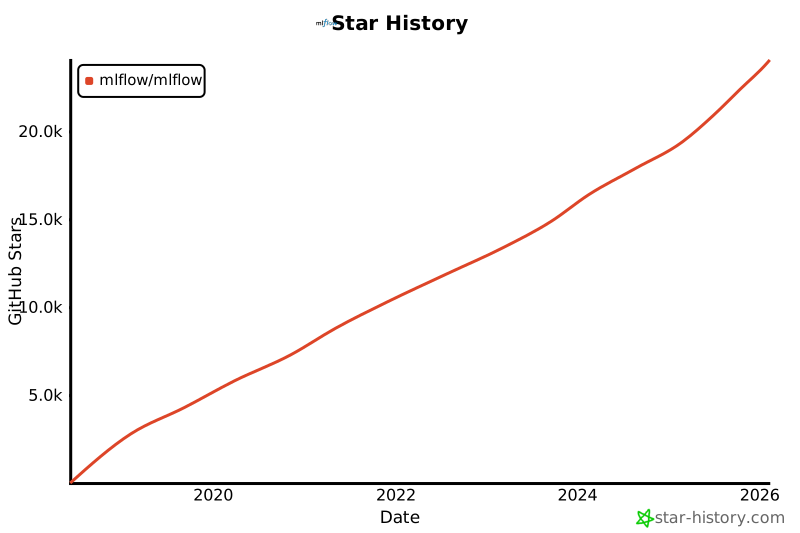
⭐️ Star History
✏️ Citation
If you use MLflow in your research, please cite it using the "Cite this repository" button at the top of the GitHub repository page, which will provide you with citation formats including APA and BibTeX.
👥 Core Members
MLflow is currently maintained by the following core members with significant contributions from hundreds of exceptionally talented community members.
2 maintainers


Metadata
2 maintainers
Release files for mlflow-pri 3.6.1.post2
For a detailed explanation of source distributions (sdists) and built distributions (wheels), please see the package formats documentation.
Source distribution (sdist)
| File | Size | Uploaded | |
|---|---|---|---|
| mlflow_pri-3.6.1.post2.tar.gz | 2.0 MB | Details |
Built distribution (wheel)
| File | Interpreter | ABI | Platform | Reset |
|---|---|---|---|---|
| mlflow_pri-3.6.1.post2-py3-none-any.whl | Python 3 | none | any | Details |
Total release size: 4.3 MB
Release files / mlflow_pri-3.6.1.post2.tar.gz
| Download URL | mlflow_pri-3.6.1.post2.tar.gz |
|---|---|
| Size | 2.0 MB |
| Tags | Source |
|
SHA-256 checksum How to use checksums |
b95cddfd2dcebf82f900c28e718dc46d06aac0825b6c8010e272426f45d9919a
|
|
BLAKE2b-256 checksum How to use checksums |
d683516a4a7c3e5f710667c2e76f417c44afda59ce7c95f803f8957789c7fafd
|
| Upload date | |
|
Uploaded using Trusted Publishing? What is trusted publishing? |
No |
| Uploaded via |
twine/6.2.0 CPython/3.13.7
|
Release files / mlflow_pri-3.6.1.post2-py3-none-any.whl
| Download URL | mlflow_pri-3.6.1.post2-py3-none-any.whl |
|---|---|
| Size | 2.4 MB |
| Tags | Python 3 |
|
SHA-256 checksum How to use checksums |
a3065c4eebd9dab61f2f4f98659239832c99274d421e55c285e58b2df26dfa68
|
|
BLAKE2b-256 checksum How to use checksums |
d1b32376de4976e848667409fd261d737f5add8f20f0c064d4100d9f101b2c7f
|
| Upload date | |
|
Uploaded using Trusted Publishing? What is trusted publishing? |
No |
| Uploaded via |
twine/6.2.0 CPython/3.13.7
|














