
mofstructure
A Python toolkit for topology, porosity and building-unit analysis of metal-organic frameworks




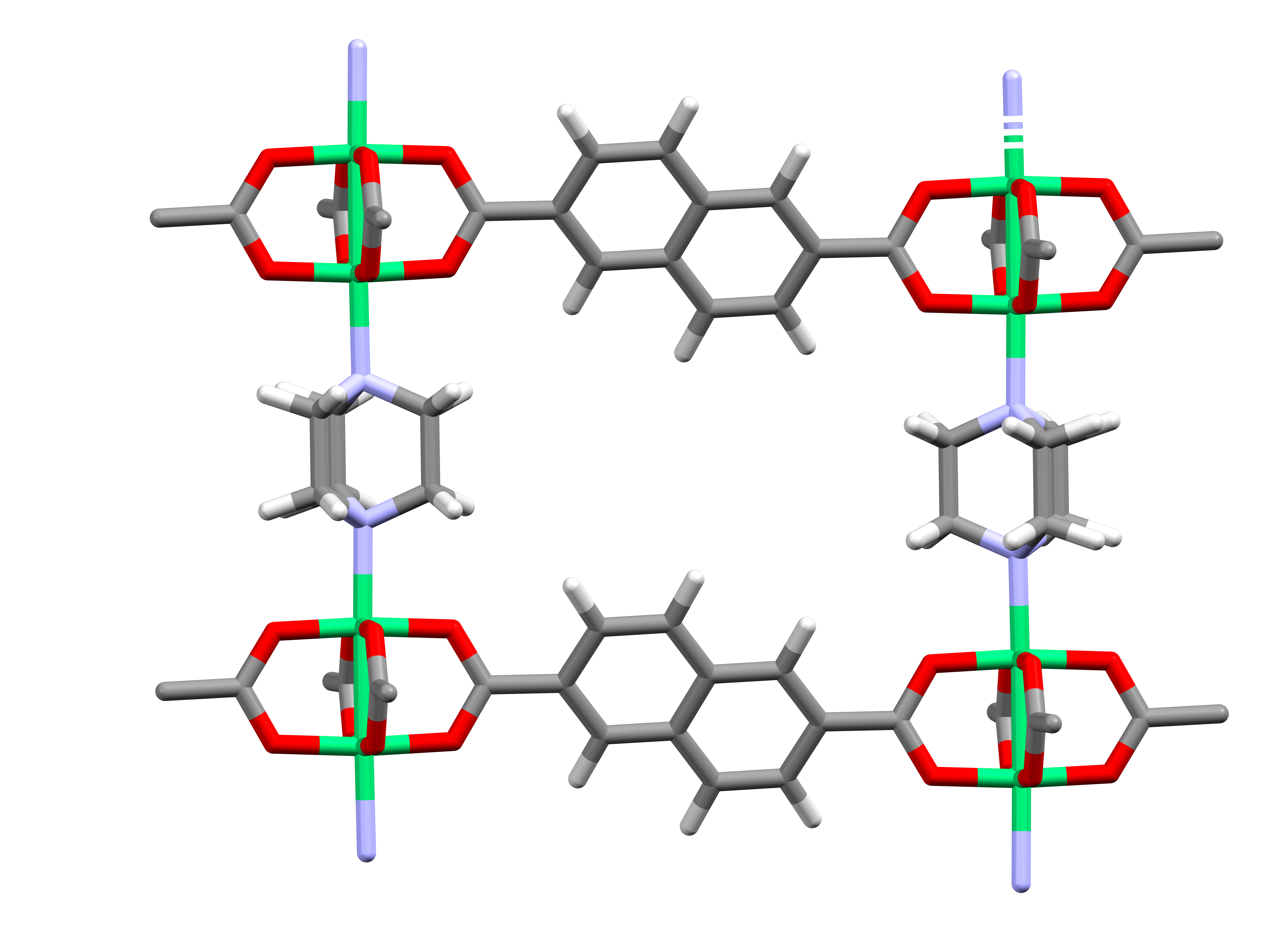
mofstructure takes a crystal structure and answers the questions that usually
follow: what is it built from, how porous is it, and what net does it form.
It works on metal-organic frameworks, covalent organic frameworks
and zeolites, from CIF or any other format ASE can read.
from mofstructure import structure

mof = structure.MOFstructure(filename='UiO-66.cif')

mof.get_porosity()                 # PLD, LCD, surface area, void fraction
mof.get_sbu()                      # metal and organic secondary building units
mof.get_ligands()                  # metal clusters and organic ligands
mof.get_topology()                 # net symbol, dimensionality, TD10, canonical key
mof.get_oms()                      # open metal sites
Contents
- Features
- Installation
- Requirements
- Command line
- Python API
- Output reference
- Documentation
- Contributing
- Citation
- License
- Author
Features
| Capability | What you get |
|---|---|
| Topology | Net symbol from a 17k-entry archive (RCSR, IZA zeolite codes, EPINET), dimensionality, TD10 density, and a canonical key that identifies the net whether or not it has a name |
| Porosity | Pore limiting diameter, largest cavity diameter, accessible surface area and volume, channel count |
| Guest removal | Unbound solvent stripped automatically before every analysis |
| Deconstruction | Metal clusters, organic ligands, metal SBUs and organic SBUs as separate structures |
| Cheminformatics | SMILES, InChI and InChIKey for every building unit, plus IUPAC ligand names where known |
| SBU characterisation | SBU type (paddlewheel, rod-like, UiO-66-like and others) and metal coordination number |
| Open metal sites | Detection and local coordination environment of undercoordinated metals |
| Periodic wrapping | Fragments split across cell boundaries reassembled into whole molecules |
Installation
From PyPI:
pip install mofstructure
From source, for the development version:
git clone https://github.com/bafgreat/mofstructure.git
cd mofstructure
pip install .
Requirements
Python 3.10 or newer. Dependencies install automatically, with two things worth knowing about:
-
OpenBabel computes the cheminformatic identifiers by default, and returns the IUPAC name from database shipped with the package.
-
RDKit is the fallback. If OpenBabel is missing, which happens where its wheel does not build, the identifiers come from RDKit instead of the analysis failing:
pip install mofstructure[rdkit]
Command line
Each command accepts a single structure file or a folder of them.
Deconstruct one structure
mofstructure structure.cif                       # writes to ./MOF_building_units
mofstructure structure.cif path/to/results
Build a database from a folder
mofstructure_database cif_folder                 # writes to ./MOFstructureDB
mofstructure_database cif_folder -s path/to/results
mofstructure_database cif_folder --no-topology   # skip the net
Results land in MOFstructureDB/Structure_Data as JSON, one file per analysis,
with a CSV summary beside the porosity and topology records. Structures already
present are skipped, so an interrupted run resumes where it stopped. Delete the
output folder to force a recomputation.
Topology is computed by default and is filled in for structures already in the database, so a folder built by an earlier version gains its nets on the next run rather than being skipped.
Individual analyses
Use these when you only need one thing and want it to run fast.
mofstructure_building_units cif_folder           # deconstruction only
mofstructure_porosity cif_folder                 # porosity only
mofstructure_oms cif_folder                      # open metal sites only
mofstructure_porosity accepts a custom probe radius, cycle count and radii
file, and a per structure timeout:
mofstructure_porosity cif_folder -pr 1.5 -ns 20000 -rf rad.rad
mofstructure_porosity cif_folder -t 600     # give up on a structure after 10 min
mofstructure_porosity cif_folder -a low     # cheaper Voronoi, for one that will not finish
Accuracy defaults to high. -a low uses the cheaper Voronoi decomposition
and is worth trying before raising the timeout on a structure that will not
finish. mofstructure_database takes -pr, -a and --porosity_timeout
for the porosity part of its run.
zeo++ can run for hours on a large cell. A structure that passes the timeout
is killed and recorded with porosity_status set to timeout, rather than
holding up the rest of the batch. Failed structures keep every column, so the
output goes straight into a DataFrame.
Topology from the command line
mofstructure_topology structure.cif
mofstructure_topology net.cgd
mofstructure_topology ./folder
The net depends on how you define a node, and several definitions are
available, and the same framework can legitimately give a different net under
each. For a rod MOF such as MIL-53, all_node gives rna and single_node
gives bpq, while sbus collapses the rod to pcu.
mofstructure_topology structure.cif --method all_node      # every branch point a node
mofstructure_topology ./folder --method single_node        # organic groups merged
mofstructure_topology ./folder --method sbus               # each SBU one node
mofstructure_topology ./folder --method ligand_cluster     # complete ligands and metal clusters
mofstructure_topology ./folder --all-methods                # every method that suits the material
mofstructure_topology zeolite.cif --method zeol            # tetrahedral atoms, T-O-T bridges contracted
mofstructure_topology COF.cif --method cof
ligand_cluster builds a bipartite incidence net from the same deconstruction
as get_ligands: complete ligands and metal clusters are the vertices, and an
edge records coordination to one periodic image of a cluster, so chelation does
not inflate the degree. A ditopic ligand stays a vertex, which subdivides the
edge, and RCSR lists no subdivided nets, so UiO-66 comes back unnamed even
though the net is right. That is the point of the method: how the ligands link
the clusters, not what the net is called, and the key still identifies it. Pass
collapse_ditopic=True to ligand_cluster_graph or cgd_ligand_cluster to
splice ditopic ligands into edges and recover the nameable net (fcu for
UiO-66, pcu for MIL-53, tbo either way for HKUST-1).
Use --all-methods to compute every method a MOF admits at once. Each net is
recorded separately, keyed <structure>:<method>.
Results are appended to <save_dir>/Structure_Data/topology_data.json, the
same file mofstructure_database writes, so a topology run and a database run
build one folder rather than two:
mofstructure_topology ./folder -s MOFstructureDB
A topology_data.csv summary is written beside the records, one row per
structure, the way porosity_data and fingerprint_data are paired.
The default save directory is MOFstructureDB. --json results.json writes the full
records to a file of your choosing instead, and --no-save prints without
writing anything. A line per structure is printed as it finishes, followed by a
tally; --quiet keeps the tally only and -v reports each deconstruction as it
is built.
Ligand-cluster fingerprint
To ask what the ligands do rather than what the net is called, use the fingerprint. It reads straight from the deconstruction and needs no archive lookup, so it answers for every framework, named or not:
from mofstructure import structure

mof = structure.MOFstructure(filename='UiO-66.cif')
print(mof.get_ligand_cluster_fingerprint())
The same is available for one file or a folder, writing the full records to JSON and an index-friendly summary to CSV:
mofstructure_fingerprint UiO-66.cif
mofstructure_fingerprint ./cif_files --json fingerprints.json --csv fingerprints.csv
It counts each ligand and cluster species per metal-cluster unit, with how many
clusters each ligand bridges and at what denticity, and does not change with
atom order, cell origin or a supercell. That makes it sensitive to defects: a
missing linker lowers a cluster's connectivity, a linker hanging by one end is
listed under terminal with its own formula, which is what tells it from a
coordinated solvent, and a carboxylate that has dropped from bridging to
monodentate shows in the denticity histogram even though the net is unchanged.
Writing the net as a CGD file
mofstructure_generate_cgd writes the net itself, as a CGD PERIODIC_GRAPH,
for opening in a viewer or handing to a downstream tool. --method takes the
same node definitions as above, and auto reads the material from the
structure:
mofstructure_generate_cgd HKUST-1.cif                  # auto: mof, so all_node
mofstructure_generate_cgd MIL-53.cif --method sbus -o mil53.cgd
mofstructure_generate_cgd zeolite.cif --method zeol
--embedding chooses the geometry written for the net, and the three answer
different questions:
| Embedding | Geometry | Use it for |
|---|---|---|
deconstruction |
the crystal's own coordinates | the default; the only one needing no identification |
ideal |
canonical barycentric placement, cell fixed by the symmetry of the net alone | recording a net beside its key: reproducible to the digit, and written with the canonical key so an unnamed net stays identifiable from its own file |
refined |
the ideal embedding relaxed towards edges of equal length | building on the net, where a linker must span every edge of one kind |
mofstructure_generate_cgd HKUST-1.cif --embedding ideal
mofstructure_generate_cgd UiO-66.cif --embedding refined
The barycentric placement minimises the sum of squared edge lengths, so a few
long edges can pay for many short ones and real nets emerge with the longest
edge two or three times the shortest. refined applies the edge-length and
volume penalty of Delgado-Friedrichs and O'Keeffe, typically bringing a spread
of 2.2 down to 1.0. Its result depends on the optimiser, so it is not
reproducible to the last digit, and every file records which embedding it
holds. Where refining cannot beat the exact placement the exact one is written
and the command says so.
Python API
MOFstructure is the single entry point. Guests are removed internally, so a
structure containing solvent needs no preparation.
from mofstructure import structure

mof = structure.MOFstructure(filename='UiO-66.cif')
# or pass an ASE atoms object directly
# mof = structure.MOFstructure(ase_atoms=atoms)

guest_free = mof.remove_guest()
Porosity
import pandas as pd

pores = mof.get_porosity(probe_radius=1.86, number_of_steps=5000, high_accuracy=True)
pd.DataFrame(pores, index=[0]).to_csv('pore.csv')
A structure that Zeo++ cannot analyse returns an empty dictionary rather than raising, so a batch job is never interrupted by one difficult framework.
Building units
metal_sbus, organic_sbus = mof.get_sbu(wrap_system=True, cheminfo=True, add_dummy=False)
organic_ligands = mof.get_ligands(wrap_system=True, cheminfo=True, add_dummy=False)
With cheminfo=True, OpenBabel identifiers are attached to each fragment's
.info dictionary:
for i, sbu in enumerate(metal_sbus):
    smi = sbu.info['smi']
    inchi = sbu.info['inchi']
    inchikey = sbu.info['inchikey']
    n_points = len(sbu.info['point_of_extension'])   # SBUs only
    sbu_type = sbu.info['sbu_type']                  # metal SBUs only
    sbu.write(f'metal_sbu_{i}.cif')
add_dummy=True marks the points of extension with dummy atoms, which makes the
cut positions explicit and easy to cap with hydrogen. Use it for SBUs only,
never when deconstructing into ligands and clusters.
Ligand names
Building units carry identifiers but not names. To name a ligand, look it up from its SMILES against the database that ships with the package:
from mofstructure.filetyper import load_iupac_names
from mofstructure.mofdeconstructor import lookup_iupac_name

iupac_names = load_iupac_names()

_, ligands = mof.get_ligands()
for ligand in ligands:
    print(lookup_iupac_name(ligand.info['smi'], iupac_names))
# terephthalic acid
lookup_iupac_name saturates the open valences left by deconstruction and
matches on InChIKey and canonical SMILES, so the fragment does not have to be
the neutral parent molecule. It returns None for a ligand that is not in the
database. mofstructure_database does this for you and stores the result in
the ligand_names field of ligands_data.json.
Topology from Python
topology = mof.get_topology()
print(topology['topology'], topology['dimension'])
For finer control, call the topology API directly. It takes a structure file, an ASE atoms object or a CGD periodic graph, and works out for itself whether a framework is a MOF, a COF or a zeolite:
from ase.io import read
from mofstructure.topology import analyse, analyse_methods, classify

analyse('UiO-66.cif')                       # deconstruction chosen for you
analyse('UiO-66.cif', method='all_node')    # or name one
analyse(read('UiO-66.cif'))                 # from ASE atoms
analyse('net.cgd')                          # from a CGD periodic graph
analyse_methods('UiO-66.cif')               # every method that suits it
classify('ABW.cif')                         # 'zeolite'
COF deconstruction searches named linkages first, including imine, ketoenamine,
amide, ester, azo (also azoxy and azodioxy), boron and triazine linkages. A
fallback searches short acyclic bridges between ring cores and cuts bonds
between different elements. For example, Ar-N=C-Ar is cut at N-C, including
when the CIF omits the methine hydrogen. This is a connectivity heuristic:
the fallback excludes C-C bonds and sites carrying more than one hydrogen,
so reduced imines such as Ar-NH-CH2-Ar are not covered by it.
The hydrogen-count guard cannot establish hybridisation when hydrogens are
missing from the input.
You can inspect or restrict the cuts before constructing the net:
from mofstructure import cofstructure

atoms = read('framework.cif')
cofstructure.cof_linkage_bonds(atoms)  # linkage names mapped to atom-index pairs
cofstructure.cof_linkage_bonds(atoms, linkages=['imine', 'amide'])
Unactivated olefin cuts require explicit olefin_requires_nitrile=False in
the COF deconstruction functions because a vinylene inside a monomer can look
like a linkage. Ring-forming linkages such as imide, dioxin, phenazine and
benzoxazole still require a different cutting scheme and are unsupported.
Finding cuts does not guarantee that the resulting net has a canonical key
or a recognised topology name.
Drawing the net
draw_topology traces the net over the real framework and returns an
interactive plotly figure: nodes at the real building-unit positions, edges
following the connectivity. Needs the optional plotly extra
(pip install mofstructure[draw]).
fig = mof.draw_topology(method='all_node', filename='net.html')
fig.show()   # or open net.html in a browser
The interactive, axis-free molecular view overlays the underlying net on the
framework and shows the unit-cell boundary. Every connection ends at a visible
centre, including connections to neighbouring periodic images. The default
green centre-to-centre network is generated by the selected topology method,
so its nodes and contractions visibly change between sbus, all_node,
single_node and ligand_cluster. Framework atoms, framework bonds and each
centre class can be toggled independently in the legend. The view shows this
method-specific network by default; set show_topology=True to add the
abstract blue topology edges and topology node markers. Set
show_linker_sbu=False, show_structure=False or show_unit_cell=False to
hide individual layers.
Open metal sites
print(mof.get_oms())
Output reference
get_topology() returns:
| Key | Meaning |
|---|---|
topology |
Net symbol, or None when no archive names it |
topology_source |
Archive that named it: rcsr, iza or epinet |
names |
Every known name; a zeolite carries both rcsr and iza |
dimension |
Periodicity of the net (0, 1, 2 or 3) |
td10 |
Topological density: ten shells of the coordination sequence, plus the vertex, averaged over orbits. pcu gives 1561 |
key |
Canonical key. Unchanged by supercell, atom order or origin, so equal keys mean the same net, named or not |
key_hash |
Digest of the key, for indexing and duplicate detection |
key_version |
Which canonical form produced the key |
cgd |
CGD text of the net. refine_cgd=True gives the near-uniform edge lengths a builder such as AuToGraFS wants |
status |
ok, or why no net was produced |
detail |
Why identification stopped. Only when status is not ok |
Three things to know:
- An unnamed net is not a failure. The key still identifies it, which is what
makes two structures comparable.
get_topology()reports it asNone;analyseandtopology_data.jsonsayunknown, anderrorfor no net at all, so that a stored column is never empty. Group onkey_hasheither way. td10andcgdcan beNonewhilestatusisok, since they come from an ideal embedding built after identification and a net that is not 3-periodic has none. Test them rather than assuming a number.topology_hashis a legacy alias forkey_hash, returned byget_topology()alone. Its value changed in 0.1.9.1, from a digest of Systre's relaxed geometry to one of the canonical key, so hashes stored by an earlier release will not match.key_versionmarks which is which; rebuild the old.
status is not stored. A topology_data.json record carries topology, key,
key_hash, key_version, material, method, n_components and components,
and is written from analyse, not from get_topology().
get_porosity() returns:
| Key | Meaning |
|---|---|
pld_a |
Pore limiting diameter, the largest sphere that can diffuse through |
lcd_a |
Largest cavity diameter, the largest sphere that fits anywhere inside |
lfpd_a |
Largest free sphere along the percolation path |
av_a3, av_volume_fraction |
Accessible volume and void fraction |
asa_a2, asa_m2_per_cm3 |
Accessible surface area |
number_of_channels |
Number of distinct channels |
porosity_status |
ok, timeout, or failed:<code> |
Custom atomic radii can be supplied through a .rad file, one element per line.
The extension must be .rad or the defaults are used silently:
Mg 0.66
O 1.84
Documentation
Full documentation is at docs. Release history is in CHANGELOG.md.
Contributing
Issues and pull requests are welcome. See CONTRIBUTING.md for development setup and what to include in a report.
Most problems are specific to one framework rather than general, so please attach the structure file when reporting one. A CIF that reproduces the problem is worth more than any description of it.
Roadmap
- Topological analysis of metal-organic cages and other discrete assemblies.
Citation
If mofstructure contributes to your work, please cite:
@article{wonanke2026fairmofs,
  title={FAIR-MOFs: Structure-centred synthesis inference from three-dimensional
         structures of metal-organic frameworks},
  author={Wonanke, Dinga and Heine, Thomas and Longa, Antonio and others},
  year={2026},
  doi={10.21203/rs.3.rs-8375247/v1}
}
License
Released under the MIT License. See LICENSE.
Author
mofstructure is developed by Dinga Wonanke.
1 maintainer

Metadata
1 maintainer
Release files for mofstructure 0.1.9.1
For a detailed explanation of source distributions (sdists) and built distributions (wheels), please see the package formats documentation.
Source distribution (sdist)
| File | Size | Uploaded | |
|---|---|---|---|
| mofstructure-0.1.9.1.tar.gz | 3.8 MB | Details |
Built distribution (wheel)
| File | Interpreter | ABI | Platform | Reset |
|---|---|---|---|---|
| mofstructure-0.1.9.1-py3-none-any.whl | Python 3 | none | any | Details |
Total release size: 7.7 MB
Release files / mofstructure-0.1.9.1.tar.gz
| Download URL | mofstructure-0.1.9.1.tar.gz |
|---|---|
| Size | 3.8 MB |
| Tags | Source |
|
SHA-256 checksum How to use checksums |
b583e85419791c2e6a27559f262dc1f6aecccc728d300774d54145a0dca0b5c7
|
|
BLAKE2b-256 checksum How to use checksums |
bc95fbe6c977458dfcfbacd3153e38178cba2e0ca873d40a3936840cf3ce1d5a
|
| Upload date | |
|
Uploaded using Trusted Publishing? What is trusted publishing? |
No |
| Uploaded via |
poetry/2.4.1 CPython/3.14.6 Darwin/25.5.0
|
Release files / mofstructure-0.1.9.1-py3-none-any.whl
| Download URL | mofstructure-0.1.9.1-py3-none-any.whl |
|---|---|
| Size | 3.9 MB |
| Tags | Python 3 |
|
SHA-256 checksum How to use checksums |
0adb8557b474593f579c5a31dc2e7ca3fea1595a158b64e090564bfa69b12fa5
|
|
BLAKE2b-256 checksum How to use checksums |
b4b438b6a333591e009ae558868a5ad57e3130c155da4c97ae77ffdf0f827dd0
|
| Upload date | |
|
Uploaded using Trusted Publishing? What is trusted publishing? |
No |
| Uploaded via |
poetry/2.4.1 CPython/3.14.6 Darwin/25.5.0
|














