
Genetic Algorithm to recreate image

Project description
MonaLisa - Image recreation using genetic algorithms






Introduction
This project is a simple implementation of a genetic algorithm to recreate an image using polygons.
For more information about genetic algorithms, see Genetic Algorithms.
Install
The installation can be done via:
pip install monailisa
Usage
Once, the package is download via pip, you can use via:
monailisa <imgObjectifPath> <nbSubject> <nbGeneration> [imgTemporaryPath]
with:
- imgObjectifPath (str) : Being the objectif of the generation.
- nbSubject (int: 0-inf) : Being the number of individuals used in each generation.
- nbGeneration (int: 0-inf): Being the total of generation.
- imgTemporaryPath (optional, str): Used to continue a previous launch, the argument is the previous result image.
Alternative:
Also, you can use tox to test the program in a venv via the repository:
$ git clone https://github.com/nathan-hoche/MonaLisa
$ cd MonaLisa
$ tox -e venv -- monailisa <imgObjectifPath> <nbSubject> <nbGeneration> [imgTemporaryPath]
[!NOTE] More the number of Subject or/and Generation is huge, more it's computationally expensive. But a too low number of Subject or/and Generation will reduce the capability of the program. A total of 100 subjects and 500 Generations can be a good base to start.
First Version
This version is based on this paper by Sebastian Charmot.
The first version of the algorithme is based on the following steps:
- Generate a random population of polygons
- Compute the fitness of each individual
- Select the best individual
- Apply crossover between the best individual and the population (with stocking the previous best individual)
- Apply mutation to the population (except the previous best individual), which consists in adding a random polygon to all individuals
- Repeat from step 2, x times to upgrade the image
The result of this different steps are shown below.
| image | 485 generations | 1000 generations |
|---|---|---|
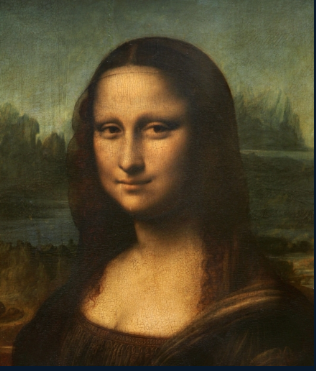 |
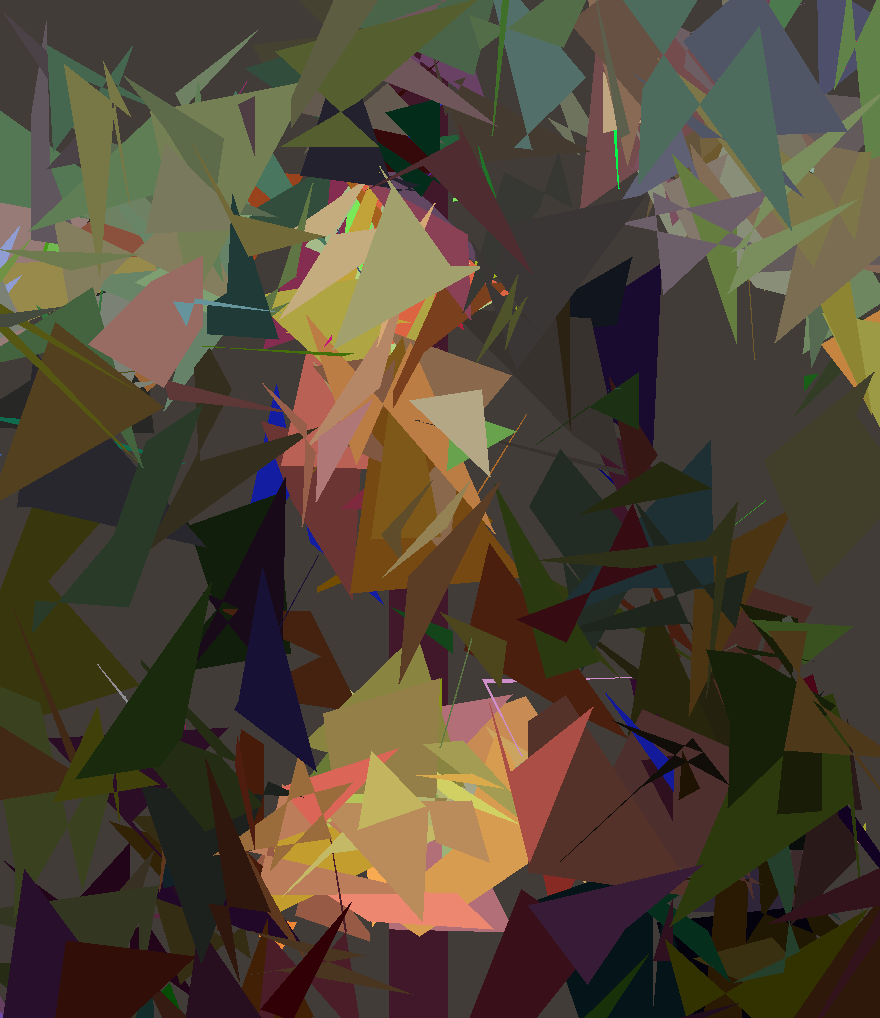 |
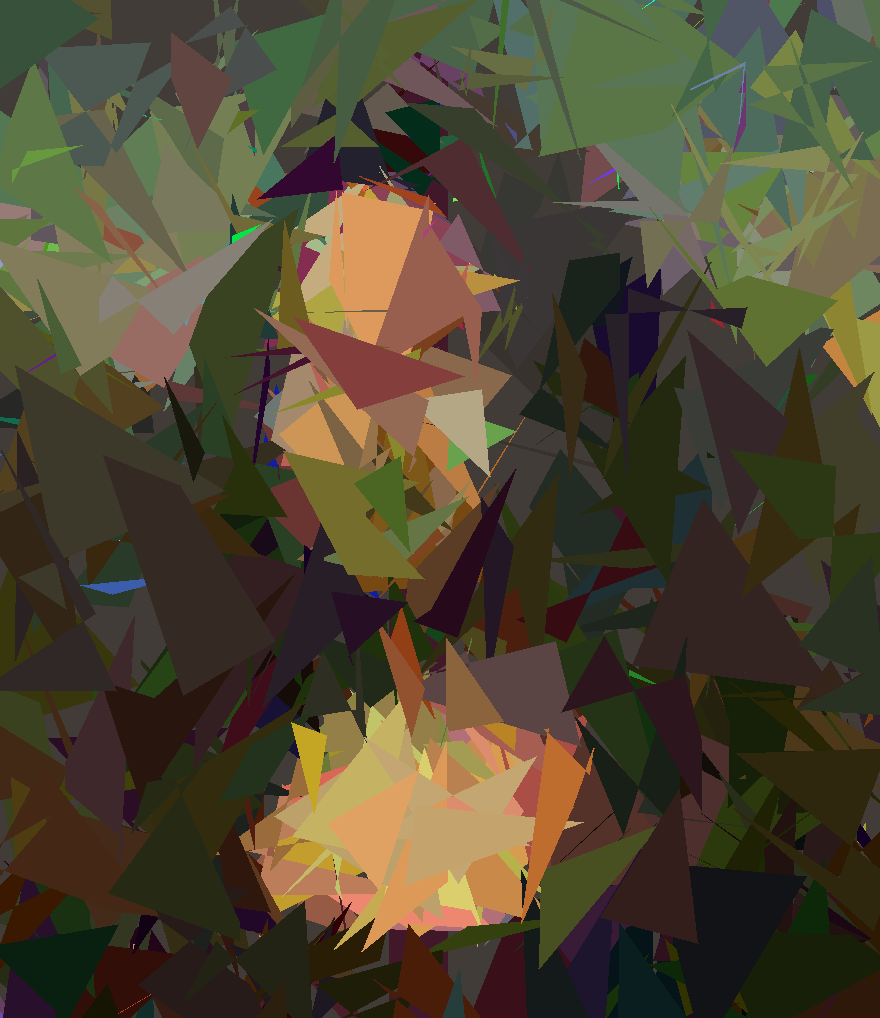 |
| image | 500 generations |
|---|---|
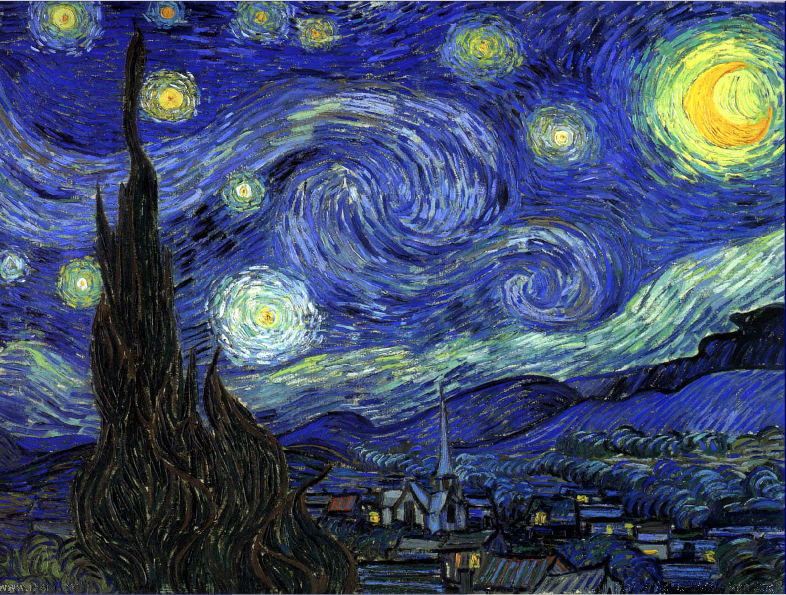 |
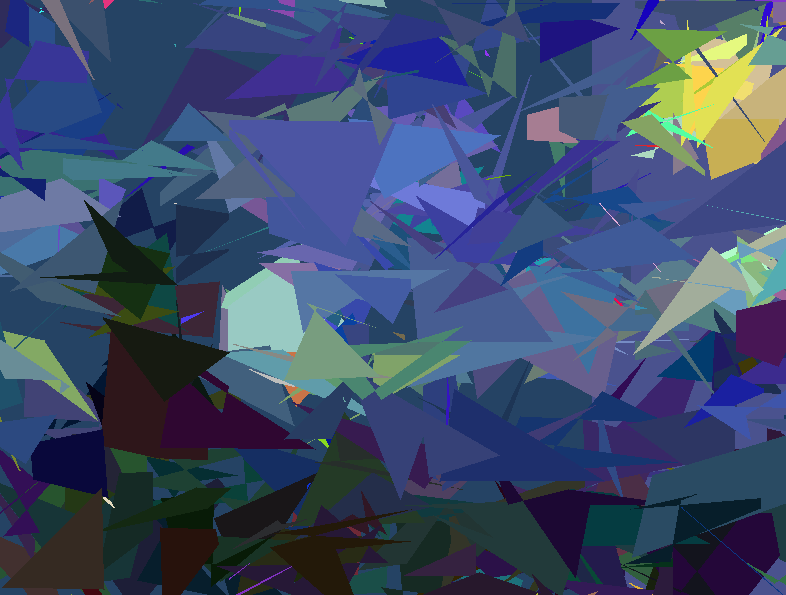 |
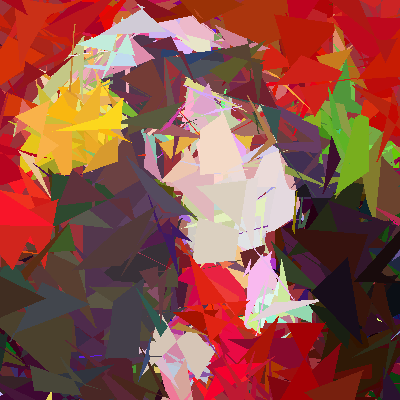
But After the 1000th generation, the algorithm has a low probability to improve the image anymore, due to the size of the polygons. The algorithm is stuck in a local minimum.
Second Version
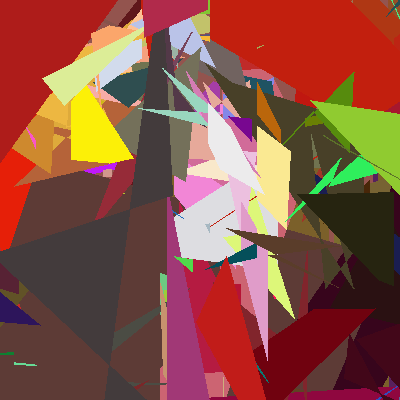
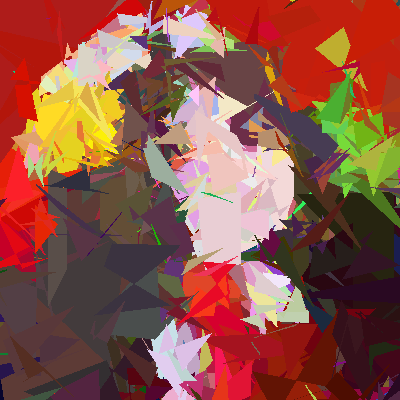
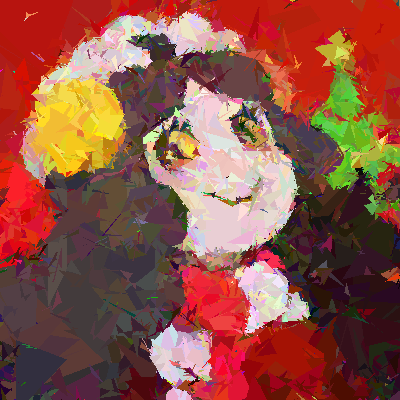
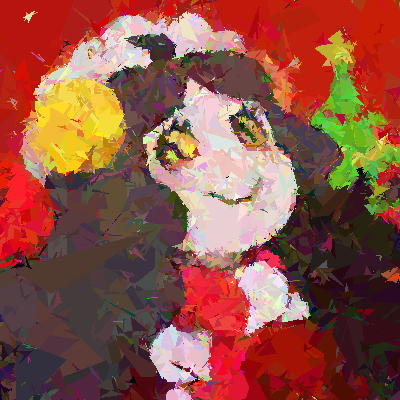
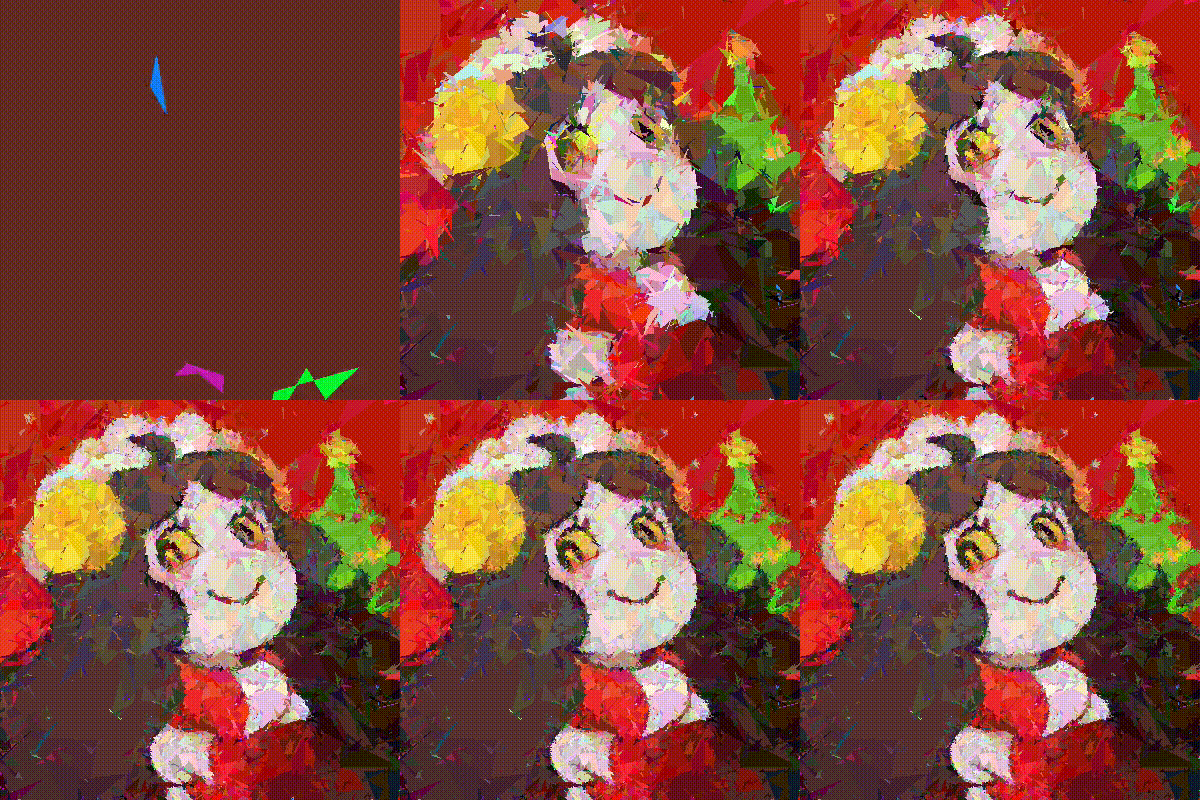
The main problem of the first version is the precision of the polygons. As the polygons are represented by a list of points, the more points are far from others, less the polygon is precies. To solve this problem, I decide to search on progressively reduce the size of the polygons. So the algorithm is based on the following steps:
- Generate a random population of polygons
- Compute the fitness of each individual
- Select the best individual
- Equilibrate the limit size of the polygons, when the process is stuck (the fitness is not increasing), we will reduce the limit size of the polygons and when the process is not stuck, we will increase the limit size of the polygons.
- Apply crossover between the best individual and the population (with stocking the previous best individuals)
- Apply mutation to the population (except the previous best individuals), which consists in adding a random polygon to all individuals
- Repeat from step 2, x times to upgrade the image
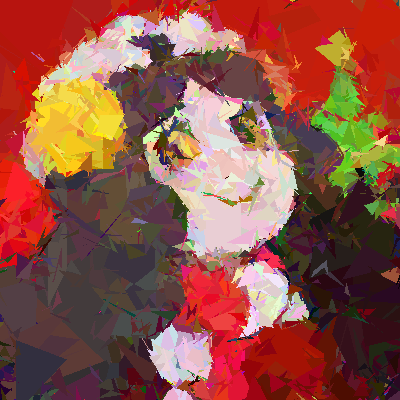
| image | 200 generations | 1000 generations | 2000 generations | 3000 generations | 4000 generations | 5000 generations |
|---|---|---|---|---|---|---|
 |
 |
 |
 |
 |
 |
 |
In comparison with the first version:
| First version | Second version |
|---|---|
 |
|
And for the result on 5000 generations:
| Objectif | Result |
|---|---|
|
|
With this version, the algorithm is able to improve the image without being stuck. Now, the algorithm is able to recreate the image with a precision of 1 pixel.
Gif Result:
| Monalisa | Logo | |
|---|---|---|
| Number of step | 10000 | 10000 |
| Result | 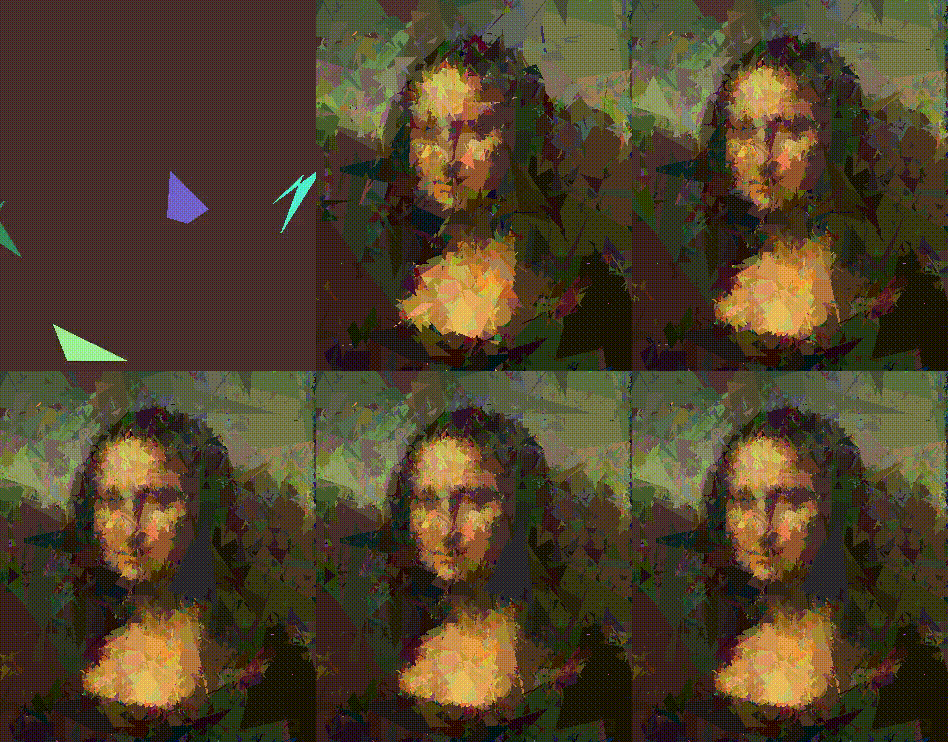 |
 |
[!TIP] You can convert the image in mp4 via:
ffmpeg -framerate 60 -pattern_type glob -i 'step/generation*.png' -c:v libx264 -pix_fmt yuv422p output-60fps.mp4
Release history Release notifications | RSS feed


Download files
Download the file for your platform. If you're not sure which to choose, learn more about installing packages.
Source Distribution
Built Distribution
Filter files by name, interpreter, ABI, and platform.
If you're not sure about the file name format, learn more about wheel file names.
Copy a direct link to the current filters
File details
Details for the file monailisa-0.1.12.tar.gz.
File metadata
- Download URL: monailisa-0.1.12.tar.gz
- Upload date:
- Size: 12.6 MB
- Tags: Source
- Uploaded using Trusted Publishing? No
- Uploaded via: twine/5.1.1 CPython/3.12.7
File hashes
| Algorithm | Hash digest | |
|---|---|---|
| SHA256 |
3d2fc6cbbf85c273b30fc9e12f9bc8be37ca0f89847bdf56855494827c922bbd
|
|
| MD5 |
f667877ac254f3c9b649b41f19d144fb
|
|
| BLAKE2b-256 |
7f2650dfdffb4642920b9cb3223020cf04df431eb3c3d3dce53017e0590c3846
|
File details
Details for the file monailisa-0.1.12-py3-none-any.whl.
File metadata
- Download URL: monailisa-0.1.12-py3-none-any.whl
- Upload date:
- Size: 5.5 kB
- Tags: Python 3
- Uploaded using Trusted Publishing? No
- Uploaded via: twine/5.1.1 CPython/3.12.7
File hashes
| Algorithm | Hash digest | |
|---|---|---|
| SHA256 |
21bb3c27f0b0a910d68a95b246ee91b3b5de2a32ab9670e907dd6dddb9849081
|
|
| MD5 |
28203af3b4d1b10cb3f059dcfd64e5d9
|
|
| BLAKE2b-256 |
b8c7e6c1e5f6d8132870b7c3ce24aa1d467ff191735828aebdcd2a7bd95de106
|






