
mtdx62
Device library for the MTD062-MB (5.8 GHz) and MTD262-MB (24 GHz) human presence sensors, spoken to over Modbus RTU or Modbus TCP.
The library models the sensor's registers as typed Python attributes. It reads the whole measurement block in one Modbus request and keeps the configuration registers separate, so polling the sensor does not drag along parameters that rarely change.
Built on modbus-connection: the
caller owns the connection and hands over a ModbusUnit. The library never opens a socket or a
serial port and has no dependency on Home Assistant.
The dependency is pinned to modbus-connection>=4.12.8. Earlier releases close a connection and
reopen it when a unit asks for a longer timeout, which races with the next request
(issue 269); 4.12.8 keeps
the link open instead. On a serial bus that race shows up as a port that refuses to open until
the stale connection goes away.
The device
Ceiling-mounted radar sensor. It reports presence, ambient light and the distance to the detected target, and keeps its own configuration in holding registers.
The family
One housing, four models: two speak Modbus, two switch a dry contact. Only the Modbus ones are covered by this library, and the register map is identical between them.
| Model | Radio | Interface | Covered here |
|---|---|---|---|
| MTD062-MB | 5.8 GHz | Modbus RTU over RS485 | yes |
| MTD262-MB | 24 GHz | Modbus RTU over RS485 | yes |
| MTD061-RC | 5.8 GHz | dry contact, ≤ 24 V, ≤ 100 mA | no |
| MTD261-RC | 24 GHz | dry contact, ≤ 24 V, ≤ 100 mA | no |
Both kinds are configured with the same infrared remote. The manuals for the Modbus and the
dry-contact series are both in docs/sources/, so the difference is visible
before buying the wrong one.
Devices that look the same are also sold under other names, and Bluetooth variants exist. Check the label before buying: this library speaks Modbus RTU only.
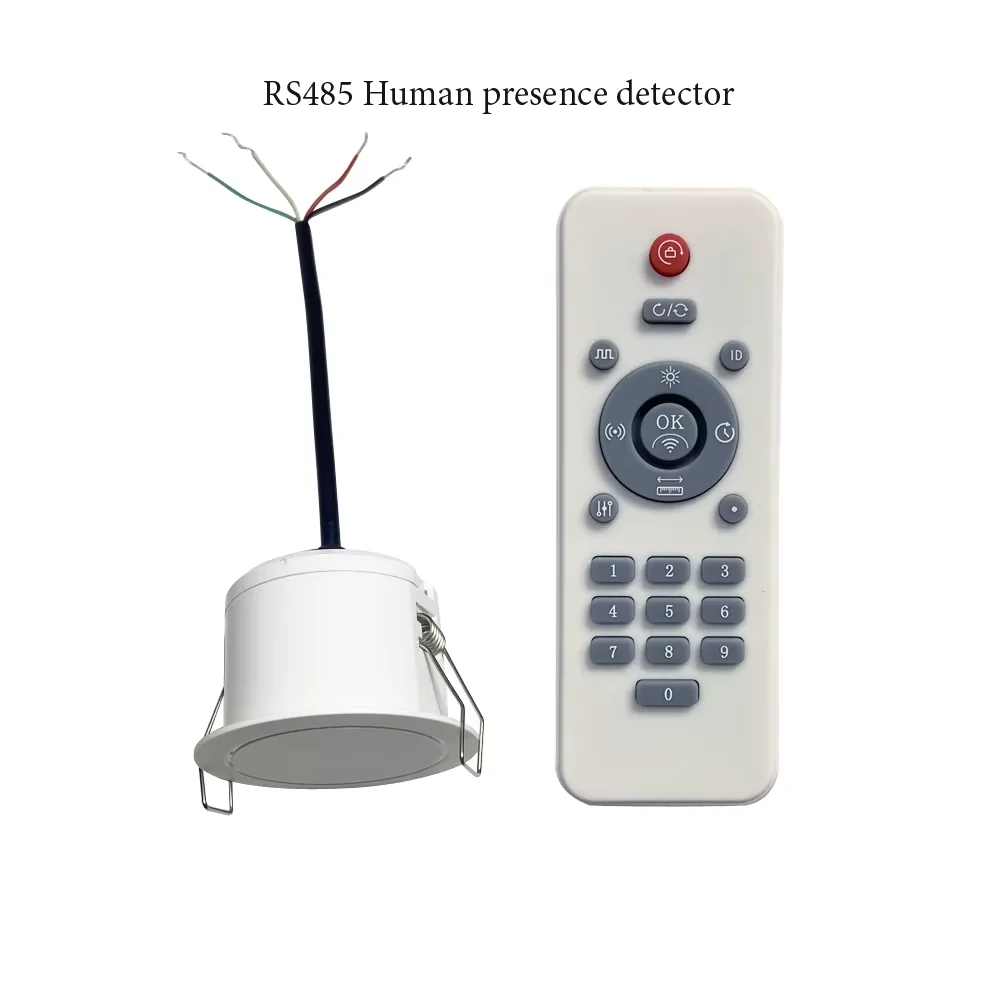
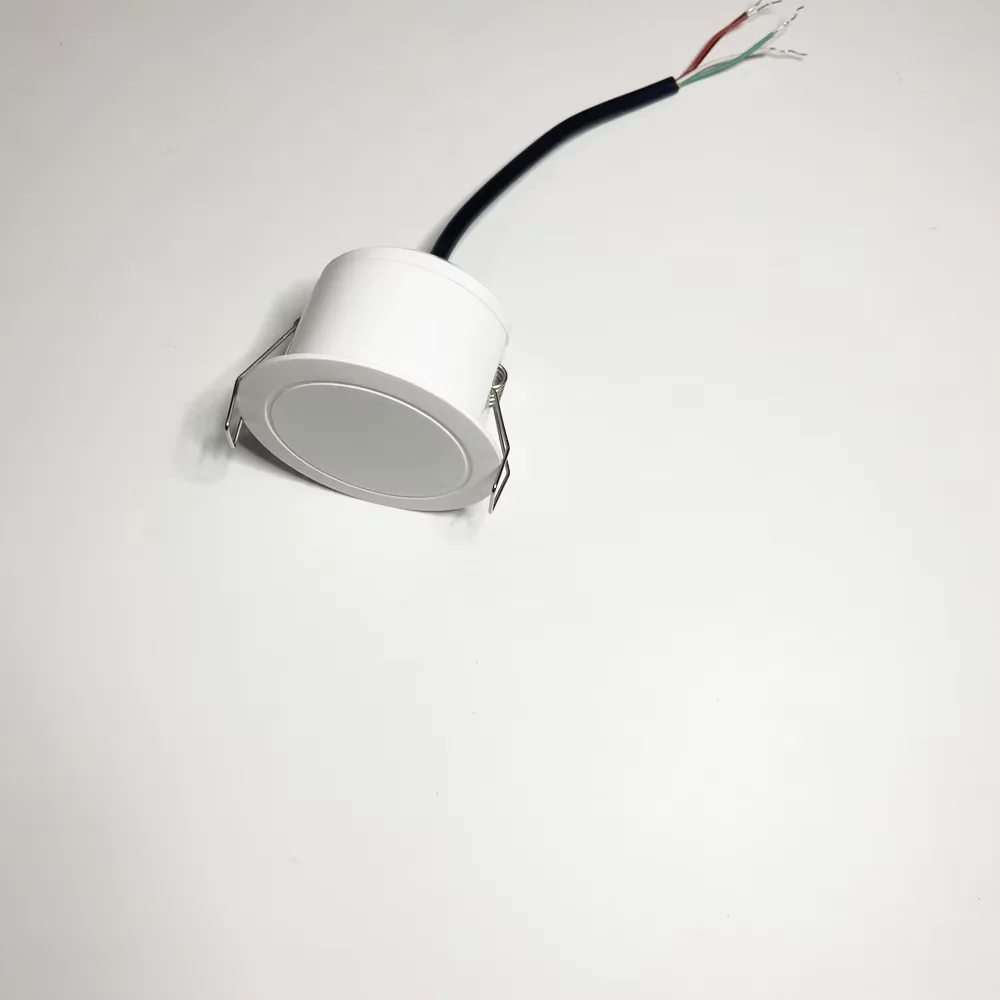
Outside
 |
 |
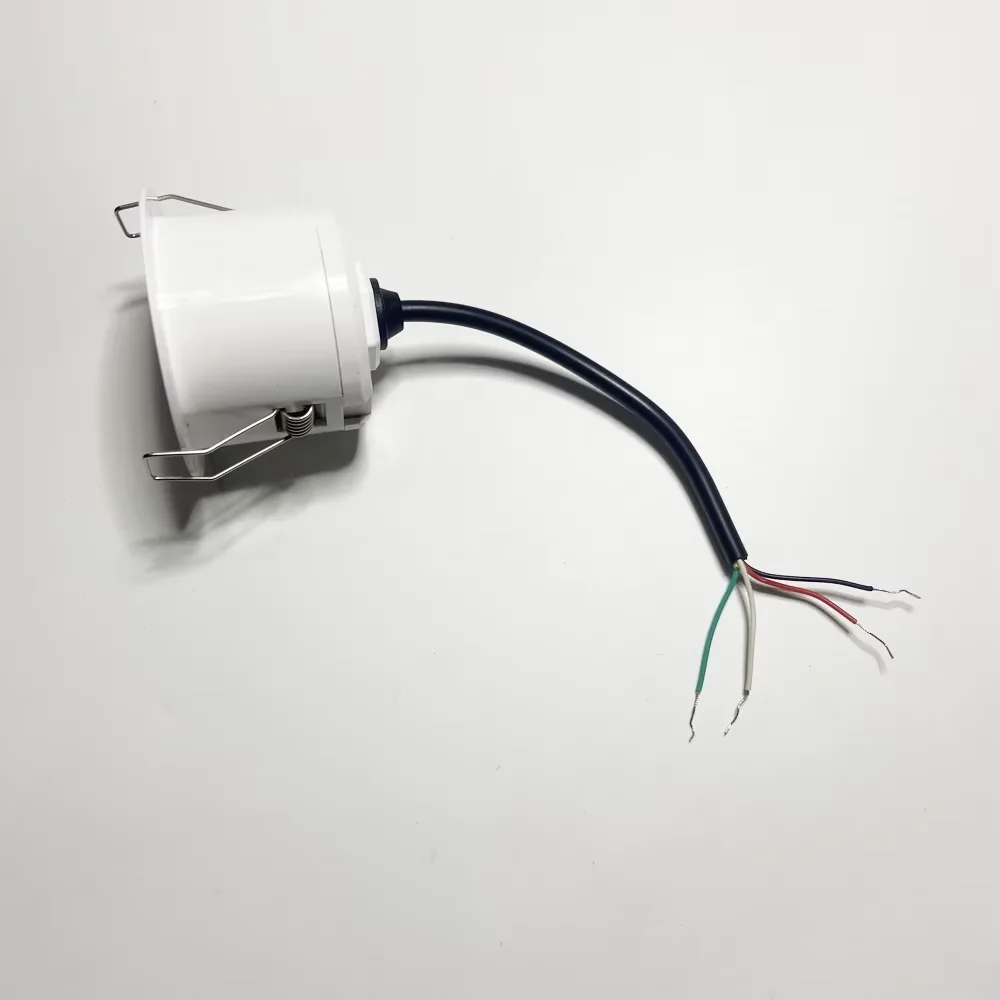 |
| Overview with the infrared remote | Angled view | Side view |
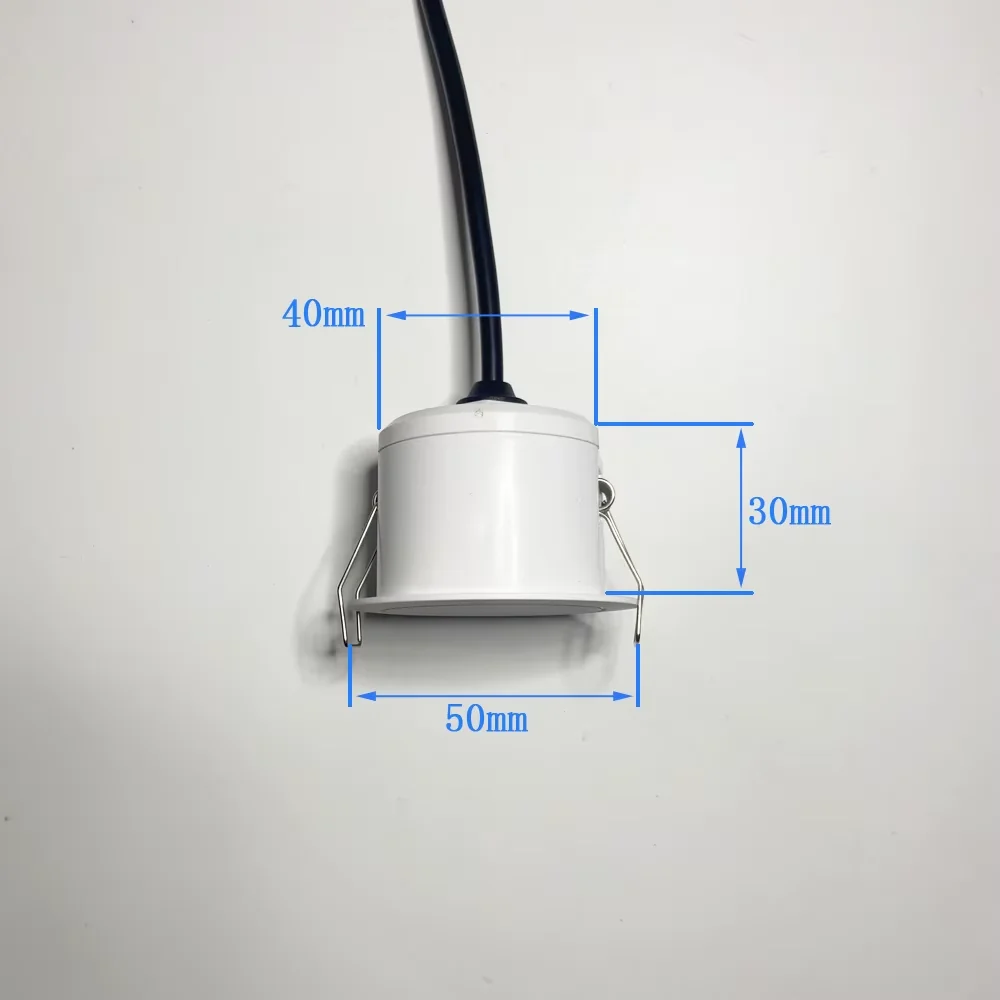
Dimensions, millimetres
Inside
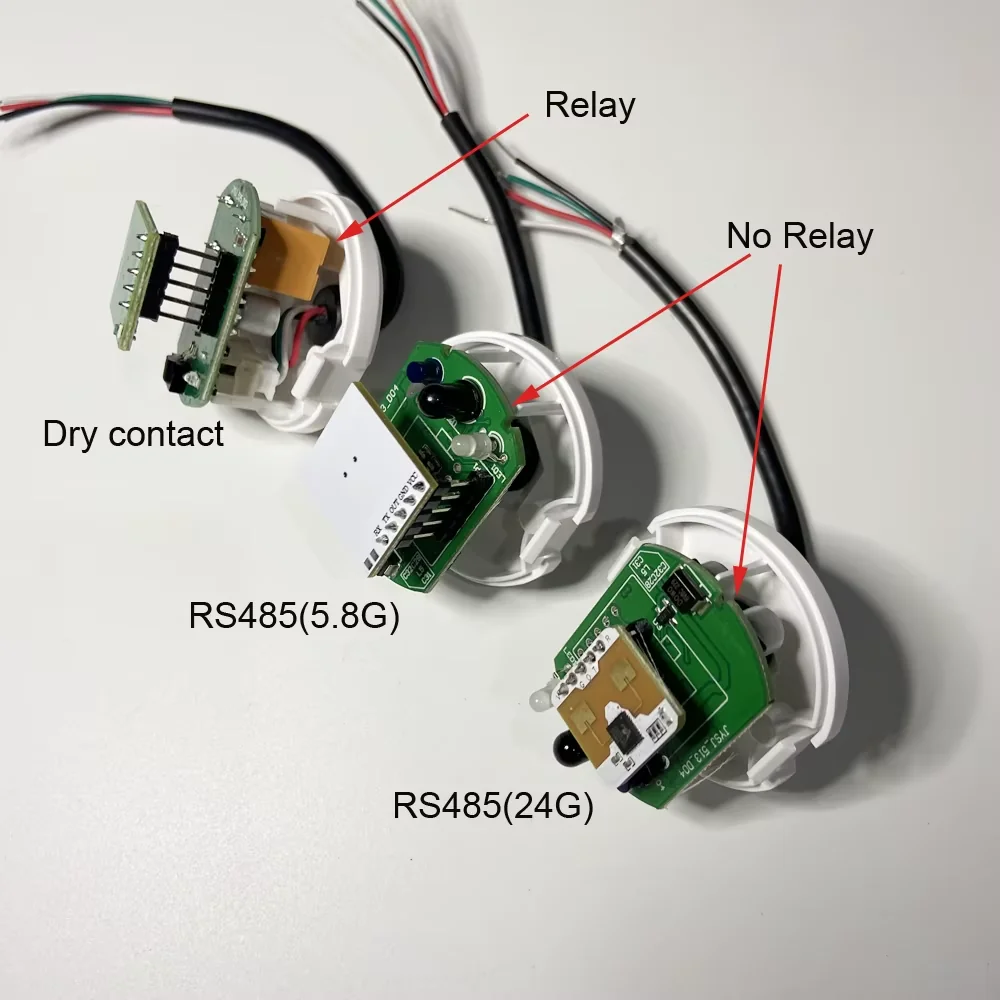 |
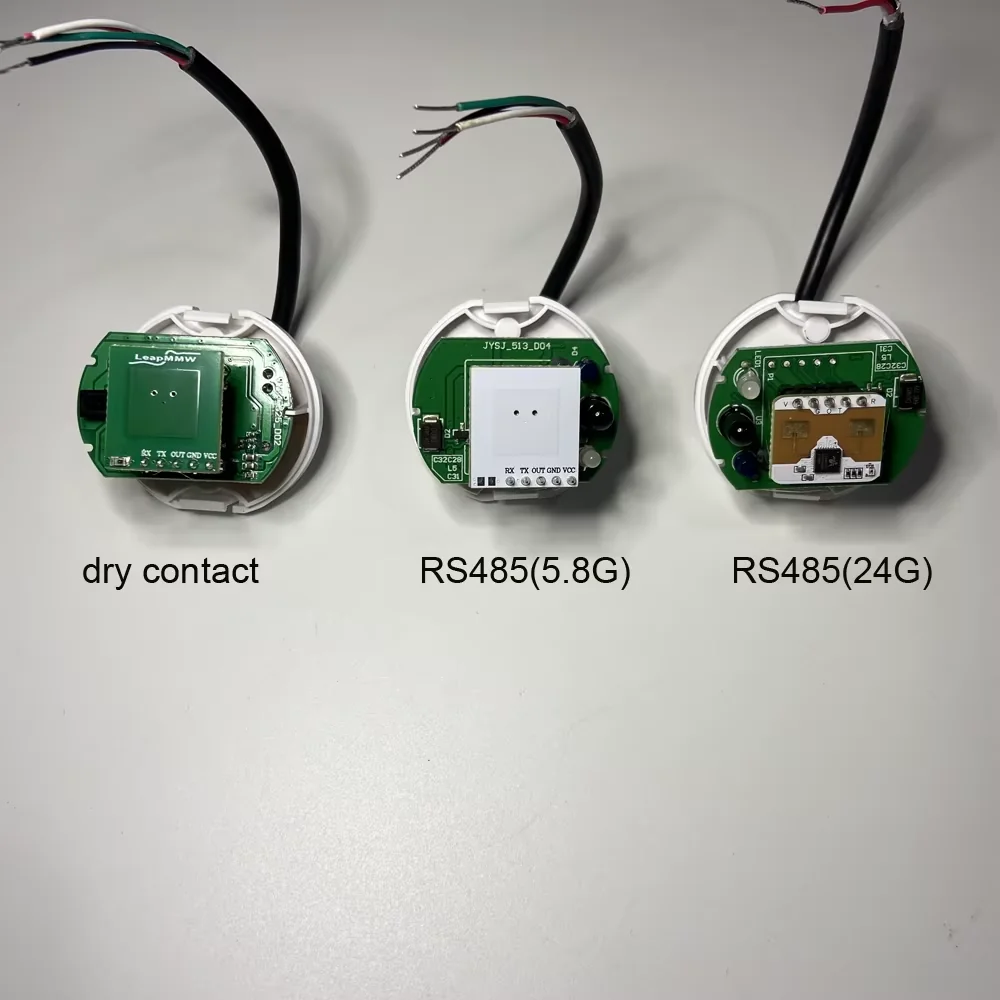 |
| Inside all three hardware versions, angled | Inside all three hardware versions, front |
Pictures come from the vendor's product material. What the device actually does — register
values, the self-check timeline, how it reacts to a cut bus — is in
docs/DEVICE-FACTS.md.
Install
pip install mtdx62-modbus-library
Use
import asyncio

from modbus_connection import ModbusTcpParams
from modbus_connection.tmodbus import ModbusConnection
from mtdx62_modbus_library import Mtdx62Device


async def main() -> None:
    connection = ModbusConnection(ModbusTcpParams(host="192.168.1.50", port=502))
    try:
        device = Mtdx62Device(connection.for_unit(1))

        await device.async_update_readings()
        print(device.readings.presence, device.readings.illuminance, device.readings.distance)

        await device.async_update_settings()
        print(device.settings.detection_distance, device.settings.departure_delay)
    finally:
        await connection.close()


asyncio.run(main())
What it exposes
| Attribute | Meaning | Unit |
|---|---|---|
readings.presence |
a person is detected, including someone sitting still | — |
readings.illuminance |
ambient light as the sensor sees it | lx, tenth of a lux |
readings.distance |
distance to the detected target | m, centimetre resolution |
readings.status_code |
raw health code | — |
readings.status |
health code as DeviceStatus, None when unknown |
— |
readings.app_version |
application firmware version, 1.2.3 |
— |
readings.radar_version |
radar module firmware version | — |
settings.* |
detection range, delays, sensitivities, bus address and speed | see Settings |
Every attribute is None until the first read of its sub-system.
Illuminance comes with a tenth-of-a-lux resolution and a ceiling: the unit we tested stops at 11280, which is 1128 lx, and stays there in brighter light. Treat that as the behaviour of one device — another unit may saturate elsewhere — and do not use the ceiling as a scale bound.
The number is the sensor's own reading. Nobody compared it against a reference meter, so treat it as a relative signal — enough to tell dark from bright, not as a calibrated lux value.
Reading the configuration is a separate call (async_update_settings()) precisely so that a
5-second poll costs one request.
Writing parameters
Every parameter the vendor register map describes can be written; 0x000D cannot, because nobody
knows what it holds. The value is expressed in the units the reading uses, and the library checks it
against the map before anything reaches the bus:
await device.settings.async_write("departure_delay", 60)
await device.settings.async_write("detection_distance", 4.5)

for spec in device.settings.writable_fields():
    print(spec.name, spec.minimum, spec.maximum, spec.step, spec.unit)
writable_fields() is what a UI should build its controls from: name, limits, step, unit and the raw
register bounds, so the range is not copied into a second place.
settings.mac_code is the one register the vendor calls a MAC code. It is a single word, not a full
MAC address — on the unit we tested it reads 1 — so it is exposed for diagnostics and cannot be
written.
After the write the library reads the parameter block and compares. A device that stores something
else raises WriteVerificationError carrying both values instead of pretending the write worked; a
successful call leaves settings filled from that same read, so no extra poll is needed.
Write is a tool, not a policy. The library deliberately does not:
- check the device's health code first — a script changing ten parameters would pay ten extra reads, and whether a faulting device should be configured is the caller's call;
- change the unit's own address, baud rate or parity when those registers are written, or reconnect;
- know that
active_report = 1makes the device talk on its own.
What the sensor does with the value
The vendor table is not the whole truth, and docs/DEVICE-FACTS.md records what was measured on a
real unit:
- The sensor clamps instead of rejecting. Detection distance below 1.0 m is stored as 1.0 m, the
shielding zone below 0.3 m as 0.3 m, and neither raises an error. The library therefore refuses
values outside the measured ranges, so you get what you asked for or a clear
ValueError. - A new value appears with a delay. For up to half a second a read can still return the previous
number. The confirmation read is repeated for a second before
WriteVerificationErroris raised, so a slow sensor is not mistaken for a rejected write. - The zones must fit inside the detection radius:
shielding_distance + entry_indentmust stay belowdetection_distance. The sensor enforces it and answers with exception0x02, which reads like "illegal address" rather than "illegal value". The library does not predict this; the error comes from the device. unit_id,baudrateandparityapply at once, not after a power cycle: the moment the write lands, the device answers on the new address or speed. A caller that changes them has to move its link with them, or it loses the sensor until it does. These three are written without a confirmation read — there is nothing to read back — andasync_write_link_settings()sends all three as one request, filling the values you do not pass from the last read.active_reportswitches the device into push mode. On a shared bus that means frames nobody asked for, so a poll-based consumer should leave it off.- The threshold is expressed in the same tenths of a lux as the reading:
10.0is 10 lux, which the device stores as 100; the register accepts up to 4200, that is 420 lx.
Health codes
readings.status is a DeviceStatus member. A running sensor reports OK (1); code 0 is the
transient self-check at power-up, and code 2 and above mean the sensor is broken. is_fault
tells the two groups apart, so consumers do not have to remember the boundary.
| Code | Meaning | is_fault |
|---|---|---|
| 0 | self-check in progress | no |
| 1 | running | no |
| 2 | self-test failed | yes |
| 3 | other fault | yes |
| 4 | radar module fault | yes |
| 5 | RS485 fault | yes |
| 6 | radar and RS485 fault | yes |
An undocumented code decodes to None, while status_code keeps the raw number for diagnostics.
0.2.0 is a breaking release:
OKandSELF_TEST_FAILEDswapped values, because 0.1.0 read the vendor table one row off.
Errors
The library raises whatever modbus-connection raises: a timeout, a protocol error, or a
refusal of the addressed registers. It does not wrap them, so the caller can tell a dead link
from a slow device.
Its own errors derive from Mtdx62Error, so one except clause catches them all:
| Error | When |
|---|---|
WriteVerificationError |
the device accepted the write but reports a different value; carries field, requested and stored |
A value outside the register map, or of the wrong type, raises ValueError before anything is sent.
An unknown or unwritable parameter raises AttributeError.
Supported firmware
Written against the vendor documentation for firmware 1.6. The register map is in
openspec/specs/mtdx62-registers/, and what the device actually does — register values, the
self-check timeline, how it reacts to a cut bus — is in docs/DEVICE-FACTS.md
together with the vendor material it was derived from.
Tests
Tests run against the in-memory backend of modbus-connection, so they need neither hardware
nor Home Assistant:
pip install -e ".[test]"
pytest
Author
Sergey Astakhov — sergeyastakhov@mail.ru, github.com/sergeyastakhov.
Source and issues: https://github.com/sergeyastakhov/mtdx62-modbus-library. MIT licensed.
1 maintainer

Metadata
1 maintainer
Release files for mtdx62-modbus-library 0.5.0
For a detailed explanation of source distributions (sdists) and built distributions (wheels), please see the package formats documentation.
Source distribution (sdist)
| File | Size | Uploaded | Provenance | Actions |
|---|---|---|---|---|
| mtdx62_modbus_library-0.5.0.tar.gz | 4.6 MB | With provenance | Details for mtdx62_modbus_library-0.5.0.tar.gz |
Built distribution (wheel)
| File | Interpreter | ABI | Platform | Actions Reset |
|---|---|---|---|---|
| mtdx62_modbus_library-0.5.0-py3-none-any.whl | Python 3 | none | any | Details for mtdx62_modbus_library-0.5.0-py3-none-any.whl |
Total release size: 4.6 MB
Release files / mtdx62_modbus_library-0.5.0.tar.gz
| Download URL | mtdx62_modbus_library-0.5.0.tar.gz |
|---|---|
| Size | 4.6 MB |
| Tags | Source |
|
SHA-256 checksum How to use checksums |
2a23d40798794333f8ae8d993d0e4cff2ebbbbfb7b6c99ee3a6cc76dd2bf11b5
|
|
BLAKE2b-256 checksum How to use checksums |
36c3f13c6cab663964f2612fd6a9a2dea0feee4a2b70297f512fb7d0b4d0a625
|
| Upload date | |
|
Uploaded using Trusted Publishing? What is trusted publishing? |
Yes |
| Uploaded via |
twine/7.0.0 CPython/3.13.16
|
Provenance
Provenance describes where a file came from. On PyPI, provenance is shared via attestations, which provide a verifiable record of the build or publishing details. View details, limitations and caveats.


PyPI Publish Attestation
PyPI verified that this artifact, at this checksum, originated from the publisher listed below.
Signed by GitHub Actions, verified by PyPI on Nov 27, 2026.
Transparency logRelease files / mtdx62_modbus_library-0.5.0-py3-none-any.whl
| Download URL | mtdx62_modbus_library-0.5.0-py3-none-any.whl |
|---|---|
| Size | 15.4 kB |
| Tags | Python 3 |
|
SHA-256 checksum How to use checksums |
a143d7897bd6f913a801dfd63a3b0422b2f90492ba0804975427d90b6967ea42
|
|
BLAKE2b-256 checksum How to use checksums |
ae3473e487215581073a106564f1ffe0cca8309dc208fb49ee849d8a360b959c
|
| Upload date | |
|
Uploaded using Trusted Publishing? What is trusted publishing? |
Yes |
| Uploaded via |
twine/7.0.0 CPython/3.13.16
|
Provenance
Provenance describes where a file came from. On PyPI, provenance is shared via attestations, which provide a verifiable record of the build or publishing details. View details, limitations and caveats.
PyPI Publish Attestation
PyPI verified that this artifact, at this checksum, originated from the publisher listed below.
Signed by GitHub Actions, verified by PyPI on Nov 27, 2026.
Transparency logSecurity for mtdx62-modbus-library 0.5.0
Provenance
Provenance describes where a file came from. On PyPI, provenance is shared via attestations, which provide a verifiable record of the build or publishing details. View details, limitations and caveats.
Full provenance
Both files in this release have been uploaded with provenance metadata.
Attestation for mtdx62_modbus_library-0.5.0.tar.gz
PyPI Publish Attestation
PyPI verified that this artifact, at this checksum, originated from the publisher listed below.
Signed by GitHub Actions, verified by PyPI on Nov 27, 2026.
Transparency logA note on package security
PyPI is a repository for distributing packages, not a service for auditing them. While third-party security researchers and our staff do their best to detect and remove malicious packages, PyPI cannot guarantee the quality, security or suitability of any given package.
To learn more about protecting yourself from malicious actors, visit our package security documentation.














