
This release is a pre-release and may not be stable for production use.

Aggregate bioinformatics results across many samples into a single report
Find documentation and example reports at http://multiqc.info



MultiQC is a tool to create a single report with interactive plots for multiple bioinformatics analyses across many samples.
Reports are generated by scanning given directories for recognised log files. These are parsed and a single HTML report is generated summarising the statistics for all logs found. MultiQC reports can describe multiple analysis steps and large numbers of samples within a single plot, and multiple analysis tools making it ideal for routine fast quality control.
A very large number of Bioinformatics tools are supported by MultiQC. Please see the MultiQC website for a complete list. MultiQC can also easily parse data from custom scripts, if correctly formatted / configured - a feature called Custom Content.
More modules are being written all the time. Please suggest any ideas as a new issue (please include example log files).
Installation
You can install MultiQC from PyPI
using pip as follows:
pip install multiqc
Alternatively, you can install using Conda from Bioconda (set up your channels first):
conda install multiqc
If you would like the development version from GitHub instead, you can install it with pip:
pip install --upgrade --force-reinstall git+https://github.com/MultiQC/MultiQC.git
MultiQC is also available via Docker and Singularity images, Galaxy wrappers, and many more software distribution systems. See the documentation for details.
Usage
Once installed, you can use MultiQC by navigating to your analysis directory (or a parent directory) and running the tool:
multiqc .
That's it! MultiQC will scan the specified directory (. is the current dir)
and produce a report detailing whatever it finds.
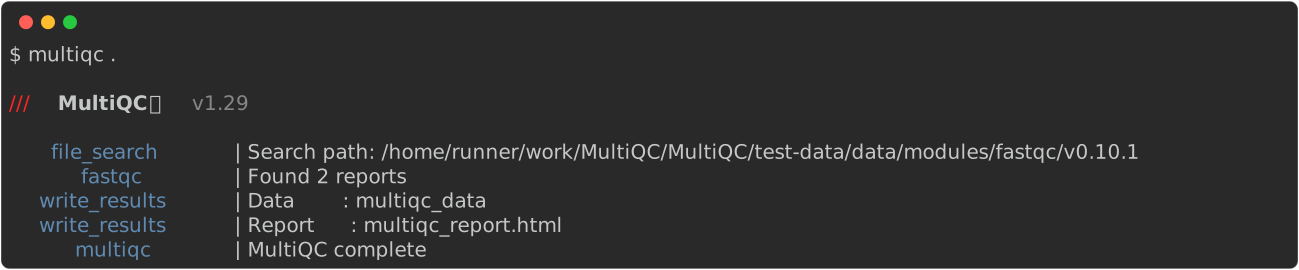
The report is created in multiqc_report.html by default. Tab-delimited data
files are also created in multiqc_data/, containing extra information.
These can be easily inspected using Excel (use --data-format to get yaml
or json instead).
For more detailed instructions, run multiqc -h or see the
documentation.
Citation
Please consider citing MultiQC if you use it in your analysis.
MultiQC: Summarize analysis results for multiple tools and samples in a single report.
Philip Ewels, Måns Magnusson, Sverker Lundin and Max Käller
Bioinformatics (2016)
doi: 10.1093/bioinformatics/btw354
PMID: 27312411
@article{doi:10.1093/bioinformatics/btw354,
 author = {Ewels, Philip and Magnusson, Måns and Lundin, Sverker and Käller, Max},
 title = {MultiQC: summarize analysis results for multiple tools and samples in a single report},
 journal = {Bioinformatics},
 volume = {32},
 number = {19},
 pages = {3047},
 year = {2016},
 doi = {10.1093/bioinformatics/btw354},
 URL = { + http://dx.doi.org/10.1093/bioinformatics/btw354},
 eprint = {/oup/backfile/Content_public/Journal/bioinformatics/32/19/10.1093_bioinformatics_btw354/3/btw354.pdf}
}
Contributions & Support
Contributions and suggestions for new features are welcome, as are bug reports! Please create a new issue for any of these, including example reports where possible. Pull-requests for fixes and additions are very welcome. Please see the contributing notes for more information about how the process works.
MultiQC has extensive documentation describing how to write new modules, plugins and templates.
If in doubt, feel free to get in touch with the author directly: @ewels (phil.ewels@seqera.io)
Contributors
MultiQC is developed and maintained by Phil Ewels (@ewels) at Seqera Labs. It was originally written at the National Genomics Infrastructure, part of SciLifeLab in Sweden.
A huge thank you to all code contributors - there are a lot of you! See the Contributors Graph for details.
MultiQC is released under the GPL v3 or later licence.
1 maintainer

Metadata
1 maintainer
Release files for multiqc-vlad 1.30.dev20250821143134
For a detailed explanation of source distributions (sdists) and built distributions (wheels), please see the package formats documentation.
Source distribution (sdist)
| File | Size | Uploaded | Provenance | |
|---|---|---|---|---|
| multiqc_vlad-1.30.dev20250821143134.tar.gz | 8.0 MB | Without provenance | Details |
Built distribution (wheel)
| File | Interpreter | ABI | Platform | Reset |
|---|---|---|---|---|
| multiqc_vlad-1.30.dev20250821143134-py3-none-any.whl | Python 3 | none | any | Details |
Total release size: 17.7 MB
Release files / multiqc_vlad-1.30.dev20250821143134.tar.gz
| Download URL | multiqc_vlad-1.30.dev20250821143134.tar.gz |
|---|---|
| Size | 8.0 MB |
| Tags | Source |
|
SHA-256 checksum How to use checksums |
a9d0766df8dba0e60e15a248fc47fe710cbf107e1548cda9a74f4bfff259d26a
|
|
BLAKE2b-256 checksum How to use checksums |
a393b1c0e5746364d9b22070900e9a16b6c4252ce483b86d6be692ad9dbbb6b6
|
| Upload date | |
|
Uploaded using Trusted Publishing? What is trusted publishing? |
No |
| Uploaded via |
twine/6.1.0 CPython/3.8.20
|
Release files / multiqc_vlad-1.30.dev20250821143134-py3-none-any.whl
| Download URL | multiqc_vlad-1.30.dev20250821143134-py3-none-any.whl |
|---|---|
| Size | 9.8 MB |
| Tags | Python 3 |
|
SHA-256 checksum How to use checksums |
e32b2ba5266bf8e25ab2c58dc8363a7a646335cdb570a4788a1587db8b7c5b0e
|
|
BLAKE2b-256 checksum How to use checksums |
3a388137fa1b591ddfc13c7fab353148b8bcc38a7198b4f64760387db58449bb
|
| Upload date | |
|
Uploaded using Trusted Publishing? What is trusted publishing? |
No |
| Uploaded via |
twine/6.1.0 CPython/3.8.20
|
Security for multiqc-vlad 1.30.dev20250821143134
Provenance
Provenance describes where a file came from. On PyPI, provenance is shared via attestations, which provide a verifiable record of the build or publishing details. View details, limitations and caveats.
No provenance found
None of the files in this release were uploaded with provenance metadata.
A note on package security
PyPI is a repository for distributing packages, not a service for auditing them. While third-party security researchers and our staff do their best to detect and remove malicious packages, PyPI cannot guarantee the quality, security or suitability of any given package.
To learn more about protecting yourself from malicious actors, visit our package security documentation.













