
Desktop Cat: Qt Overlay

Project description
Desktop Cat: QT Overlay 🐱





I made a cute little animated cat 🐈 for your desktop.
It's a lightweight Python + Qt app - no borders, and you can drag it around easily.
Shows static first frame for 5 seconds, then plays GIF animation once, then loops back to static.
If you like it, maybe I'll share an AnimeGirl version next time~ 😉
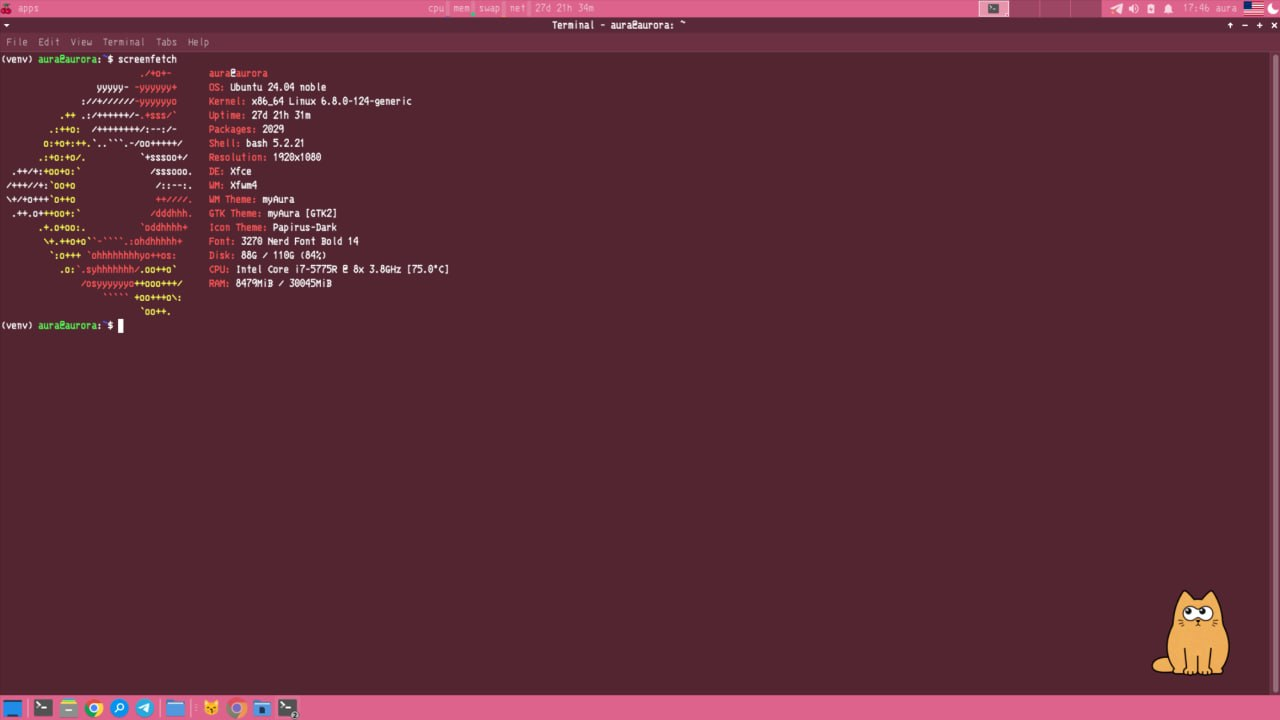
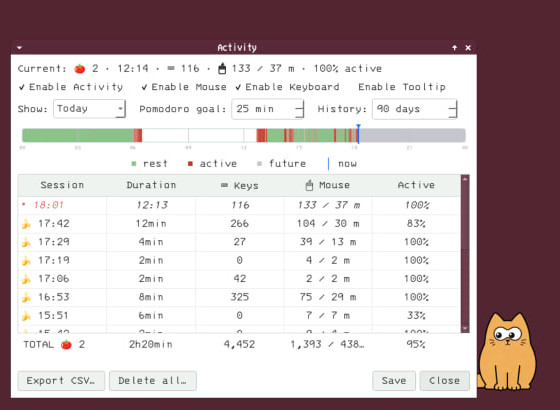
LLM Chat, Reminders, GitHub Integration & Tracking Activity
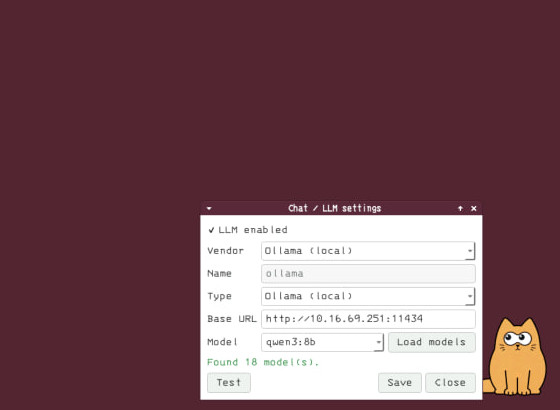
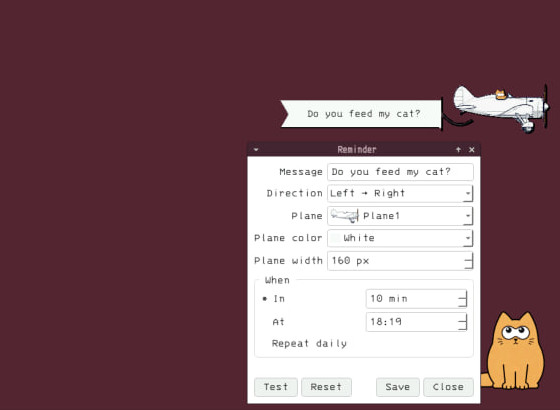
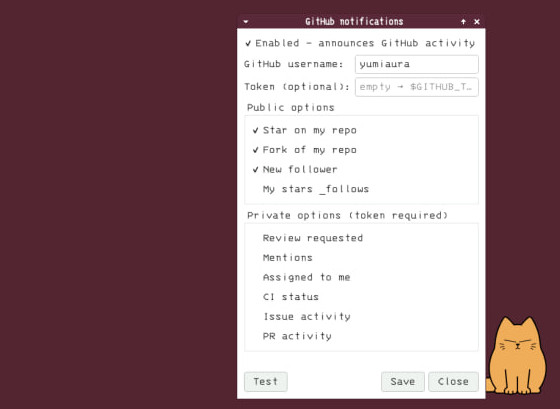
🚀 Quick start
Pick whichever is easiest - the cat runs on Windows, macOS and Linux.
Option A - prebuilt binary (no Python needed)
Grab the build for your OS - each button downloads the latest release:





Then run it:
- Windows - double-click the
.exe. - macOS - unzip and open
mycat.app(first launch: right-click → Open to get past Gatekeeper). - Linux
.deb-sudo apt install ./mycat-linux-amd64.deb. - Linux AppImage -
chmod +x mycat-linux-x86_64.AppImage && ./mycat-linux-x86_64.AppImage(needs FUSE:sudo apt install libfuse2).
Builds for every release live on the Releases page.
Option B - pip (Windows / macOS / Linux, Python ≥ 3.10)
pip install mycat
mycat
On Linux also install the Qt platform plugin once:
sudo apt install -y libxcb-cursor0
The activity diary can count key presses and clicks (never which keys) - it works out of the box on Windows, macOS and Linux/X11. Where global input access isn't available (e.g. Wayland) it degrades to recording the cursor path.
Upgrade or remove later with pip install -U mycat / pip uninstall mycat.
Option C - from source
git clone https://github.com/yumiaura/myCat
cd myCat
pip install .
mycat                 # or, without installing:  python3 mycat/main.py
✨ Features
- Animated overlay 🐱 - a frameless, always-on-top, draggable cat. Right-click for the menu (switch char, quit).
- Reminder 🛩️ - set a message and a time (one-shot or daily) and the cat flies a little banner plane across the top of your screen. Right-click → Reminder… to set the message, direction, plane and color.
- Chat (Ollama) 💬 - talk to the cat through a local Ollama model, no account or API key needed (see below).
💬 Chat with the cat (Ollama)
The cat can chat using a model served locally by Ollama - everything stays on your machine, no API key required.
- Install Ollama and pull a model:
ollama pull llama3.1
- Launch mycat, then right-click the cat → Ollama…
- Set the host/port (default
localhost:11434), click Load models, pick one, hit Test, then Save and tick LLM enabled. - Right-click → Chat to start talking. 🐾
🎮 Usage & options
Run mycat (or python3 mycat/main.py from source) and customise it with command-line options.
--image, -i <path> 🖼️ - use a custom ZIP archive (containing one GIF) instead of the default cat:
mycat --image ~/my-custom-cat.zip
A char ZIP must contain exactly one .gif: its first frame is the static pose, then the GIF plays once and returns to that frame. Images larger than 300×500 are scaled down automatically.
--pos <x> <y> 📍 - start at a specific screen position (otherwise the cat appears bottom-right and remembers where you last dragged it):
mycat --pos 960 540 # center of a 1920x1080 screen
--wait <seconds> ⏱️ - how long to hold the static first frame before the animation plays.
--debug 🐞 - verbose per-frame logging.
Controls
- Left-drag the cat to move it.
- Right-click the cat for the menu (Chars, Reminder…, Ollama…, Chat, Quit).
- Quit from the menu or with Ctrl+C in the terminal.
The cat remembers its position and selected char between sessions in ~/.config/mycat/config.ini.
🎬 Make your own cat
A char is just an animated GIF in a .zip - from a quick doodle to a fully
interactive cat with cursor-tracking eyes, blinking, sleeping and click
reactions. Step-by-step guide (draw it, build the GIF, package, install & share):
docs/CHARS.md.
🐳 Docker
Run the cat in a container with GUI forwarding to your host's X server.
Prerequisites: Docker, and an X server on the host (Xorg on Linux, VcXsrv on Windows, XQuartz on macOS).
# Linux
xhost +local:docker
docker compose up --build

# Windows (VcXsrv running, network clients allowed)
docker compose -f docker-compose.windows.yml up

# macOS (XQuartz running, network clients allowed)
docker compose -f docker-compose.mac.yml up
🔧 Troubleshooting
Cat appears in a black box / transparency doesn't work 🫥
- On X11 transparency needs a compositor. mycat falls back to clipping the window to the cat's outline when none is running, so this is rare; if you still see a box, enable display compositing (XFCE: Window Manager Tweaks → Compositor) or run a compositor such as
picom.
Window doesn't stay on top / doesn't show in the taskbar 📌
- Some window managers override "always on top" - restart the desktop session or check the WM settings.
Custom char doesn't load ❌
- The ZIP must contain exactly one valid
.gif. Check the path and that the file isn't corrupted.
Position not saving 💾
- Make sure
~/.config/mycat/exists and is writable; the config file is~/.config/mycat/config.ini.
Windows / launch issues 🪟
- Need Python ≥ 3.10 (
python --version) for the pip install, or just use the prebuilt.exe. - From the repo you can also launch with
run.bat(Windows) orrun.sh(Linux/macOS). - Verify PySide6:
python -c "import PySide6; print('PySide6 OK')".
Permission errors 🔒
- On Linux prefer a user install over
sudo(pip install --user mycat).
🤝 Getting help
- Search the GitHub Issues for similar problems.
- Read CONTRIBUTING.md for development setup.
- Open a new issue with your OS, desktop environment, Python version and any terminal errors.
License
Thank you for reading to the end! 😸🐾


Release history Release notifications | RSS feed


Download files
Download the file for your platform. If you're not sure which to choose, learn more about installing packages.
Source Distribution
Built Distribution
Filter files by name, interpreter, ABI, and platform.
If you're not sure about the file name format, learn more about wheel file names.
Copy a direct link to the current filters
File details
Details for the file mycat-0.1.16.tar.gz.
File metadata
- Download URL: mycat-0.1.16.tar.gz
- Upload date:
- Size: 4.0 MB
- Tags: Source
- Uploaded using Trusted Publishing? Yes
- Uploaded via: twine/6.1.0 CPython/3.13.12
File hashes
| Algorithm | Hash digest | |
|---|---|---|
| SHA256 |
70a9dba6d217ea154ca4a7b998fc2bc5ac67e0d19b6879f83d071b1c2976d29a
|
|
| MD5 |
c8edd80912d156a2bad20e5336541a1c
|
|
| BLAKE2b-256 |
e4208eb2fb7ff8c931c762ed4d8e33cd915508df5fb77dabd7bc01bf6a07b038
|
Provenance
The following attestation bundles were made for mycat-0.1.16.tar.gz:
Publisher:
publish.yml on yumiaura/myCat
-
Statement:
-
Statement type:
https://in-toto.io/Statement/v1 -
Predicate type:
https://docs.pypi.org/attestations/publish/v1 -
Subject name:
mycat-0.1.16.tar.gz -
Subject digest:
70a9dba6d217ea154ca4a7b998fc2bc5ac67e0d19b6879f83d071b1c2976d29a - Sigstore transparency entry: 2101642568
- Sigstore integration time:
-
Permalink:
yumiaura/myCat@2e0e29ade0bc334409617854bcf9b2aafc86fcc7 -
Branch / Tag:
refs/tags/0.1.16 - Owner: https://github.com/yumiaura
-
Access:
public
-
Token Issuer:
https://token.actions.githubusercontent.com -
Runner Environment:
github-hosted -
Publication workflow:
publish.yml@2e0e29ade0bc334409617854bcf9b2aafc86fcc7 -
Trigger Event:
push
-
Statement type:
File details
Details for the file mycat-0.1.16-py3-none-any.whl.
File metadata
- Download URL: mycat-0.1.16-py3-none-any.whl
- Upload date:
- Size: 4.0 MB
- Tags: Python 3
- Uploaded using Trusted Publishing? Yes
- Uploaded via: twine/6.1.0 CPython/3.13.12
File hashes
| Algorithm | Hash digest | |
|---|---|---|
| SHA256 |
18fdad612e34bfde72a1a0d9f459e3532b267162eb68cd175262e8c99f9214a7
|
|
| MD5 |
e86d4dc949d256a60c0234d8bcbac242
|
|
| BLAKE2b-256 |
cbe783a3e0d239c4b2405e87f8e194e173b9a2b4f170db44ddfa27c5bf7f54ba
|
Provenance
The following attestation bundles were made for mycat-0.1.16-py3-none-any.whl:
Publisher:
publish.yml on yumiaura/myCat
-
Statement:
-
Statement type:
https://in-toto.io/Statement/v1 -
Predicate type:
https://docs.pypi.org/attestations/publish/v1 -
Subject name:
mycat-0.1.16-py3-none-any.whl -
Subject digest:
18fdad612e34bfde72a1a0d9f459e3532b267162eb68cd175262e8c99f9214a7 - Sigstore transparency entry: 2101642772
- Sigstore integration time:
-
Permalink:
yumiaura/myCat@2e0e29ade0bc334409617854bcf9b2aafc86fcc7 -
Branch / Tag:
refs/tags/0.1.16 - Owner: https://github.com/yumiaura
-
Access:
public
-
Token Issuer:
https://token.actions.githubusercontent.com -
Runner Environment:
github-hosted -
Publication workflow:
publish.yml@2e0e29ade0bc334409617854bcf9b2aafc86fcc7 -
Trigger Event:
push
-
Statement type:






