
napari-assistant








The napari-assistant is a napari meta-plugin for building image processing workflows.
Usage
After installing one or more napari plugins that use the napari-assistant as user interface, you can start it from the
menu Tools > Utilities > Assistant (na) or run naparia from the command line.
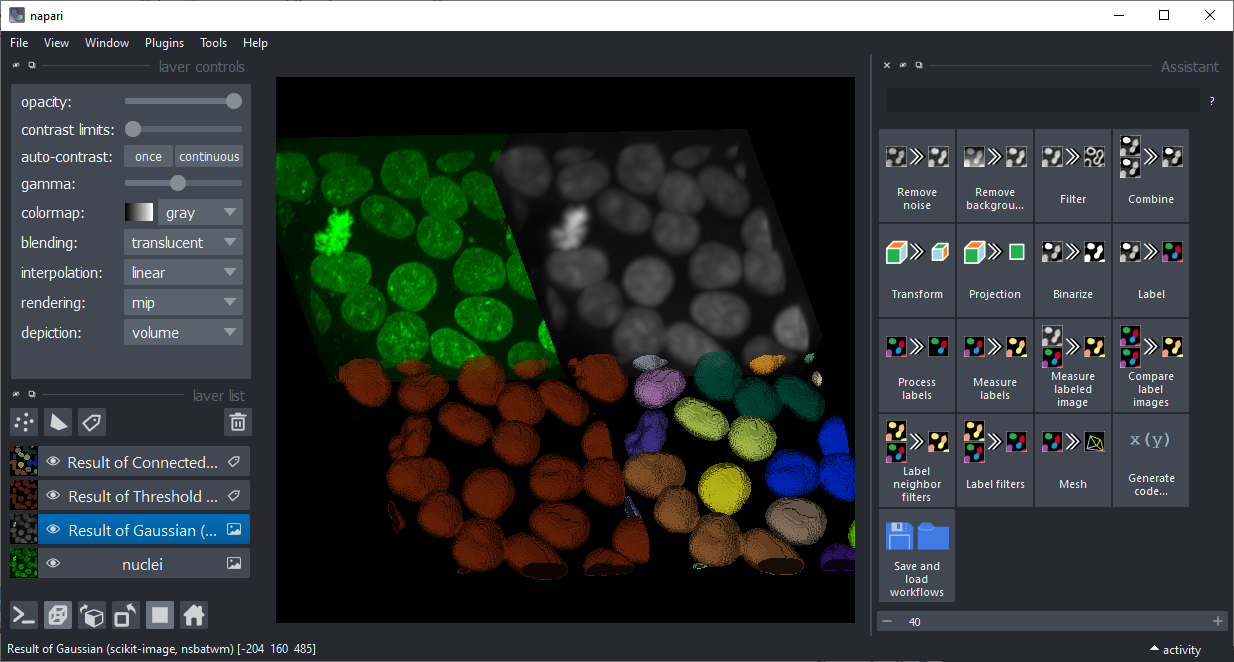
By clicking on the buttons in the assistant, you can setup a workflow for processing the images.
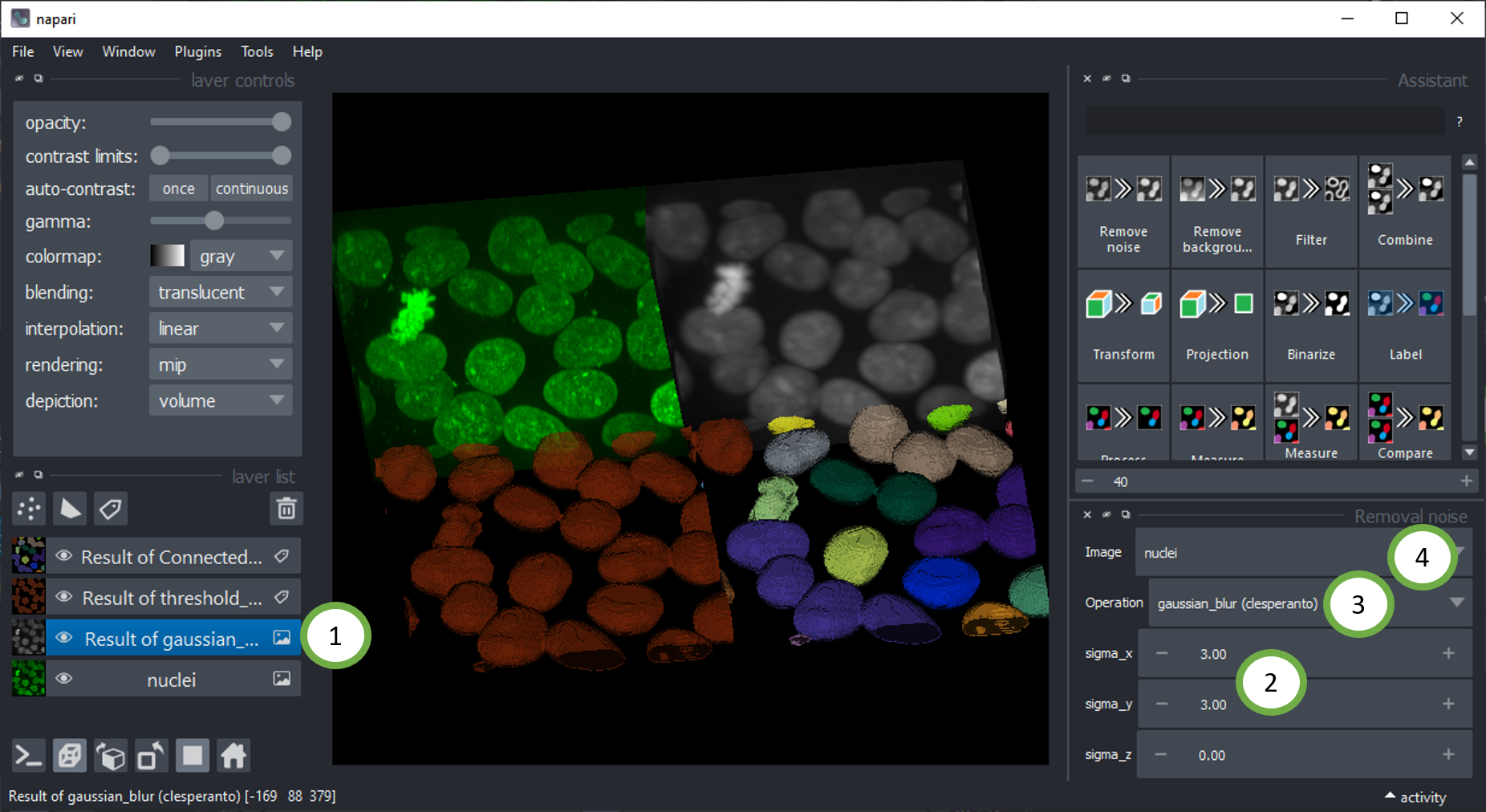
While setting up your workflow, you can at any point select a layer from the layer list (1) and change the parameters of the corresponding operation (2). The layer will update when you change parameters and also all subsequent operations. You can also vary which operation is applied to the image (3). Also make sure the right input image layer is selected (4).
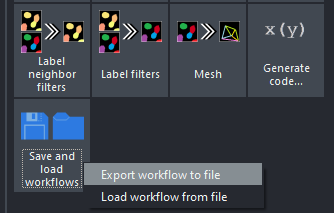
Saving and loading workflows
You can also save and load workflows to disk.
After loading a workflow, make sure that the right input images are selected.
Code generation
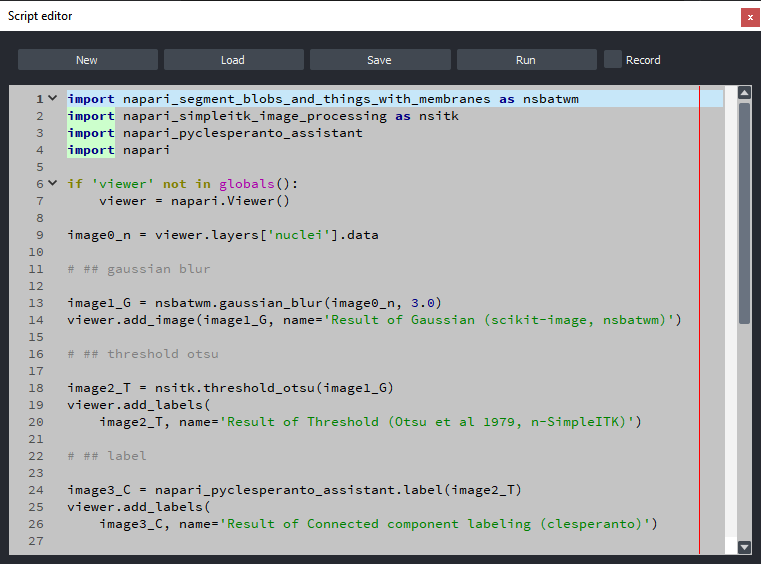
The napari-assistant allows exporting the given workflow as Python script and Jupyter Notebook.
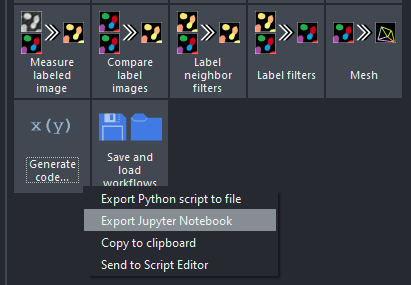
Furthermore, if you have the napari-script-editor installed, you can also send the current workflow as code to the script editor from the same menu.
Plugin generation
There is also a Napari plugin generator available. Check out its documentation to learn how napari-assistant compatible plugins can be generated directly from within the assistant.
Installation
It is recommended to install the napari-assistant via one of the plugins that use it as graphical user interface. You find a complete list of plugins that use the assistant on the napari-hub. Multiple of these plugins come bundled when installing devbio-napari. Note: This plugin is not compatible with napari 0.6.0 and later.
For developers
If you want to make your napari-plugin accessible from the napari-assistant, consider programming functions with a simple interface that consume images, labels, integers, floats and strings. Annotate input and return types, e.g. like this:
def example_function_widget(image: "napari.types.ImageData") -> "napari.types.LabelsData":
    from skimage.filters import threshold_otsu
    binary_image = image > threshold_otsu(image)

    from skimage.measure import label
    return label(binary_image)
Furthermore, please add your function to the napari.yaml which uses npe2:
name: napari-npe2-test
display_name: napari-npe2-test
contributions:
  commands:
    - id: napari-npe2-test.make_magic_widget
      python_name: napari_npe2_test._widget:example_magic_widget
      title: Make example magic widget
  widgets:
    - command: napari-npe2-test.make_magic_widget
      display_name: Segmentation / labeling > Otsu Labeling (nnpe2t)
To put it in the right button within the napari-assistant, please use one of the following prefixes for the display_name:
Filtering / noise removal >Filtering / background removal >Filtering >Image math >Transform >Projection >Segmentation / binarization >Segmentation / labeling >Segmentation post-processing >Measurement >Label neighbor filters >Label filters >Visualization >
You find a fully functional example here.
Last but not least, to make your napari-plugin is listed in the napari-hub when searching for "napari-assistant", make sure
you mention it in your readme.
Feedback welcome!
The napari-assistant is developed in the open because we believe in the open source community. Feel free to drop feedback as github issue or via image.sc
Contributing
Contributions are very welcome. Please ensure the test coverage at least stays the same before you submit a pull request.
License
Distributed under the terms of the BSD-3 license, "napari-assistant" is free and open source software
Acknowledgements
This project was supported by the Deutsche Forschungsgemeinschaft under Germany’s Excellence Strategy – EXC2068 - Cluster of Excellence "Physics of Life" of TU Dresden. This project has been made possible in part by grant number 2021-240341 (Napari plugin accelerator grant) from the Chan Zuckerberg Initiative DAF, an advised fund of the Silicon Valley Community Foundation.
1 maintainer

Metadata
1 maintainer
Release files for napari-assistant 0.6.0
For a detailed explanation of source distributions (sdists) and built distributions (wheels), please see the package formats documentation.
Source distribution (sdist)
| File | Size | Uploaded | |
|---|---|---|---|
| napari_assistant-0.6.0.tar.gz | 288.5 kB | Details |
Built distribution (wheel)
| File | Interpreter | ABI | Platform | Reset |
|---|---|---|---|---|
| napari_assistant-0.6.0-py3-none-any.whl | Python 3 | none | any | Details |
Total release size: 608.2 kB
Release files / napari_assistant-0.6.0.tar.gz
| Download URL | napari_assistant-0.6.0.tar.gz |
|---|---|
| Size | 288.5 kB |
| Tags | Source |
|
SHA-256 checksum How to use checksums |
8b05bd132e018657ec191fc12c999e6be43ad736f00d590493eeafba4ea00fa0
|
|
BLAKE2b-256 checksum How to use checksums |
8a8e4f305eaf888138d3f375f544990abc7d32f6074b6e0233ef0ef13e523073
|
| Upload date | |
|
Uploaded using Trusted Publishing? What is trusted publishing? |
No |
| Uploaded via |
twine/6.1.0 CPython/3.11.12
|
Release files / napari_assistant-0.6.0-py3-none-any.whl
| Download URL | napari_assistant-0.6.0-py3-none-any.whl |
|---|---|
| Size | 319.7 kB |
| Tags | Python 3 |
|
SHA-256 checksum How to use checksums |
8a22f9ffd8c841de4fe2f94f77f84dfe351c4fa7a0a7a06cf11ee2328cda0d24
|
|
BLAKE2b-256 checksum How to use checksums |
347c2446a9f125dff611e9dcf65a3b6b6ac08ad4691ea4dff4158c3b9d651650
|
| Upload date | |
|
Uploaded using Trusted Publishing? What is trusted publishing? |
No |
| Uploaded via |
twine/6.1.0 CPython/3.11.12
|














