
napari-boardgame-maker






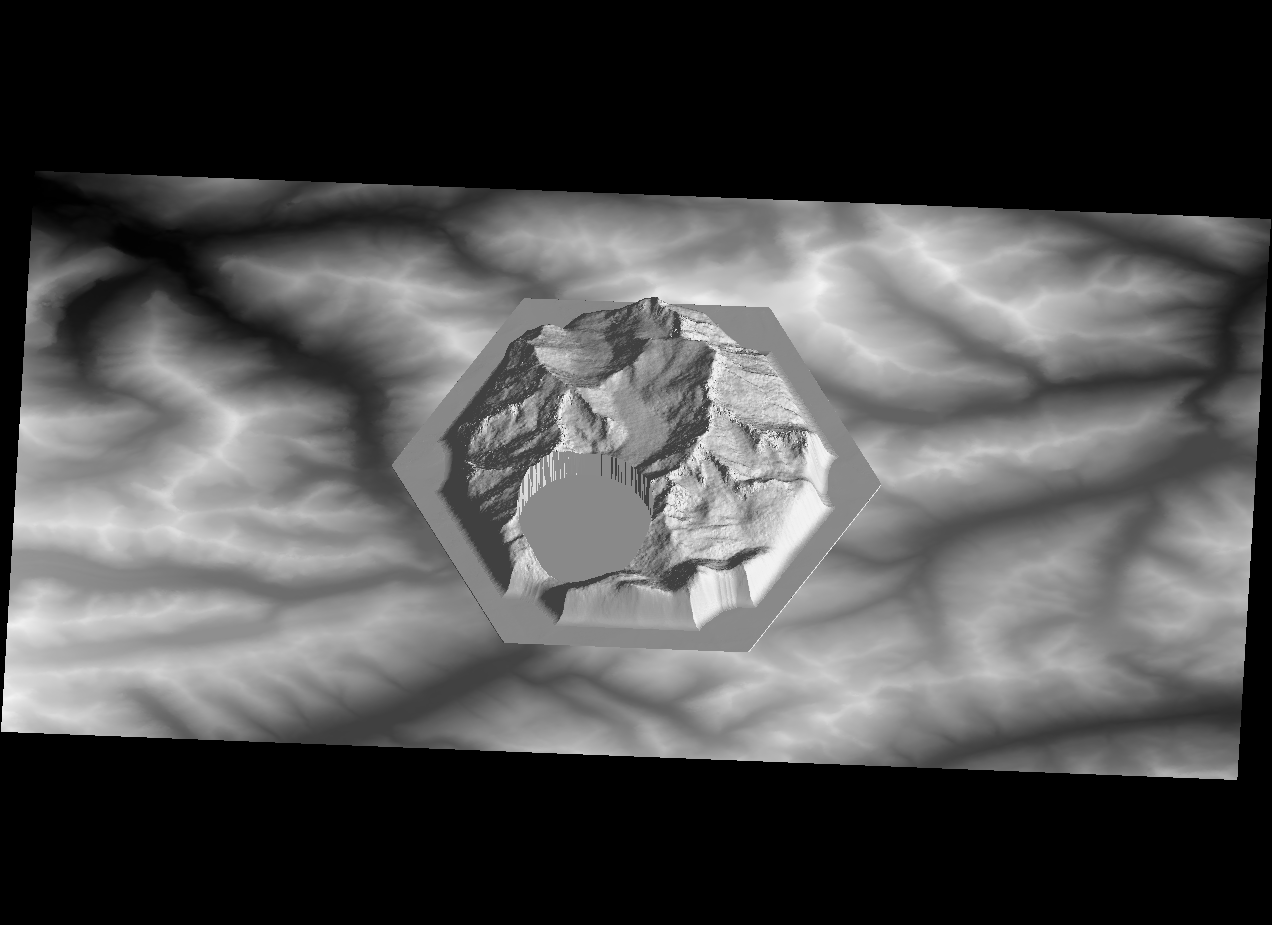
This plugin turns 2D grayscale images into 3D-printable landscape tiles for a certain all-time tabletop boardgame which revolves around building settlements, obtaining ressources expanding and collecting more points than your opponents.
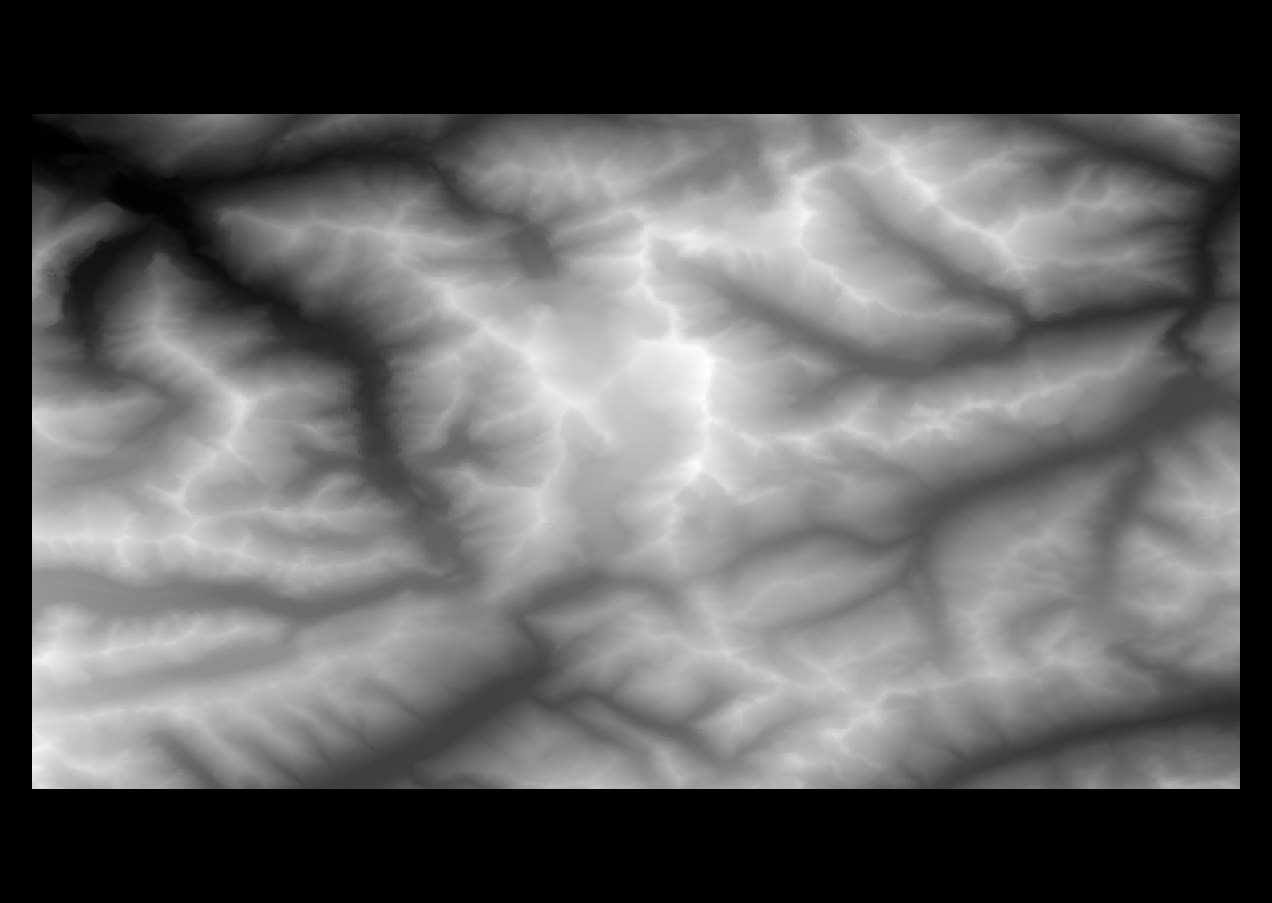
In short, images (for instance, digital elevation models) can be turned into surfaces like this:
| Image | Created tile |
|---|---|
 |
 |
Data
In principle, all 2D grayscale image data can be used to create a tile. However, using digital elevation models is particularly cool. Such data is publicly available at OpenTopography.org. Acknowledgement:
NASA JPL. NASADEM Merged DEM Global 1 arc second V001. 2020, distributed by NASA EOSDIS Land Processes DAAC, https://doi.org/10.5067/MEaSUREs/NASADEM/NASADEM_HGT.001.
Usage
To use the boardgame tile maker, open it from the plugins menu (Plugins > napari-boardgame-maker: Boardgame Tile Maker) or from the tools menu (Tools > Boardgame tile maker (npbgm)). There are a few steps and parameters to set before the tile can be created.
Clicking on Make hexagon and Make number field will create a hexagonal shape in the viewer (which will be the outline of the tile) and a circular field (which can later be used to put some markers, figures, chips, etc. On the center of the board).
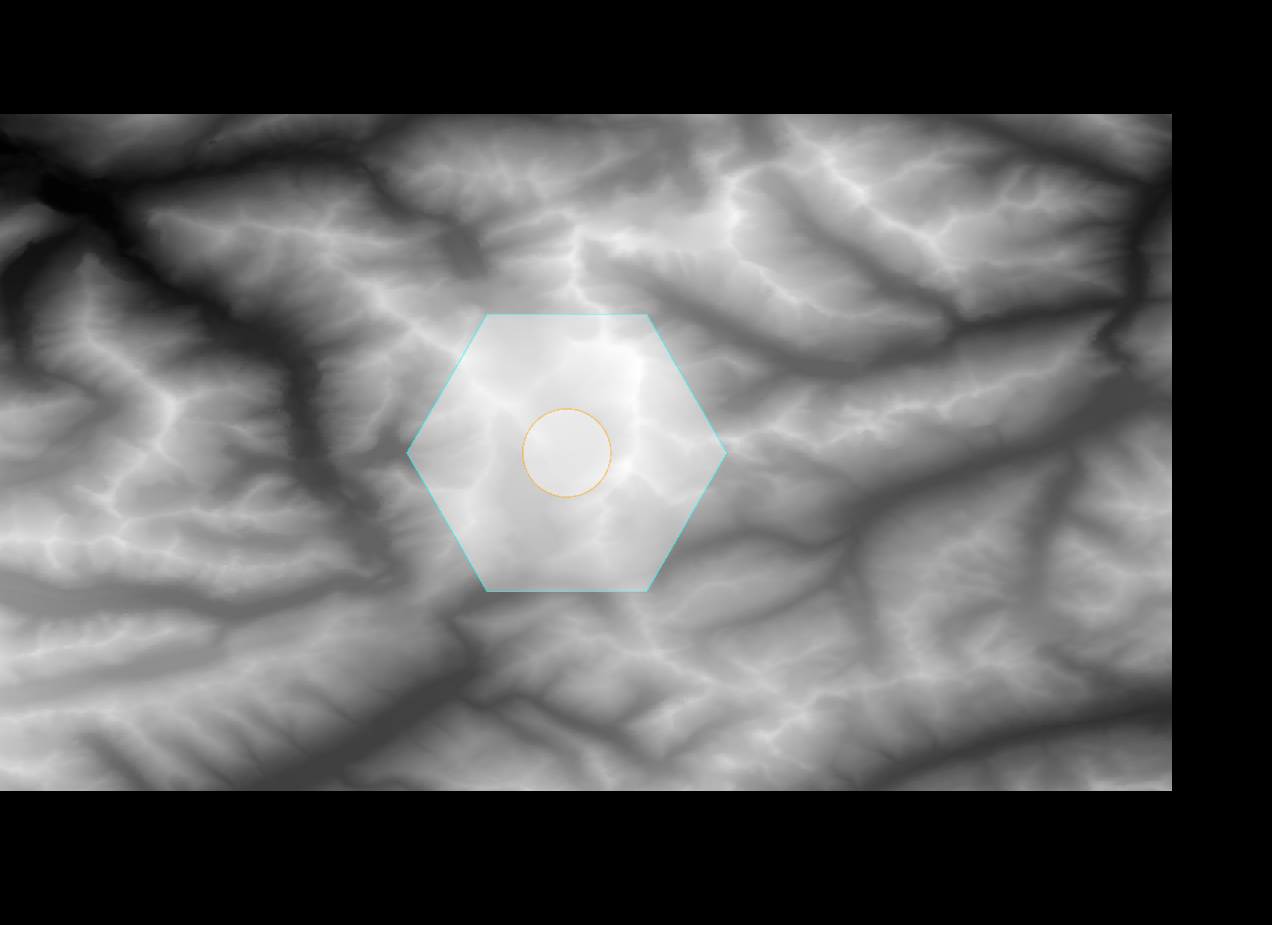
The next step is to set the parameters for the tile. The following parameters can be set:
Radii and sizes
The following sketch shows the different radii and sizes that can be set:
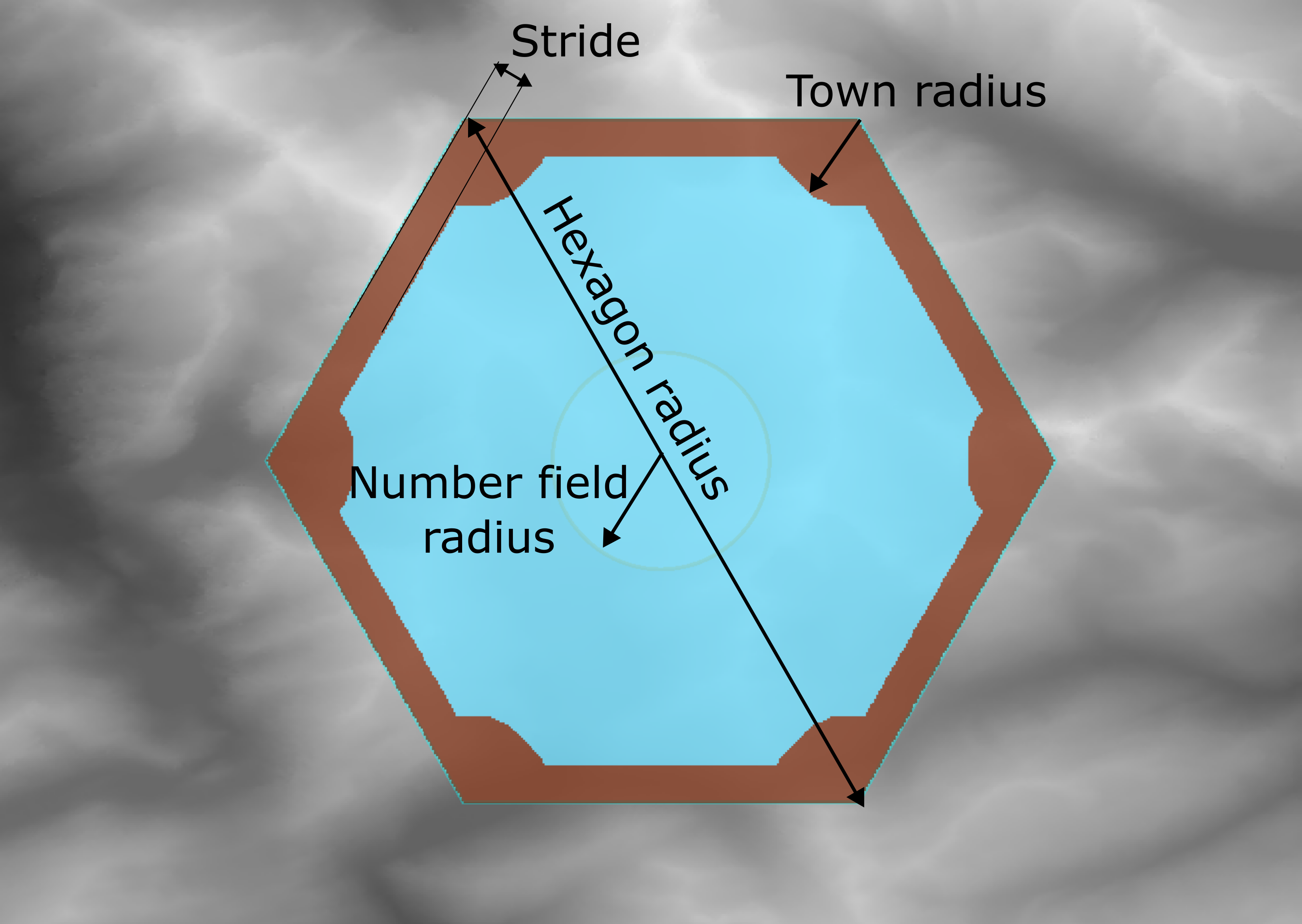
hexagon radius: The radius of the hexagon (in pixels). Upon export, this will be rescaled to a desired physical size in mm.number field radius: The radius of the number field (in pixels). Can also be set in mm units. The pixels are changed accordingly if the size of the whole hexagon is changed.stride: The region next to the edge of the tile that should remain flat.town radius: A circular region around the edges of the hexagonal tiles that should remain flat.
Topography
The following parameters can be set to create the topography of the tile:
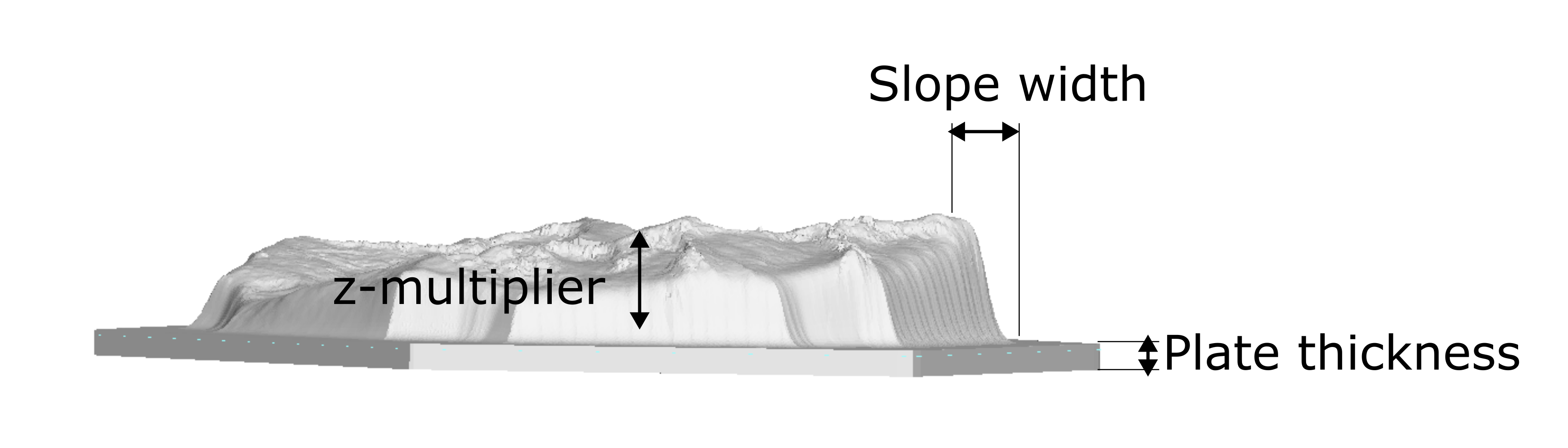
slope: Adds a smooth transition of a given width between the edge of the cropped topography and the level of the base platte. Setting this to zero will result in a sharp edge.z-multiplier: The height of the topography is multiplied by this factor. This can be used to scale the topography to the desired height.Plate thickness: The thickness of the base plate (in mm).
Export
- CLicking on
produce tilewill run the workflow to create the tile - Clicking
Exportwill open a dialog to save the tile as an.stlfile. Note: The tile will be exported in the size of the hexagon radius. If the hexagon radius is set to 100 mm, the tile will be exported as a 100 mm hexagon.
This napari plugin was generated with Cookiecutter using @napari's cookiecutter-napari-plugin template.
Installation
You can install napari-boardgame-maker via pip:
pip install napari-boardgame-maker
Contributing
Contributions are very welcome. Tests can be run with tox, please ensure the coverage at least stays the same before you submit a pull request.
License
Distributed under the terms of the BSD-3 license, "napari-boardgame-maker" is free and open source software
Issues
If you encounter any problems, please [file an issue] along with a detailed description.
1 maintainer

Metadata
1 maintainer
Release files for napari-boardgame-maker 0.0.2
For a detailed explanation of source distributions (sdists) and built distributions (wheels), please see the package formats documentation.
Source distribution (sdist)
| File | Size | Uploaded | Provenance | Actions |
|---|---|---|---|---|
| napari-boardgame-maker-0.0.2.tar.gz | 12.0 kB | Without provenance | Details for napari-boardgame-maker-0.0.2.tar.gz |
Built distribution (wheel)
| File | Interpreter | ABI | Platform | Actions Reset |
|---|---|---|---|---|
| napari_boardgame_maker-0.0.2-py3-none-any.whl | Python 3 | none | any | Details for napari_boardgame_maker-0.0.2-py3-none-any.whl |
Total release size: 22.3 kB
Release files / napari-boardgame-maker-0.0.2.tar.gz
| Download URL | napari-boardgame-maker-0.0.2.tar.gz |
|---|---|
| Size | 12.0 kB |
| Tags | Source |
|
SHA-256 checksum How to use checksums |
cb05a9254705ac752a73a5f247dbfc92d7817415ac6b9609ded1e781b5f03bf9
|
|
BLAKE2b-256 checksum How to use checksums |
b6d141a84f42d0fe812ad9d2e36bdf8ec3dc334b7d557244ee09b832bdd8c246
|
| Upload date | |
|
Uploaded using Trusted Publishing? What is trusted publishing? |
No |
| Uploaded via |
twine/4.0.2 CPython/3.9.17
|
Release files / napari_boardgame_maker-0.0.2-py3-none-any.whl
| Download URL | napari_boardgame_maker-0.0.2-py3-none-any.whl |
|---|---|
| Size | 10.4 kB |
| Tags | Python 3 |
|
SHA-256 checksum How to use checksums |
fa1e5cc98cdb92b7a2e483e244d6f01a29f3c6ad82389af85c218cb1fe484250
|
|
BLAKE2b-256 checksum How to use checksums |
cf52d4c8012ff1e1d2c7eedeec3ed6a12b934d1ef6812fa5177fad0ccaefb28f
|
| Upload date | |
|
Uploaded using Trusted Publishing? What is trusted publishing? |
No |
| Uploaded via |
twine/4.0.2 CPython/3.9.17
|
Security for napari-boardgame-maker 0.0.2
Provenance
Provenance describes where a file came from. On PyPI, provenance is shared via attestations, which provide a verifiable record of the build or publishing details. View details, limitations and caveats.
No provenance found
None of the files in this release were uploaded with provenance metadata.
A note on package security
PyPI is a repository for distributing packages, not a service for auditing them. While third-party security researchers and our staff do their best to detect and remove malicious packages, PyPI cannot guarantee the quality, security or suitability of any given package.
To learn more about protecting yourself from malicious actors, visit our package security documentation.















