
A plugin for denoising microscopy images using Noise2VST

Project description
napari-noise2vst








A plugin for denoising microscopy images using Noise2VST
Developed by Ibrahima Alain GUEYE
This napari plugin was generated with copier using the napari-plugin-template.
Dependencies
This plugin relies on the Noise2VST framework [S. Herbreteau and M. Unser, ICCV'25]. The source code is available at: https://github.com/sherbret/Noise2VST/tree/feature/make-installable
- ✅ No manual installation is required — this version is installed automatically when you install the plugin.
Installation
To install in an environment using conda:
conda create --name napari-env
conda activate napari-env
conda install pip
You can install napari-noise2vst via pip:
pip install napari-noise2vst
If napari is not already installed, you can install napari-noise2vst with napari and Qt via:
pip install "napari-noise2vst[all]"
If you prefer installing napari separately:
pip install "napari[all]"
To install latest development version:
pip install git+https://github.com/IbrahimaAlain/napari-noise2vst.git
Usage
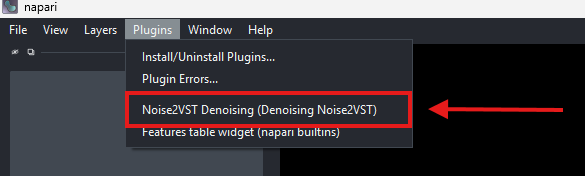
After installation, you can launch the Noise2VST Denoising plugin directly from the napari interface. In the napari top menu, go to:
Plugins > Noise2VST Denoising (Denoising Noise2VST)
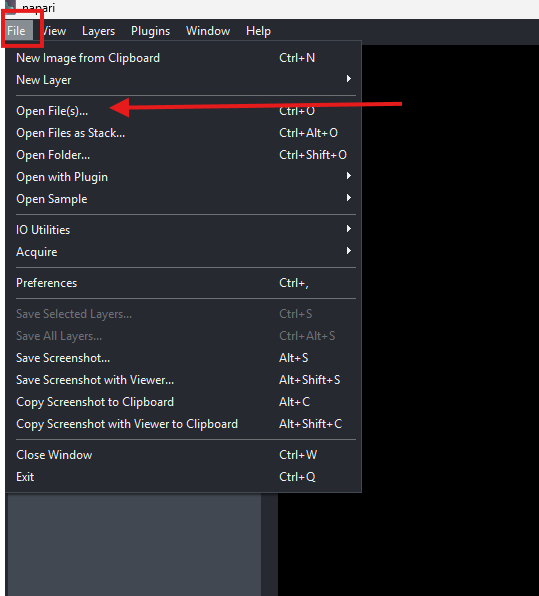
Open your image by clicking:
File → Open File(s)...
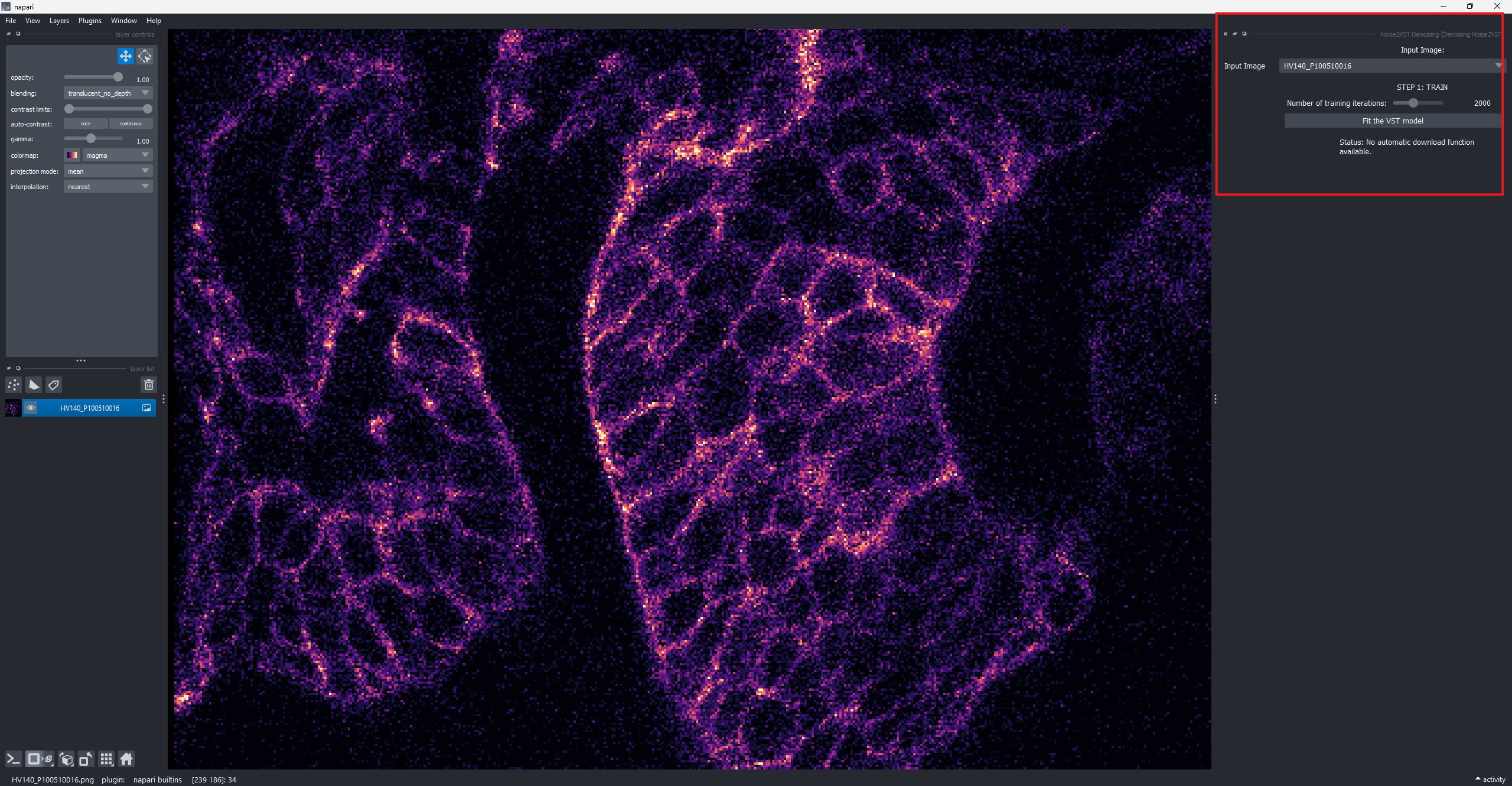
Select the noisy image (e.g., .tif, .png, etc.) that you want to denoise. The image will appear in the napari viewer.
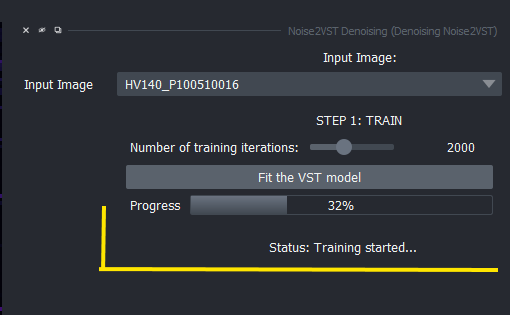
Once the image is loaded, scroll to the plugin panel on the right. Set the number of training iterations using the slider (e.g., 2000). Then click the Fit button to train the denoising model on the image.
The region shown here highlights the relevant settings and the training button.
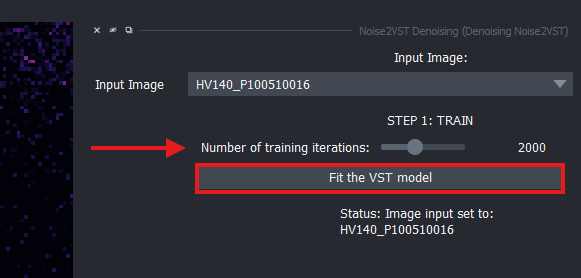
A progress bar appears, indicating the training status in real time. You can follow the advancement of model fitting visually.
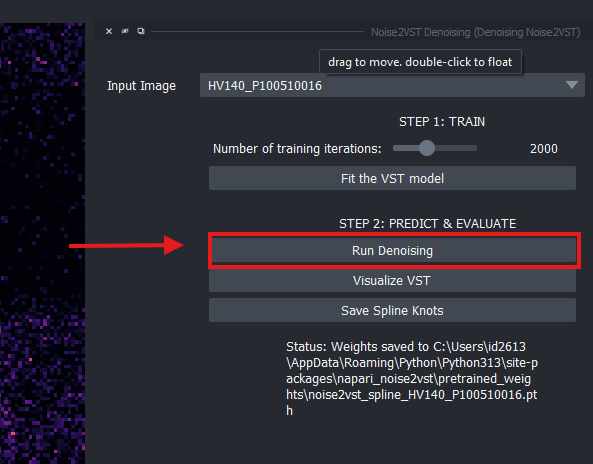
Once training is complete, the plugin automatically stores the model weights. Click the Run Denoising button to generate the denoised version of the input image.
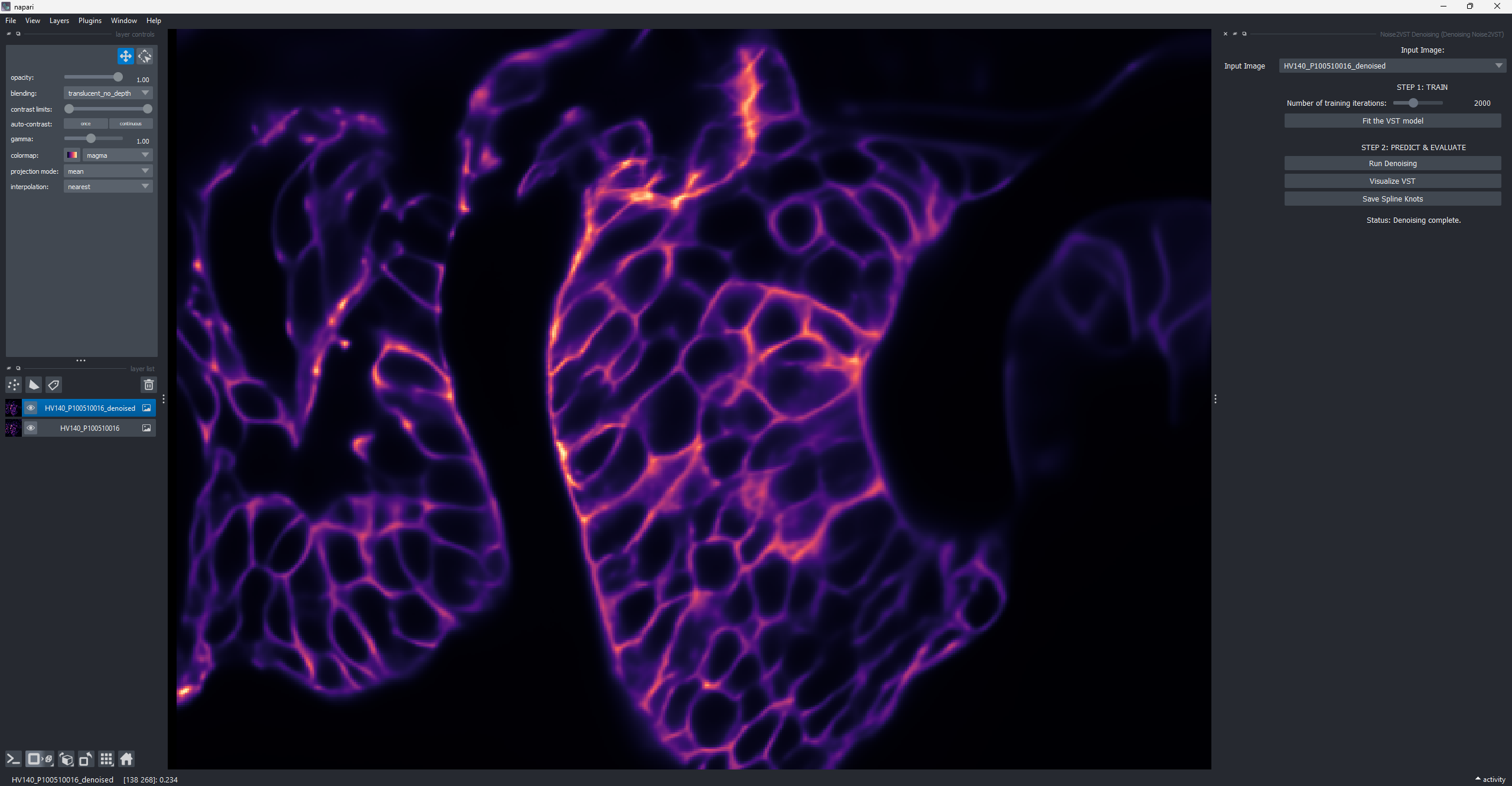
The denoised image appears as a new layer in the napari viewer, alongside the original one. You can toggle visibility, adjust contrast, and compare both layers interactively.
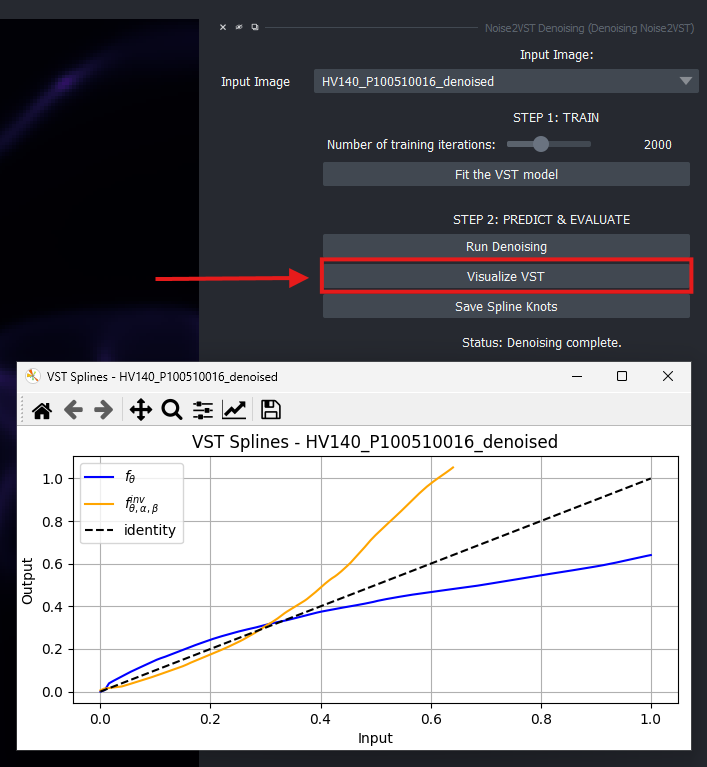
Click the Visualize VST button to display the spline transformation (VST) learned during training. A matplotlib window pops up with a plot showing the input-output relationship.
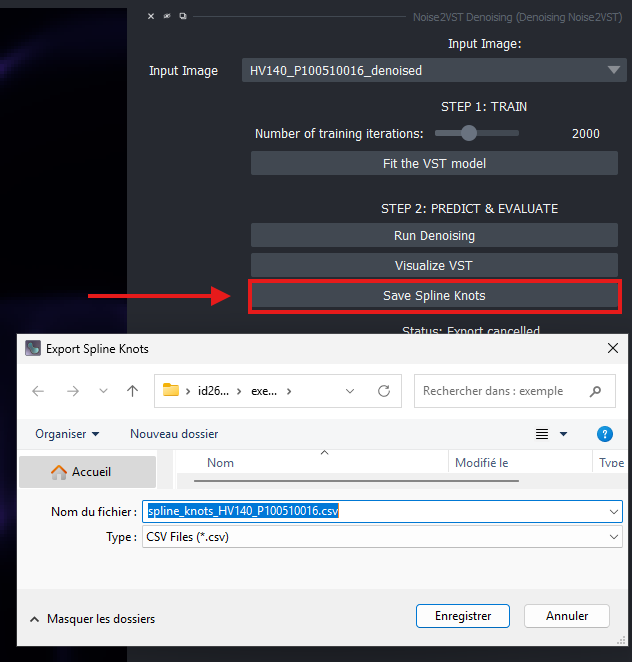
To save the spline transformation values, click the Save Spline Knots button. A dialog window opens to let you choose where to store the CSV file containing the knots.
Citation
@article{herbreteau2024noise2vst,
  title={Self-Calibrated Variance-Stabilizing Transformations for Real-World Image Denoising},
  author={Herbreteau, S{\'e}bastien and Unser, Michael},
  journal={arXiv preprint arXiv:2407.17399},
  year={2024}
}
Issues
If you encounter any problems, please file an issue along with a detailed description.
Release history Release notifications | RSS feed


Download files
Download the file for your platform. If you're not sure which to choose, learn more about installing packages.
Source Distribution
Built Distribution
Filter files by name, interpreter, ABI, and platform.
If you're not sure about the file name format, learn more about wheel file names.
Copy a direct link to the current filters
File details
Details for the file napari_noise2vst-0.0.post89.tar.gz.
File metadata
- Download URL: napari_noise2vst-0.0.post89.tar.gz
- Upload date:
- Size: 1.2 MB
- Tags: Source
- Uploaded using Trusted Publishing? No
- Uploaded via: twine/6.1.0 CPython/3.13.5
File hashes
| Algorithm | Hash digest | |
|---|---|---|
| SHA256 |
631621cc9886147dc2fa55f50bbbcde04298e2e722f2c76b5d6615ba8f7fdcd9
|
|
| MD5 |
c0f031a24fd1bef113103360242b5da1
|
|
| BLAKE2b-256 |
498a0e6a94841a639e33917a0d82cf9663af93b335db9932be3102ec0afd67c6
|
File details
Details for the file napari_noise2vst-0.0.post89-py3-none-any.whl.
File metadata
- Download URL: napari_noise2vst-0.0.post89-py3-none-any.whl
- Upload date:
- Size: 13.1 kB
- Tags: Python 3
- Uploaded using Trusted Publishing? No
- Uploaded via: twine/6.1.0 CPython/3.13.5
File hashes
| Algorithm | Hash digest | |
|---|---|---|
| SHA256 |
ea52e10713ce163a66d6af0555803bdf81088414753491ac00374113ce71cc6a
|
|
| MD5 |
ec853b5fe38b4bb403b40c1151ad8ff7
|
|
| BLAKE2b-256 |
e6dfb858a54b91b62ef6798a21348d243aaa90dbc43cdebf8093c713f7d11475
|






