
A plugin to browse OME-Zarr plates by conditions and load images, labels and features from ROIs

Project description
napari-ome-zarr-navigator 





A plugin to browse OME-Zarr plates by conditions and load images, labels and features from ROIs
Usage
Plate Browser
The Plate Browser loads an OME-Zarr plate from the local filesystem or via authenticated HTTPS (e.g. a Fractal Server instance). It also auto-detects plates opened via napari-ome-zarr.
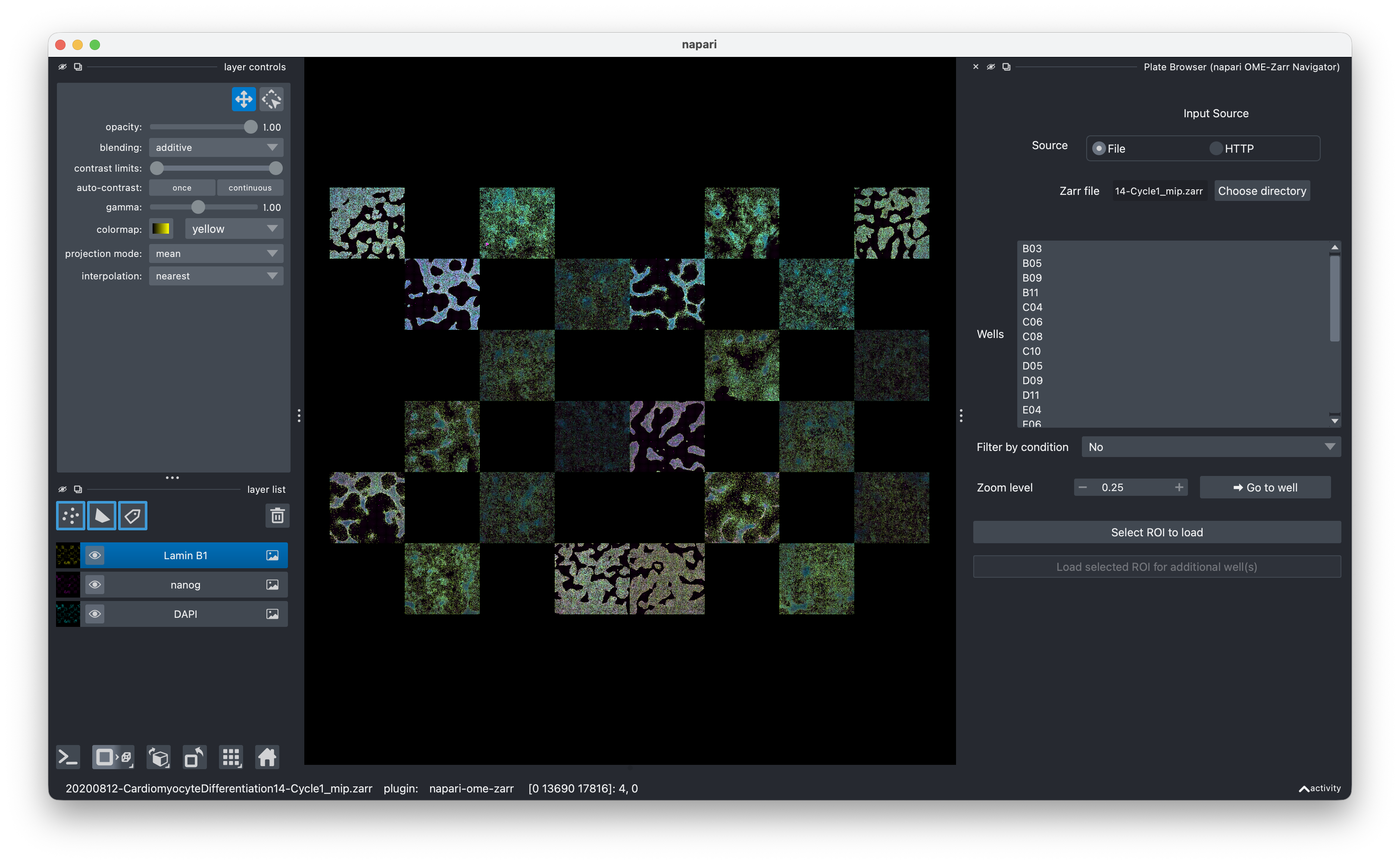
The Plate Browser lets you zoom to a selected well ("Go to well"), which draws a bounding box and centers the camera on that well.
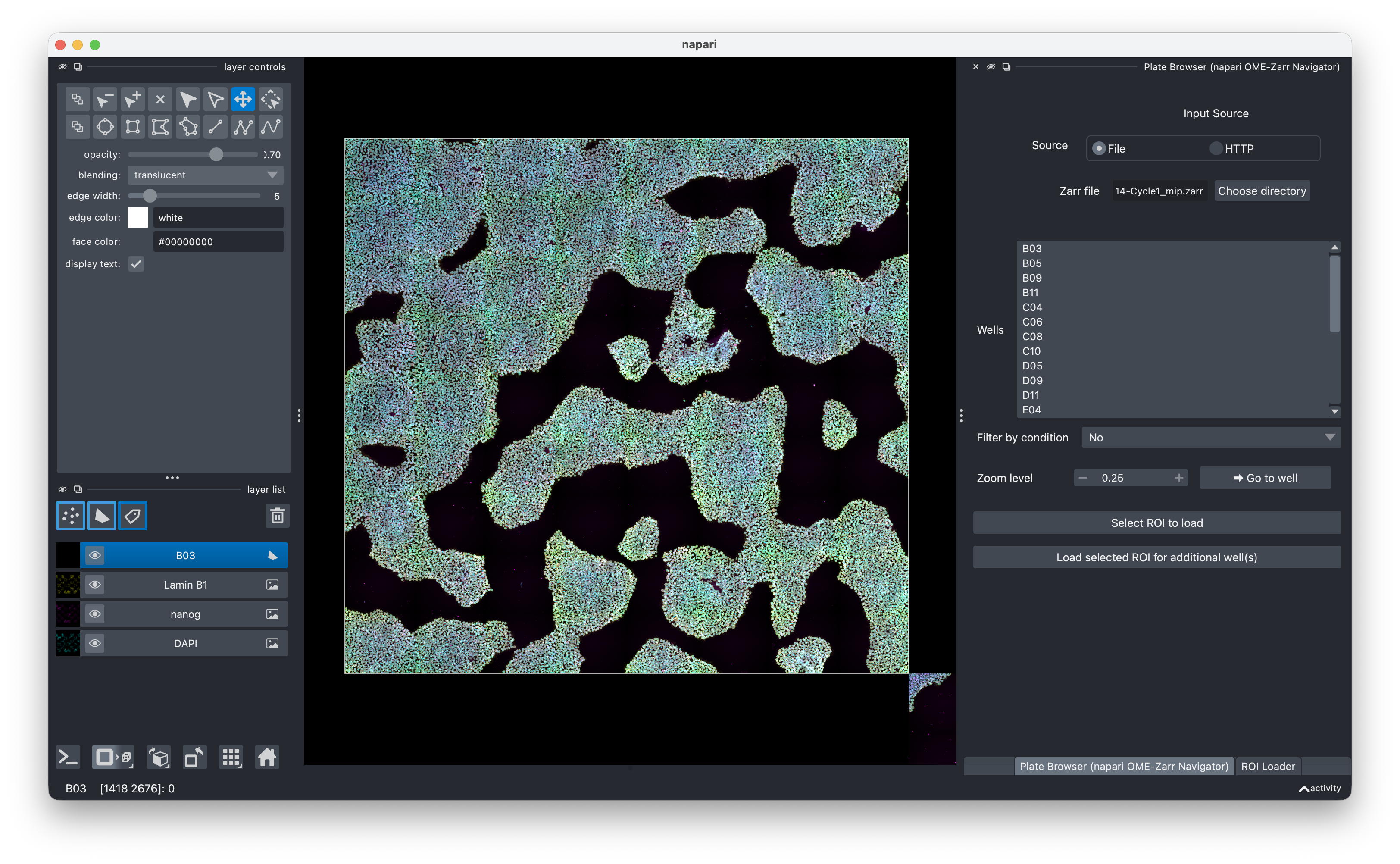
Using ngio condition tables, the Plate Browser can filter the well list to any subset defined by one or more conditions. Plate-level condition tables (fast) and image-level condition tables (slower, aggregated on the fly) are both supported.
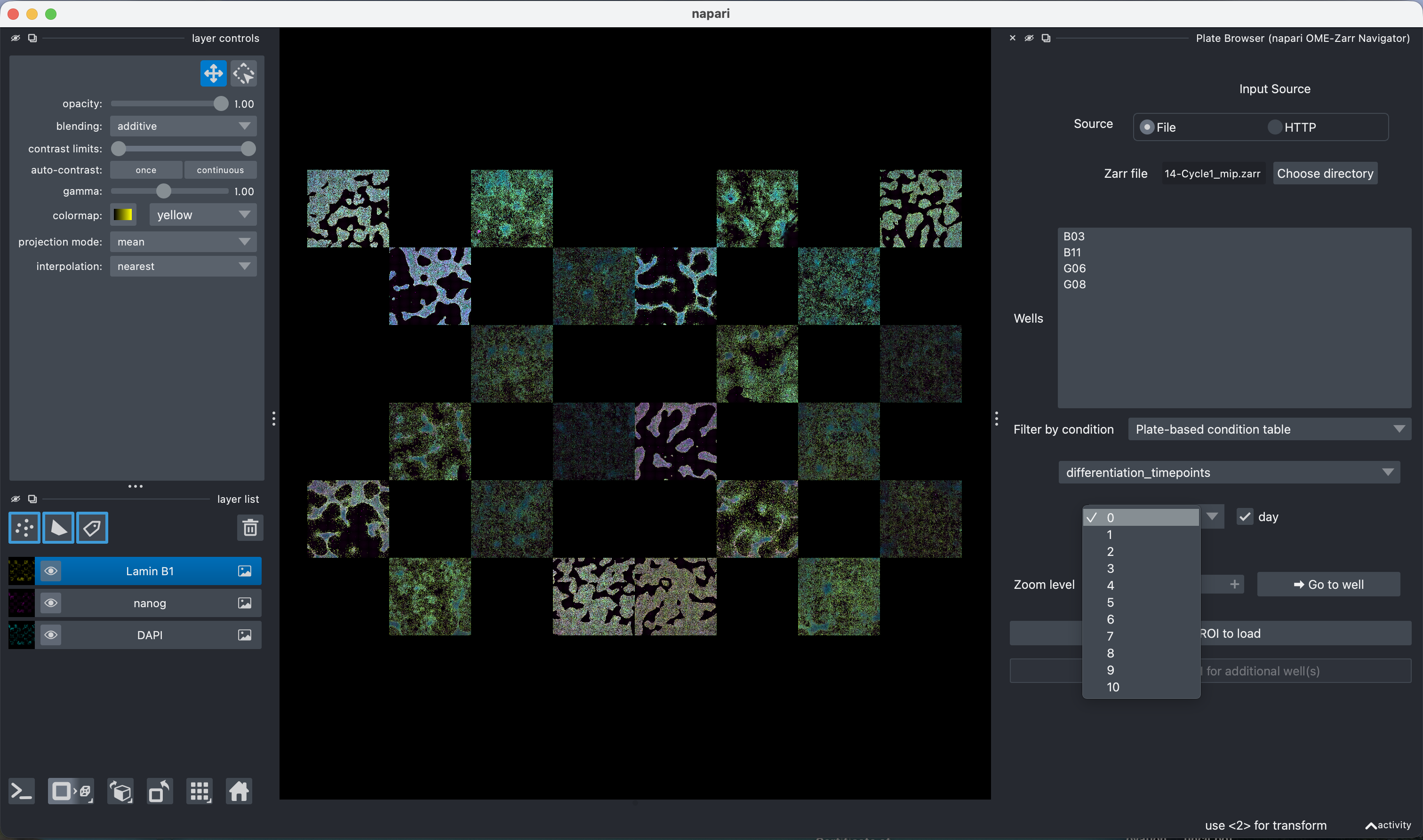
ROI Loader
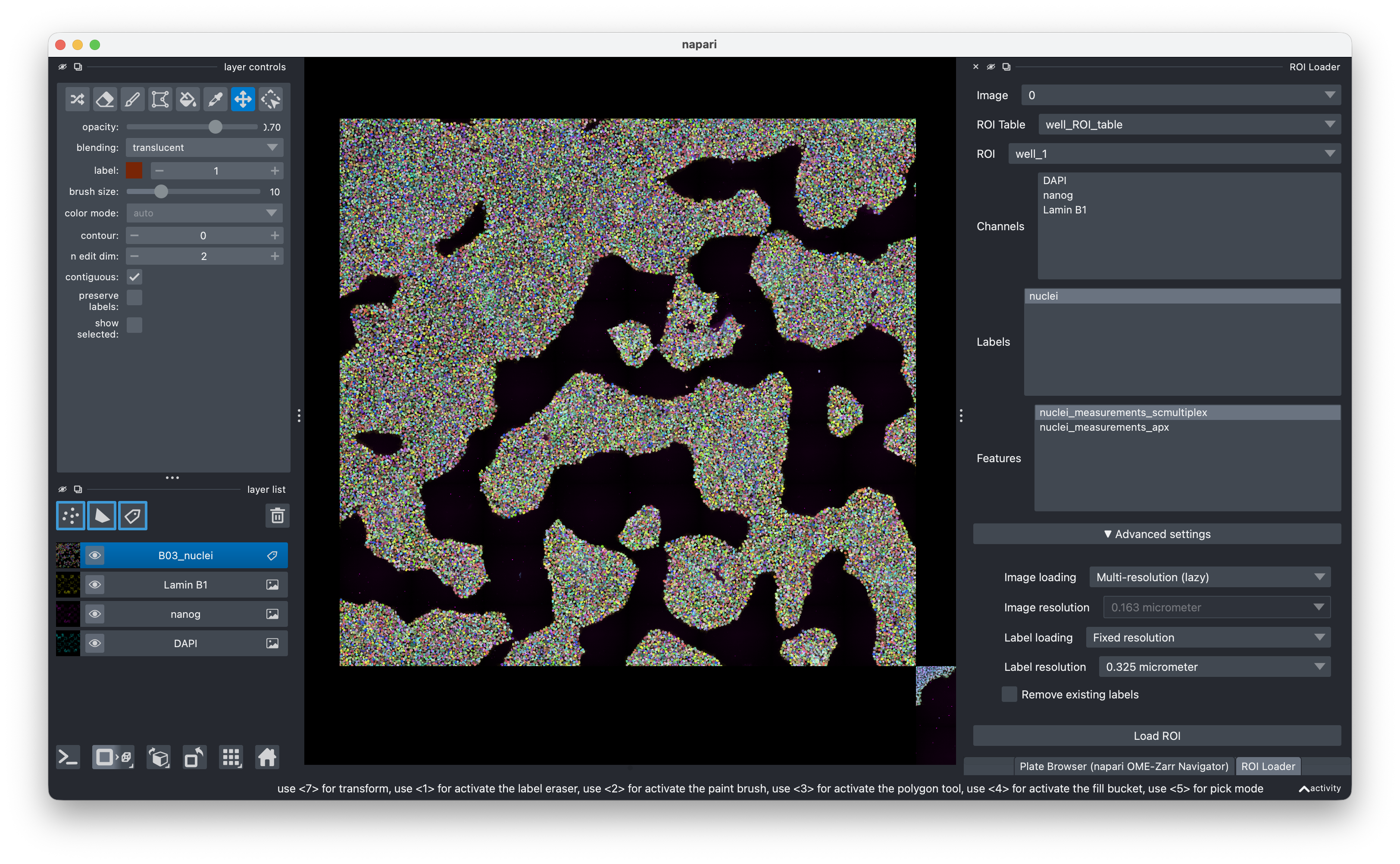
The ROI Loader can be launched directly from napari's Plugins menu (standalone) or by selecting a well in the Plate Browser ("Select ROI to load"). It supports:
- Loading images from different multiplexing cycles / acquisitions
- Loading any ROI from ROI tables, or the whole image when no ROI table is selected
- Loading label images
- Loading feature measurements from feature tables
- Multi-resolution (lazy) mode — streams a full dask pyramid, optimal for large images and remote data
- Fixed resolution mode — loads a single numpy array, optimal for 3D images and downstream tools in napari that don't handle multi-resolution layers (e.g. the label layer needs to be loaded as fixed resolution for using it in the classifier)
Once a ROI has been loaded for one well, "Load selected ROI for additional well(s)" reuses the same settings for any further wells selected in the Plate Browser.
This plugin is tested with OME-Zarr files generated by Fractal and is designed to work with any OME-Zarr ≥ v0.4. The feature loading workflow is optimised for use with the napari-feature-classifier.
Test data
Test & sample data is available at https://zenodo.org/records/20429951
Installation
Via pixi (recommended)
pixi manages all Python and system dependencies in a single step:
git clone https://github.com/fractal-napari-plugins-collection/napari-ome-zarr-navigator
cd napari-ome-zarr-navigator
pixi run napari
To launch with the full feature-analysis environment (adds napari-feature-classifier and napari-feature-visualization):
pixi run napari-fractal
Via pip
Install into an existing Python ≥ 3.11 environment with napari already present:
pip install napari-ome-zarr-navigator
For a fresh environment we recommend miniforge:
conda create -n napari-ome-zarr python=3.12 napari pyqt -c conda-forge
conda activate napari-ome-zarr
pip install napari-ome-zarr-navigator
napari
Optionally also install additional plugins like napari-feature-classifier and napari-feature-visualization, as in:
pip install napari-feature-classifier napari-feature-visualization
Contributing
Contributions are very welcome. Tests can be run with pixi run test; please ensure coverage stays the same before submitting a pull request.
License
Distributed under the terms of the BSD-3 license, "napari-ome-zarr-navigator" is free and open source software
Issues
If you encounter any problems, please file an issue along with a detailed description.
Release history Release notifications | RSS feed


Download files
Download the file for your platform. If you're not sure which to choose, learn more about installing packages.
Source Distribution
Built Distribution
Filter files by name, interpreter, ABI, and platform.
If you're not sure about the file name format, learn more about wheel file names.
Copy a direct link to the current filters






