
napari-pixel-correction






Plugin to correct manually pixel wrongly predicted on image by annotation
This napari plugin was generated with Cookiecutter using @napari's cookiecutter-napari-plugin template.
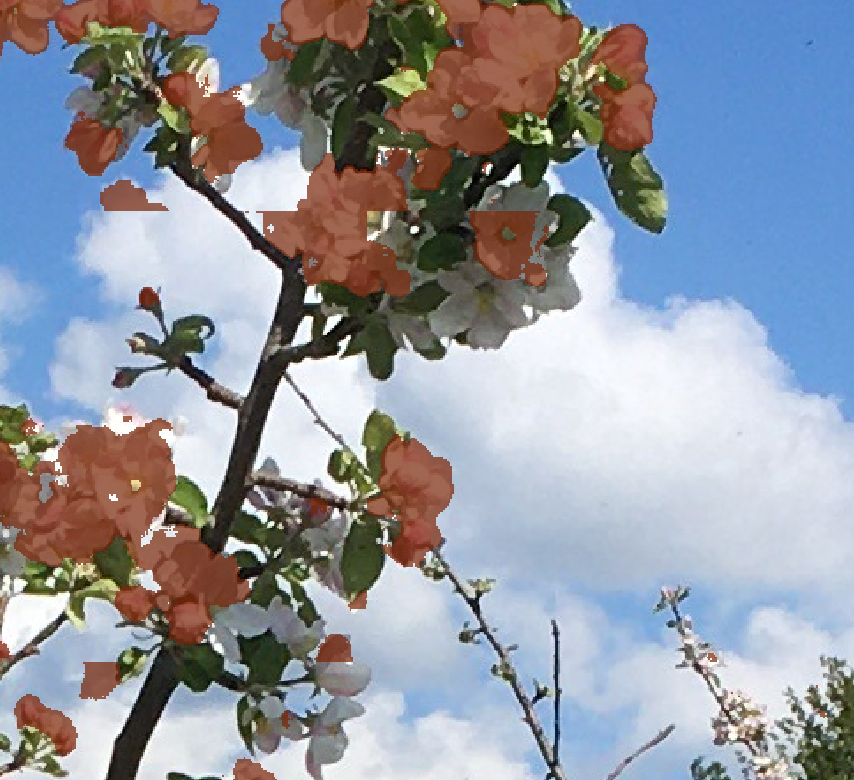
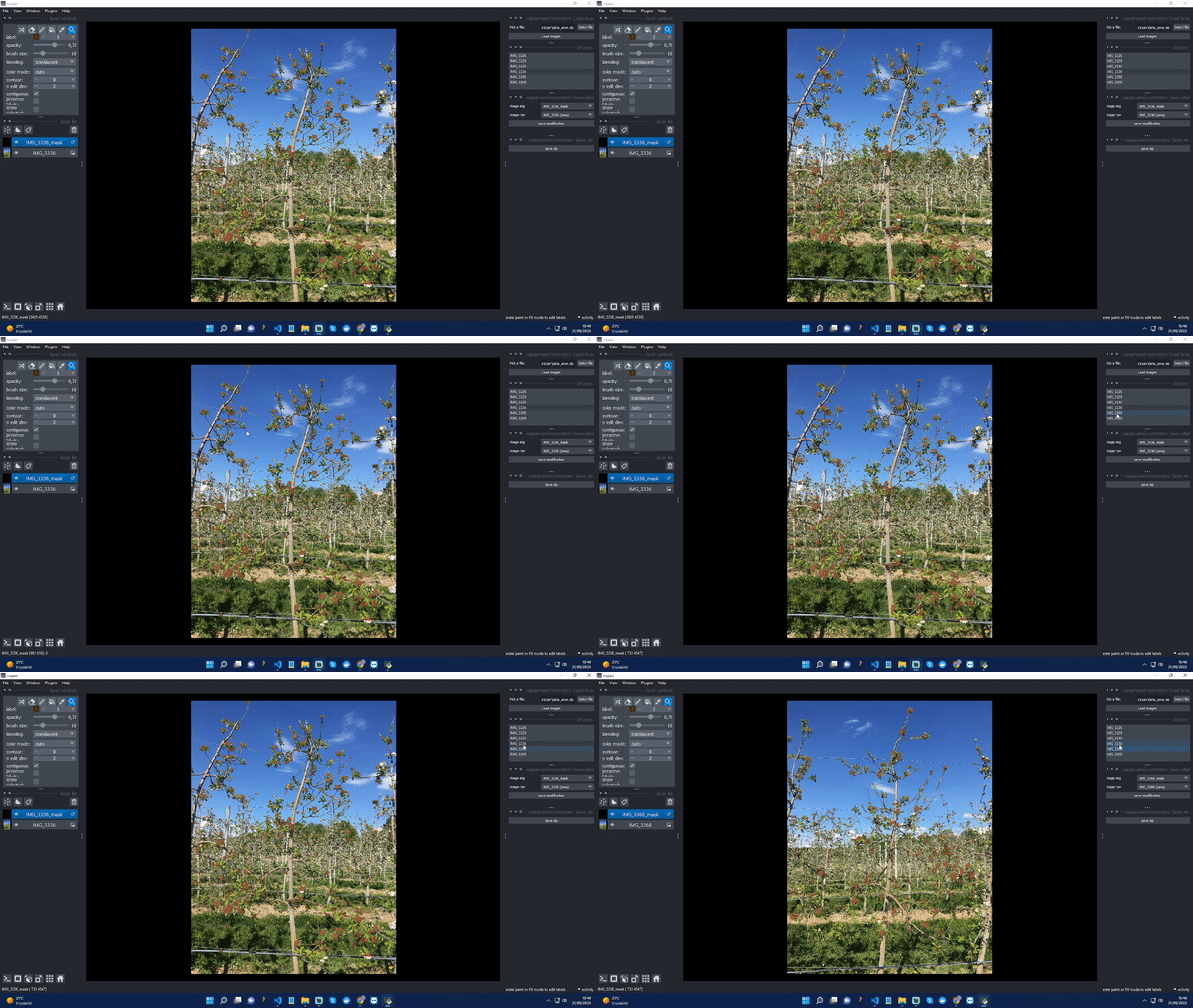
This plugin allows you to manually correct the images of the apple tree flowers by annotation. Below, a piece of an image shows the predicted pixels (in brown). A pixel in brown is assigned to the flower class. We can see that the brown colour does not necessarily cover a flower in this image.
Installation
You can install napari-pixel-correction via pip:
pip install napari-pixel-correction
To install latest development version :
pip install git+https://github.com/hereariim/napari-pixel-correction.git
How does it work
First, you need a compressed file (in .zip format) were you have all your images. For a compressed file named as input.zip, the compressed file should be built like :
.
└── input.zip
    └── repository
        ├── image
        │   ├── im_1.JPG
        │   ├── im_2.JPG
        │   ├── im_3.JPG
        │   ...
        │   └── im_n.JPG
        │
        └── mask
            ├── im_1_mask.JPG
            ├── im_2_mask.JPG
            ├── im_3_mask.JPG
            ...
            └── im_n_mask.JPG
In repository, each image folder should have two elements : image in RGB and the segmented mask in binary image (where no-flower class is 0 and flower class is 255)
Contributing
Contributions are very welcome. Tests can be run with tox, please ensure the coverage at least stays the same before you submit a pull request.
License
Distributed under the terms of the BSD-3 license, "napari-pixel-correction" is free and open source software
Issues
If you encounter any problems, please file an issue along with a detailed description.
1 maintainer

Metadata
1 maintainer
Release files for napari-pixel-correction 0.1.4
For a detailed explanation of source distributions (sdists) and built distributions (wheels), please see the package formats documentation.
Source distribution (sdist)
| File | Size | Uploaded | Provenance | |
|---|---|---|---|---|
| napari-pixel-correction-0.1.4.tar.gz | 13.9 kB | Without provenance | Details |
Built distribution (wheel)
| File | Interpreter | ABI | Platform | Reset |
|---|---|---|---|---|
| napari_pixel_correction-0.1.4-py3-none-any.whl | Python 3 | none | any | Details |
Total release size: 24.8 kB
Release files / napari-pixel-correction-0.1.4.tar.gz
| Download URL | napari-pixel-correction-0.1.4.tar.gz |
|---|---|
| Size | 13.9 kB |
| Tags | Source |
|
SHA-256 checksum How to use checksums |
b08823fa39eb69d937e651bb04e7fb4c013e9059bee5ff43fa2e0849851a9a3b
|
|
BLAKE2b-256 checksum How to use checksums |
e65fa92cf5f9a58628372793b756976fa7f825792e6cf0c61d3352f34331069e
|
| Upload date | |
|
Uploaded using Trusted Publishing? What is trusted publishing? |
No |
| Uploaded via |
twine/4.0.1 CPython/3.10.7
|
Release files / napari_pixel_correction-0.1.4-py3-none-any.whl
| Download URL | napari_pixel_correction-0.1.4-py3-none-any.whl |
|---|---|
| Size | 10.9 kB |
| Tags | Python 3 |
|
SHA-256 checksum How to use checksums |
4e3469e1917e79502504f0eb426ff60055626e6e047cd93e9daecd0721d327c5
|
|
BLAKE2b-256 checksum How to use checksums |
5767506a0e27d750a6cd7ca6dc1349e3e2347451310e76c08a47bc680233a449
|
| Upload date | |
|
Uploaded using Trusted Publishing? What is trusted publishing? |
No |
| Uploaded via |
twine/4.0.1 CPython/3.10.7
|
Security for napari-pixel-correction 0.1.4
Provenance
Provenance describes where a file came from. On PyPI, provenance is shared via attestations, which provide a verifiable record of the build or publishing details. View details, limitations and caveats.
No provenance found
None of the files in this release were uploaded with provenance metadata.
A note on package security
PyPI is a repository for distributing packages, not a service for auditing them. While third-party security researchers and our staff do their best to detect and remove malicious packages, PyPI cannot guarantee the quality, security or suitability of any given package.














