
napari-plot










Interactive plotting in napari or a standalone Qt viewer
napari-plot provides GPU-accelerated Line, Scatter, MultiLine, Centroids, Text, Region, InfLine, and Bar layers. It supports linear, logarithmic, and categorical axes, an interactive legend, data selection tools, and image display.
Usage
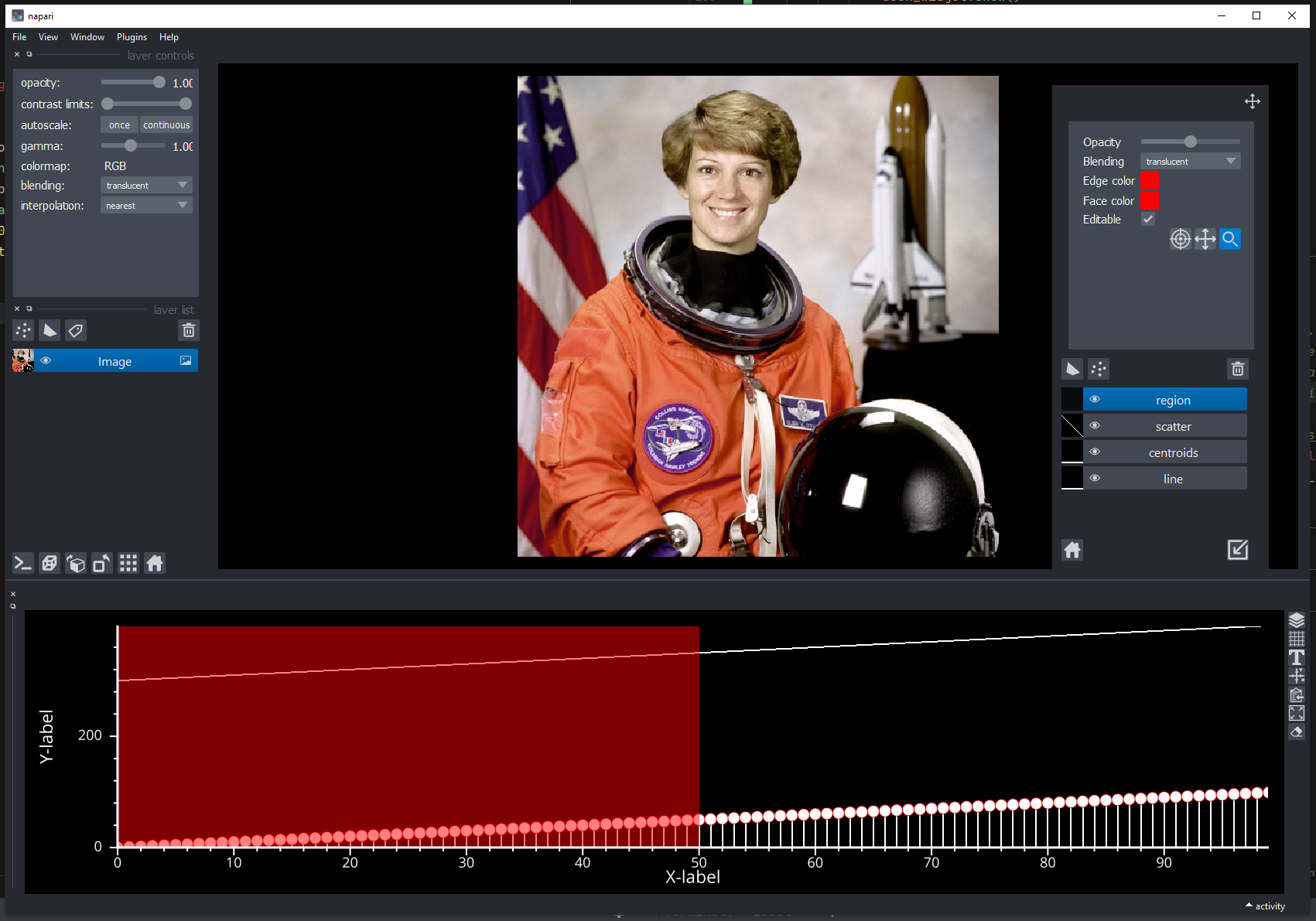
You can use napari-plot alongside napari where it is embedded as a dock widget. If using this option, controls are relegated to a toolbar
where you can adjust layer properties like you would do in napari.
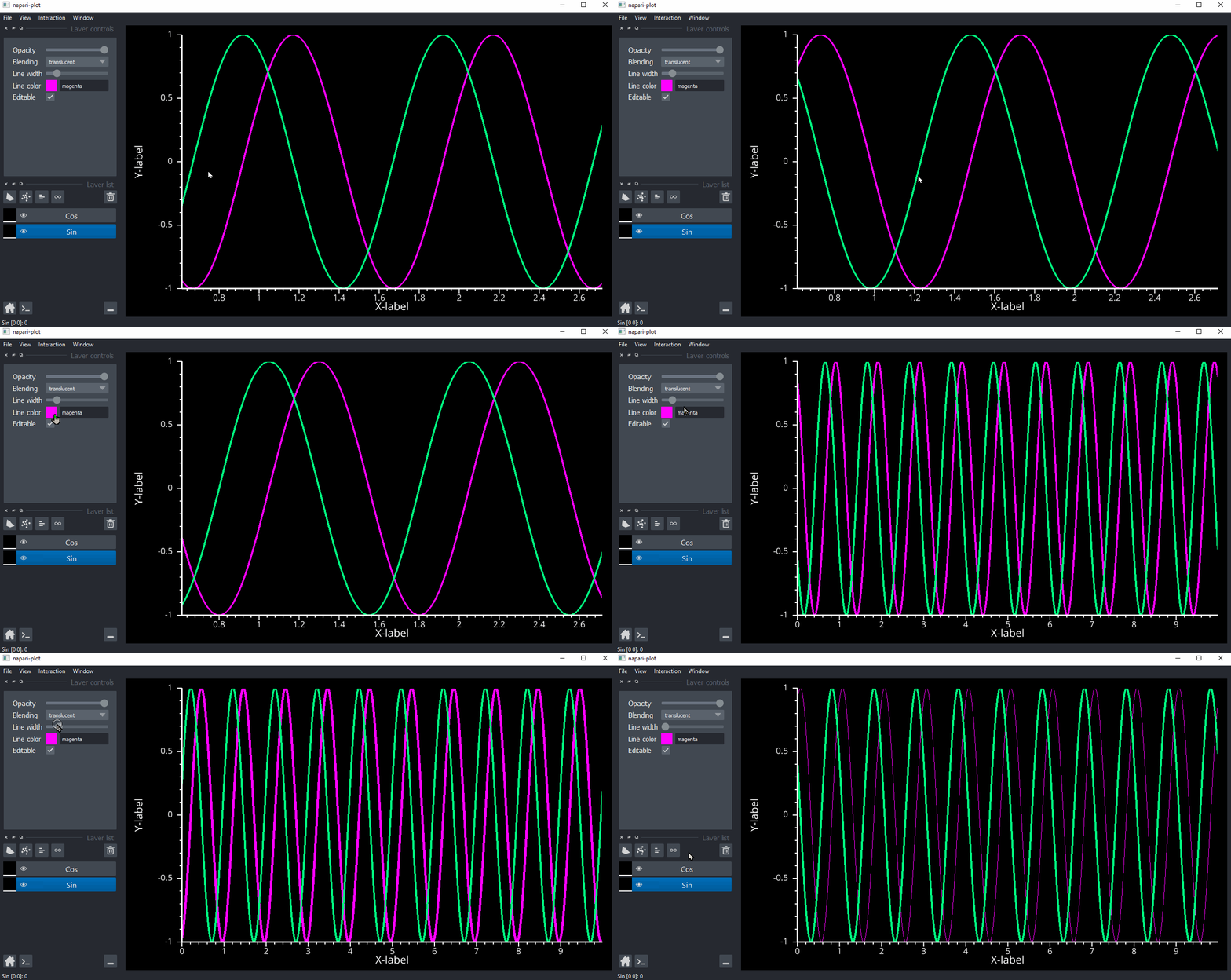
Or as a standalone app where only one-dimensional plotting is enabled. In this mode, controls take central stage and reflect napari's own
behaviour where layer controls are embedded in the main application.
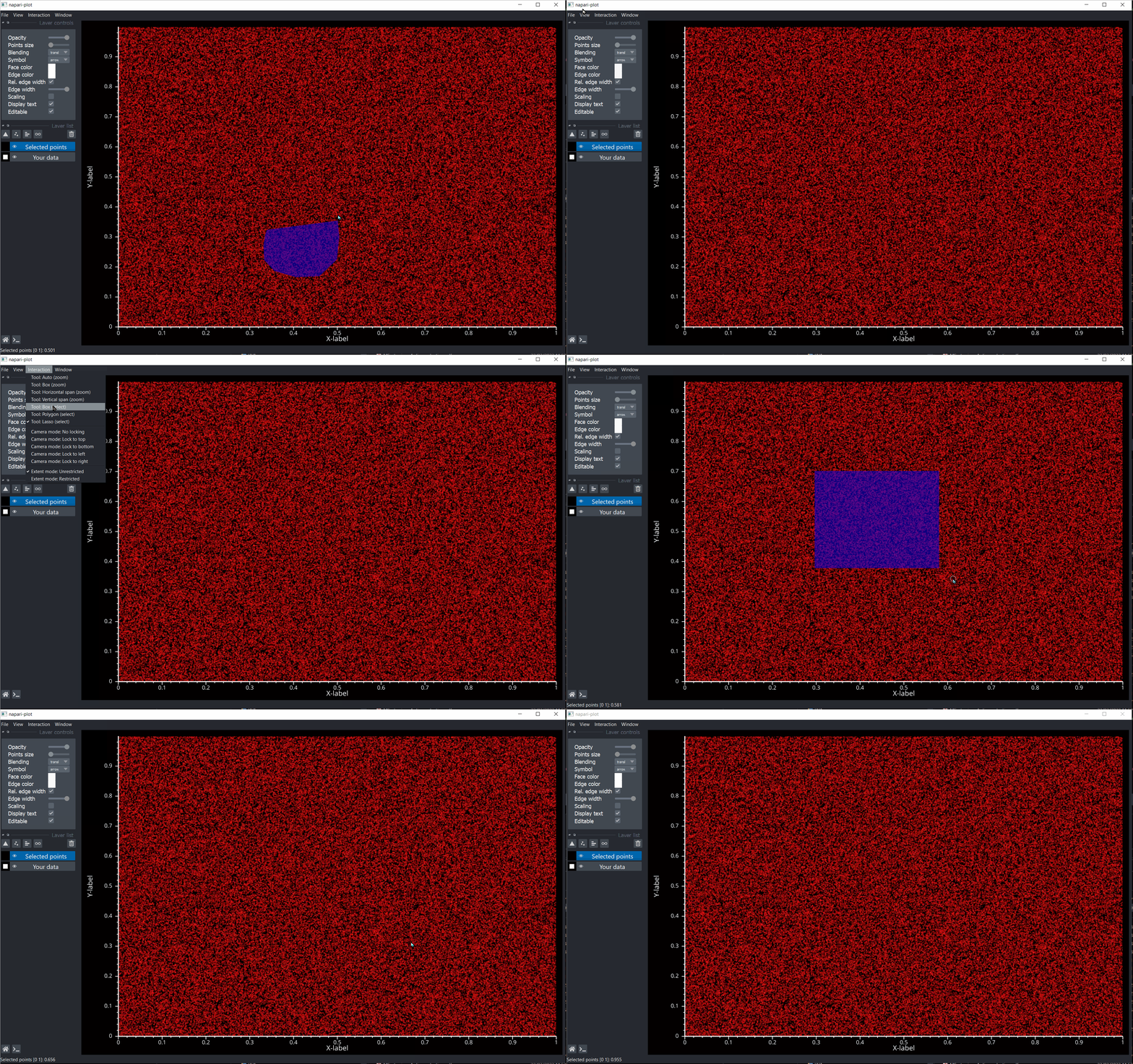
Data selection is also permitted by enabling one of the available selection tools.
Roadmap:
This is only provisional list of features that I would like to see implemented. It barely scratches the surface of what plotting tool should cover so as soon as the basics are covered, focus will be put towards adding more exotic features. If there are features that you certainly wish to be included, please modify the list below or create a new issue
- Support for new layer types. Layers are based on
napari'sLayer, albeit in a two-dimensional setting. Supported and planned layers:- Line Layer - simple line plot.
- Scatter Layer - scatter plot (similar to
napari's Pointslayer). - Centroids/Segments Layer - horizontal or vertical line segments.
- InfLine Layer - infinite horizontal or vertical lines that span over very broad range. Useful for defining regions of interest.
- Region Layer - infinite horizontal or vertical rectangular boxes that span over very broad range. Useful for defining regions of interest.
- Shapes Layer -
napari'sownShapeslayer - Points Layer -
napari'sownPointslayer - Multi-line Layer - more efficient implementation of
Linelayer when multiple lines are necessary. - Bar - horizontal and vertical bar charts.
- Proper interactivity of each layer type (e.g. moving
RegionorInfLine, adding points, etc...) - Intuitive interactivity.
napari-plotwill provide excellent level of interactivity with the plotted data. We plan to support several types ofToolsthat permit efficient interrogation of the data. We currently provide severalzoomandselecttools and hope to add few extras in the future.- Box-zoom - standard zooming rectangle. Simply
left-mouse + drag/releasein the canvas on region of interest - Horizontal span - zoom-in only in the y-axis by
Ctrl + left-mouse + drag/releasein the canvas. - Vertical span - span-in only in the x-axis by
Shift + left-mouse + drag/releasein the canvas. - Rectangle select - rectangle tool allowing sub-selection of data in the canvas. Similar to the
Box-zoombut without the zooming part. - Polygon select - polygon tool allowing sub-selection of data in the canvas.
- Lasso select - lasso tool allowing sub-selection of data in the canvas.
- Box-zoom - standard zooming rectangle. Simply
- Interactive plot legend
- Customizable axis visuals.
- Plot axis enabling customization of tick/label size and color
- Support for logarithmic and categorical scales
- Add convenient plotting interface:
- Add
.plotfunctionality - Add
.scatterfunctionality - Add
.hbarand.vbarfunctionality - Add
.imshowfunctionality
- Add
This napari plugin was generated with Cookiecutter using with @napari's cookiecutter-napari-plugin template.
Installation
You can install napari-plot directly from PyPI via:
pip install napari-plot
or from the git repo:
git clone https://github.com/lukasz-migas/napari-plot.git
cd napari-plot
pip install -e '.[all]'
Python 3.11 or later is required. See the documentation for standalone and embedded quick starts, layer examples, axis controls, interactions, and the public API.
Contributing
Contributions are very welcome. Install the test environment and run the tests with uv:
uv sync --no-dev --group test --extra pyqt6 --extra optional
uv run --no-sync pytest
Please ensure the coverage at least stays the same before you submit a pull request.
License
Distributed under the terms of the BSD-3 license, "napari-plot" is free and open source software
Issues
If you encounter any problems, please file an issue along with a detailed description.
Support
This project is supported by a Chan-Zuckerberg Initiative napari grant.
1 maintainer

Download files
Download the file for your platform. If you're not sure which to choose, learn more about installing packages.
Source Distribution
Built Distribution
Filter files by name, interpreter, ABI, and platform.
If you're not sure about the file name format, learn more about wheel file names.
Copy a direct link to the current filters
File details
Details for the file napari_plot-0.3.1.tar.gz.
File metadata
- Download URL: napari_plot-0.3.1.tar.gz
- Upload date:
- Size: 517.3 kB
- Tags: Source
- Uploaded using Trusted Publishing? No
- Uploaded via: twine/7.0.0 CPython/3.13.14
File hashes
| Algorithm | Hash digest | |
|---|---|---|
| SHA256 |
c2e20ada0248f3045aa6e8e208fc1246f4ca140d10bf0d8eab57bd137af3b740
|
|
| MD5 |
6e4887cc267490a3e37c0fd0438aedcf
|
|
| BLAKE2b-256 |
8b133dc49590d07b586fbc6d935f8e64625d51d040ec77f8f4beb412797904e9
|
File details
Details for the file napari_plot-0.3.1-py3-none-any.whl.
File metadata
- Download URL: napari_plot-0.3.1-py3-none-any.whl
- Upload date:
- Size: 580.4 kB
- Tags: Python 3
- Uploaded using Trusted Publishing? No
- Uploaded via: twine/7.0.0 CPython/3.13.14
File hashes
| Algorithm | Hash digest | |
|---|---|---|
| SHA256 |
36215225e44e778329bed872627a1861f15b6ea35e279dd4ce1707ead456f30a
|
|
| MD5 |
52126c134b2b0dfd07dc9ef867cb66fa
|
|
| BLAKE2b-256 |
78d8c87c246f7d1b4e7eb6d053b744a754059eddf2906b26891d03c7dd48a3c8
|







