
napari-racc
napari-racc is a napari plugin for Regression Adjusted Colocalisation Colour
Mapping (RACC), a qualitative visualization method for 2D and 3D fluorescence
microscopy data.
The plugin takes two image layers, computes the RACC index in 3D whenever the inputs are volumes, and adds interactive overlay, RACC, side-by-side, MIP, and scatter-plot views to the napari viewer.
Screenshots
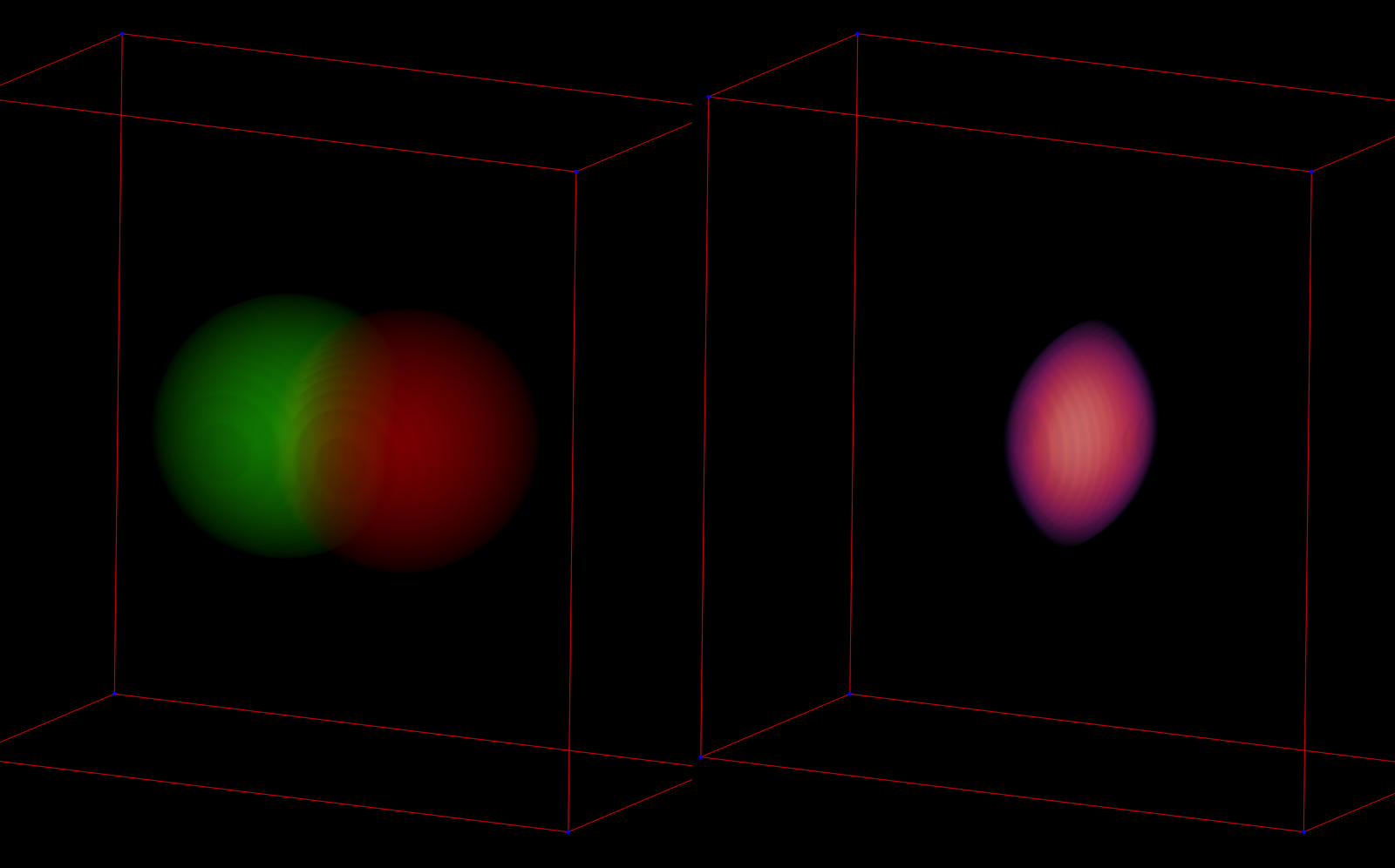
3D side-by-side view with the thresholded channel overlay on the left and the RACC volume on the right.
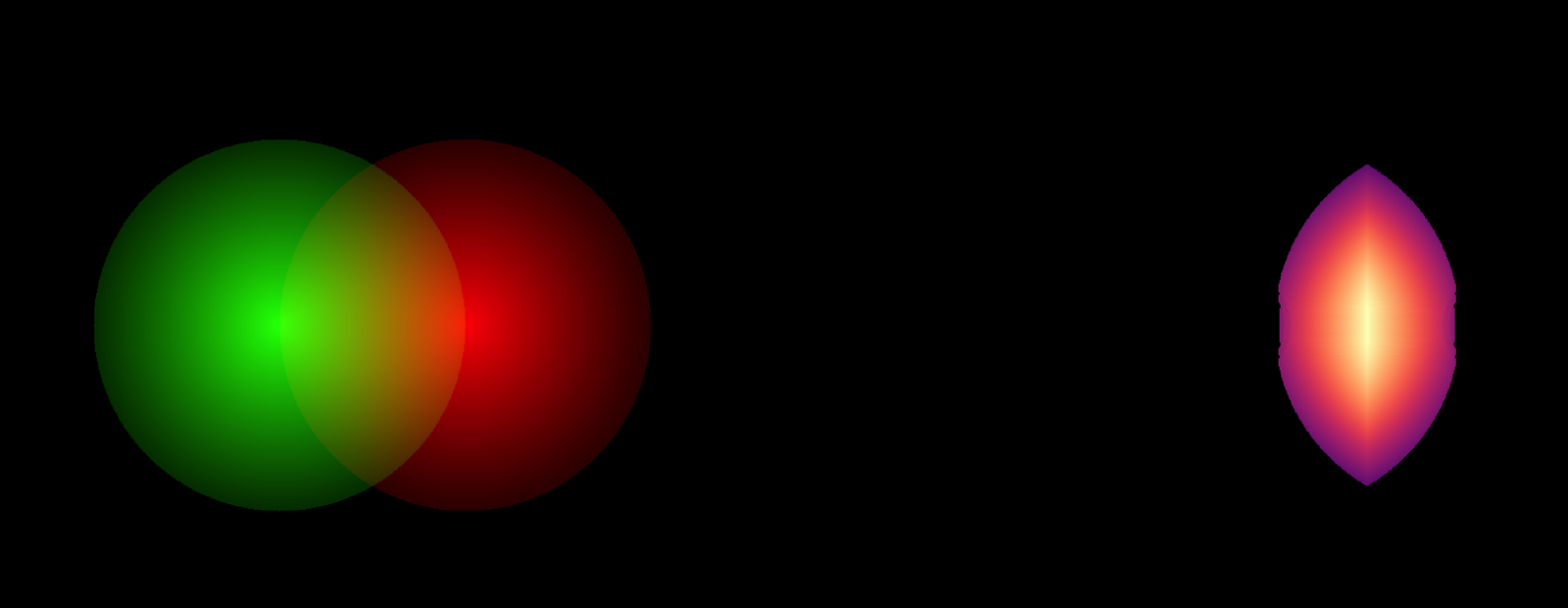
3D-derived maximum-intensity projection view.
Features
- two-channel RACC calculation from napari
Imagelayers - live threshold, theta, percentile, and Costes threshold controls
- linked analysis/display cutoffs with optional display-only channel thresholds
- independent RACC display minimum without changing the numeric result
- synchronized translucent, maximum-intensity, and additive 3D rendering modes
- 3D-only intensity and RACC opacity controls, plus background suppression for clearer deep structures without making 2D slices or fixed MIPs faint
- transparent zero-valued RACC voxels for clean volume rendering
- thresholded RGB overlay volume with selectable probe colors
- side-by-side overlay/RACC and 3D-derived MIP views
- scatter histogram with visible axes, regression, threshold, and percentile-band overlays
- XY and Z display scale controls for metadata-light TIFF stacks
- scrollable control panel with expandable input layer selectors
- export of the numeric RACC result stack as TIFF
Installation
Install from PyPI:
pip install napari-racc
For local development:
git clone https://github.com/rensutheart/napari-racc.git
cd napari-racc
uv venv --python 3.11
source .venv/bin/activate
uv pip install -e ".[dev]"
Fish shell users should activate the environment with:
source .venv/bin/activate.fish
Usage
- Open napari.
- Open two image stacks or use
File > Open Sample > RACC. - Start the widget from
Plugins > RACC (napari-racc). - On Analysis, select channel 1 and channel 2.
- Adjust the background thresholds or press
Estimate thresholds (Costes). Thresholds use the shared 0–255 working intensity scale. Review automatic estimates against the image background. - Press
Run RACC. - For volume inputs, use
3D channels,3D RACC map, or3D side by side.2D Z max projectioncompares fixed maximum-intensity projections along Z. A short note below the buttons explains this projection. With 2D inputs, the first three buttons are labelled 2D and the Z-projection action is disabled. - On Appearance, expand
3D volume renderingto adjust the rendering method, intensity/RACC opacities, and background suppression. These volume controls apply only to 3D views; slices and fixed Z-projections show retained pixels at full opacity. - Expand
Visibility filtersfor channel cutoffs and the RACC minimum. LeaveLink channel cutoffs to analysis thresholdsenabled for a directly comparable intensity view, or disable it to set display-only cutoffs. ExpandColorsorScale & bounding boxfor other appearance controls. Appearance settings do not change the calculated or exported RACC values. - On Analysis, expand
Advanced method settingsfor theta and percentile, orAnalysis diagnosticsfor the scatter plot. UseLog intensityto space both axes logarithmically andFocus above thresholdsto emphasize the voxels that meet both thresholds. Turn offShow fit guidesto inspect the histogram with only the channel threshold lines.Update automaticallycontrols recalculation after analysis edits. - Press
Export RACC TIFFto save the numeric RACC result stack for use in other software.
RACC is calculated over the full 3D volume when 3D inputs are used. The MIP view is derived from the 3D calculation; it is not a 2D recalculation.
Development
python -m npe2 validate src/napari_racc/napari.yaml
python -m ruff check src
python -m pytest
python -m build
Launch one example dimensionality at a time:
python scripts/launch_racc_examples.py --example 3d
python scripts/launch_racc_examples.py --example 2d
For a prepared presentation example, use:
python scripts/launch_racc_examples.py --example 3d --demo
This loads a small, explicitly labelled synthetic example, calculates RACC, and opens the side-by-side comparison with Appearance selected. It uses no local legacy sample files. See the demonstration guide for a five-minute walkthrough and technical discussion points.
Do not launch the napari viewer with QT_QPA_PLATFORM=offscreen; napari needs a
real Qt/OpenGL context for the viewer on macOS.
Citation
If you use this plugin or the RACC method in research, cite:
Theart RP, Loos B, Niesler TR. Regression adjusted colocalisation colour mapping (RACC): A novel biological visual analysis method for qualitative colocalisation analysis of 3D fluorescence micrographs. PLOS ONE 14(11): e0225141. https://doi.org/10.1371/journal.pone.0225141
License And Patent Notice
This software is licensed under the PolyForm Noncommercial License 1.0.0. It is source-available for noncommercial research, education, and evaluation use, but it is not an OSI open-source license.
Use of the RACC method may be covered by patent rights, including US patent
application US20220189129A1 and related patent family members. Commercial,
clinical, diagnostic, or for-profit service use requires a separate license from
the rights holder. See LICENSE, NOTICE, and PATENTS.md.
1 maintainer

Metadata
1 maintainer
Release files for napari-racc 0.5.0
For a detailed explanation of source distributions (sdists) and built distributions (wheels), please see the package formats documentation.
Source distribution (sdist)
| File | Size | Uploaded | Provenance | Actions |
|---|---|---|---|---|
| napari_racc-0.5.0.tar.gz | 535.9 kB | With provenance | Details for napari_racc-0.5.0.tar.gz |
Built distribution (wheel)
| File | Interpreter | ABI | Platform | Actions Reset |
|---|---|---|---|---|
| napari_racc-0.5.0-py3-none-any.whl | Python 3 | none | any | Details for napari_racc-0.5.0-py3-none-any.whl |
Total release size: 580.0 kB
Release files / napari_racc-0.5.0.tar.gz
| Download URL | napari_racc-0.5.0.tar.gz |
|---|---|
| Size | 535.9 kB |
| Tags | Source |
|
SHA-256 checksum How to use checksums |
30368c5dd190d4445b5f2af29cfa9d4a3be168b66e59e5c26544435047d09028
|
|
BLAKE2b-256 checksum How to use checksums |
05ef95a22a22b93641177a1628e028bd61f19690a92c02616dac67429d488adc
|
| Upload date | |
|
Uploaded using Trusted Publishing? What is trusted publishing? |
Yes |
| Uploaded via |
twine/7.0.0 CPython/3.13.16
|
Provenance
Provenance describes where a file came from. On PyPI, provenance is shared via attestations, which provide a verifiable record of the build or publishing details. View details, limitations and caveats.


PyPI Publish Attestation
PyPI verified that this artifact, at this checksum, originated from the publisher listed below.
Signed by GitHub Actions, verified by PyPI on Nov 4, 2026.
Transparency logRelease files / napari_racc-0.5.0-py3-none-any.whl
| Download URL | napari_racc-0.5.0-py3-none-any.whl |
|---|---|
| Size | 44.1 kB |
| Tags | Python 3 |
|
SHA-256 checksum How to use checksums |
26af492f768688eece6bfc549acb08d6ff5aacdce415f1d9b3aa048d9159aa0e
|
|
BLAKE2b-256 checksum How to use checksums |
8f27966e78f4a7475eb531ae2b3dc3b3f7452f2d5aec0f9c01a897b64d24134f
|
| Upload date | |
|
Uploaded using Trusted Publishing? What is trusted publishing? |
Yes |
| Uploaded via |
twine/7.0.0 CPython/3.13.16
|
Provenance
Provenance describes where a file came from. On PyPI, provenance is shared via attestations, which provide a verifiable record of the build or publishing details. View details, limitations and caveats.
PyPI Publish Attestation
PyPI verified that this artifact, at this checksum, originated from the publisher listed below.
Signed by GitHub Actions, verified by PyPI on Nov 4, 2026.
Transparency logSecurity for napari-racc 0.5.0
Provenance
Provenance describes where a file came from. On PyPI, provenance is shared via attestations, which provide a verifiable record of the build or publishing details. View details, limitations and caveats.
Full provenance
Both files in this release have been uploaded with provenance metadata.
Attestation for napari_racc-0.5.0.tar.gz
PyPI Publish Attestation
PyPI verified that this artifact, at this checksum, originated from the publisher listed below.
Signed by GitHub Actions, verified by PyPI on Nov 4, 2026.
Transparency logA note on package security
PyPI is a repository for distributing packages, not a service for auditing them. While third-party security researchers and our staff do their best to detect and remove malicious packages, PyPI cannot guarantee the quality, security or suitability of any given package.
To learn more about protecting yourself from malicious actors, visit our package security documentation.














